
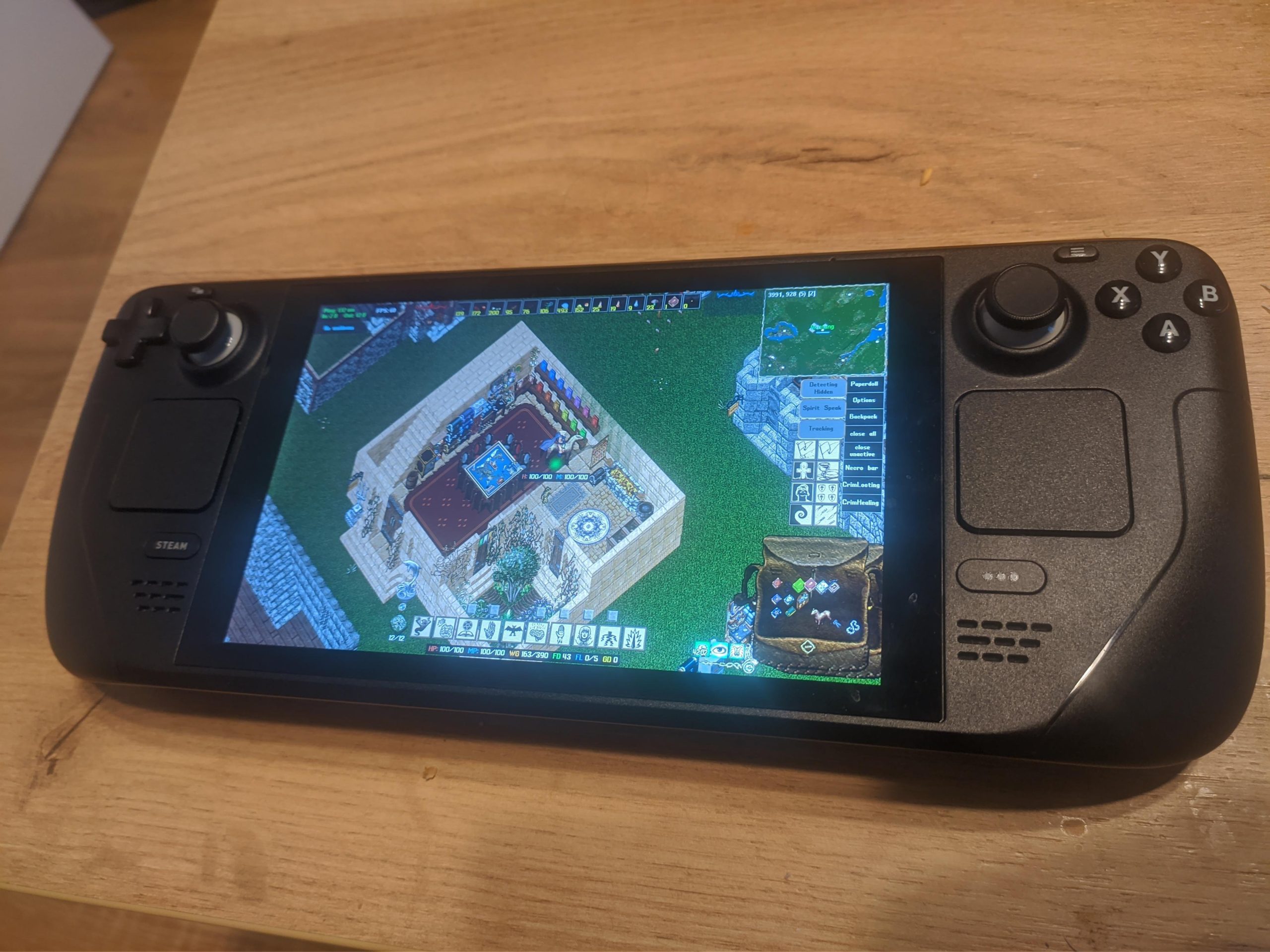
Yes, you can play Steam games portably using devices like the Steam Deck or a gaming laptop, allowing for gaming on the go.
Ever wondered if your extensive Steam library could travel with you? The question, “can you play steam game portably,” is on many gamers’ minds. Luckily, it’s a resounding yes these days!
Portable devices now offer the power to run a lot of your favorite Steam titles. Options like Valve’s own Steam Deck make this a reality. Enjoy gaming wherever you go, truly bringing your PC games to life.

Can You Play Steam Games Portably? Exploring Your Options
The thought of taking your awesome Steam game library on the go is super exciting for many gamers. No more being chained to your desk! But, can you really play all those cool Steam games portably? The answer isn’t a simple yes or no, it’s more like, “it depends!” Let’s dive into all the different ways you can play your Steam games away from your main computer, looking at various devices and methods. We will explore all the options, from dedicated handhelds to using your phone or tablet. It’s a bit of a tech adventure, so let’s get started!
Understanding the Challenge: What Makes “Portable” Difficult?
Before we jump into solutions, let’s talk about why playing Steam games portably isn’t always straightforward. Steam games usually need pretty powerful computers to run properly. These computers have speedy processors, lots of memory, and great graphics cards. Your phone or a small tablet likely doesn’t have the same power. So, the main challenge is figuring out how to play these games, which need a powerful system, on something that’s designed to be small and use less power. Another consideration is game compatibility. Not all games are made for small screens or touch controls. We also need to consider how much data it takes to download these large games and how good our internet is when we want to play. It’s a puzzle, but we’ll piece it together!
The Two Main Paths: Local vs. Remote Play
When it comes to playing Steam games portably, there are basically two ways to do it: playing games locally on a portable device, or playing them remotely by streaming them from your computer. Each approach has its pros and cons, and the best one for you will depend on what games you play, what devices you have, and what your internet is like. Let’s explore both.
Playing Steam Games Locally on a Portable Device
Local play means the game runs directly on the portable device you’re using. This is generally the preferred way, as it doesn’t depend on a constant internet connection. However, the big challenge here is finding a portable device powerful enough to run the games well. Here are a few common approaches to playing games locally:
Gaming Laptops: Powerful Portability
Gaming laptops are the most obvious answer for local portable gaming. These powerful machines are like desktop computers packed into a portable form. They have the components to handle demanding games, and they are quite comfortable for gaming.
- Pros:
- Can run most Steam games, including the newest ones.
- Large screen size for better gaming experience.
- Use of keyboard and mouse provides a desktop-like experience.
- Cons:
- Can be expensive.
- Usually heavy and bulky to carry around.
- Battery life might not be long enough to play for hours away from the outlet.
Gaming laptops are great if you want the best performance, but they’re not always the easiest thing to carry around all day. Consider this an option if you need real power while on the go, or you are okay with lugging some extra weight. This is good for people who don’t want to compromise on power and graphical settings.
Dedicated Handheld Gaming PCs: The Rise of Portability
Handheld gaming PCs, like the Steam Deck, ROG Ally, and Lenovo Legion Go, are a new breed of device made specifically for portable PC gaming. They pack impressive power into a small handheld form factor. These little machines can often play many Steam games at decent frame rates.
- Pros:
- Designed specifically for gaming on the go.
- Come with built-in controllers.
- More compact and lighter than gaming laptops.
- Cons:
- Still a big purchase.
- Battery life can be a limiting factor.
- Some games may require tweaking for the best performance.
Handheld gaming PCs have quickly become very popular. They are a great middle ground between the power of a laptop and the portability of a console. These devices usually have Linux or a custom version of Windows, allowing direct Steam integration, and let you download and play games from your library. They’re a good fit for someone who wants truly portable power and doesn’t mind a bit of fiddling to get games to run perfectly.
Playing Steam Games Remotely: Streaming Power
The second main way to play Steam games portably is by streaming them. Instead of running the game directly on your portable device, your main computer does the heavy lifting, and then streams the video and audio to your portable device while you send commands back. This means your device doesn’t need to be very powerful. This approach works well as long as your home network and internet are strong.
Steam Remote Play: Streaming from Your Own Computer
Steam has a feature called Remote Play that lets you stream games from your computer to another device on the same network or over the internet. This uses your own computer as the gaming machine, and any device like a phone, tablet, or even another computer can act as the screen and controller.
- Pros:
- Your phone, tablet, or laptop does not need to be powerful.
- Play games even on devices without dedicated graphics cards.
- Good way to get more use out of your existing computer.
- Cons:
- Requires a constant internet connection and a strong local network.
- Latency (delay) can affect fast-paced games.
- May not work well over very slow internet connections.
Steam Remote Play works best when both your gaming computer and portable device are on a good Wi-Fi network. When playing over the internet, connection speed and stability is very important. It is an excellent solution for those who want to keep using their gaming computer, but with the flexibility of portable play on other devices, as long as there is good internet access.
Cloud Gaming Services: Renting the Power
Cloud gaming services, such as GeForce Now, Xbox Cloud Gaming, and Amazon Luna, stream games from powerful servers over the internet. You pay a subscription fee to access their server power, which lets you play games from their libraries on various devices. Some of these services may allow you to play Steam games if you own them.
- Pros:
- You don’t need a gaming PC or a console.
- Play games on almost any device with a good internet connection.
- You don’t need to download the games on your device.
- Cons:
- Requires a high-speed and reliable internet connection.
- Can be expensive with a subscription model.
- Game selection may be limited to what the service provides.
- Latency can be an issue depending on the internet and distance to the server.
Cloud gaming is great for playing games when you don’t have a gaming computer or console available. However, it’s most beneficial if you have a really good internet connection. It offers the convenience of not needing a powerful device and removes the issue of managing downloads on your device. These services are great for people with strong internet and want access to gaming from anywhere without purchasing powerful hardware.
Choosing the Right Approach: What Works for You?
So, which method is best for playing Steam games portably? It really depends on your needs and what you have. Here’s a summary to help you decide:
Factors to Consider
Here’s a table summarizing the options:
| Method | Device Required | Pros | Cons | Best For |
|---|---|---|---|---|
| Gaming Laptop | Gaming Laptop | Local play, most powerful, runs most games | Expensive, bulky, short battery | People who want top performance. |
| Handheld Gaming PC | Steam Deck, ROG Ally, etc. | Portable, designed for gaming, has built in controllers | Expensive, battery life can be short, can be tweaked | People who want true portable gaming. |
| Steam Remote Play | Gaming computer, phone, tablet, etc. | Uses existing PC, can play on weak devices | Requires good internet and local network | People who have a gaming PC and want to play on other devices at home. |
| Cloud Gaming Services | Any device with internet | No gaming PC required, play anywhere | Requires strong internet, subscription based, may have latency | People who don’t have a gaming PC or good internet and don’t mind a subscription fee. |
Consider the following questions when choosing:
- Budget: How much are you willing to spend on the portable setup?
- Game Needs: What games do you want to play? Do they need a really powerful setup?
- Portability Needs: How important is it to have something small and light?
- Internet Access: How good is your internet at home and on the go?
- Technical Skills: Are you comfortable with tweaking settings?
Thinking about these points will help you choose the approach that best fits your lifestyle and gaming desires.
Playing Steam games portably is definitely achievable. Whether you want to carry the power in a gaming laptop or handheld PC, or stream from home or the cloud, there’s a way for you to enjoy your Steam library wherever you go. So, explore your options, figure out what works best for you, and get ready to take your gaming on the road!
How To Play Steam Games On Phone?
Final Thoughts
In conclusion, the ability to play Steam games on the go depends on your setup. Devices like the Steam Deck or ROG Ally provide direct portability, letting you play many titles natively.
However, other solutions also allow remote play on mobile devices or laptops, extending your gaming to different locations. Therefore, the simple answer is yes, you can play steam game portably with several effective options.

