
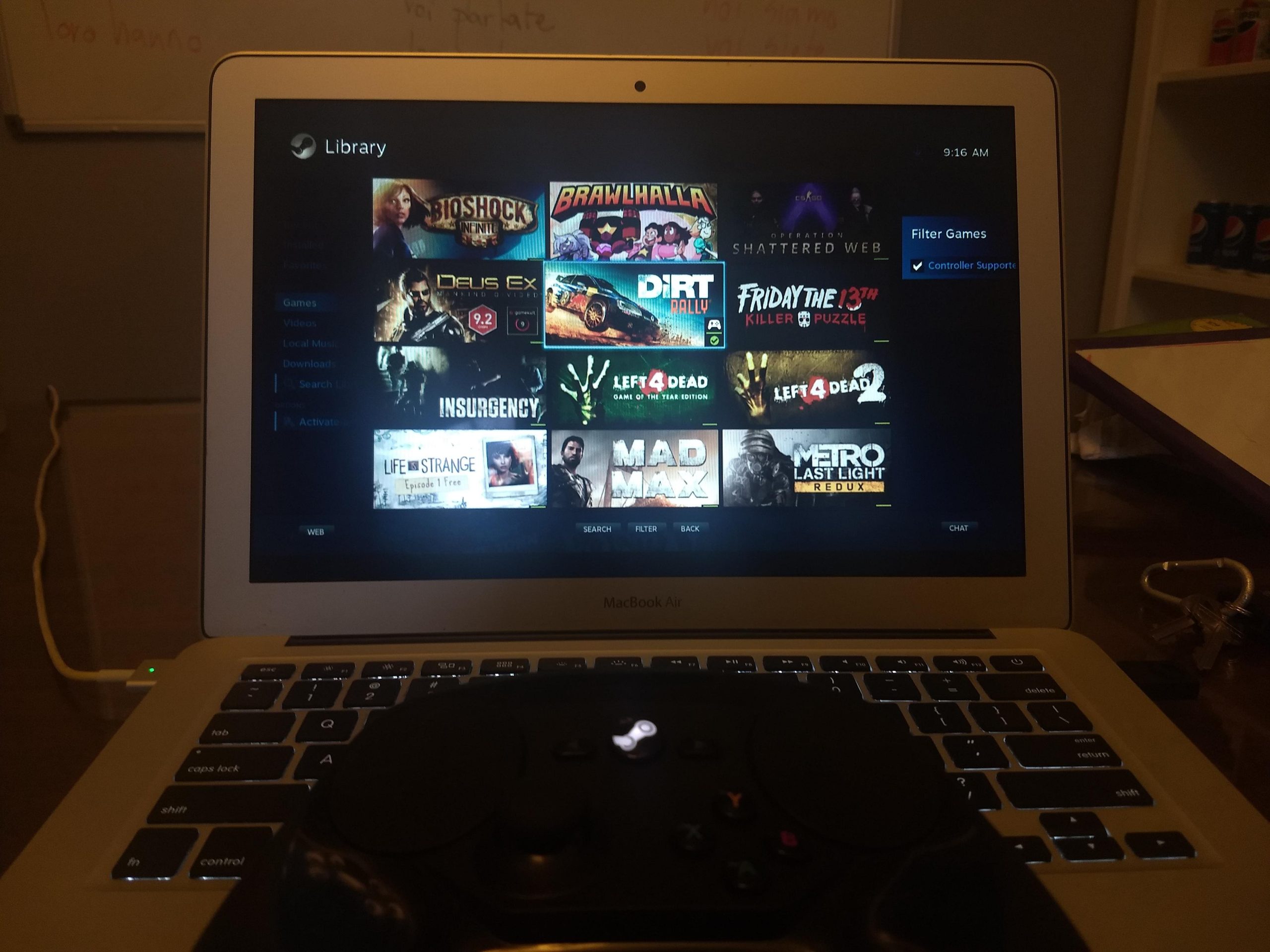
Yes, you can play some Steam games on a Macbook Air, though performance will vary depending on the game and the specific Macbook Air model.
The burning question on many Mac users’ minds is: can you play steam games on macbook air? It’s a valid concern, especially with the MacBook Air’s sleek design not always suggesting powerful gaming capabilities. You might have a library full of games on Steam, and you’re wondering if your Air can handle them.
While not every game will run smoothly, many titles do work well. Performance will depend on the game’s graphic requirements and your MacBook’s specifications. So, let’s delve into what you can expect for gaming on a Macbook Air.

Can You Play Steam Games on MacBook Air?
So, you’ve got a shiny new MacBook Air and you’re wondering if you can dive into the world of Steam games? It’s a great question! The short answer is: Yes, you can play some Steam games on your MacBook Air, but it’s not as straightforward as on a gaming PC. Let’s explore what that means and what you need to know.
Understanding the MacBook Air’s Strengths and Limitations
MacBook Airs are designed for portability and everyday tasks like browsing the web, writing documents, and watching videos. They aren’t built primarily for high-end gaming like some beefier computers. However, they’ve gotten much better over the years! Newer MacBook Air models, especially those with Apple Silicon chips, have significantly improved their gaming capabilities compared to older models that used Intel processors. The reason for this improvement is the architecture of these chips allows for better handling of graphics intensive tasks. Still, it’s essential to be realistic about what games you can expect to play smoothly.
The Processor: The Heart of the Matter
The processor (like the M1, M2, or M3 chip) is super important for gaming. Apple’s own Silicon chips have made a big difference, providing a good balance of performance and power efficiency. These chips include integrated graphics, meaning the graphics processing is part of the same chip as the central processing unit (CPU). This setup is more efficient than having a separate graphics card, which is common in gaming laptops. The good news? These chips are powerful enough to handle many games, especially if they are not super demanding in terms of graphics.
Integrated vs. Dedicated Graphics
Now here’s the thing, MacBook Airs don’t have a dedicated graphics card. A dedicated graphics card is like having a specific muscle for handling game graphics, while integrated graphics uses a portion of your main processor to do that job. This integrated approach is more economical and power-efficient, which is great for battery life, but it does mean that you won’t get the same high level of performance you would from a computer with a dedicated card. So, while the Apple silicon graphics are strong for integrated graphics, they still are not the same as a dedicated card for raw graphical power. This means certain graphically demanding games might not run well or may need to have their settings turned down for smooth gameplay.
RAM and its Role in Gaming
RAM (Random Access Memory) is like your computer’s short-term memory. The more RAM you have, the more tasks your computer can handle at once. For gaming, having enough RAM prevents your game from lagging or freezing. 8GB of RAM is often the base configuration for MacBook Airs, which is generally okay for most tasks, including playing less intensive games. However, if you plan on playing games while also running other applications, or if you plan to play more graphically-demanding titles, you might want to consider a MacBook Air with 16GB of RAM to improve performance.
What Types of Steam Games Can You Expect to Play?
Okay, so we know about the MacBook Air’s capabilities. But what games can you actually play? The good news is that there are many enjoyable games on Steam that run great on a MacBook Air. Here’s a breakdown of what to expect:
Indie Games and Less Demanding Titles
MacBook Airs shine with indie games, which often have simpler graphics and gameplay mechanics. Games like Stardew Valley, Hades, Terraria, Among Us, and Minecraft run very smoothly on a MacBook Air. These types of games don’t need a powerful graphics card and play well on less powerful computer hardware.
- Stardew Valley: A relaxing farming and life simulator.
- Hades: A fast-paced action roguelike.
- Terraria: A 2D action-adventure sandbox game.
- Among Us: A popular multiplayer social deduction game.
- Minecraft: A sandbox game with endless possibilities.
These games are perfect for casual gaming and can be enjoyed on the go without much hassle. These types of titles typically favor the speed and efficiency of the Apple Silicon architecture.
Older AAA Games
Many older “AAA” (big-budget) games also run well on MacBook Airs. Games that were released a few years ago are often less demanding than new titles. Think of games like Portal 2, Bioshock, or even some older Call of Duty or Half-Life games. These games might still look great and provide a fun experience. They were designed for machines that were less powerful than today’s gaming rigs, and therefore, tend to run without problems on newer MacBook Air models, and they can be a lot of fun if you haven’t played them before.
More Demanding Games: Caveats and Considerations
When it comes to more recent or graphically intense games, things get more complicated. Some of these games may run, but might not run smoothly. You might experience lower frame rates (the number of images displayed per second, which makes games look smoother) or need to turn down the graphics settings. Even then, some may simply be unplayable due to their high hardware requirements. Games like Cyberpunk 2077, Red Dead Redemption 2, or the newest entries in the Assassin’s Creed series are very resource-intensive and may not provide an enjoyable experience on a MacBook Air.
- Lower Frame Rates: You might see the game stutter or slow down.
- Reduced Graphic Settings: You might need to play the game on low settings, which can affect how good the game looks.
- Potential Overheating: Playing very demanding games could make your MacBook Air get quite warm.
If you are really set on playing such games, you might want to consider a different setup such as a gaming PC or using a cloud gaming service (more on that later). It’s all about knowing your machine’s limits.
How to Check if a Steam Game Will Work on Your MacBook Air
So, how can you know if a specific Steam game will work well on your MacBook Air? Fortunately, Steam provides information that can help you decide.
Steam System Requirements
Each game on Steam has a section called “System Requirements.” This section lists the minimum and recommended hardware your computer needs to run the game properly. Pay close attention to the macOS requirements, specifically:
- Processor: Make sure your MacBook Air’s processor meets or exceeds the listed requirement.
- Memory (RAM): Check if you have enough RAM to run the game smoothly.
- Graphics: This is usually listed as “Graphics card,” but remember that MacBook Airs use integrated graphics, which means you might not always have the dedicated card mentioned. However, if the game has specific graphics processor listed (such as an “Intel Iris” or “Apple Silicon” chip), check if your machine meets the minimum requirement.
- Storage Space: Ensure you have enough hard drive space to install the game.
If your MacBook Air meets or exceeds the “minimum” requirements, the game should run, but it might not run as smoothly as it would on a system that meets the “recommended” specs. If your system is below the minimum requirements, that may mean the game won’t run at all.
User Reviews and Gameplay Videos
Another excellent resource is user reviews and gameplay videos on platforms like YouTube. Search for “[Game Name] MacBook Air gameplay” to see how others have run the game on their machine. This will give you real-world examples of how the game performs, and the framerates you might expect from similar systems. Be sure to pay attention to if the person playing the game has an M1, M2, or M3 chip, as their performance will be different.
Using Steam’s Refund Policy to Test Games
Steam has a great refund policy. You can refund games if you have played them for less than two hours and requested the refund within 14 days of purchase. This gives you an opportunity to try out a game and see how it runs on your MacBook Air without losing your money. If it doesn’t work well, just request a refund.
Tips for Improving Game Performance on a MacBook Air
Even if your MacBook Air isn’t designed for hardcore gaming, there are several things you can do to make games run better:
Close Unnecessary Applications
Make sure that other programs on your computer are closed. Having other open applications, such as web browsers or editing software, uses your computer’s resources. When you close them, your MacBook Air can focus more of its processing power on the game. This will free up ram and CPU usage which will enable the game to have better performance.
Lower Graphics Settings
In many games, you can adjust the graphics settings in the game’s menu. Try lowering the graphics options (such as texture quality, shadow quality, or resolution) to improve game performance. Start by lowering them one at a time and see which gives you the best mix of visual quality and performance.
Use Game Mode (macOS Sonoma and later)
macOS Sonoma and newer operating systems have a feature called “Game Mode” that optimizes your system for gaming. When you start a game, Game Mode automatically prioritizes system resources for the game, which can improve performance. To take advantage of this, you’ll need to be running a compatible version of macOS. If you have a compatible OS it might be automatically enabled, but you can double check by going into your control center and clicking the gaming mode on or off.
Keep Your macOS and Steam Up-to-Date
Keeping both your macOS and the Steam application up to date ensures that you have the latest performance improvements and bug fixes. These software updates often include optimizations that can make games run more smoothly. It’s always good to keep all your software up to date!
Consider External Cooling
When playing games, your MacBook Air might get warm. Using an external cooling pad or stand can help reduce the temperature, preventing your system from throttling (slowing down) to manage heat. This will help keep your system at a stable performance level and may allow the game to continue running more smoothly for longer.
Exploring Alternatives: Cloud Gaming
If your MacBook Air struggles to run some games or you just want access to more powerful gaming hardware without buying a new computer, cloud gaming is an option. With cloud gaming, the game is actually running on a remote computer, and the video is streamed to your MacBook Air. This way, you can play a graphically demanding game as long as you have a good internet connection. You are only displaying the video from another system, as the game is not being run on your computer.
Cloud gaming services like NVIDIA GeForce Now and Xbox Cloud Gaming offer access to a library of games for a monthly subscription fee. You can play many games that wouldn’t run well on your MacBook Air. However, your gaming performance will still rely on your internet connection. This solution is helpful when you have a fast internet connection, but it may still not be the same as playing a game directly on your hardware.
A Summary of Playing Steam Games on a MacBook Air
To wrap things up, here’s a quick look at the essentials for playing Steam games on a MacBook Air:
- Yes, you can play many Steam games on a MacBook Air.
- Indie games and older AAA games tend to run best because they are less demanding on your hardware.
- Check the game’s system requirements on Steam before buying to make sure it will run.
- User reviews and gameplay videos can help give you a sense of actual game performance.
- You can improve game performance by closing other applications, lowering graphics settings, or using game mode.
- Cloud gaming services offer an alternative for playing more demanding games.
Playing games on your MacBook Air is possible but it may not be the same as playing games on a dedicated gaming machine. If you are a hardcore gamer who is expecting to play very graphically intense games, it might not be the best solution. However, it’s definitely good enough for casual and indie games, or even some older AAA titles. Just be sure to check the system requirements and try some alternatives if needed. Have fun playing!
This (Free) App Lets You Play Windows Steam Games on MacOS
Final Thoughts
So, can you play steam games on macbook air? Yes, you can play many games, though performance varies. The base MacBook Air handles lighter titles well.
Demanding AAA games may struggle on this hardware. Consider checking specific game requirements. Ultimately, the experience depends heavily on the game.

