
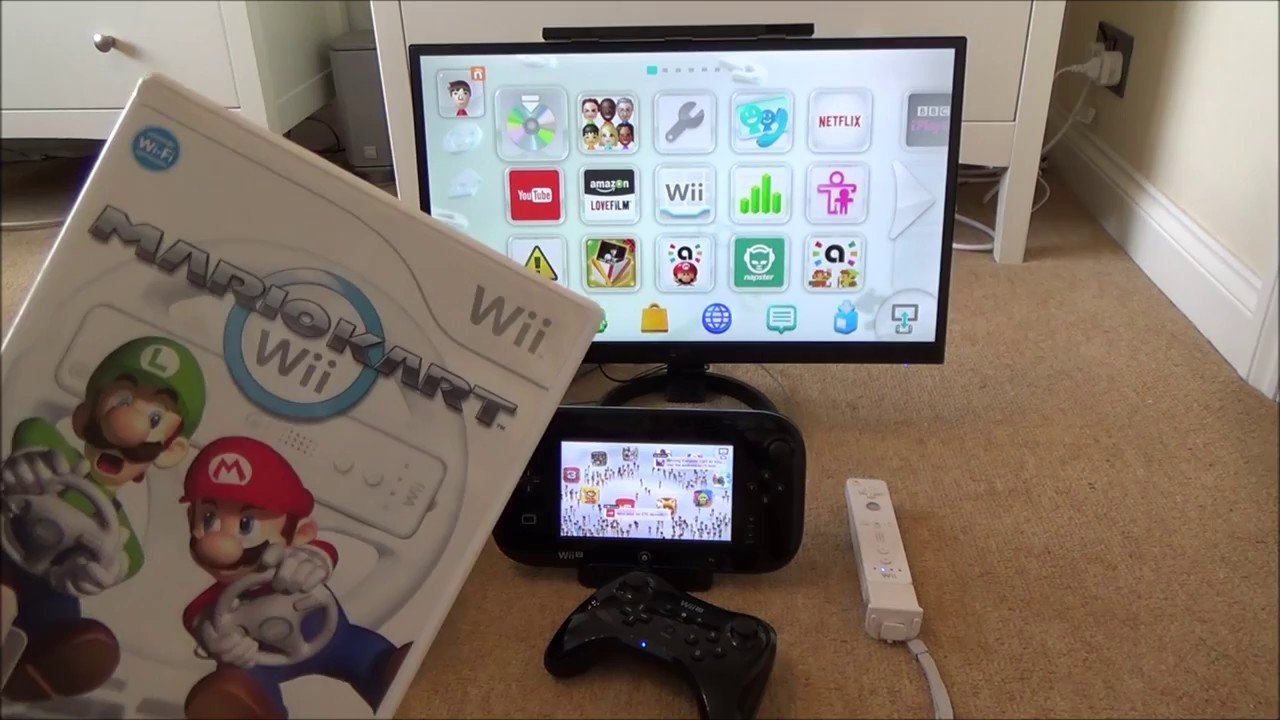
No, you cannot play Wii U games on a regular Wii.
So, you’re curious, can you play Wii U games on a regular Wii? It’s a common question for gamers who own both consoles or are trying to figure out which system they need. The simple answer is no.
The Wii U and the Wii use entirely different game formats and hardware. Because of this incompatibility, games made for the Wii U simply won’t run on an older Wii console.

Can You Play Wii U Games on a Regular Wii? The Truth Revealed
The question of whether you can play Wii U games on a regular Wii console is a very common one, and it’s easy to see why there’s confusion! Both consoles have ‘Wii’ in their names, and they share some similar controllers. But, the short answer is: no, you cannot play Wii U games on a regular Wii. They are different systems with different hardware and software. Let’s dive into why this is the case and what makes each console unique.
Understanding the Wii and Wii U Differences
To understand why Wii U games won’t work on a regular Wii, we need to look at the key differences between these two Nintendo consoles. They might look similar, but inside, they are quite different beasts.
Hardware Disparities
The most significant differences lie in the hardware. The Wii U is a more powerful console than the original Wii. This means it has a faster processor, more memory (RAM), and a better graphics chip. Think of it like this: the Wii is like a good, reliable bicycle, while the Wii U is like a speedy motorcycle. They both get you around, but one is much faster and more capable.
- Processor: The Wii uses an IBM PowerPC processor, while the Wii U features a custom IBM processor. The Wii U’s processor is a significant upgrade, allowing for more complex and demanding games.
- Memory: The Wii had 88 MB of RAM, which was considered good for its time. The Wii U boasts 2 GB of RAM, a huge leap that allows for smoother gameplay, larger game worlds, and more detailed graphics.
- Graphics: The Wii utilizes an ATI graphics chip, while the Wii U uses an AMD Radeon-based graphics chip. This difference means the Wii U is capable of displaying games in High Definition (HD) resolution, offering much sharper and more vibrant visuals. The Wii is limited to Standard Definition.
Disc Format Differences
The way games are stored on discs is another significant difference. The original Wii uses standard DVD-ROM discs. Wii U games, however, are stored on proprietary high-density optical discs, which are physically different and carry more data. Because the Wii’s disc drive isn’t designed to read these discs, it simply can’t recognize or play them.
Think of it like trying to put a square peg in a round hole; it just won’t fit. The Wii’s disc drive is designed for DVD-sized discs, not the Wii U’s high-density discs.
Software and Operating System Differences
Beyond hardware, the software and operating systems are different. The Wii uses a unique system called the “System Menu,” while the Wii U has a newer, more advanced operating system that supports its own specific features. This different software is designed to work with the hardware it’s built for. They are not compatible with each other.
Imagine that you have a computer that only understands English, and another computer that only understands Spanish. They both are doing similar tasks, but they are not compatible, you can not speak to the other computer, because the other computer does not understand your language.
Why the Wii U Isn’t Just an ‘Upgraded’ Wii
Many people might assume the Wii U is just a more powerful version of the Wii, but that’s not the whole story. The Wii U was designed as a successor console, which means it’s a new generation of gaming system with its own unique features and capabilities. It shares some design aspects and controller compatibility, but it’s a completely different console under the hood.
The Wii U GamePad
A key distinguishing feature of the Wii U is the GamePad, a controller with a built-in touchscreen. This allows for unique gameplay mechanics, such as displaying game information on the GamePad while the main action is on the TV, or even playing games entirely on the GamePad’s screen. This innovative feature is something the original Wii simply cannot replicate.
Backward Compatibility: The Good News
While you can’t play Wii U games on a regular Wii, there is some good news! The Wii U is backward compatible with original Wii games. This means you can play all your old Wii games on a Wii U console. This is a great benefit if you decide to upgrade, allowing you to keep playing your favorites without needing to keep your old Wii console around.
How to Play Wii Games on the Wii U:
Playing Wii games on the Wii U is easy. Just follow these steps:
- Turn on your Wii U console.
- Insert the Wii game disc into the Wii U disc slot.
- From the Wii U main menu, you’ll see an option that says “Wii Menu”. Select this.
- The Wii U will now switch to the Wii system, and you can play your games as usual.
It is like having two consoles in one. The Wii U can play both its own games and the older Wii games.
Can You Use Wii Controllers with Wii U Games?
This is another commonly asked question. Can you use your old Wii Remote controllers with Wii U games? The answer is: Sometimes, yes! Many Wii U games are designed to be played with the Wii U GamePad, but some also support using Wii Remotes and Nunchucks. It depends on the specific game you are playing. If a Wii U game supports it, you can certainly use your Wii controllers. It’s a great way to get multiple people involved in games.
There are some Wii U games that don’t support the Wii remotes, and that’s because they utilize the features of the GamePad. So, always check the game’s instructions or box for details on controller compatibility before starting.
Can I Use a Wii U Gamepad on a Wii Console?
Now that we’ve established that you can’t play Wii U games on a Wii, you may be wondering if you can use a Wii U Gamepad on a Wii. The short answer is no, the Wii and the Wii U are completely separate consoles with different systems and functionalities. The Wii console won’t communicate or connect to the Wii U Gamepad, the same is true for other Wii U controllers, they are not compatible with the original Wii console. These controllers are designed specifically for the Wii U system, not the original Wii.
The Importance of Game Compatibility
Game compatibility is crucial in the gaming world. Games are developed for specific consoles with distinct hardware and software. A game designed for a Playstation, for instance, will not work on an Xbox because of the different internal components of each console. Likewise, a Wii U game will not work on a Wii. Compatibility issues often arise from differences in the processor, graphics capabilities, operating system, storage formats, and controller compatibility. This is why older game consoles cannot play games of the newer ones, and vice versa, unless backward compatibility is designed into the newer console.
Think of it like this: a movie made for a DVD player will not work on a VHS player because the formats are different. Game consoles are similar in that they require specific game formats to work.
Emulation: A Potential Solution (But Not Officially Supported)
While not a straightforward or official method, some people explore emulation to play Wii U games on other devices. Emulators are programs designed to mimic the hardware and software of another system, allowing you to run games from that system on a different device, such as a computer. However, using emulators can be complex and may not offer the same experience as playing on the original console. Also it is important to ensure that you are within copyright laws if using emulators.
Emulators can be difficult to set up and can sometimes be buggy or slow. Furthermore, Nintendo does not officially support emulation, so it is not a recommended method for playing games. Always be cautious about where you obtain emulators and games, as they can sometimes contain harmful software.
Summary of Key Differences in a Table
To make the differences even clearer, here’s a table summarizing the key distinctions between the Wii and Wii U:
| Feature | Wii | Wii U |
|---|---|---|
| Processor | IBM PowerPC | Custom IBM Processor |
| RAM | 88 MB | 2 GB |
| Graphics | ATI Chip | AMD Radeon Based Chip |
| Video Resolution | Standard Definition (SD) | High Definition (HD) |
| Disc Format | DVD-ROM | Proprietary High-Density Optical Disc |
| Primary Controller | Wii Remote & Nunchuck | Wii U Gamepad |
| Game Compatibility | Wii Games Only | Wii U Games and Wii Games |
As you can see, the differences are significant. The Wii U is more powerful and designed to handle more advanced games, hence its inability to play games on the original Wii console.
In summary, although the names are similar and they share a brand name, the Wii and Wii U consoles are vastly different in terms of hardware, software, and game format. Because of these core differences, they are not compatible with each other when it comes to their game libraries. It’s important to understand these distinctions to manage your expectations when trying out new games or exploring older Nintendo systems.
While you can’t play Wii U games on your regular Wii, you can always enjoy your existing Wii games or consider getting a Wii U for more gaming fun. Each console offers a unique experience. Understanding the differences can help you make better choices about which system to use and what kind of games you can play.
Wii U's a Downgrade for Playing Wii Games
Final Thoughts
Ultimately, the answer is no; you cannot play Wii U games on a regular Wii. The Wii U uses different game discs and architecture. The systems are not compatible for game playback.
Therefore, you must have a Wii U console to play Wii U games. The older Wii simply does not have the necessary hardware. This is important information for any gamer.

