
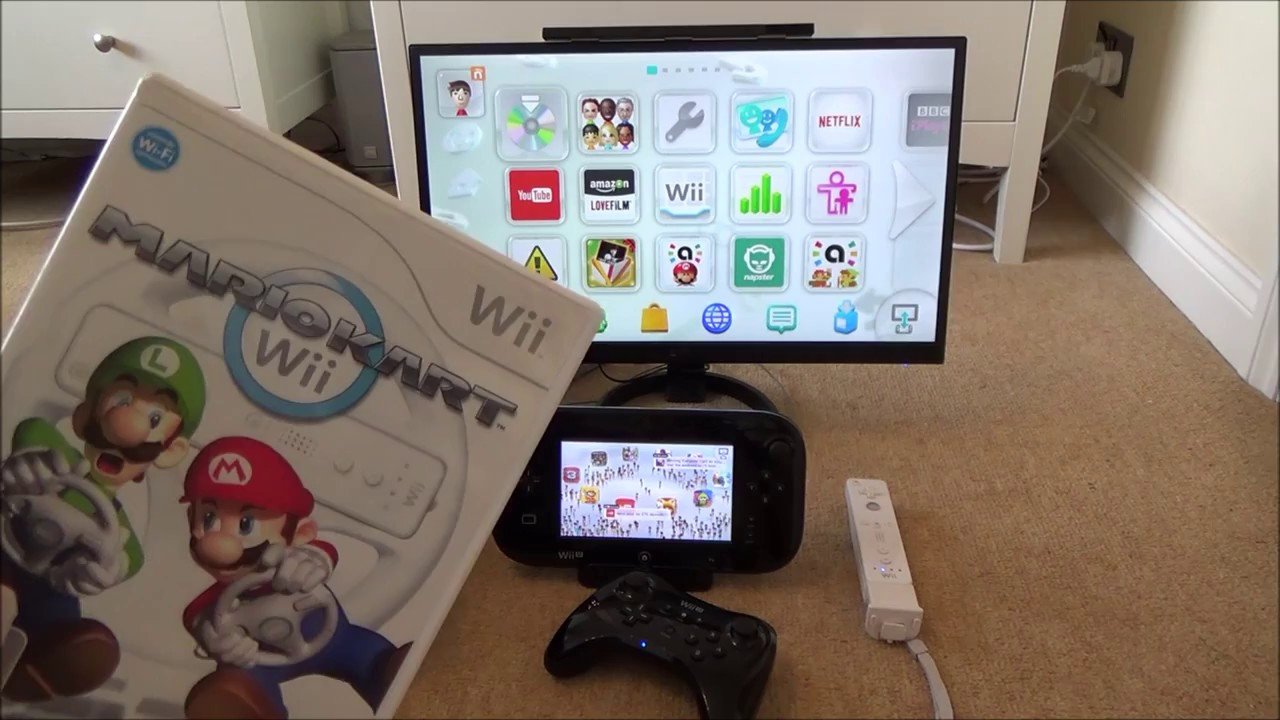
No, you cannot play Wii U games on a Wii.
The question of “can you play wiiu games on wii” is a common one for Nintendo fans, especially those who’ve owned the earlier Wii console. It’s understandable why people might wonder if the newer games would work on older hardware. The Wii U and Wii, while related, are distinct consoles with different hardware specifications.
The Wii U utilizes a different disc format and internal architecture than the Wii. Therefore, Wii U games aren’t compatible with the original Wii console. Each system has its own library of games designed for their respective capabilities.

Can You Play Wii U Games on Wii? A Deep Dive
Let’s get straight to the point: No, you can’t directly play Wii U games on a regular Wii console. It’s a common question, and it’s easy to see why there might be confusion. Both consoles are from Nintendo, they both have “Wii” in their name, and they even look somewhat alike at first glance. But underneath the surface, they’re quite different machines. They have very different hardware and software setups, making them incompatible with each other’s games. Think of it like trying to play a DVD on an old VHS player – it just won’t work. This article will walk you through all the nitty-gritty details why this is the case, making it easy to understand even if you’re not a tech whiz.
The Hardware Differences: Why Wii and Wii U Games Aren’t Interchangeable
The fundamental reason Wii U games can’t play on a Wii lies in their very core: their hardware. Imagine the consoles are like different types of cars. A regular Wii is like a standard sedan – it’s good, reliable, and can get you where you need to go. The Wii U, on the other hand, is more like a sporty, souped-up car with a much more powerful engine and different kinds of tires. Here’s a breakdown:
Processing Power: The Brain of the Operation
Wii: The original Wii uses a processor based on IBM’s PowerPC architecture, specifically the “Broadway” processor. It’s not a bad processor, but it was made with the technology of its time (around 2006) in mind.
Wii U: The Wii U has a completely different processor, a custom design based on the same PowerPC architecture but much more advanced, known as the “Espresso”. The “Espresso” has three cores instead of one like in the Wii. That’s like having three brains working at the same time, making it far better at handling more complex tasks. Because of this difference in power, the Wii U can render much more detailed graphics and handle more complicated game designs than the Wii.
Graphics: Seeing is Believing
Wii: The Wii’s graphics were pretty good for its time. It used an ATI graphics chip capable of delivering visuals in standard definition (480i/480p). This was fine for the Wii’s family-friendly style, but it isn’t comparable to the graphics in today’s consoles.
Wii U: The Wii U’s graphics processor is much more advanced. It can produce high-definition graphics (up to 1080p), making games appear much sharper, more detailed and with better textures. This advancement in graphics is a key factor in why Wii U games won’t work on the original Wii. The Wii simply lacks the ability to process all the high definition data. It’s like trying to play a 4K movie on a standard TV – the TV is simply not designed to display that kind of detail.
Memory: Keeping Everything Running Smoothly
Wii: The Wii had a limited amount of RAM. It’s like the console’s short term memory, which helps it run games efficiently. The Wii had just 88 MB of RAM, a small number by today’s standards.
Wii U: The Wii U, on the other hand, had much more RAM: 2 GB of RAM with 1 GB dedicated for games. That’s way more memory, letting the console handle more complex instructions at once, making games smoother and faster. It’s like having a much bigger desk when doing your homework – you have much more space to put your things, and do your work.
Storage: Where Games Live
Wii: The original Wii relied on storage in the form of cartridges, and also SD cards for storing saves, etc.
Wii U: The Wii U also used cartridges, but it had built-in flash storage (8GB or 32GB) and also supported external USB storage. This storage was essential for installing games and updates, features that the original Wii just wasn’t set up to do.
Controllers: A Whole New Way to Play
Wii: The Wii famously used the Wii Remote and Nunchuk, which featured motion controls. It also supported classic controllers.
Wii U: The Wii U also supports Wii Remotes and Nunchuks, but it introduced the GamePad, a tablet-like controller with a touchscreen. Some Wii U games rely heavily on the GamePad features, which the Wii simply cannot replicate. The GamePad controller also has its own processing capability, and the original Wii is unable to use it properly, since it doesn’t have the necessary hardware.
Software and Architecture: The Language of Games
Hardware isn’t the only difference. The way the two consoles are designed to handle software is completely different. Think of it like this: the hardware is the physical parts of a car, while the software is the specific language it understands.
Operating Systems: Different Dialects
Wii: The Wii uses a custom operating system tailored for its hardware, this operating system is designed to run games made specifically for that console. It’s like a language that only the Wii understands.
Wii U: The Wii U has its own custom operating system, built to take advantage of its more advanced features. This is a completely different language. It is backward compatible with Wii games, but not the other way around. Because Wii games ran with less processing power, Wii U is capable of handling these types of games.
Game Formats: How Games Are Made
Wii: Wii games are designed using the Wii operating system and are meant to be played with Wii controller. They have specific game code that makes use of the limited hardware available in the console.
Wii U: Wii U games have their own code, optimized for the faster processor, higher graphics, and other different specs. The games are designed to use the Wii U GamePad, and other unique features of that console. The original Wii cannot make use of these Wii U codes.
Game Design Philosophies
Wii: Wii games typically feature a simpler game design, focusing on motion controls and casual game play.
Wii U: The Wii U games, because of their better hardware, often feature more detailed graphics, complex game mechanics, and greater overall game design scope. Some games on the Wii U even feature online capabilities.
Backward Compatibility: The Exception That Proves the Rule
While you can’t play Wii U games on a Wii, it is important to note that the Wii U can play Wii games. The Wii U has a special system built in, that allows it to play games made for the original Wii.
Here’s how it works:
Wii Mode: When you put a Wii game disc in a Wii U, the console switches to something called “Wii Mode.” It’s like it transforms itself into a regular Wii, so it can read and play the game.
Original Hardware: Inside the Wii U, there is a chip that is very similar to the hardware inside the original Wii. This hardware is what makes the Wii U able to play Wii games. The original Wii does not have a similar built-in chip to play Wii U games.
Think of it like a special adapter that only works in one direction. The Wii U has an adapter that lets it play Wii games, but the Wii doesn’t have an adapter to play Wii U games.
What If You Want to Play Wii U Games?
So, if you can’t play Wii U games on a Wii, what do you do if you want to enjoy them? The simple answer is: you need a Wii U console.
Here are your options:
Purchase a Wii U: You can buy a used Wii U console online or at a used game store. They can be harder to find, but they are still available if you know where to look. Be careful when buying a used console, and make sure it works properly before you buy it.
Explore Other Consoles: Many popular Wii U games are now available on the Nintendo Switch. The Nintendo Switch is a newer Nintendo console, with more processing power, better graphics, and more capabilities. If you want to play some of the classics from the Wii U, purchasing the Nintendo Switch can be a great choice.
The Key Takeaway: Understanding the Limitations
The core point is that the Wii and Wii U are fundamentally different consoles. They have different hardware, software, and game designs. Trying to play Wii U games on a Wii is like trying to put a square peg in a round hole. It’s not about the game discs, but how the games were made, and what hardware is needed for them to work properly. The original Wii simply cannot handle the more complex software and hardware requirements of Wii U games.
So, while it might be disappointing to learn that you can’t play Wii U games on your Wii, this detailed explanation should help you better understand why it’s impossible. This understanding will help you navigate your gaming choices with better knowledge. It’s all about technology and how games are made. The next time someone asks, “Can you play Wii U games on Wii,” you can tell them not only “No,” but also why.
Remember that technology moves fast and each console is made for a certain purpose. This technology difference in console also means that they are unable to run games from newer consoles. The next time a friend asks you this question, you can explain to them that there are differences in the hardware and software, and that’s why you are not able to play Wii U games on your Wii.
The world of gaming is always changing. By understanding the way things work, you can be ready for any new changes and enjoy the best games from all the different consoles.
Did you know you can play Original wii games on Wii U 30K VIEWS
Final Thoughts
Ultimately, the answer is no, you cannot play Wii U games on Wii. The Wii U employs different hardware, making its game discs incompatible with the older Wii console. This is a fundamental difference.
Wii U games use a different disc format than Wii games. The hardware inside a Wii simply cannot read the data from a Wii U game disc. Therefore, ‘can you play wiiu games on wii’ will always be a no.

