
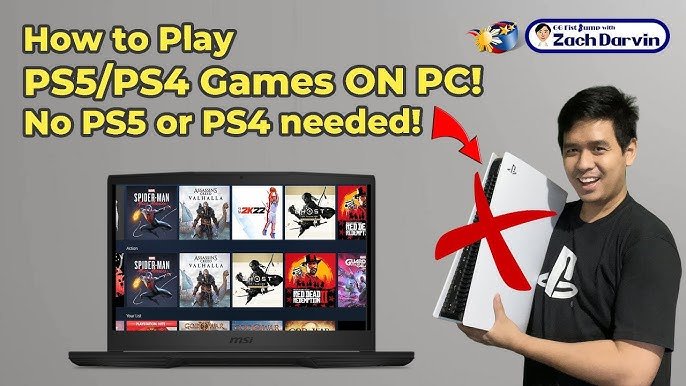
No, you cannot directly play your PS5 games on PC.
Ever wondered if you could bring your PlayStation 5 library to your computer? It’s a common question, “can you play your ps5 games on pc?”. The appeal of enjoying those console exclusives on a bigger screen with keyboard and mouse is understandable.
While direct gameplay is not possible, some workarounds exist. We will explore the available options and their limitations in the following sections. Stay tuned as we dig into the details.

Can You Play Your PS5 Games on PC?
Have you ever wondered if you could play those awesome PlayStation 5 games on your computer? It’s a question many gamers have. The short answer is: it’s a bit complicated, but it’s absolutely something you can explore! This article will take a deep look at how you can actually play your PlayStation 5 games on your PC, what tools you need, and what you should keep in mind along the way.
Understanding the Limitations
Before we get too excited about playing PlayStation games on your PC, it’s important to know that you can’t just pop a PS5 disc into your computer and start playing. PlayStation 5 games are built to run on the PS5’s specific hardware and software. PCs use different systems, which means they can’t understand or run PS5 games directly. This difference in architecture makes things tricky. The technology isn’t designed to play games made for a PS5 on a PC by simply inserting a disc. So, what are the options?
Remote Play: Your First Step
The most common way to play PS5 games on your PC is through a feature called “Remote Play.” Think of Remote Play like a window that lets you see and control your PlayStation console from another device. Your PS5 is still doing the actual work of running the game, but the video and audio are streamed to your PC. Your PC sends the controls back to your PS5. Here’s how it generally works:
- Your PlayStation 5 needs to be turned on or in rest mode and connected to your network.
- You need a PlayStation Network account.
- You will need to install the PS Remote Play app on your computer.
- Your PC and PlayStation 5 need to be connected to the internet (ideally, the same network).
How to Set Up Remote Play
Let’s walk through setting up Remote Play step-by-step:
- Download the PS Remote Play App: Visit the official PlayStation website or a trusted app store to download and install the PS Remote Play application for your Windows PC or Mac computer.
- Sign in to your Account: Open the application and use the same PlayStation Network credentials you use on your PlayStation 5.
- Pair Your Device: The app should find your PS5 if it’s on the same network. Select your console. It may give you a code to enter on the PC in your first time.
- Start Playing: Your PS5 screen will now appear on your PC, allowing you to play the game with your connected controller.
What You Need for Smooth Remote Play
Just because you set up Remote Play doesn’t mean it’ll always work perfectly. There are some things that can make your experience better:
- A Good Internet Connection: A stable and fast internet connection is very important for Remote Play. Your home network will make the biggest difference here. If your Wi-Fi is weak, your game could lag or have a low-quality picture. Using a wired internet connection (Ethernet cable) instead of Wi-Fi can improve your streaming.
- A PS5 Controller: The best way to play PS5 games is with a DualSense controller. You can connect it to your PC with a USB cable or with Bluetooth.
- Powerful Computer: While your computer isn’t doing the main game processing, it still needs a decent graphics card and processor to stream the video without problems. Having an updated computer is very useful here.
Cloud Gaming: Another Option
Aside from Remote Play, there is another interesting way to play games, called “cloud gaming”. PlayStation also has their cloud gaming service included in Playstation Plus. Here’s how this usually works:
- The games run on powerful servers: Instead of running the game on your own console, the game is played on powerful computers at the server of the game providers.
- You stream the gameplay: You see and interact with the game through streaming on your own computer, using the internet connection.
- Your controls are sent to the server: Your commands via the controller are also sent over the internet to the servers.
- This provides greater convenience: You can play games without the worry of having a specific console available for that.
Playstation Cloud Gaming
Playstation cloud gaming allows you to stream PlayStation games on your computer, among other devices, through Playstation Plus. Here are key points:
- Requires Playstation Plus Premium subscription: You need a Playstation Plus Premium subscription to use cloud gaming.
- You can play a big library of PS4 and PS5 games: There’s a variety of games available on the Playstation cloud gaming.
- Play games without downloading: Since games are played on the server, you don’t have to worry about downloading big game files.
Cloud Gaming vs. Remote Play
It is useful to know the differences between these two options:
| Feature | Remote Play | Cloud Gaming |
|---|---|---|
| Where the Game Runs | On your physical PS5 console. | On the game providers servers. |
| Console required? | Yes, your PS5 needs to be powered on or in rest mode. | No, you don’t need to physically have the console. |
| Game Selection | Play games you own on your PS5. | Play games available on the cloud gaming library. |
| Internet dependency | You need stable internet connection for streaming on your local network. | You need good internet connection to stream from the server. |
| Subscription | No, it’s a free feature included with your PS5 console. | Requires Playstation Plus Premium subscription. |
Why Not Native PS5 Games on PC?
You might ask, why can’t we just run PlayStation 5 games directly on our PC like some games do? There are several reasons:
Hardware Differences
PlayStation 5 and PCs have different internal parts and designs. It would be like trying to fit a square peg into a round hole.
- The Architecture: The PS5 has a custom-designed system that works in a special way. PCs have general purpose processors, graphics cards, and other parts.
- Operating System: PS5 games are made to run on the PlayStation operating system. PCs use Windows, macOS, or Linux, which can’t interpret the way PS5 games work.
- Optimization: Game developers create PS5 games specifically for the hardware inside the console, which allows them to get the very best performance. PC games are made to run on a much wider variety of different parts, which can make the game slower on less powerful computers.
Licensing and Exclusivity
Many PlayStation games are made under exclusive deals with Sony. This exclusivity makes the games specific to the PlayStation consoles. Releasing games for PC is a decision for the developers, so if it does happen, it is generally done after a long period of time. These types of games are called “first-party” games, which are games that are developed directly by the company (Sony) and are exclusive to it’s console.
The Future of PlayStation Gaming on PC
While playing PS5 games directly on PC is not possible today, things are changing. Many Sony games are now available on PC sometime after their initial release on PlayStation. As cloud gaming technology improves and the PC market grows larger, we may see more and more ways to play PlayStation games on our PC. This might involve better remote play, cloud gaming options, or even native ports of PlayStation games to PC.
Tips for a Better Experience
Whether you use Remote Play or cloud gaming, here are a few tips to get the best experience possible:
- Close other apps: When you play on your computer close other applications that use a lot of processing power. This way you can have more performance available for your game stream, preventing lags or poor quality picture.
- Use a wired connection: A wired internet connection (ethernet) gives you a much more stable connection than Wi-Fi, which is useful if your network experiences connection drops sometimes.
- Update everything: Make sure your PlayStation 5, the PS Remote Play application on your PC and your Dualsense Controller are updated to the latest versions to make sure everything works fine.
By keeping these things in mind, you can experience a more smoother game streaming experience on your PC.
Playing PlayStation 5 games on your PC isn’t as easy as just inserting a disc. But with Remote Play and cloud gaming, it’s definitely possible! Understanding the differences between those two, and also the hardware limitations makes it easier to get a fun and smooth experience. Keep exploring, and have fun playing!
How To Play PS5 Games On PC Anywhere – Full Guide
Final Thoughts
Currently, you cannot directly play PS5 games on a PC. Sony does not offer a service allowing direct game installations.
However, PlayStation Remote Play enables playing PS5 games on your PC if both devices are on the same network and you possess a PlayStation account. This is not the same as native PC gaming though.
Therefore, while using workarounds is possible, can you play your ps5 games on pc in a simple way? The answer is a definite no, native game play is not an option yet.

