
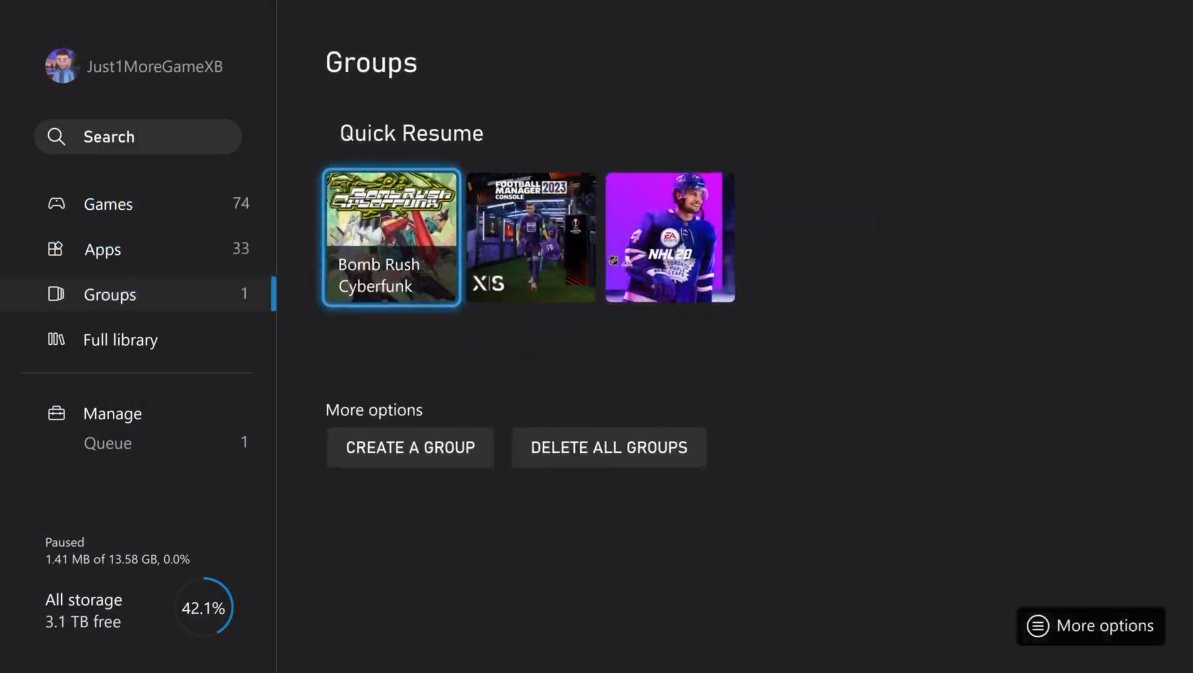
No, you cannot turn off quick resume for specific games individually on Xbox. It’s a system-level feature.
Ever find yourself jumping back into a game, only to realize it’s not quite where you left it, or encountering unexpected glitches? The quick resume feature on Xbox is great, but sometimes it’s not ideal for every title. Naturally, this leads to the question: can you turn off quick resume for certain games? The answer, unfortunately, isn’t a simple yes, or a no.

Can You Turn Off Quick Resume for Certain Games?
The Xbox Series X and Series S consoles have a super cool feature called Quick Resume. It lets you jump back into multiple games right where you left off, almost instantly. Think of it like pausing a bunch of your favorite movies at the same time and then being able to pick them up again without needing to find your spot. It’s a really neat time-saver. But sometimes, this feature can cause a few little problems. Maybe you want to restart a game completely, or maybe Quick Resume is acting up. So, the question comes up: can you turn off Quick Resume for some games but not others? Let’s dive in and see.
Understanding Quick Resume
Before we explore turning it off, let’s make sure we all understand exactly what Quick Resume does. It works by saving the exact state of a game in the console’s speedy memory. This includes everything from where you were standing to what items you had, and even the exact music playing in the background! When you switch to another game, that first game gets tucked away, waiting for you to return. When you go back to it, the console loads that saved state almost instantly, getting you right back into the action. This is a great feature for busy people or anyone who likes to play many different games in a single day.
How Quick Resume Works Behind the Scenes
Technically, the Xbox operating system manages Quick Resume. When a game is put into Quick Resume, it writes the entire game’s state into a dedicated portion of the console’s storage. This is not the same as regular saves that you would do while you play. Instead, it’s like a snapshot of the game in that exact moment. When you switch back, the console just loads this image into memory, and you’re back! This is why it feels so seamless. It’s also important to know that the console manages how many games can be kept in Quick Resume and which ones will be kicked out first to make room for others. Generally, this is based on which game you used the longest ago, similar to a “last in, first out” system for quick resume.
The Benefits of Quick Resume
The advantages of Quick Resume are pretty clear:
- Save Time: No more waiting for games to load every time you want to play.
- Switch Easily: Jump between multiple games quickly, without losing your progress.
- Increased Game Time: Spend more time actually playing and less time waiting.
The Need to Disable Quick Resume Sometimes
Although Quick Resume is awesome, there are situations where you might want to turn it off for a specific game. It’s not that it’s a bad feature, but sometimes it can get in the way.
Potential Issues with Quick Resume
Let’s explore some common problems you might experience:
- Online Glitches: Some online games might have issues when resuming from a Quick Resume state, like getting disconnected or not syncing your game information properly.
- Game Bugs: Rarely, Quick Resume can cause small bugs in the game. These are mostly just glitches, but if they repeat when you reload with quick resume it’s good to restart without using it.
- Resetting a Game: You might just want a fresh start without your last session’s game progress hanging around.
- Game Updates: If a game receives a new update, Quick Resume might not work right until the game is fully closed and reopened to load the new content.
Why an Option to Disable for Specific Games Would Be Useful
Many players have wondered if Microsoft could give us the option to disable Quick Resume on a per-game basis. This would give us more control over the feature. Here are some reasons why:
- Flexibility: You can choose to use Quick Resume only for the games where it works best.
- Troubleshooting: It would be easier to figure out if a weird bug is due to Quick Resume or something else.
- Complete Control: Players would feel like they had more say over how their console and games are working.
Current Options: How to Avoid Quick Resume For a Game
So, can you turn off Quick Resume for certain games? Sadly, the answer is a bit tricky. You can’t turn it off for specific games using an in-console setting yet. Microsoft might include this functionality in a future update, but as of now, it’s not a feature. However, there are ways to avoid using Quick Resume for a particular game.
Method 1: Fully Quitting the Game
The most common way to avoid Quick Resume is to make sure a game is completely closed, not just put in the background. Here’s how you do it:
- Press the Xbox button on your controller to open the guide.
- Highlight the game you want to quit.
- Press the Menu button (the one with three lines) on your controller.
- Select “Quit” from the menu.
By selecting “Quit”, you make sure the game is completely closed. When you open it again, it will load like you’re starting fresh, and it won’t load from a saved Quick Resume state. This method can be done every single time you want to play, if you do not want quick resume to be used for a certain title.
Method 2: Power Cycling Your Console
Another way to ensure that you’re starting all your games fresh is to turn your console completely off by removing the plug from the wall (after first turning off your console properly using the controller or the console’s power button.) When you restart, the console’s memory will be cleared, meaning no games will be in Quick Resume. This is more of a forceful way to do it, because you will remove any game in quick resume. This can be helpful if you suspect that Quick Resume is causing problems but don’t know which game might be the culprit. Make sure that the console is fully turned off using the controller or by pressing the button on the console before unplugging it.
Method 3: Using a Different Profile
This method is more of a workaround. Quick Resume seems to be tied to a specific user profile on the console. So, if you switch to another profile and start a game, it won’t start from a quick resumed state. If a game has issues related to quick resume, create another profile. Play the game with the new profile. By doing so, when you restart the game on your new profile, it will not use the quick resume. If you want to play on your main profile again, just start the game again from a fresh start. This method only works if you have multiple profiles on your console.
Table: Comparing Methods to Avoid Quick Resume
| Method | Description | Advantages | Disadvantages |
|---|---|---|---|
| Fully Quitting the Game | Closing a game using the “Quit” option in the guide. | Simple, only affects the targeted game, ensures a fresh start. | You need to remember to do this each time you want to start fresh. |
| Power Cycling the Console | Turning off your console completely. | Clears the memory, all games start fresh, good for troubleshooting. | Affects all games in Quick Resume, takes slightly longer to restart. |
| Using a Different Profile | Starting a game using a secondary profile | Games start fresh on the alternate profile | Requires multiple profiles, not ideal if you only want to use one profile. |
Future Possibilities
It’s certainly possible that Microsoft could add an option to disable Quick Resume for specific games in the future. Many players have asked for this, and Microsoft has shown they do listen to community feedback. Having the ability to toggle Quick Resume on and off for certain games would provide even more control and help with troubleshooting and other issues, resulting in a better overall experience for everyone.
For now, you will have to use one of the above mentioned work around methods if you wish to avoid quick resume. If you’re having problems with Quick Resume, using a combination of completely quitting the game each time and occasionally power cycling your console can usually fix the problem. Remember to use the methods in the above section if you wish to start a game from scratch without using quick resume.
How to Remove Quick Resume For Game on Xbox Series S/X (For Beginners!)
Final Thoughts
Ultimately, while Quick Resume is a convenient feature, it does have occasional issues. Many players wonder, can you turn off quick resume for certain games? The short answer is no; the system-level function applies to all compatible titles.
You cannot disable Quick Resume for specific games at present. Microsoft must add this option for greater user control. This must happen for more optimal experience.

