
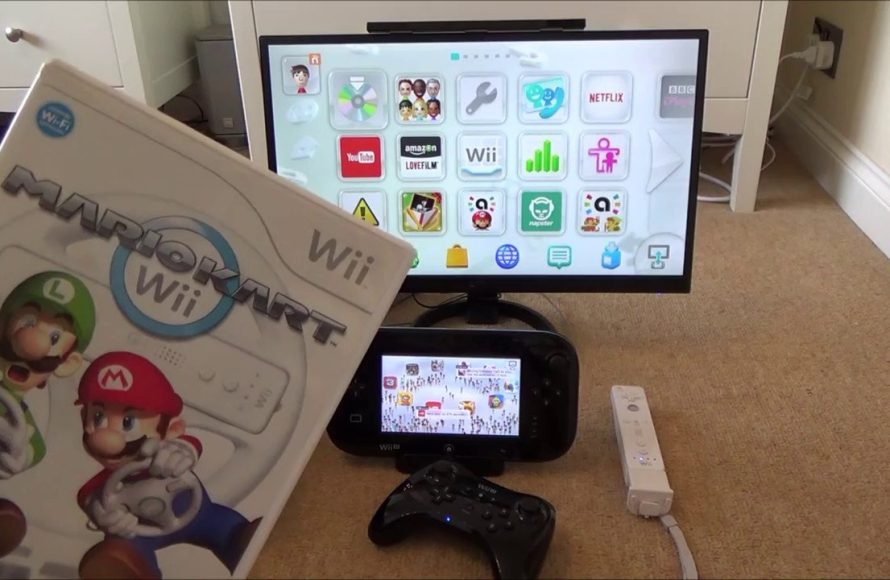
No, you cannot use Wii U games on Wii.
Ever wondered if you could dust off your old Wii and play some of those fantastic Wii U titles? The question “can you use Wii U games on Wii” is common among gamers who’ve upgraded their consoles over time. Sadly, the answer is not what many might hope for.
The Wii and Wii U utilize completely different disc formats and hardware. The Wii simply lacks the necessary technology to read Wii U game discs. Think of it like trying to fit a square peg into a round hole – it just won’t work.

Can You Use Wii U Games on Wii? The Compatibility Question
So, you’ve got a shiny new Wii U, or maybe you’re thinking about getting one, and you still have your trusty old Wii kicking around. A question that pops into many minds is: Can I play my Wii U games on my old Wii? It’s a fair question, and the answer, while simple, involves a few important points. Let’s dive into the details.
The Straight Answer: No, You Can’t
Let’s get this out of the way first. You absolutely cannot play Wii U games on a regular Wii console. It’s not like popping a DVD into a Blu-ray player; it’s just not going to work. These are two different systems with different hardware and software.
Why the Incompatibility?
The main reason Wii U games won’t play on a Wii is because they use different disc formats and have very different hardware. The Wii U uses optical discs that are a type of Blu-ray disc with a high capacity for information and games. The original Wii, however, uses standard DVDs. Think of it like trying to fit a square peg in a round hole. The Wii system isn’t built to read the data on the Wii U’s special disc. This makes backward compatibility simply impossible.
- Disc Technology: Wii U games are stored on high-density discs that require a different laser to read.
- Hardware Differences: The Wii U has a more powerful processor, more memory, and different graphics capabilities than the Wii.
- Software Architecture: The operating systems and game software are designed specifically for their respective consoles.
Understanding the Console Generations
To really grasp why Wii U games won’t play on a Wii, it helps to look at console generations. The Wii and Wii U are considered two separate console systems within Nintendo’s history. They represent a leap forward in technology and design. It’s similar to how an older PlayStation 2 cannot play games made for the PlayStation 3. Each system has its own platform and purpose within the video game world.
Wii: The Motion Control Pioneer
The original Wii was groundbreaking when it arrived. It was all about motion controls and having fun. It wasn’t the strongest console in terms of graphics, but it was a super popular system because of its games and accessibility. The Wii primarily used DVDs for its game storage. This made it affordable and gave it lots of options for both casual and core gamers.
- Key Feature: Motion-sensing controls with the Wiimote.
- Game Storage: Standard DVD discs.
- Focus: Family-friendly gaming and fun for all ages.
Wii U: Stepping Up to HD
The Wii U was meant to be the next step for Nintendo, bringing HD gaming to its fans. It introduced a new gamepad with a touchscreen, and it could play its games in glorious high definition. It’s important to remember that the Wii U, while having the “Wii” name, is a completely different console than the Wii. Think of it as a totally new model of car, even though it uses some of the same ideas as the older model.
- Key Feature: The Wii U Gamepad with a built-in touch screen.
- Game Storage: High-density optical discs, similar to Blu-ray.
- Focus: High-definition gaming with innovative gameplay features.
The Wii U’s Compatibility with Wii Games: A Twist!
Okay, so Wii U games won’t work on Wii. However, the Wii U has a very cool trick up its sleeve: backwards compatibility with original Wii games! Yes, that’s right. You can play almost all of your old Wii games on your Wii U. So if you have a stack of classics from the Wii era, you can enjoy those on your Wii U, which is a significant advantage for players who upgraded to the new console. This is a way of allowing players to bring their old games library with them when they purchased a new console.
How to Play Wii Games on Wii U
When you turn on your Wii U, you’ll notice a “Wii Menu” on the main screen. This lets you switch your Wii U into “Wii Mode”. This means your Wii U will start operating similar to a standard Wii. This allows you to use your old Wii games and controllers. You just insert your old game disc and start playing, just like you would on your original Wii. Here is an easy to follow breakdown:
- Turn on your Wii U.
- Locate the Wii Menu icon on the main menu, it looks like the Wii logo.
- Click or tap the Wii Menu icon.
- Your Wii U will restart in Wii mode.
- Insert your Wii game disc.
- Follow the on-screen instructions and start playing!
Important things to note when playing Wii Games on Wii U
Here are some important notes to keep in mind when using Wii Mode on the Wii U:
- You’ll need a Wii remote and Nunchuck to play, even if the Wii U also has a gamepad. The Wii U Gamepad doesn’t work as a controller within Wii Mode.
- Some Wii accessories that work on the standard Wii, might not work on the Wii U when in Wii mode. However, most commonly used accessories are compatible.
- The Wii Shop channel is also accessible in Wii Mode, but it’s no longer possible to buy or download new Wii games. If you previously purchased them, you can still download them again.
- Any saved data from your original Wii cannot be directly transferred over to the Wii U, if you plan to use the Wii U for your Wii games, you have to start from the beginning again.
The Technology Hurdles: Why It’s a One-Way Street
Why can the Wii U play Wii games but not the other way around? This gets into the heart of hardware differences and design decisions made by Nintendo. The Wii U had the internal components needed to run Wii games. Here are some reasons why it’s not possible to play Wii U games on a Wii:
Processor Differences
The Wii U’s processor is more advanced than the Wii’s processor. The Wii processor could only work with Wii games, and was not designed to handle complex games from the Wii U. This made it unable to render the games, even if you could get the disc into the console.
Graphics and Memory
The Wii U has more RAM (memory) and a more powerful graphics processor that are needed to run the higher-definition games. The Wii lacks the hardware for the higher fidelity graphics and processing power. If you could hypothetically play a Wii U game on the Wii, the game would run poorly, if it worked at all.
Disc Drive limitations
The disc drive in the Wii is only designed to read standard DVDs. The disc drive on the Wii U is able to read both the DVD format and the higher-density discs that Wii U games come on. This is why the Wii can’t physically read the disc from the Wii U games.
Can You Use the Wii U Gamepad on the Wii?
Since we are talking about compatibility, another frequent question is about the Wii U Gamepad. Can you use the Wii U Gamepad on the Wii? The answer is a simple “no”. The Wii system is not designed to use the Wii U Gamepad. The Wii has its own Wiimotes, Nunchuks, and Classic Controllers, which are the only controllers that are compatible with the console.
Why Wii U Gamepad Won’t Work on Wii
The Wii U Gamepad is designed to connect wirelessly to the Wii U system. It communicates using a specific wireless protocol that the Wii console is not programmed to understand. The technologies are also too different, and even if you could technically connect them, it just wouldn’t work.
Alternatives: Emulation, A Note of Caution
You may hear about workarounds like emulation, which is using software on a computer to mimic the Wii U system. While this is possible, it’s not something Nintendo supports or encourages. Emulation often involves downloading ROMs of games, which can sometimes be of questionable legal status. It also may not be a perfect experience and there may be technical issues. It’s important to remember that the safest and easiest way to play your games is on the consoles that they were made for.
The Bottom Line
The core of it is: you cannot play Wii U games on your Wii console. The two systems are not compatible due to hardware differences and game disc formats. However, while the Wii cannot play Wii U games, the Wii U CAN play almost all of your old Wii games. So while you can’t go back in time, you can certainly still enjoy your old games on the newer console if you have both. It can be confusing with the similar naming conventions, but they are two separate consoles with their own unique features and game libraries.
Understanding these differences allows you to make informed choices when buying or considering your next console, or trying to enjoy your older ones. Enjoy your gaming!
Wii U's a Downgrade for Playing Wii Games
Final Thoughts
Wii U games will not function on a standard Wii console. The two systems use different disc formats and architectures, making them incompatible. Therefore, you cannot play Wii U games on a Wii.
Essentially, the Wii hardware cannot read Wii U game discs. This is a major difference between the consoles and must be understood before purchasing games. Always double-check the game’s compatibility with your specific Nintendo console. So the final answer to ‘can you use wii u games on wii’ is no.

