
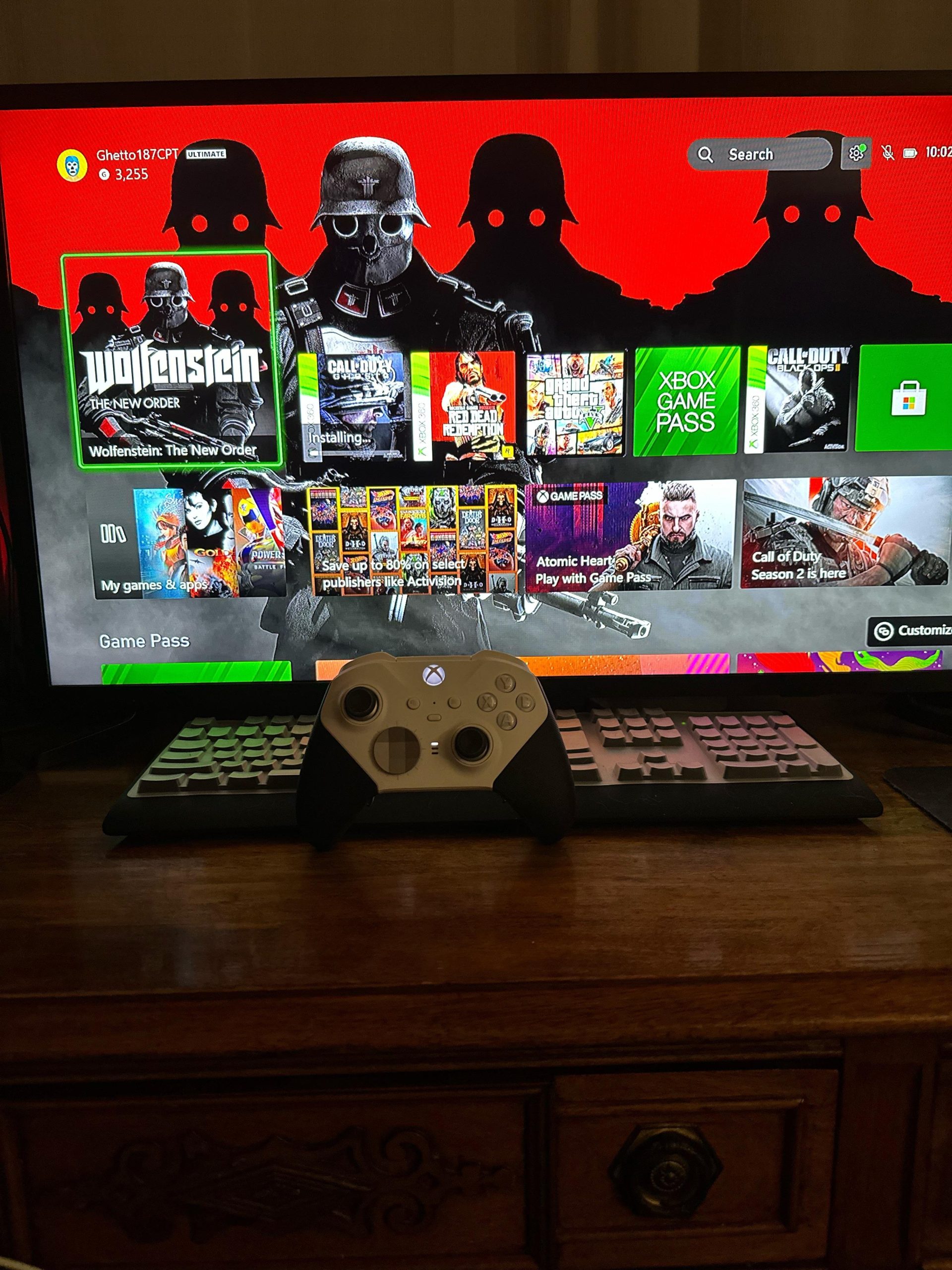
Unfortunately, not all Xbox 360 games are playable on the Xbox Series X due to backwards compatibility limitations.
It’s frustrating, right? You excitedly get your new Xbox Series X, ready to dive into some classics, only to find out you cant play xbox 360 games on series x. This isn’t a simple matter of popping in the disc. Microsoft carefully selects which 360 titles will work on the newer hardware.
The reason certain games are not compatible has to do with the complexities of emulation. They have to be specifically adapted to run on the different system architecture. This limits the library.

Why You Can’t Play Some Xbox 360 Games on Xbox Series X
So, you’ve got your shiny new Xbox Series X, ready to dive into some gaming fun. You dig out your old Xbox 360 games, excited for a trip down memory lane, but then… they don’t work. This can be super frustrating, and you might be wondering, “What gives? Why can’t I play all my Xbox 360 games on my Xbox Series X?” Let’s break down why this happens. It’s a bit more complicated than just popping in a disc and hitting play. It involves something called backward compatibility, and it’s not as simple as you might think.
Understanding Backward Compatibility
First things first, let’s talk about backward compatibility. This fancy term just means that a newer console can play games from older consoles. Think of it like using an old movie projector that plays films from the past. The Xbox Series X is designed to do this, but not for every single Xbox 360 game. Microsoft has put in a lot of work to make a selection of games from previous Xbox generations playable on the latest consoles, but it’s not a blanket guarantee for every game ever made.
What Makes a Game Backwards Compatible?
Making a game backwards compatible isn’t as simple as just flipping a switch. It requires a lot of work behind the scenes by Microsoft engineers. They have to make sure the old game can run properly on the new system. This often involves making changes to the way the game works. These changes, or emulations, make the older game understandable by the Xbox Series X. It also includes making sure that the game runs at the same speed, looks right, and works with controllers. Here are the crucial elements:
- Emulation: This is like a translator. The Xbox Series X “pretends” to be an Xbox 360 so it can understand the game’s code. This requires very precise and specific technology.
- Testing: Once the game can be played, Microsoft tests it very carefully to make sure it runs well. This involves a lot of quality control and fixing any errors that might show up.
- Licensing and Rights: They also need permission to do this from the game’s developers or publishers. Sometimes, they can’t get the rights for every game due to various legal reasons and agreements.
Why Not All Games Are Backwards Compatible?
So if it’s possible, why aren’t all Xbox 360 games playable on the Xbox Series X? Well, there are multiple reasons. It’s not because Microsoft doesn’t want them there, it’s a bit more complex than that.
Technical Hurdles
The Xbox 360 and the Xbox Series X are very different machines. Think of it like this: a bicycle and a car both move, but they have very different designs and ways of working. The software, or code, that runs games on the Xbox 360 is often not compatible with the Xbox Series X’s hardware. It’s like trying to fit a square peg into a round hole. Here are some common tech issues:
- Processor Differences: The Xbox 360 uses a very different type of processor than the Xbox Series X. These need different types of instructions, so the older game can’t just run as it was intended.
- Graphics Systems: The graphics systems are completely different, which impacts how games look and perform.
- Operating System: Just like how a Windows computer uses Windows, and an Apple computer uses macOS, the Xbox systems also have different operating systems. These differences can mean a lot of hard work to get an older game to work.
Legal and Licensing Issues
Sometimes, it’s not about the technical side at all. It’s about the business side of things. Game publishers have certain rights and agreements about their games. Here are a few challenges:
- Permissions: Microsoft needs permission from the people who own the game to make it backwards compatible. If they can’t get that permission, the game can’t be included.
- Rights Expiration: Sometimes, agreements on older games are no longer valid. They need to renew those or make new agreements to make the games playable on new consoles.
- Publishing Company Changes: Sometimes, companies that made the game have closed or been bought by other companies. This can make getting the permissions incredibly difficult.
Resource Constraints
Making a game backwards compatible takes a lot of time and money. Microsoft has to choose which games to work on. They consider popularity and how much it will cost. Here’s why this makes it tricky:
- Labor Intensive: It takes teams of engineers a lot of time to get each game running perfectly. This is a significant amount of work for each title.
- Prioritization: Microsoft prioritizes games that many people want to play. They don’t have the resources to make all of them work. They need to make good choices about which games to spend their resources on.
How to Check if a Game is Backwards Compatible
Okay, so you know that not every game works. How do you find out if your favorite Xbox 360 game will work on your Xbox Series X? Fortunately, there are a few ways.
Using the Official Xbox Website
The Xbox website is a great place to start. They keep an updated list of all the backwards compatible games. Here’s how to use it:
- Go to the official Xbox website.
- Search for the “backward compatibility” page.
- Look through the list. You can usually search for the specific game you are after.
Checking on the Xbox Store
Another place to check is the Xbox Store on your console. Here’s how to do this:
- Turn on your Xbox Series X and go to the Xbox Store.
- Search for the game you’re interested in.
- If the game is backwards compatible, it should show up and you can buy and download it if you have not purchased it already. If it’s not there, it’s likely not backwards compatible.
Using Third-Party Websites
There are a number of third-party websites which also track backwards compatible games. You should verify the information with the official source (the Xbox website) but these resources can also be very helpful.
What About Game Discs?
If you own a physical copy of an Xbox 360 game, you might be wondering how it works. If the game is backwards compatible, then it is pretty easy:
- Insert the Disc: Put the game disc into your Xbox Series X.
- Automatic Download: The Xbox Series X will recognize the game and start downloading the digital version.
- No Disc Needed: Once the download is done, you will not need the disc to play again, unless if the Xbox Series X asks for verification.
It is important to note that If the game is NOT backwards compatible, the console may not even recognize the disc at all. Or, it may acknowledge it as an unplayable disc.
Games That Are Commonly Asked About
Some games are more frequently asked about than others. It’s sad when your favorite game is not backwards compatible, let’s look at some popular ones:
Popular games not backwards compatible
- Too Human
- The Simpsons Game
- Spider-Man: Shattered Dimensions
Popular games that are backwards compatible
- Red Dead Redemption
- Grand Theft Auto IV
- Fallout 3
Alternatives to Playing Non-Backwards Compatible Games
Okay, so your favorite game is not backwards compatible. What can you do? Unfortunately, there isn’t a perfect solution but here are some ideas:
Keep Your Xbox 360
The simplest solution is to keep your Xbox 360. This lets you still play the games that won’t work on the Series X. It is a lot like keeping an old record player around, if you like to listen to old records.
Use an Emulator (With Caution)
There are third party ways to play older games on different devices, by using what’s called an emulator. Using an emulator requires a certain level of knowledge. Using them may not be legal for games that you don’t own. Plus, they are often unreliable. They might not work correctly or at all, it’s usually not the best way to play. However, if you really want to play a specific game that is not backwards compatible, you may want to look at emulation, but do so cautiously.
Vote with your voice
Make your voice heard to game developers and publishers. They frequently listen to their communities and customer base. They can put time and resources into making older games backwards compatible.
In short, backward compatibility is an amazing technology but it’s not a magic wand that makes every game from the past work on the latest console. While it is disappointing that not every Xbox 360 game will work on the Xbox Series X, it’s also pretty cool that we can play so many classics on a modern system. The key is to check that list of games, or on the Xbox store, to see if yours are supported.
Xbox Series X Backwards Compatibility: Testing Original Xbox/Xbox 360 Games
Final Thoughts
Ultimately, the stark reality is that you cant play xbox 360 games on series x without relying on backward compatibility options. Not every title makes the cut, thus limiting your choices. It’s vital to check the specific list.
Microsoft works on bringing some older games forward, but a complete library isn’t guaranteed. This means your favorite 360 game may still be absent. The must check list on xbox’s website will be helpful.

