
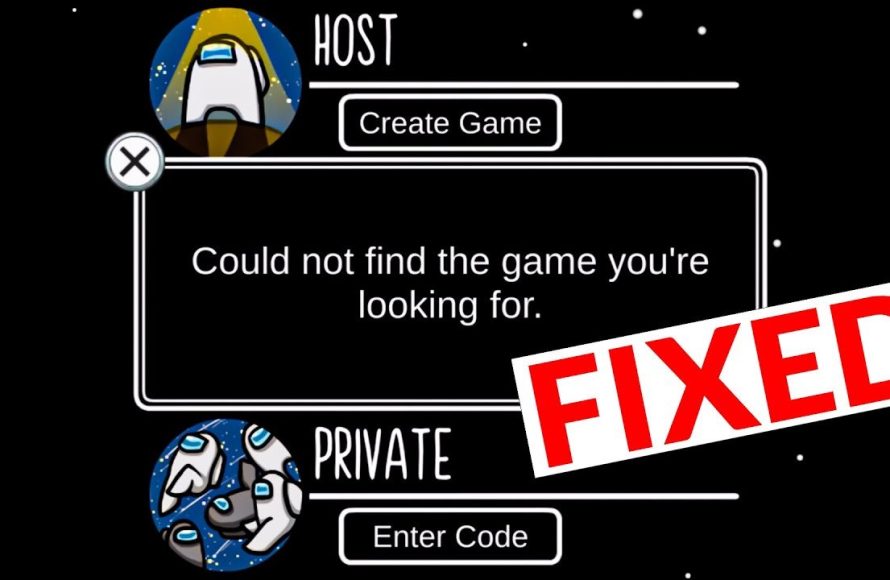
The issue of “could not find the game your looking for among us” often stems from incorrect server settings or filters. Double-check your region and lobby filters to ensure they match your intended game.
Ever experienced that frustrating moment when you just could not find the game your looking for among us? It’s a common hiccup for many players, especially when wanting to join friends or a specific type of match. You’re not alone in this, and the good news is it’s usually an easy fix.
This issue arises from a few simple culprits, most often with region or game filters. These are designed to help you find the right type of game, but can also unintentionally hide what you are actually trying to find. Let’s explore the usual causes of this.

Could Not Find the Game You’re Looking For Among Us
It’s super frustrating when you’re all geared up to play Among Us, but you just can’t find the game you’re looking for! You’ve got your friends ready, maybe even snacks, and then… nothing. The game search is just showing a big fat goose egg. Let’s dive deep into why this happens and how to get back to finding those sneaky Impostors and crewmates as quickly as possible. We’ll go through all the common reasons you might face this issue, and we’ll talk about easy fixes you can try.
Understanding the “Could Not Find” Message
When you see the dreaded “could not find the game” message in Among Us, it basically means the game server can’t locate the specific game you’re trying to join. Think of it like trying to call a friend, but their phone is either off or the number is wrong. There are a bunch of reasons why this can happen, and luckily, most of them are pretty easy to solve. It’s not always a problem with the game itself; sometimes, it’s just a little hiccup on the way to joining the fun.
Common Reasons for Connection Problems
Let’s explore the usual suspects behind this connection problem. Knowing what these reasons are will help you quickly figure out the best solution. Here’s a breakdown:
- Incorrect Code: The most common reason is that you’ve typed the game code in wrong. Just one small mistake means the game won’t match.
- The Game Already Started: If the game has already begun, you won’t be able to join. Among Us doesn’t allow you to jump in mid-game.
- Game Full: Each game has a set player limit. If it’s full, you’ll get the “could not find” message.
- Region Mismatch: If you and your friend aren’t on the same server region, you won’t see each other’s games. For example, if your friend is on the North American server and you’re on the European one, you’re not going to match up easily.
- Server Issues: Sometimes, the Among Us servers themselves have hiccups. This isn’t something you can fix directly, but it’s good to know it’s a possibility.
- Internet Connection Problems: A weak or unstable internet connection can also prevent you from finding games. Make sure you are properly connected to Wi-Fi or your cellular data is strong.
- Outdated Game Version: If your game is outdated compared to your friend’s, you might face connection problems. Make sure you have the latest version downloaded from the app store.
- Firewall or Antivirus Interference: Sometimes, your firewall or antivirus programs might block Among Us from connecting to the internet. This is not very common, but it could be the reason.
Troubleshooting Steps When you ‘Could Not Find the Game’
Okay, now that you know the possible causes, let’s go through some solutions. These steps should help you get back into the game quickly. Remember, it’s always good to start with the easiest things first.
Double-Check the Game Code
This is the easiest thing to check! Even one letter or number wrong can throw off the whole thing. Make sure you look closely. Here’s how to double-check properly:
- Carefully Re-enter the Code: Delete the existing code and type it in again, one letter and number at a time.
- Ask Your Friend to Read it Out: Sometimes having your friend read the code aloud helps catch any mistakes.
- Compare Codes Directly: If possible, have your friend send you a screenshot of the game code or write it down and check with yours.
Confirm the Game Status
Games in Among Us are meant for a specific group of people at a time, and if you’re trying to join late or on a full server, you won’t be able to get in.
- Ask if the Game Has Started: If the game has started, you won’t be able to join. See if your friend has started the game without you.
- Check the Player Count: Ask your friend how many players are already in the game. If it’s the maximum, you can’t join. Among Us has different maximum player limits depending on the lobby size.
Verify Server Region Settings
Playing with people in other parts of the world is fun, but it can cause problems if your server region settings don’t match up.
- Check Your Region: On the Among Us main menu, check the server region setting in the bottom right corner. Usually, it says ‘North America’, ‘Asia’, or ‘Europe.’
- Ask your Friend’s Server Region: Have your friend check their region too and make sure you are both playing on the same server.
Check for Server Outages
Sometimes, the servers are just having a bad day. Here’s how to check:
- Use Social Media: Check the official Among Us social media pages like Twitter or Facebook. They usually post about any known server issues.
- Use Downdetector: Websites like Downdetector can show if other people are having problems connecting to Among Us. Search for ‘Among Us Downdetector’ on any search engine.
If the problem is on the server side, you’ll just have to be patient and wait. Server problems are typically resolved quickly by the developers.
Restart Your Game and Device
It sounds too simple, but turning things off and on again actually works quite often! You might have some temporary software bugs causing the problem.
- Close the App Completely: On your device, fully close the Among Us app. Don’t just put it in the background.
- Restart your Phone/Tablet/Computer: Sometimes a quick device restart can work like magic.
- Reopen the Game: After your device restarts, launch Among Us again.
Examine Your Internet Connection
A poor connection can cause lots of game problems. Here are some things to check:
- Check Your Wi-Fi Signal: Make sure your Wi-Fi signal is strong and stable. If it’s weak, try moving closer to your router.
- Restart your Router: Try unplugging your Wi-Fi router for 30 seconds, then plug it back in. Wait a minute or two for it to fully restart.
- Try a Different Connection: If you’re using Wi-Fi, try switching to cellular data (if you have it) or vice versa to see if it works better.
- Run a Speed Test: Use an online speed test tool to check if your internet is working as fast as it should be. If it’s slow, you might need to contact your internet service provider.
Update Your Game
Playing with an old version of the game is never a good idea. Ensure that you have updated the game version.
- Go to App Store: Open the app store on your device.
- Check for Updates: Find Among Us in the app store. If there’s an update available, download and install it.
Check Your Firewall or Antivirus
Very rarely, your computer’s security might cause issues. Let’s look at that.
- Temporarily Disable Firewalls: Try turning off your firewall temporarily. This is just for testing and to see if it fixes the problem. If it does, you’ll need to add Among Us as an exception in your firewall settings.
- Check Antivirus Settings: See if your antivirus software has flagged Among Us as a potential threat. If so, add it to the allowed list or exception list.
Advanced Troubleshooting Steps
If you’ve tried all the above and you still can’t find the game, it may be time to try a few more in depth steps.
Reinstall Among Us
Sometimes the game files get corrupted, and reinstalling is a good way to fix that.
- Uninstall the Game: Remove Among Us from your device completely.
- Restart Your Device: Restart your device before reinstalling.
- Reinstall the Game: Get the game again from the app store and install.
Check For VPN Usage
Using a VPN can sometimes cause connection problems. If you’re using a VPN, try turning it off temporarily.
- Temporarily Disable VPN: Turn off your VPN and try to connect to the game.
Contact Support
If nothing else is working, it might be best to contact Among Us’s official support channels. They have a team that can give you more specific advice.
- Visit Official Website: Go to the official Among Us website and find their support page.
- Use In-Game Support: Sometimes, there’s a support link within the game itself.
Preventing “Could Not Find the Game” in the Future
Now that you have some knowledge of common causes, here’s how to prevent “could not find the game” errors from happening in the future.
- Always Double-Check the Game Code: Make it a habit to check the code multiple times. It’s the simplest step, but it often gets overlooked.
- Communicate Clearly with Your Friends: Agree on the game settings and the code beforehand. Don’t forget to ask if the game has started or if the lobby is full before you try to join.
- Keep Your Game Updated: Always install the newest game updates as soon as they come out.
- Monitor your Internet Connection: Keep track of your internet speed and stability. Good internet will make sure your gameplay is smooth and without interruption.
Experiencing “could not find the game” messages in Among Us is a common frustration, but it’s also often a fixable problem. By double-checking the game code, confirming game status, making sure server regions match, and checking your internet, you’ll be back to accusing (or being accused) in no time.
How To Fix Could Not Find The Game You're Looking For Among Us 2024
Final Thoughts
If you experienced issues, remember checking your game version is vital. server problems or region lock can sometimes prevent you from finding sessions. Try refreshing the game or restarting your device, this might resolve the situation.
Many players experience difficulty connecting. Sadly, ‘could not find the game your looking for among us’ is an error some encounter. These quick steps should help you get back to the fun.
Make sure your game must be updated to the latest build. This will ensure smooth experience for many players.

