
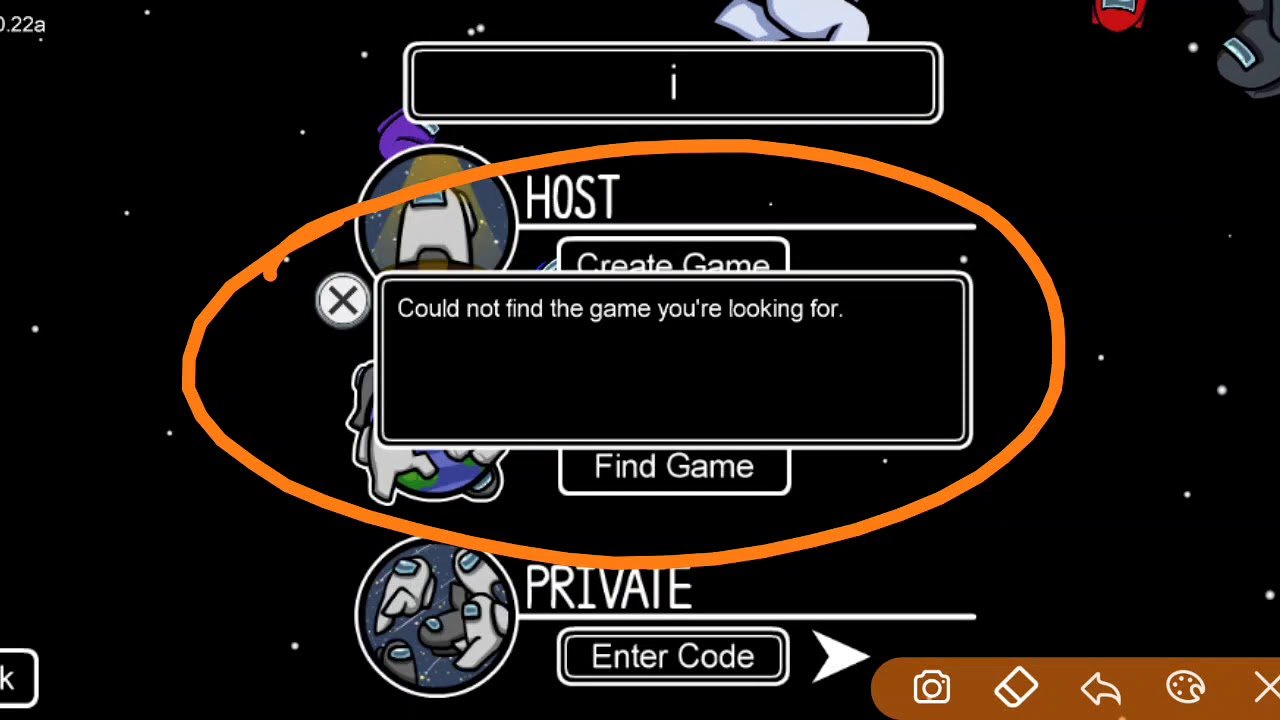
If you could not find the game you’re looking for Among Us, ensure your game version is updated, the server region is correct, and you’re using the correct game code or searching the right public lobby list.
Have you ever felt the frustration when you could not find the game you’re looking for Among Us? It can be a real buzzkill when you’re eager to play with friends or dive into a new match. You’ve double-checked the code, triple-checked the server, and still, nothing appears.
This common issue plagues many Among Us players, leaving them stuck on the loading screen or staring at empty lobby lists. This isn’t always a big problem, it often comes down to a few easily fixable causes.

Could Not Find the Game You’re Looking For in Among Us: A Deep Dive
Have you ever been super excited to play Among Us, only to be met with the dreaded message, “Could not find the game you’re looking for”? It’s frustrating, right? You’re all ready to accuse your friends of being the imposter, or sneakily sabotage the spaceship, but the game just won’t let you join. This message can pop up for many reasons, and it can be a real buzzkill. Let’s explore the reasons behind this annoying issue and how to get back to playing.
Understanding the “Could Not Find” Error
This error message in Among Us basically means the game cannot locate the specific match you’re trying to join. It’s like trying to find a specific toy in a giant toy store and the toy is not there. It’s a common problem, and usually it is not because of any serious fault. Knowing what causes this error is the first step in fixing it, so let’s break down the most frequent culprits.
Common Reasons for the Error
- Incorrect Game Code: Just like entering the wrong password to your computer, a wrong game code will stop you from joining. Each Among Us match has a unique code. If you typed a single letter or number wrong, you won’t be able to find the game.
- Game is Already Full: Each game has a limit on how many players can join. If a game has already reached its maximum number of crewmates (or imposters!), it won’t allow anyone else to join, and you will see the error.
- Game Has Already Started: Sometimes, you’re just a bit too late! If the game has already started, the lobby closes, and you will not be able to join. This is often why you get an error, even if the code is correct.
- Server Problems: Like any online game, Among Us uses servers to connect players. If there are problems with the server, you might have issues joining games or even see this error message. Server issues may happen during peak hours or if the game developers are making some changes.
- Version Mismatch: If you and your friend aren’t using the same version of Among Us, you will have connection problems. This can happen if one of you hasn’t updated the game. The game needs everyone to be on the same version for everything to work properly.
- Network Problems: Your internet connection also plays a huge role in finding games. A weak or unstable internet connection can lead to this error. Sometimes, your Wi-Fi signal might be weak, or something might be blocking the connection.
Troubleshooting Steps: Getting Back to the Game
Don’t worry! The “could not find the game” error is not usually permanent. Here are some steps you can take to fix it and get back to your sneaky (or not-so-sneaky!) tasks:
Double-Check the Game Code
This is the most important step! Make sure you have the exact game code. Even one wrong character can cause the error. Ask the person who created the game to share the code again, and carefully type it out. Sometimes, a simple typo is all it takes to cause the problem.
Check If the Game is Full or Started
If the code is correct, ask the person hosting the game if it is full or has already started. If it’s full, you’ll have to wait for a spot to open up. If it’s already started, unfortunately, you’ll have to wait until the next game.
Restart Among Us and Your Device
Sometimes, the simplest solutions work the best. Close the Among Us app completely and reopen it. Try doing this on your device too. This can clear out any temporary glitches or errors that might be preventing you from connecting.
Verify Your Internet Connection
Check to see if your Wi-Fi or internet connection is stable. Are you able to access other websites and apps? If your internet is slow or not working, this can affect your ability to find or join an Among Us game. Try restarting your router or moving closer to the router to improve your signal.
Update Among Us
Make sure you have the latest version of Among Us installed. Check the app store on your device to see if there is an update. Using an old version can cause compatibility issues and prevent you from finding or joining the game.
Check Game Server Status
Sometimes, the issue may not be with you at all. The game’s servers might be down for maintenance or experiencing technical issues. Check social media platforms, such as Twitter or the game’s official website for news about server issues. If there’s a known issue on the server side, you will have to wait for developers to fix it. Patience is key during these times.
Create Your Own Game
If you continue to have issues, you can create your own game and have your friends join you. This lets you control everything, ensuring there are spots available for everyone and that it starts when you are ready. This is often a good workaround while you troubleshoot other connection issues.
Advanced Troubleshooting Tips
If basic troubleshooting steps don’t work, here are some more detailed tips you can try:
Clear App Cache (Mobile)
Sometimes, stored data (cache) can cause problems. Clearing the app’s cache might fix issues you’re experiencing. Here’s how you do it:
- Android: Go to Settings > Apps > Among Us > Storage > Clear Cache.
- iOS: There isn’t a direct way to clear cache for apps on iOS. You may need to uninstall and reinstall the app, but that’s a more extreme step, so try it as a last resort.
Firewall and Antivirus Settings
If you’re playing on a computer, your firewall or antivirus might be blocking the game’s connection. Make sure that Among Us is allowed to access the internet. You might need to add Among Us as an exception to your firewall or antivirus program. Check your firewall’s or antivirus settings to make those adjustments.
Reinstall Among Us
As a last measure, uninstall and reinstall Among Us. This will give you a fresh install and might clear out anything that was causing connection issues. Remember this step will erase any stored data on your device, like game settings, so only do this as a final option if other things have not helped.
What If Nothing Seems to Work?
If you’ve tried all the above steps and you’re still getting the “could not find the game” message, here are some other possibilities to consider and what you can do.
Contacting Support
If the problem persists, it might be a good idea to reach out to the Among Us support team. They may have more specific solutions or be aware of any wider issues. They also provide additional information that is helpful.
Ask for Help from a Friend
If you’re still stuck, ask a friend or family member who plays Among Us if they have any ideas. They might have experience with this error and may be able to help. Sharing the information with them might also help identify the root cause of the issue.
Preventing the Error in the Future
While it’s not possible to completely guarantee this error will never pop up, here are things you can do to reduce the chances of it happening:
Always Double-Check the Code
The most common reason for this issue is incorrect game codes. So, always be extra careful and ask the host to resend the code, if needed. Take a moment to confirm the letters and numbers to ensure you have them right. This small extra step could help you avoid frustration.
Keep the Game Updated
Make sure you have the latest version of Among Us. Updates often include fixes for bugs and other issues, which can help prevent connection errors. Most devices also allow the app to update automatically so you don’t have to worry. Keep automatic updates enabled.
Maintain a Stable Internet Connection
Try to play Among Us when you have a strong and reliable internet connection. Move closer to your router or try restarting your router if you’re having connection problems. A stable internet connection will make sure you can join games without problems. If you know that your internet is unstable, try playing when there is less load on the network.
Join Games Quickly
Once the game code is shared, try to join the game as soon as possible. If you wait too long, the game may become full or the game might have started already.
The “could not find the game you’re looking for” error in Among Us can be frustrating, but most of the time, it’s fixable. By understanding the most frequent reasons behind it and going through the steps described above, you should be able to get back into the game and enjoy accusing your friends (or getting away with your sneaky sabotages) in no time. Remember to always double check the game code, maintain a good internet connection, and make sure your game is updated. Happy gaming!
How To Fix Could Not Find The Game You're Looking For Among Us 2024
Final Thoughts
So, if you’re facing trouble, remember to verify your game’s platform. A simple mistake with the platform can lead you to not find what you want. Make sure your version matches the lobby you try to join, too.
Ultimately, it’s frustrating when you could not find the game youre looking for among us. The game itself is very popular, but small things cause these issues. Therefore, take these troubleshooting steps and you will be back in the game quickly.

