
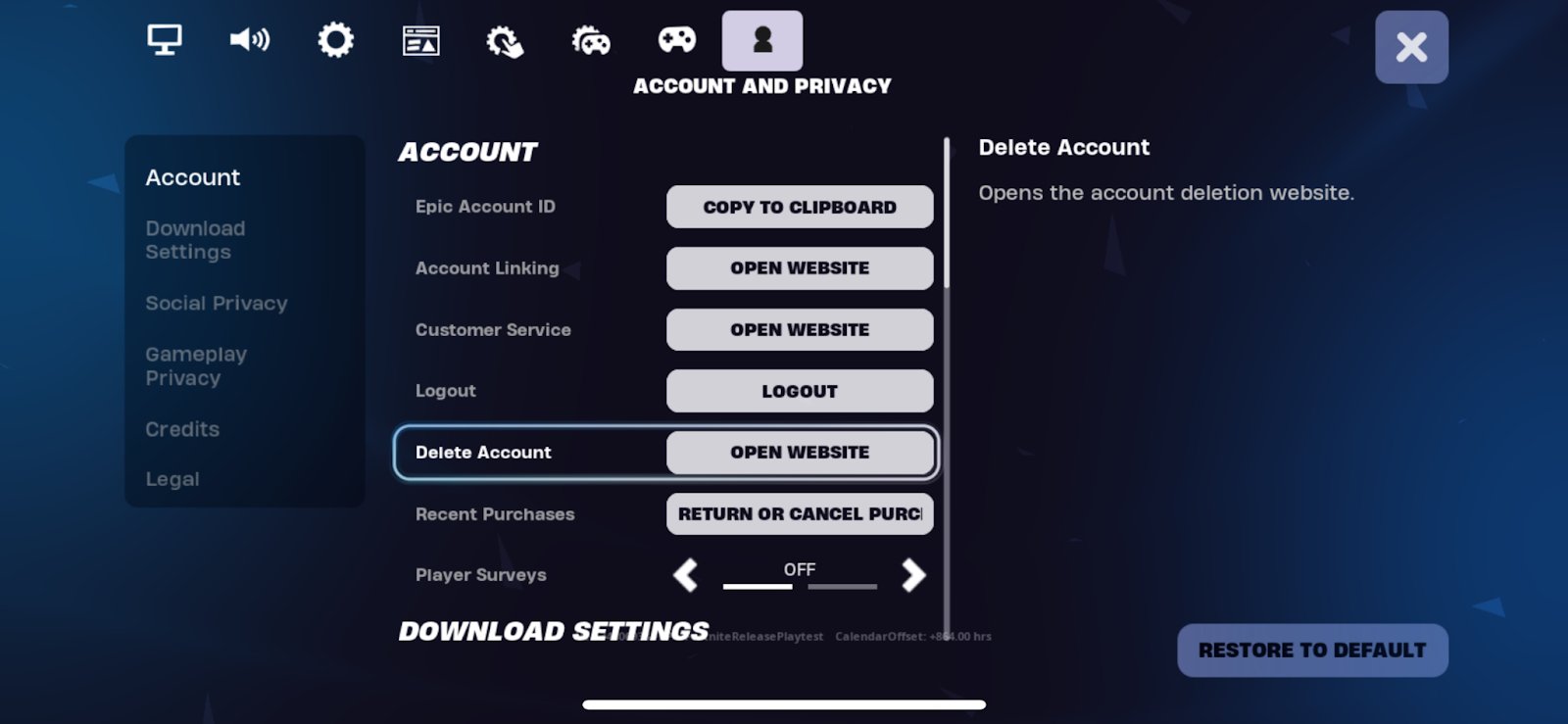
No, Epic Games typically does not delete accounts without a valid reason, such as a violation of their terms of service.
Losing access to your games and progress can be frustrating, especially if you suspect foul play. Perhaps you’ve wondered, “did Epic Games delete my account?” This thought might cross your mind if you can’t log in as usual.
It’s more common that an account gets suspended, not deleted, due to policy breaches. Always ensure you check your email, including spam folders, for any notifications. This helps to address the issue if a mistake has been made.

Did Epic Games Delete My Account?
It can be a really scary feeling to think your Epic Games account might be gone. Maybe you tried to log in and couldn’t, or maybe you’re just worried because you heard it could happen. Let’s talk about what could cause this and what you can do about it.
Why Would Epic Games Delete an Account?
Epic Games, like any big company, has rules everyone needs to follow. These rules are in their Terms of Service. They don’t just delete accounts for no reason. Usually, there’s a specific action that violates their terms. Let’s look at the most common reasons:
Violation of Terms of Service
This is the big one! The Terms of Service is like a rule book for using Epic Games. Here are some things that would break the rules and could lead to account deletion:
- Cheating or Hacking: If you use special programs to get an unfair advantage in games like Fortnite, Rocket League, or Fall Guys, Epic Games will take action. This can include banning your account temporarily or permanently. This is strictly prohibited.
- Buying or Selling Accounts: Your Epic Games account is yours and yours alone. You can’t sell it to someone else or buy an account from someone else. This is a no-no! They want people to start with new accounts.
- Using Inappropriate Language: Being mean or using bad words in the games or in your profile can get you in trouble. Be nice to other players!
- Scamming: Trying to trick people into giving you their account information or taking their stuff is a big problem. They do not allow this behavior.
- Using Unauthorized Programs: Certain tools or software you might use along with their games are forbidden.
- Impersonation: Pretending to be someone else, especially an Epic Games employee, is a serious violation. Don’t trick people.
Inactivity
Sometimes, accounts become inactive if they are not used for very long periods. Epic Games might delete these inactive accounts to clean things up. However, this is generally not a common practice. Epic does not generally do this unless they need to for maintenance purposes.
Payment Issues
If you have problems with payments, like a charge that got declined for a purchase, they might temporarily suspend your account until everything is sorted. It may not be outright deletion, but your account access could be restricted.
Age Requirements
Epic Games has age restrictions for their accounts. If you’re younger than the age they require, they may delete the account if they find out. This is to follow the rules about privacy for younger users.
What Does Account Deletion Actually Mean?
When Epic Games deletes an account, it’s not just like closing the door on a game. It means you lose all access to your account. This includes:
- All Your Games: You won’t be able to play any games you bought or downloaded with that account. They will all be inaccessible to you.
- Game Progress: All your progress, like levels you reached in Fortnite, will be gone.
- Skins and Items: All the cool skins, emotes, and items you earned or purchased will disappear.
- Your Friends List: You will no longer have access to your friends list or ability to connect with those players.
It’s a complete wipe, like starting from scratch, and this can be heartbreaking after you have put time, money, and effort into your account.
How To Tell If Your Account Is Deleted
If you suspect your account is deleted, there are a few ways to check it:
Attempting To Log In
The most obvious way is by trying to log in. If you use the correct login details and you get an error message that suggests your account does not exist, then that could be a strong indication of deletion. Check for messages that indicate your username or email address does not exist.
Checking Your Email
Epic Games will usually send an email if they’ve deleted your account. The email will explain the reason, if you did not violate any rule, then it might be due to the inactivity, or another reason they find genuine for removal of your account, but it is rare, so it’s always better to check your email. So, search your inbox and your spam folder for emails from Epic Games.
Contacting Epic Games Support
If you still can’t figure out what happened, it’s a good idea to reach out to Epic Games support. They can look into your account and tell you for sure if it’s deleted and why. To get support, visit the Epic Games website, find the support section, and open a ticket. Make sure you have all your account info ready.
What Can You Do If Your Account Was Deleted?
Finding out your account has been deleted is not fun, but there is a chance it can be recovered. Here’s what you should do:
Contact Epic Games Support
This is the first thing you need to do. Explain the situation clearly and politely. Provide them with as much information as possible, such as your username, email address, date of account creation, and any details related to your account and purchases. Let them know you are sure you didn’t break any rules and hope for them to look in your account and hopefully restore your account. They are generally helpful. Be patient as it might take them time to reply. Remember to keep your communication polite and calm as this is vital to getting help.
Appeal The Decision
If they confirm your account was deleted, you can appeal the decision if you believe there was a mistake. You’ll need to explain why you believe the deletion was incorrect and provide proof. This process is lengthy, and sometimes they might refuse, but it’s worth a try. If they do not reverse the decision, then that is final. There is no way to get the account back if they reject the appeal. Make sure you have a good reason to appeal and make sure you prove it.
Be Patient
These things take time. It might take days or even weeks for Epic Games support to reply and look into it. Don’t send them too many messages, as this will slow things down. Try to be patient and respectful. This will give them a chance to investigate the matter.
How To Prevent Account Deletion
The best approach is to avoid account deletion in the first place. Here are some helpful tips:
Read The Terms of Service
The first step is to understand the rules. Make sure you read the Terms of Service before you use Epic Games. It can be boring, but knowing what’s allowed and what’s not is very important. If you want to play games fairly, read the terms before signing up for the account.
Don’t Cheat Or Hack
This is a big rule. Always play fairly. Using cheats or hacks will definitely get you into trouble. When you’re in a game, play the game the right way. Don’t use any software or tool to get an unfair advantage.
Be Respectful
Be kind to other players. Use good language and be respectful. You are representing yourself and should behave in an appropriate way. This means not being mean, not using bad words, and treating everyone with kindness. Also, never scam anyone or trick someone.
Keep Your Account Secure
Protect your account with a strong password. Do not give out your password to anyone, not even your friends. Use two-factor authentication (2FA) when possible. This adds an extra layer of security. This will give you an extra layer of protection from getting your account stolen, and that is very important. You can enable it through your account settings.
Don’t Buy Or Sell Accounts
Never buy or sell Epic Games accounts. It is not worth it. You could get scammed, and you could get your account deleted. So make sure to start with a new account and never try to buy or sell any of your accounts.
Keep Your Information Updated
Always make sure your email address is correct and current. This helps Epic Games contact you and also assists in the account recovery if you face any issues. You want to ensure they can get to you if they need to. Make sure you update it if it gets changed.
Monitor Account Activity
Keep an eye on your account and game activity. If you see something odd, contact Epic Games support immediately. For instance, if someone has hacked into your account, you will get notification about new logins, so make sure to read those messages.
What to Do When You Face Suspicious Activity
If you notice anything strange about your Epic Games account or within the games, you need to take action. Here are some things to look out for:
Unfamiliar Logins
If you get an email saying that your account was logged in from a location you do not recognize, it may be a sign someone has broken into your account. Change your password immediately, and log out from all the devices. Contact support to tell them about it.
Strange Purchases
If you see a purchase you did not make, change your password, and contact support immediately. This can be a clear indication that someone is trying to use your account.
Missing Items
If you see that some of your items are missing from your account, this can also be a sign of unauthorized access. Check to make sure if you sold or traded the item. If you did not, contact support right away.
Suspicious Chat
If you see strange messages in game, it is best to be cautious. Never click on any links you do not trust. Also, never share your personal information with anyone you do not know.
How Epic Games Protects Your Account
Epic Games takes account security seriously and they have many ways to keep your account safe. Some of the things they do include:
- Two-Factor Authentication (2FA): As we have mentioned before, 2FA adds another layer of protection to your account. This is a very strong security feature that you should enable when you create an account.
- Monitoring Activity: They have systems that watch for suspicious activity. If something seems odd, they might take action. They look for any patterns that might show you are breaking the rules.
- Reporting System: If you see a player who is breaking the rules, you can report them to Epic Games. This can help them catch people who are not playing fair.
- Account Security Reminders: Epic Games will give you tips and reminders on how to keep your account secure. Keep an eye on your inbox to be aware of the latest things they recommend to keep your account protected.
Epic Games generally has very strong security measures, so it is rare that your account will be deleted without a reason. It is usually some issue with the user’s account. The best way to ensure your account is safe is to follow all of the rules and steps we mentioned in the article. So, if you are following everything we discussed, you generally should not have any issues.
Dealing with the possibility of an account deletion can be stressful. Epic Games takes these matters seriously, and you need to know how to keep your account safe. By keeping up with the security measures, you should not have any issues and can keep playing your favorite games.
What Happens When Epic Games DELETE Your Fortnite Account?!
Final Thoughts
If you suspect Epic Games deleted your account, reviewing their terms of service and checking your email for any notifications is essential. Account inactivity or violations are common reasons for deletion. Remember, contacting Epic Games support directly is a must for clarification.
They can provide specific information about your account status. Sometimes it’s a simple misunderstanding, other times not. So, to answer the burning question ‘did epic games delete my account’, a formal inquiry is the best action.

