
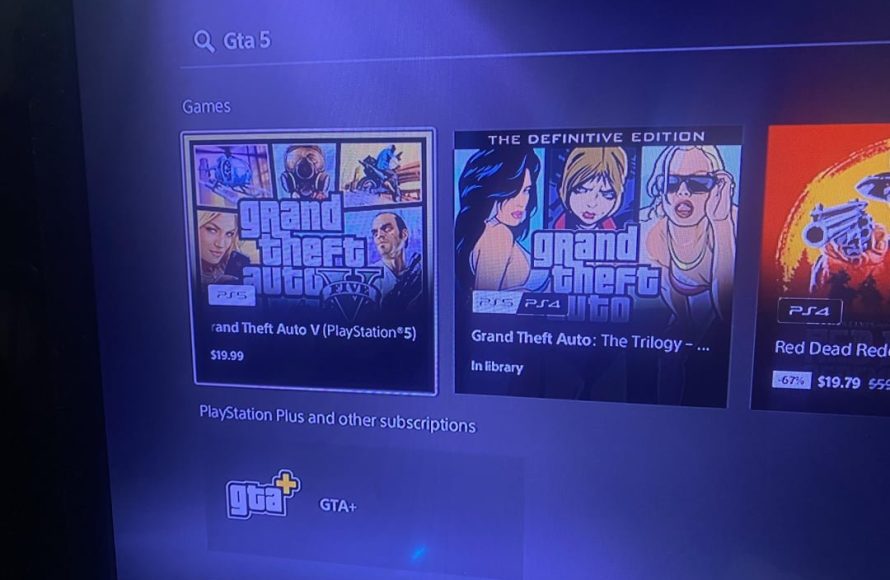
Not necessarily. Many PS4 games work on PS5, but you may need to repurchase specific PS5 versions for enhanced features.
So, you’re wondering, do i have to rebuy games for ps5? It’s a common question for gamers making the leap to the new console. Many of your older PlayStation 4 games will actually play just fine on your PlayStation 5 through backward compatibility.
However, for some games, you might want to consider buying a specific PS5 version. These are often enhanced with better graphics and faster loading times and are made to fully benefit the features of the console.

Do I Have to Rebuy Games for PS5?
So, you’ve got your shiny new PlayStation 5, and you’re probably super excited to jump into some amazing games. But then a thought pops into your head: “Wait a minute, do I need to buy all my games again?” It’s a great question, and we’re here to help you figure it all out. The short answer is… it depends! But don’t worry, it’s not as complicated as it sounds. Let’s dive into the details about game compatibility on the PS5 and what that means for your wallet.
PlayStation 4 Games on PS5: Backward Compatibility
First off, the good news! The PlayStation 5 is designed to play most of your PlayStation 4 games. This is called “backward compatibility,” and it’s a really cool feature. Sony made it so that you don’t have to leave your PS4 library behind when you upgrade. That means a huge chunk of your games can come with you to your new console! You can continue your adventures, without starting over or spending extra.
How Does Backward Compatibility Work?
Basically, the PS5 is powerful enough to run PS4 game software. It’s like a super-smart computer that can understand the older games. When you put a PS4 disc into your PS5, or download a PS4 game from the PlayStation Store, the console recognizes it and sets itself up to play it. It’s not magic, but it sure feels like it sometimes!
Exceptions to Backward Compatibility
Now, here’s where things get a little more complicated. While the vast majority of PS4 games work on the PS5, there are a very small number of exceptions. These are usually games that are older or have some specific coding issues. Sony has a list of these titles on their website, so it’s good to check if you have concerns about a specific game. Usually if a game doesn’t work, the PS5 will let you know when you try to play it. These exceptions are rare, but they do exist. So, it’s worth a quick check if you plan to revisit some of your really old games.
- Check for compatibility before deleting games from your PS4
- Review a list of non-compatible PS4 games on the PlayStation support website
PS4 Games with Free PS5 Upgrades
Here’s another piece of good news: some game publishers offer free upgrades from the PS4 version to the PS5 version. This means that if you own a specific game on your PS4, you can often download a free PS5 version that makes use of the PS5’s better graphics and faster loading speeds. It’s like getting a new, improved version of your game, without paying a thing!
How to Get Your Free PS5 Upgrade
The way you get a free PS5 upgrade varies a little depending on whether you have a disc or digital copy of your game. Here’s a basic idea:
- For Digital Copies: If you own a digital PS4 game that offers a free PS5 upgrade, you should be able to find the PS5 version on the PlayStation Store. It should show up as “free” for you to download since you already own the PS4 copy.
- For Disc Copies: If you have a physical disc for your PS4 game, you’ll usually insert it into your PS5. If a PS5 upgrade is available, the PS5 should prompt you to download it. Sometimes, the upgrade will still require the disc to be in the system to verify the game purchase
Keep in mind that not every PS4 game has a free PS5 upgrade, so it’s a case-by-case basis. It’s a good idea to check the game’s official website or the PlayStation Store to see if an upgrade is available.
PlayStation 5 Games: Native Titles
Now let’s talk about games made specifically for the PS5. These are called “native PS5 titles.” These games are built from the ground up to take advantage of the PS5’s awesome processing power, its fast storage (SSD), and features like the DualSense controller with its haptic feedback and adaptive triggers. These are the games you’ll want to play to see what the PS5 is really capable of!
Why You Need Native PS5 Titles
While it’s great that the PS5 plays so many PS4 games, there’s a significant difference when you experience games specifically created for the new console. Native titles often offer:
- Improved graphics with higher resolutions and more detailed environments
- Much faster loading times, thanks to the SSD
- Innovative controller features that enhance gameplay
- New gameplay mechanics that take advantage of the PS5 hardware
How to Identify Native PS5 Games
Identifying native PS5 titles is usually very easy. Here’s how you can tell:
- Packaging: If you’re buying physical copies, the game box will have the PS5 logo prominently displayed on the cover. It will also say “PlayStation 5” somewhere on the packaging.
- PlayStation Store: In the PlayStation Store, PS5 games will be clearly marked as such. You’ll see the PS5 icon on their game page.
- Game Titles: Many PS5 games have the “PS5” indicator in the title itself or in their descriptions.
The Cost of Upgrading: Understanding Your Options
So, with all of this information, you are probably thinking about the cost. Let’s break down the expenses and ways you might be able to save money.
Will I Need to Pay for Every Game Again?
The short answer is no. Most of your PS4 games will work on your PS5. And, if you own a digital PS4 game, you can always re-download it to your PS5 at no extra cost. Many players have a library of PS4 games and can play them without having to pay again. The good news is, if you are coming from a PS4, you’re likely going to be able to play most of what you already own. It is the newer, native PS5 titles that will require a purchase, not the games from the previous generation
- Check your game library to see if PS4 games are already available on your PS5
- Look for free PS5 upgrades for PS4 games you already own
- Be aware that new, native PS5 games will require a purchase
Buying New Games vs. Upgrades
When you decide to buy a new game you usually have two choices: buying a new PS5 game, or sometimes buying an upgrade of an old PS4 game. Here is the difference:
- Buying New PS5 Games: These are games built for the PS5, and they often cost more than older games. But they provide the best gameplay and graphical experience. This is a choice for players that want the newest technology and the best performance.
- Upgrading PS4 Games to PS5 (When Available): Sometimes, it’s cheaper to upgrade a PS4 game to PS5. However, remember that not all games offer free or low-cost upgrades. You will need to investigate the upgrade price, if there is any. Sometimes, when an upgrade is available, you’ll only pay a small amount to get the enhanced PS5 version.
Game Sales and Deals
It’s important to keep an eye out for sales and deals! The PlayStation Store often has discounts on digital games. You can also find sales at your local stores and on online retailers. Waiting for a sale can be a great way to save some money when you’re looking to build up your game library on PS5.
PlayStation Plus and Game Catalog
PlayStation Plus is a subscription service offered by Sony that provides a lot of benefits. One of these benefits is access to a library of free downloadable games on the PS5. Sometimes these free games include newer titles, or free upgraded titles, that you might have had to buy otherwise. There are different tiers for PS Plus. The higher levels include a game catalog of hundreds of games you can download and play, as long as you keep up with your PS+ subscription. This is a great option for gamers that want access to a wide variety of games without spending too much money
PlayStation Network: Your Game Library is Safe
Here’s another important point. Your games that are linked to your PlayStation Network account are safe. If you have bought digital games, those games should be in your library. They’ll be ready to be downloaded to your PS5. You don’t have to worry about losing your digital collection when you move from PS4 to PS5. Sony designed the system so that it should be easy for players to move to new consoles.
Downloading Your Digital Games
To download your games to your PS5, you will just need to log into your PlayStation Network account. From there, you can go to the store and start downloading the games that you own. It is very easy and fast.
Physical Discs and Your Collection
If you’re a physical game collector, you’ll have to use your disc to play PS4 games on the PS5, but this is pretty standard practice for anyone that has ever used disc-based consoles. You can transfer your physical games to your new PS5 easily. Just insert the disc and start playing! But remember, some consoles (like the PS5 Digital Edition) do not have disc drives, so you will be limited to digital downloads if you don’t have a PS5 with a disc drive.
Key Takeaways: Rebuying PS5 Games
Let’s sum up what we learned about whether or not you have to rebuy games on the PlayStation 5
- Most PS4 games work on PS5: Thanks to backward compatibility, you can play the majority of your PS4 library.
- Free PS5 Upgrades: Some PS4 games offer free upgrades to the PS5 version.
- Native PS5 Games: These games are made specifically for the PS5 and will give you the best experience.
- Digital games transfer over: Your digital game collection is linked to your account, so you can download them on your new console.
- Check for sales and deals: Watch for discounts on games to save money.
In the end, you might need to purchase some new games to fully experience your PS5. However, you can bring the majority of your old games with you. You’ll find that moving from the PS4 to the PS5 isn’t as costly as it could have been, thanks to backward compatibility and free upgrade paths. With a little research, you can enjoy all that the PlayStation 5 has to offer without spending a fortune. Have fun exploring the exciting world of the PS5!
Do you have to rebuy games for PS5 digital edition?
Final Thoughts
Essentially, you must check if your PlayStation 4 games have free PS5 upgrades. Many titles offer this. If an upgrade is unavailable, then yes, you will need to repurchase the game for PS5.
Therefore, the short answer for ‘do i have to rebuy games for ps5’ is sometimes. It truly depends on Sony’s upgrade policies for each game.

