
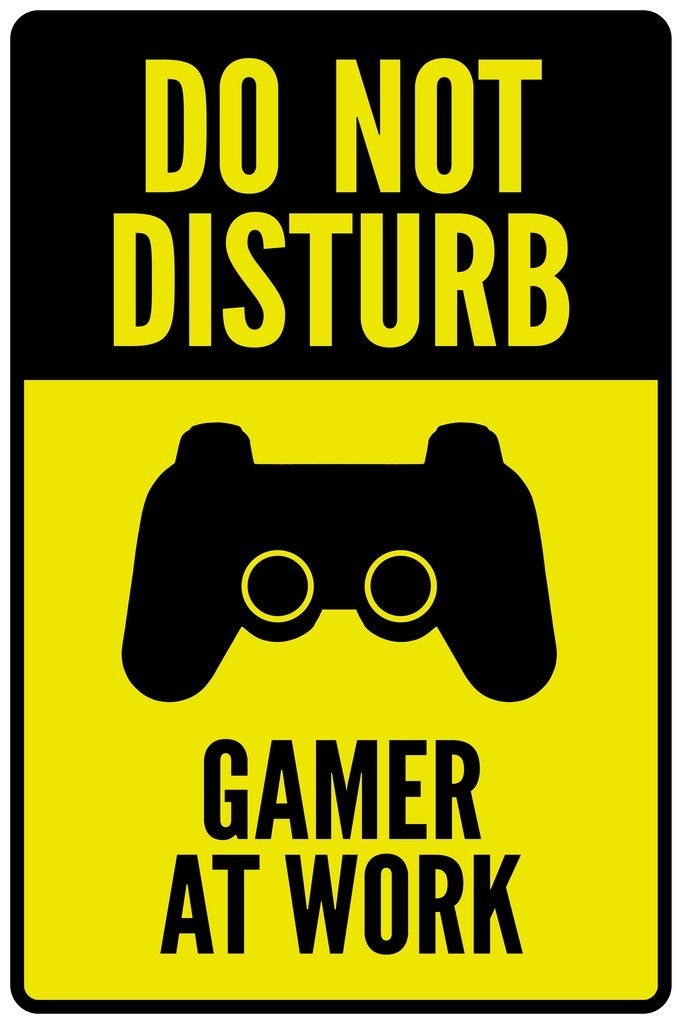
Do not disturb gamer mode silences notifications and prioritizes game performance, creating an uninterrupted gaming experience.
Ever found your concentration shattered by a sudden pop-up during a crucial raid? That’s where the ‘do not disturb gamer’ function becomes essential. It’s a simple concept with a huge impact for anyone serious about their gaming.
We all know that interruptions can completely ruin an immersive experience and this tool helps to prevent such things from happening. This blog explores this important aspect of gaming, so you can truly focus and enjoy your favorite games.

Do Not Disturb Gamer: Level Up Your Gaming Sessions
Ever been in the middle of an epic boss battle, or building the most awesome fort in Minecraft, and BING! – a notification pops up, ruining your focus? It’s frustrating, right? That’s where the “Do Not Disturb” mode, especially for gamers, comes to the rescue. It’s like having a superpower that lets you block out the distractions and fully dive into your virtual world. Let’s explore how this simple setting can seriously improve your game.
Why Gamers Need Do Not Disturb
Gaming isn’t just a hobby; it’s a way to relax, challenge yourself, and connect with friends. When you’re truly invested in a game, interruptions are the enemy. They can break your concentration, throw off your timing, and even cost you the win! Imagine you’re sneaking around in a stealth game, and your phone starts buzzing with a text message. The sound breaks the immersion, and the bad guys spot you. Annoying, isn’t it? Do Not Disturb mode helps prevent these situations by putting a wall between you and the outside world.
Focus and Immersion
When you are focused, you’re “in the zone.” You see the patterns, you react quicker, and you make better decisions. This is where the real magic happens in gaming. Notifications and random alerts pull you out of this focus, like someone tapping you on the shoulder during an important test. Do Not Disturb helps maintain a state of deep concentration. It’s not just about not being annoyed; it’s about optimizing your performance.
Immersion is also important. Great games make us feel like we’re actually there in the game world. When you have constant interruptions, it’s harder to feel that sense of “being there”. Do Not Disturb helps to protect that feeling of immersion, making your gaming experience richer and more enjoyable.
Avoiding Frustration
Let’s face it, sometimes games can be challenging. When you finally manage to overcome a tough part, the sense of accomplishment is awesome. But, if you’re constantly being interrupted, it feels like the game is working against you. These frustrations can make you want to quit playing entirely, which is not good! Using Do Not Disturb is like giving yourself the best chance at succeeding in the game, by removing these annoying distractions.
Respectful Multiplayer
If you play online with other people, interruptions can also affect them. Imagine you’re playing a cooperative game and a notification distracts you, causing you to miss a crucial moment, and let down your team. Or, if you’re streaming your games, notifications popping up on the screen is not very professional. Do Not Disturb helps you be a better teammate by making sure that you are focused and ready for anything. It shows you respect your team and the game itself.
How to Activate Do Not Disturb on Different Platforms
The great news is that most devices and platforms have a Do Not Disturb feature built-in, ready to help you achieve the focus you need for your gaming sessions. Let’s look at how to use it on some common systems.
On Your Phone (Android and iOS)
Smartphones are often the biggest source of distractions. Luckily, both Android and iOS have pretty good Do Not Disturb settings. Here’s how to set it up.
Android:
- Swipe down from the top of your screen to open the notification panel.
- Look for the “Do Not Disturb” icon. It usually looks like a circle with a line through it, or a bell with a line across it.
- Tap the icon to turn it on.
- You can often customize it. Usually, you can choose to allow certain people’s calls or messages, so you don’t completely disappear. You can also set a schedule, so it automatically turns on when you usually play.
iOS (iPhone/iPad):
- Swipe down from the top-right corner of your screen (or up from the bottom on older iPhones) to open the Control Center.
- Look for the crescent moon icon, which is the Do Not Disturb icon.
- Tap the icon to enable it.
- Long-press the moon icon to see extra options. You can choose to keep it active for a certain amount of time or until you turn it off. There are also settings for “Focus Modes”, which allow you to set very specific rules about who can interrupt.
On Your Gaming Console (PlayStation, Xbox, Nintendo Switch)
Game consoles also have systems to stop notifications from disturbing you.
PlayStation (PS4 and PS5):
- Press the PlayStation button on your controller to open the quick menu.
- Go to the “Sound/Music” option.
- Select “Do Not Disturb”, then select “Enable”.
- You also have granular control over what notifications you will see, by navigating to “Notifications” section in “Settings”, then you can customize which type of alerts you wish to hide.
Xbox:
- Press the Xbox button on your controller.
- Navigate to the “Profile & system” tab.
- Select “Settings”.
- Go to “Preferences” and then choose “Notifications”.
- You can select “Do Not Disturb” mode, to hide all notifications, or select which type of notifications you would like to silence.
Nintendo Switch:
- From the HOME Menu, select “System Settings”.
- Scroll down and select “Notifications”.
- Choose “Do Not Disturb Mode” to turn on.
On Your Computer (Windows and macOS)
Playing games on a computer is very common, and these systems also have “Do Not Disturb” functionality.
Windows 10 & 11:
- Click the notification icon in the bottom-right corner of your screen (it looks like a speech bubble).
- You will see a “Focus assist” button at the bottom of that menu.
- Click the “Focus assist” button. You have options like “Off” (where you will get all the alerts), “Priority only” (where you’ll see notifications from a chosen list of apps/contacts), or “Alarms only”(where you’ll see only alarms).
macOS:
- Click the Control Center icon in the top-right corner of your screen (it looks like two switches).
- You’ll see a “Do Not Disturb” button. Click it to turn it on.
- Click on the “Do Not Disturb” button again to set a schedule or customize settings.
Customizing Your Do Not Disturb Settings
The power of Do Not Disturb isn’t just in turning it on, it’s in making it work for you. Most systems let you customize what gets blocked, and what doesn’t. This way, you’re not completely isolated, but you’re also not bothered by things that are not urgent.
Allowing Important Exceptions
You might want to let certain calls or messages still come through. Perhaps you are waiting for a very important message, or perhaps a family member might need to contact you. By carefully selecting which calls/messages are allowed, you won’t miss important things, but you’re still shielded from other distractions. This way you can still focus on your game, and still be connected to what really matters. Usually, this is done in settings of Do Not Disturb mode.
Scheduling Do Not Disturb
If you play games at the same time each day, scheduling Do Not Disturb is very helpful. You can set it to turn on automatically at 6 pm (for example) and turn off at 10 pm. This means that you don’t need to remember to turn it on each time, so you can focus on gaming. Set your schedule, then forget about it and enjoy your games.
Using Focus Modes
Some devices, especially smartphones, offer “Focus Modes,” which are like super-powered versions of Do Not Disturb. For instance, you can have a “Gaming Focus Mode” that only allows notifications from the game or your gaming friends. When you are gaming, your phone is strictly for gaming purposes, eliminating every other distration. This gives you even more control over what can disturb you and helps you to stay engaged.
Tips for a Distraction-Free Gaming Experience
Setting up Do Not Disturb is a big step, but there are a few more things you can do to fully optimize your gaming.
Turning Off Non-Essential Notifications
Even with Do Not Disturb on, some notifications might still find a way through if not properly configured. Go through your app settings and turn off notifications from apps that are not essential for gaming. This reduces the chances of any unwanted alerts bothering you.
Using Headphones
Good headphones are amazing for immersion. They help you hear the details in the game clearly, and block out other sounds that can interrupt you. Headphones help you focus on the game and ignore the outside noises.
Keeping Your Gaming Area Organized
If your gaming area is cluttered with random items, it can distract you. A clear space helps keep you focused on the game at hand. By setting up your space and keeping it organized, you reduce the chances of you getting sidetracked.
Informing Your Family or Roommates
It can be beneficial to tell the people you live with that you’ll be gaming and that you don’t want to be disturbed. A simple conversation can help them understand that when your door is closed, it means that you need to focus. This way, you can make sure everyone is on the same page so you can game without worrying.
The Benefits of Do Not Disturb Gamer
Using Do Not Disturb for gaming isn’t about avoiding the world; it’s about maximizing your enjoyment and focus. With Do Not Disturb, you will have these benefits.
- Increased concentration: You focus more on the game.
- Better immersion: You feel more “in” the game world.
- Reduced frustration: You don’t get annoyed by constant notifications.
- Improved performance: You react faster and make better decisions.
- Respectful multiplayer: You don’t distract your online teammates.
- More fun: You get more out of your gaming experience.
Do Not Disturb can really change your experience when playing games. It lets you enjoy the games more, focus on playing better and less distractions. Try using Do Not Disturb while you play. It’s a small change that can have a big impact!
So, the next time you get ready to play your favorite game, don’t forget to switch on Do Not Disturb. You will be amazed at the difference it makes in your focus, your gameplay, and how much more fun you will have. Happy gaming!
Do Not Disturb – A Game for Real Pranksters! – Gameplay Walkthrough Part 1 (Android, iOS)
Final Thoughts
Prioritizing gaming time demands focus; therefore, establishing boundaries is key. Communicate your need for uninterrupted play. This simple step will ensure better gaming sessions.
Protecting your concentration is crucial. A clear “do not disturb gamer” message helps everyone. This action respects both your game and your downtime.

