
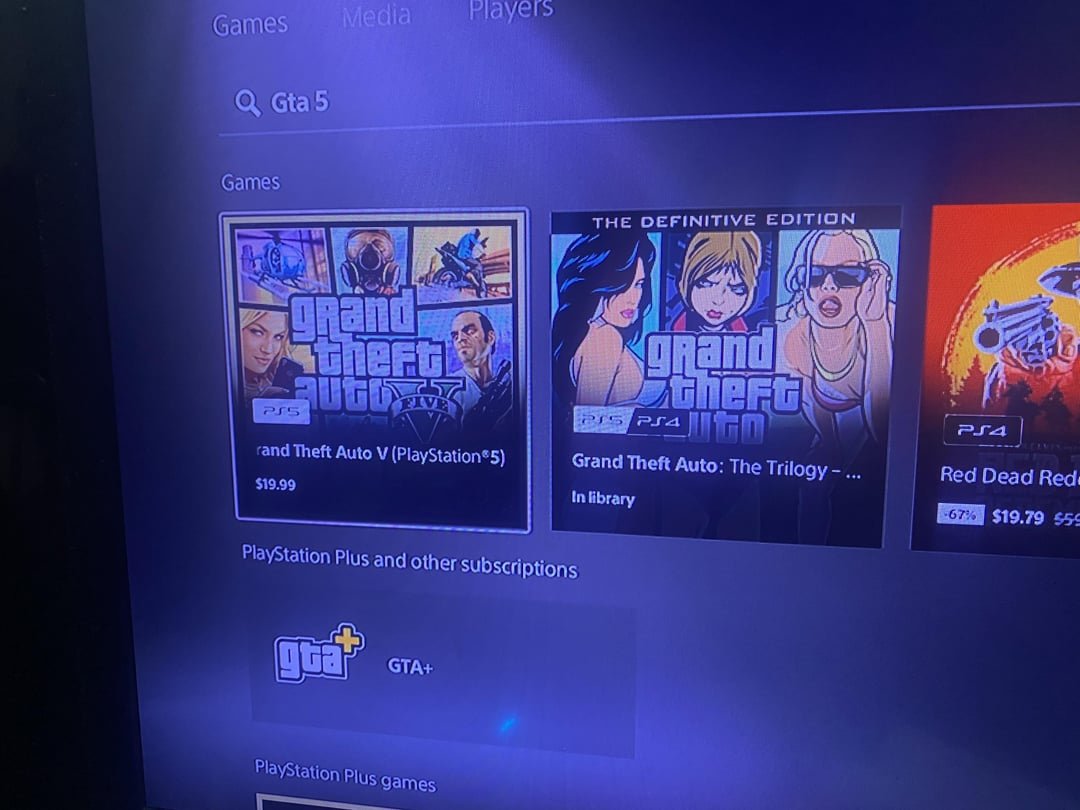
Some PlayStation 4 games require a repurchase for the PlayStation 5, while many offer free upgrades.
Wondering if you have to rebuy games for PS5? It’s a common question among gamers making the jump to the new console. The situation is a bit nuanced and not always a straightforward yes or no.
Some publishers provide free digital upgrades if you already own the PS4 version. You often need to download the PS5 version through the store. However, others may require you to purchase the game again.
This means checking the specific game’s details is crucial before making any purchases. It’s all about understanding each game’s upgrade policy.

Do You Have to Rebuy Games for PS5?
Okay, so you’ve got your shiny new PlayStation 5, and you’re super excited to play all your favorite games. But then a question pops into your head: “Do I have to buy all my games again?” It’s a fair question! We’ve all been there, wondering if we’re about to spend a fortune just to keep playing the games we already own. Let’s break this down and see what’s what with game ownership on the PS5.
Understanding PlayStation Generations and Game Compatibility
First, let’s talk about how PlayStation consoles have worked over the years. Each new console, like the PS5, is a new “generation.” It’s like getting a new type of phone – things change, and sometimes, those changes affect how older stuff works.
The PS5 is a pretty special case. Unlike some previous PlayStation generations, Sony has made a big effort to let us play some of our older PS4 games on the PS5. This is called “backward compatibility,” and it is very helpful for people with large game libraries. However, it’s not a simple “all games work” situation. Let’s dive into the details.
PS4 Games on PS5: The Good News
The great news is that a vast majority of PS4 games can be played directly on the PS5! Sony has worked hard to make this happen. When you put a PS4 disc into your PS5 or download a digital PS4 game from your library, it should work just like it did on your PS4, and it may even look and play better!
How Does It Work?
Basically, the PS5 has technology that allows it to understand and run the software made for the PS4. This means you do not have to buy the same games again in many cases. Think of it like your computer being able to run old programs. It can process the instructions and get the game working.
- Disc-Based Games: For physical games, you insert the PS4 disc into your PS5. The PS5 will recognize it and install the game. Keep in mind that you need the disc each time you play.
- Digital Games: If you own a PS4 game digitally on the PlayStation Store, it is linked to your PlayStation Network account. When you sign in to your PS5 with the same account, you can find and download your games from your library.
Enhanced PS4 Games on PS5
Many PS4 games, when played on PS5, get a boost in performance. This can include faster loading times, smoother frame rates, and sometimes even higher resolutions. While it’s not the same as a brand-new PS5 game, it can be a really enjoyable upgrade, breathing new life into old favourites.
This automatic upgrade is a big bonus, making playing your PS4 games on a PS5 even more desirable. It’s like your games have been given a refreshing, modern makeover without any extra expense.
The Exceptions: When You Might Need to Repurchase
While backward compatibility is great, there are a few times when you might have to rebuy a game. These are less common, but it is good to be aware of them.
PS3 and Older Games
The PS5 does not play PS3, PS2, or original PlayStation games directly from discs or digital purchases. This is because the hardware is not set up to handle those older games. If you want to play these older games, you usually need to look for remasters or remakes that have been specifically made for the PS4 or PS5.
This can be disappointing if you have a huge collection of PS3 games that you would like to enjoy on your new console. However, the difference in the system architecture between these generations is too significant to enable direct compatibility. This is the main reason why remakes and remasters exist, which are developed specifically for the newer consoles.
PS4 to PS5 Upgrades: The Fine Print
Some games offer free PS5 upgrades if you own the PS4 version. This means that if you own the PS4 version of a specific game, you can often get the PS5 version free through a digital entitlement on the PlayStation Network.
However, sometimes, game companies will charge a small fee for the PS5 version. This is often the case when there are significant differences in the PS5 version, such as new graphics, special effects, and other added features. So it’s good to check the specific game for details about upgrades.
- Free Upgrades: Many games offer free upgrades to the PS5 version. Look for the upgrade option on the PlayStation Store when you have the PS4 game, and you can sometimes find these upgrades in the game’s menu.
- Paid Upgrades: Other games might offer upgrades for a cost. In some cases this is a small fee. Sometimes they are offered as part of a bundle that includes additional downloadable content.
- No Upgrade: Some games don’t offer a PS5 upgrade at all. This could be because the game was made before the PS5 was released or because the developers have chosen not to create a PS5 version. In this case, you can play the PS4 version, but it will not have all the PS5 specific features.
It is also important to understand that, even though some games do not have the “PS5 Version,” they will often still play better on the PS5 as they take advantage of the better hardware, but that is just not a specific, dedicated version.
Special Editions and Bundles
Sometimes, a game may have a “special edition” or a bundle that includes the PS5 version alongside the PS4 version. This is often done to give players more choices about how they would like to play and sometimes as a way to help players transition smoothly to the PS5.
If you are planning to buy a new game, especially those that offer PS5 versions, check the bundles carefully, as they might offer a better deal than buying the PS4 version and then an upgrade separately.
Digital vs. Disc: What Happens with Upgrades?
It can be good to be aware of how you purchased the game, whether you got a physical disc or a digital copy as there can be some variations on how upgrades work.
Physical Disc Upgrades
If you have a physical PS4 game disc, you may be able to upgrade to the PS5 version using the disc. You’ll often need to insert the PS4 disc into your PS5 to show that you own the game. The PS5 will then allow you to download the PS5 version. You usually need to keep the disc inserted when you play the PS5 version.
However, If you are looking to upgrade from a physical disc of a PS4 game to a digital version of the PS5 game, that is not an option. If a game has a paid upgrade option, you will often be upgrading from your physical PS4 disc to a digital PS5 version. You will still need the disc to play that version.
Digital Game Upgrades
Digital upgrades are a bit more straight forward because your games are tied to your PSN account. If an upgrade is available, you will see it on the PlayStation store. If it’s a free upgrade, you can download the PS5 version of the game for no extra cost, often from the store or the game’s menu screen. If the upgrade has a cost, you can purchase and download the PS5 version and the upgrade will be added to your account.
The big benefit of digital purchases is that you do not have to keep the disc in your console to play the game.
How to Check for Upgrades
It is a good idea to know how to check for available upgrades before making any decisions, especially if you are thinking of buying a second hand game from the previous generation or if you have a disc that you are unsure about.
PlayStation Store
The PlayStation Store is the best place to check for upgrades. Here is how you can do it:
- Search: Look for the game title you are interested in, or you already own.
- Game Page: Visit the page of the game you are curious about.
- Upgrade Options: If there is an upgrade available, it will be clearly visible on the game’s page. It may say something like “PS5 Upgrade Available” or “Free Upgrade”.
- Check the Game Information: When there is no upgrade option, check the game information to see if a PS5 version of the game even exists.
Game Menus
Some games will show you if an upgrade is available from their main menu.
- In-Game Notification: Some games offer a notification when you boot up the game.
- Options or Extras: Look in options or extras section of the game’s menu as there may be an option for upgrading to the PS5 version.
Online Resources
When you are not sure, you can also look for information online.
- Official Websites: Game companies will often list game information on their websites.
- Game Blogs and Forums: There are many fan blogs and forums that may be able to provide specific information.
Benefits of Upgrading to PS5 Versions
When there is a PS5 version of the game available, it often provides an experience that is greatly improved in comparison to playing the game on the PS4.
Improved Visuals
PS5 games can often have better graphics, with higher resolutions, more detailed textures, and advanced lighting and effects. This makes the games more immersive and enjoyable to look at.
Faster Load Times
The PS5’s fast storage system means that PS5 games can load much quicker than PS4 games. You can often go from game boot up to playing within just a few seconds. This is a huge improvement and means that you spend less time staring at loading screens and more time playing.
Smoother Gameplay
PS5 games often run at a higher frame rate, meaning the action looks smoother and more responsive. This can be a big difference when playing action or racing games, making the gameplay feel more fluid and enjoyable. Some games on the PS5 even have options for 120 FPS gameplay.
DualSense Controller Features
PS5 games can take advantage of the special features of the DualSense controller, such as haptic feedback and adaptive triggers. This can really change the way that a game feels, making the game much more immersive. For example, you might feel resistance when you pull back a bowstring or vibrations that match the in game actions.
Game Sharing and Upgrades
Sharing games has also become a factor, and it is important to note how that will work when looking at upgrades.
Disc Sharing
If you share a physical PS4 game with a friend, and an upgrade is available, your friend would also need the physical disc to play it. They would likely need to use your account to complete any upgrade process if they also wanted to upgrade from the PS4 disc.
Digital Sharing
With digital games, you can share games on your account, so you and your friend could both play the same game. However, you may have to be more careful with the upgrade process, as you would likely both be limited to a single upgrade from a single purchase.
Generally, if you and a friend share games often, it is good to be aware of upgrade options and processes before you purchase and download games. Discussing with your friends can make sure that both parties are able to experience the best version of the games.
Future of PS5 Games
As the PS5 becomes more established, most new games will be built primarily for the PS5. This means that many new games will only be available as PS5 versions. However, Sony are continuing to support the PS4, and some developers may continue to make games for both consoles for some time to come.
It is also important to be aware of the new technologies that are being developed. These might not be available on older PS4 consoles or even on PS4 games played on a PS5. This may make upgrading to the PS5 version a very valuable thing to do. Things such as ray tracing and increased resolution at 4K, 8K or even higher.
Keeping up to date with the latest releases will ensure that you are getting the best gaming experience on your console.
So, to sum it up: No, you don’t have to rebuy most of your PS4 games for the PS5. But it’s always good to check if there is a free upgrade, a small charge upgrade, or if a new version is only on the PS5. Have fun playing!
Do you have to rebuy games for PS5 digital edition?
Final Thoughts
The need to rebuy games for PS5 largely depends on the specific game. Many PlayStation 4 titles work via backwards compatibility, negating a repurchase.
However, some publishers offer upgraded versions that may require a separate purchase, or at minimum a paid upgrade fee, making the decision to rebuy a must for some. Therefore, ‘do you have to rebuy games for ps5’ isn’t a simple yes or no; it varies case by case.

