
No, you do not need internet to install PS5 disc games, but internet is often required for updates and patches after installation.
Have you ever wondered if you can install a new PS5 game straight from the disc, without connecting to the web? The question “do you need internet to install ps5 disc games” is quite common among players. Many people are curious about the process.
It’s good to know that the base game will install from the disc. However, you will need an internet connection to get the latest updates and patches. These often add content or fix bugs.

Do You Need Internet to Install PS5 Disc Games?
Let’s dive deep into the world of PlayStation 5 and disc-based games. You’ve got your shiny new game, popped it into the console, and now you’re wondering, “Do I really need the internet for this?” It’s a common question, and the answer isn’t always as straightforward as a simple yes or no. We’ll explore exactly what parts of the installation process may or may not require an internet connection, so you can get your game on without any surprises.
The Basics of PS5 Game Installation
When you insert a game disc into your PlayStation 5, what happens behind the scenes? The console doesn’t play the game directly from the disc like older systems. Instead, it copies, or installs, the game data from the disc onto the console’s internal storage. This allows for faster loading times and smoother gameplay. The installation process can involve several stages, some of which have different requirements regarding internet access. The good news is, the core game data from the disc itself does not always need a live internet connection to be copied to the console. But that’s not the whole story.
Why Internet Connection Might Be Needed
Even though you have the game on a disc, the digital world often plays a role. Here’s why an internet connection might be needed:
Day-One Patches and Updates
Game developers often continue to work on games even after they’re printed on discs. This can include fixing bugs, adding new features, or making other tweaks to improve the gaming experience. When a game is released, a ‘day-one’ patch is often available. These patches require an internet connection to download and install before you can start playing. They make the game run better and resolve problems discovered just before the game went on sale. If you don’t have internet, you miss out on these critical enhancements and fixes.
Game Updates After Release
Updates don’t stop on day one. Many games receive periodic updates to add new content, change the balance of the game, or keep them running smoothly. These updates always require an internet connection to download, ensuring your game has the latest features and improvements. Without them, you might encounter problems, or you might not be able to play online multiplayer. Think of these updates like keeping your software up-to-date on your phone or computer. They’re important for making sure your game works properly.
Multiplayer Features
Many games these days have online multiplayer modes, allowing you to play with or against friends and strangers around the world. An active internet connection is obviously needed for any form of online play. However, even if you aren’t planning on playing online, some games might still need an internet connection to complete the installation, especially if the game has integrated its single-player campaign with some online elements. For example, games might use online servers to verify game data or check for game progress.
Digital Content and DLC
Many games offer extra content that you can download, often called DLC (Downloadable Content). This could include new levels, characters, or other add-ons that expand the game’s experience. DLC always requires an internet connection to download and install, as it’s not part of the data included on the disc. Similarly, some games might come with a code or voucher for extra digital content. This content also needs an internet connection to redeem and install.
Account Verification
Some games might require you to log into your PlayStation Network (PSN) account to activate the game or access its content, even if you are playing the single-player mode. This helps the game verify your copy is legitimate and might require a brief connection to the internet. If you have multiple PSN accounts on the same console, it is good practice to use the account which was initially used to install the game.
The Installation Process Without Internet
Now let’s focus on installing a game without the internet. Here’s what you can generally expect:
Core Game Installation
The core game data from the disc, the main bulk of the game files, can usually be copied and installed onto your PS5’s hard drive without an internet connection. The console reads the data from the disc and transfers it to your storage. This allows you to have the basic game installed and ready to play. The installation process generally starts automatically once you insert a game disc, and the progress can be viewed on your console screen.
Playing the Base Game Offline
Once the core game data is installed, you can typically start the game and play the single-player mode (if available), if no internet updates or account verification is required. Be aware that without updates, you’ll be playing the original version of the game, which may have some bugs or issues. Some games may restrict access to certain content or features without downloading any patch updates that might be available from the game developer. You need to check this in detail on game by game basis.
Limitations of Offline Play
Playing offline has its limits. You won’t have access to online multiplayer modes, and if you encounter bugs in the game, you won’t be able to download patches that could fix them. You may also miss out on bonus content, updated features, or other benefits that come with downloading updates. In addition, any content or features that require an active online connection such as account verification might be restricted.
What to Expect in Different Scenarios
The impact of an internet connection, or lack thereof, can depend on the specific game and its features. It’s good to know what you might encounter:
Single-Player Focused Games
For games focused primarily on single-player campaigns, you’ll likely find that most of the base game can be installed and played offline. However, even these games might have day-one patches that improve performance. Without an internet connection, you’ll play the game as it was on the disc, including any minor bugs or issues that were resolved in the first updates. You may also miss some add-ons and additional features.
Multiplayer Heavy Games
Games that heavily rely on multiplayer are a different story. While the core game may still install from the disc, you often can’t access much of the game’s content or functionality without an internet connection. Multiplayer modes, online features, and even parts of the single-player experience might be locked until the game can download its updates. These games are almost certainly going to prompt the user to connect to the internet. Without these updates, the game might be incomplete or missing crucial features.
Games with Online Verification
Some games, regardless of their multiplayer features, require a one-time or periodic online check to verify your copy. This is generally for protecting the copyright of the game to make sure you have a genuine copy of the game. It’s not a bad practice to use your main PSN account with which you first installed the game when you’re playing a game with online verification. While this check might only be a small data transfer, it still needs an active internet connection.
Checking Game Requirements
Before you start any game, it’s helpful to check for internet requirements, whether you’re online or not. There are a few places you can find this information:
The Game Box
The game box might indicate if an internet connection is required. Look for phrases like “internet required for multiplayer” or similar wording. This can give you a basic idea of what to expect before inserting the disc into your console. However, the game box does not always give the complete information, so be prepared for additional requirements.
Online Game Descriptions
Check the game’s product page on online retailers and the PlayStation Store. These sources often provide detailed information about the game’s features, including whether an internet connection is required for any part of the gameplay. Game descriptions are often more accurate than information on the box, but sometimes the description could be a bit misleading or incomplete.
Game-Specific Forums and Communities
Search for game forums and social media groups that discuss specific games. Players who already own the game often share their experiences regarding internet requirements during installation. This information can be helpful for a good understanding of how a particular game functions, as it is shared by other players who had similar experience. You’ll often find a variety of opinions and practical advice, which can give you a more complete perspective.
A Quick Guide: Internet Requirement Check
Here’s a brief table to help you quickly understand when an internet connection is essential and when it might not be:
| Scenario | Internet Required? | Notes |
|---|---|---|
| Installing the core game data from a disc | Usually not | The base game files can typically be installed offline. |
| Downloading day-one patches | Yes | Needed to fix bugs and improve game performance. |
| Downloading updates after release | Yes | Includes bug fixes, content updates, and more. |
| Playing online multiplayer | Yes | Always required for online play. |
| Downloading DLC or bonus content | Yes | Needed to access extra game content. |
| Online account verification | Potentially | Some games need a brief online connection to activate. |
| Playing single-player offline | Sometimes not | May not need internet if no online check/patches required. |
Tips for Gamers with Limited Internet Access
If you have slow or limited internet, don’t worry. Here are a few tips to make game installation easier:
- Use a friend’s internet: If possible, connect your console to a friend’s faster internet connection to download any required updates or DLC, so you can play the game offline at home.
- Public Wi-Fi: If you can’t connect at a friend’s, public Wi-Fi can be an option if you’re patient and the connection is good enough. Take the console to a place with high-speed, free internet.
- Plan ahead: If you know a game requires a big update, try to start the download when your internet isn’t being used for other things. Also, it is always good to check on the game forums for any additional information.
So, while an internet connection isn’t always required for the initial installation of a PlayStation 5 game from disc, it’s becoming more and more integral to a smooth and complete gaming experience. Understanding why and when you might need to connect online helps you get the best out of your PlayStation games. By keeping all these factors in mind, you’ll be better prepared to dive into the awesome world of PS5 gaming.
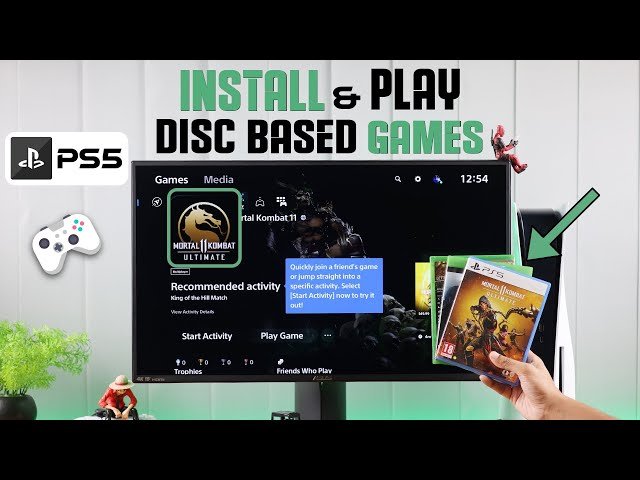
PS5: How to Install ANY Game From Disc!
Final Thoughts
The must-know answer is: often, yes. While the base game installs from the disc, you typically need an internet connection. Patches and updates, essential for optimal performance, download online.
These updates frequently include crucial bug fixes and content additions. Therefore, while you physically have the disc, internet access is a necessity for fully installing most PS5 games. So, do you need internet to install ps5 disc games? In short, it’s highly probable.

