
Yes, you do need to buy games for Oculus if you want to play most of the engaging and immersive experiences available.
Stepping into the world of virtual reality with an Oculus headset is exciting, but a common question arises: do you need to buy games for oculus? Many new users wonder if the included software is enough.
While your Oculus headset does come with some free experiences and demos, the most captivating and fully realized games typically require a purchase. You will find that buying games often provides access to deeper gameplay and better graphics.

Do You Need to Buy Games for Oculus?
Okay, so you’ve got your shiny new Oculus headset, and you’re ready to jump into some amazing virtual worlds. But a big question pops up: “Do I have to buy games, or can I play for free?” It’s a great question, and the short answer is, it’s a little bit of both! Let’s dive into all the details so you know exactly what to expect.
The World of Free Oculus Content
Good news! You don’t need to spend a fortune right away to start experiencing the fun of VR. Oculus, and now Meta, offers a good amount of free experiences. These aren’t always full-fledged games, but they’re still awesome ways to get a feel for what your headset can do. Think of them as appetizers to the main course of paid games.
What Kind of Free Experiences are Available?
You’ll find a variety of free content, including:
- Demos and Tutorials: Many developers offer demo versions of their games. These let you try out a game for a short time to see if you like it before you commit to buying the full version. There are also tutorials that help you get comfortable with how to use your headset and controllers.
- Exploration and Short Experiences: These are often visually stunning experiences that let you explore different environments. You might float through space, dive into the ocean, or visit a historical site. While they are not interactive in the way that games are, they give you a sense of immersion.
- Social VR Platforms: Apps like Horizon Worlds and Rec Room are free to join. These are virtual social spaces where you can meet other people, play games, and explore user-created worlds. They are more social hubs than traditional games, but they offer a ton of free entertainment.
- Some Games with Limited Functionality: A few games offer a free trial or limited free version that might allow you to play certain parts of the game without paying.
To find these free experiences, simply browse the Oculus store (or Meta Store, depending on your device) and filter by “Free”. You’ll find that there are more free options than you may think, especially at the start of your VR journey.
The Reality of Paid Oculus Games
While free content is great for starters, the bulk of the best and most in-depth VR experiences are paid games. Just like video game consoles, there’s a huge library of games that offer amazing stories, intense action, fun puzzles, and a whole lot more. These games typically have higher production value, more gameplay, and more features compared to free content.
Why Pay for Games?
So, why would you want to pay for VR games?
- In-Depth Gameplay: Paid games offer complete experiences with deep gameplay mechanics, compelling stories, and many hours of play. You’ll have more things to do and discover.
- Higher Production Value: Developers put a lot of time and effort into creating high-quality VR games. These games often have amazing graphics, detailed environments, and well-produced sound effects.
- Multiplayer Modes: Many paid VR games offer multiplayer modes where you can play with your friends or other people online. This adds a social element to the experience, and more replayability.
- Regular Updates and Support: Paid games often receive updates and patches from the developers, fixing bugs and adding new content.
Understanding Game Pricing on Oculus
The prices for VR games vary quite a bit. Some small indie games cost just a few dollars, while bigger titles can go for $30 or more. Keep an eye out for sales! The Oculus Store often has discounts and bundles, where you can get a game (or a collection of games) for less. This is a great way to grow your library without breaking the bank.
Factors Influencing Game Price
Several things impact the cost of a VR game:
- Development Complexity: More complex games with advanced graphics, intricate storylines, and lots of gameplay often cost more.
- Team Size and Development Time: Larger development teams that spend a longer period creating a game will typically charge a higher price.
- Features: Games with extensive multiplayer modes, a wide variety of levels, and other unique features tend to be more expensive.
- Popularity and Demand: Highly anticipated games or those with an established reputation often maintain a higher price.
Exploring Free-to-Play and Subscription Options
While most of the best VR experiences require purchase, there are still other avenues to access games. The market is evolving, and we’re starting to see other models gain traction.
Free-to-Play Games
A few games on the Oculus (Meta) Store are free-to-play. This means you can start playing for free, but you might need to pay for certain in-game items, such as cosmetic items or faster progress. This model allows you to experience the game without an initial cost, but you can always make purchases for enhancements.
Subscription Services
Subscription services are becoming more popular. Meta offers its own service, called Meta Quest+, which gives subscribers access to a catalog of selected titles, which change every month, for a recurring fee. It’s a bit like a streaming service for VR games. This approach is good if you enjoy rotating through different games and are not too concerned with owning them outright.
Also, some external services or applications might offer curated content that you can access with a subscription. These are often focused on specific types of VR, such as fitness. Always review the offerings to make sure that they match your needs before subscribing.
Navigating the Oculus/Meta Store
The Oculus or Meta store is your one-stop-shop for finding content. There, you will explore different games, apps, and experiences. Here are a few tips for navigating it effectively:
Filtering and Sorting
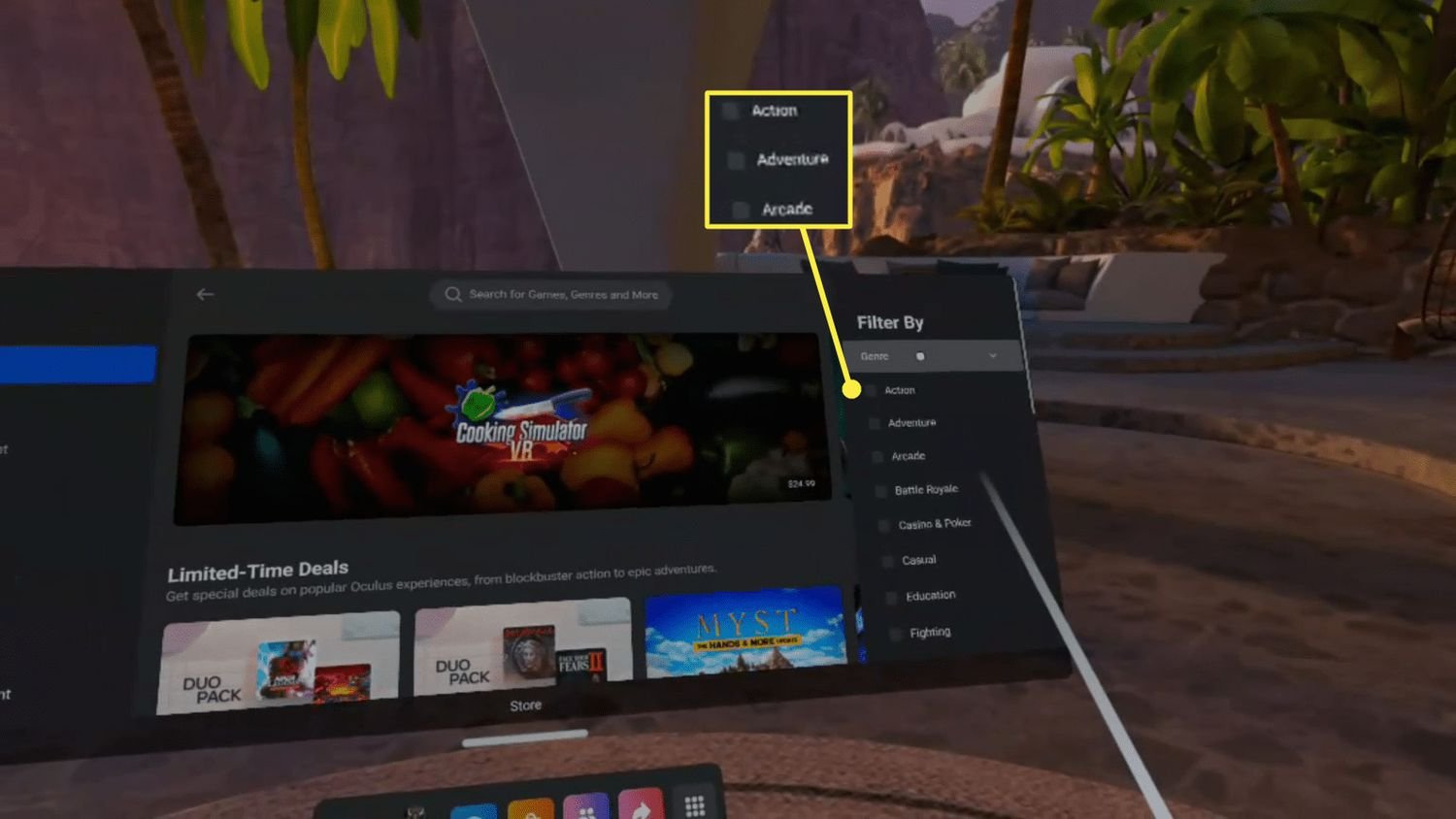
Use the store’s filters to quickly find what you want. You can filter by:
- Price: Find free games, or sort from low to high.
- Genre: Filter by different categories, like action, puzzle, social, and more.
- Player Rating: Read other players’ reviews to get a sense of whether it’s worth buying.
- Compatibility: Make sure games are compatible with your specific device.
Reading Reviews
Before buying any game, be sure to read a few reviews from other users. It can help you avoid getting stuck with a game you don’t like. It also gives you a sense of the game’s bugs or what other players think about the story, gameplay, and performance.
Utilizing Wishlists
If a game isn’t in your budget, add it to your wishlist! You’ll get notified about sales and special offers and the store will also track those titles. This is a great way to keep tabs on the things you are interested in without being pressured into immediate purchase.
Budgeting for Oculus Games
It’s easy to get carried away in the world of VR gaming, so having a budget is important. Here are a few tips to help you manage your spending:
Setting a Monthly Limit
Decide how much you’re comfortable spending on games each month. Stick to that limit to avoid going overboard.
Prioritizing Purchases
Don’t buy games just because they are cheap. Instead, think about the games you’ll truly enjoy. Be selective, so you’ll get the most out of your spending.
Taking Advantage of Sales
Be patient and wait for sales! Oculus/Meta store often has seasonal sales, daily deals, or bundles. These are the perfect time to add new games to your library.
Considering Bundle Deals
When available, consider bundle deals where you get multiple games for a discounted price. This is a great way to expand your library quickly without spending a lot.
Can You Play Without Buying Games?
Absolutely! While the biggest VR experiences require a purchase, you absolutely can have lots of fun without buying every game you see.
Remember, the free content can keep you occupied and entertained while you figure out what types of experiences you really enjoy. You can explore social VR platforms, try out demos, watch 360 videos, and discover tons of other great ways to use your headset without paying a cent. So, you don’t need to feel like you are immediately compelled to buy a game in order to have a good experience.
The free options will also give you the opportunity to try different game genres and explore VR worlds, which will help you make good buying decisions in the future.
What About SideQuest?
SideQuest is an interesting alternative way of accessing games and apps. It is not an official part of the Meta Store, so you will need to be careful about what you install. However, it is a good option for a tech-savvy user, and it may have more content. Note that not all content there will work well, and it may have content that’s not suitable for all users.
Exploring SideQuest Content
SideQuest is a platform for developers to share their apps and games, many of which are free or have demos available. You will find some unique and experimental content there that you won’t see in the Meta store. It’s worth exploring if you have a knack for tech or are curious about indie games.
Potential Risks of Using SideQuest
Because SideQuest is not an official marketplace, it’s essential to use it responsibly. Some of the risks include:
- Compatibility Issues: Some games may not work well on your headset or could crash your system.
- Security Concerns: Be sure to trust the developer of the content, and review everything you install.
- Content Inappropriateness: Some user-generated content may be unsuitable for younger audiences. Always double-check ratings and reviews from other users.
How to Buy Games on Meta Quest 2
Final Thoughts
You must buy games for Oculus to enjoy most experiences. Many free apps and demos exist, but full gameplay requires purchases. Access to great VR titles definitely depends on buying them.
Ultimately, the question of “do you need to buy games for oculus” is a yes for substantial content. While some free options are available, paid games provide richer, more immersive experiences. Thus, it is a necessary consideration for VR owners.

