
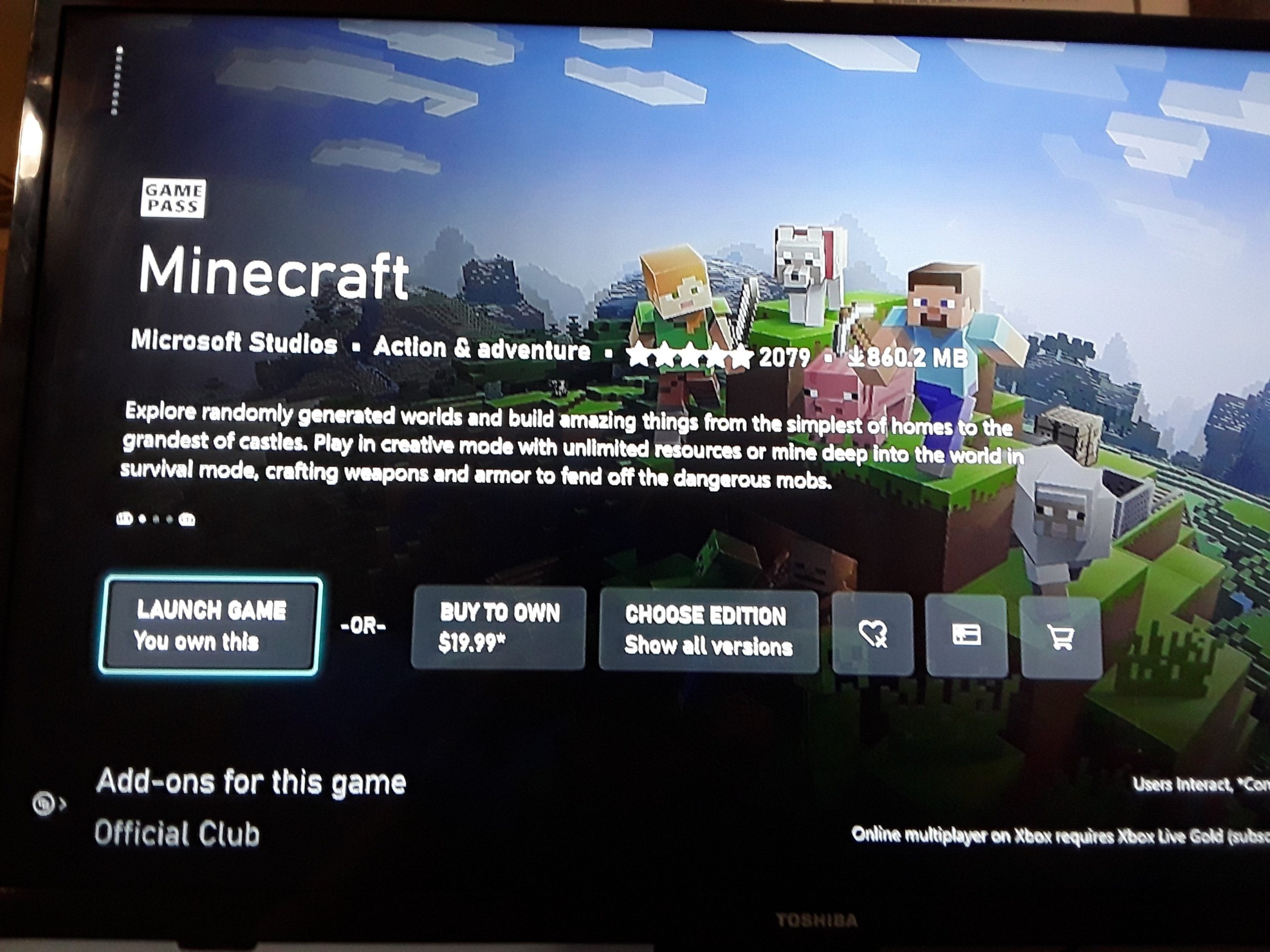
To play Minecraft multiplayer on Xbox consoles, you need Xbox Game Pass Ultimate or Xbox Game Pass Core.
Jumping into the world of Minecraft with friends sounds like a great idea, right? But a common question pops up for many Xbox players: do you need xbox game pass to play minecraft multiplayer? It’s a valid concern since online play often involves some kind of subscription.
Understanding the requirements is essential before you plan your next grand build with your pals. This quick answer helps clarify the situation. So, grab your pickaxe and let’s get to gaming!

Do You Need Xbox Game Pass to Play Minecraft Multiplayer?
Let’s get right to the heart of the matter! If you’re eager to jump into the exciting world of Minecraft multiplayer with your friends on an Xbox console, you’ve probably wondered about Xbox Game Pass. The answer isn’t as straightforward as a simple yes or no, it depends on which type of multiplayer gameplay you are looking for, and it’s important to break down what’s required for each scenario. It’s also worth noting that the rules can be a little different on other platforms, but here, we are focused on Xbox. Let’s dive in and clear up any confusion!
Understanding Minecraft Multiplayer Options
Minecraft offers several ways to play with others, and each of these may have different requirements when it comes to Xbox Game Pass. We can broadly categorize these options into:
- Local Multiplayer (Split-Screen)
- Online Multiplayer on Public Servers
- Online Multiplayer on Private Servers (Realms)
- Online Multiplayer on other player’s world through invite system
Local Multiplayer (Split-Screen)
This is the simplest form of multiplayer, perfect for playing with friends or family in the same room. With local split-screen, you can all play together on the same Xbox console, sharing the same screen. You do not need an Xbox game pass subscription to play in the local split screen with your friends.
How to Play Local Multiplayer
Setting up local split-screen is easy:
- Make sure that your console and controllers are properly connected.
- Start Minecraft on your Xbox.
- Make sure that you have at least 2 or more controllers connected to the console.
- Once you start a world, press the “Start” button on the other controllers.
- That’s it! The additional players should now be able to join the same Minecraft world using the split screen method.
Online Multiplayer on Public Servers
Minecraft is host to a wide range of amazing servers, where you can play with thousands of other players around the world, and it is the most widely played type of multiplayer in the game. These servers have their own rules and communities. You can find them through the “Servers” tab in the Minecraft main menu of your Xbox console, and you can play several different types of games, like mini-games, survival, creative, roleplay, and many more.
Do you need Xbox Game Pass for Public Servers?
Yes. Playing online on these big, public servers requires an active Xbox Game Pass Core subscription, previously known as Xbox Live Gold. This subscription gives you the necessary access to the Xbox online network, which is essential for playing with others online. So, if you’re planning to join these public servers, make sure you have Xbox Game Pass Core.
Online Multiplayer on Private Servers (Realms)
Minecraft Realms are private servers hosted by Mojang (the creators of Minecraft). They are designed to be a simpler and safer way to play with a smaller group of friends. With a Realm, you can keep a world running and accessible 24/7, and your friends can hop in and out at any time, even when you’re not online.
Do you need Xbox Game Pass for Realms?
Here’s the breakdown. While an Xbox Game Pass subscription is not required to join the Realm server, the owner of the realm must have an active Xbox Game Pass core subscription to be able to host their world online. Also, remember that to host your world as realm server, you have to pay a monthly subscription to the game, and this is a different subscription to Xbox game pass core. Also, if the host doesn’t have an Xbox game pass core subscription, the realm server will not be available to the players when the host is not playing. So, While you yourself do not need a game pass subscription, the host does need one. If you are the host, then you are required to have an Xbox game pass core subscription to be able to host online using the realm service.
Online Multiplayer on Other Player’s World (Invite System)
Minecraft also allows you to invite friends directly into your own single-player world, creating a temporary multiplayer session. This is a great option for playing with a close circle of friends in a world you have created.
Do you need Xbox Game Pass for Invite-Based Multiplayer?
Yes, like playing on public servers, hosting or joining an invite-based multiplayer game requires an active Xbox Game Pass Core subscription. This is because the game utilizes the Xbox online network to connect you with your friends, so an active subscription is needed for the service. This is same for both if you are hosting and inviting players, or if you are invited to join someone’s world.
Xbox Game Pass Core: What Is It?
Since Xbox Game Pass Core comes up so much in the world of Minecraft multiplayer, let’s talk about what it actually is. Xbox Game Pass Core is a subscription service from Microsoft that’s essential for playing games online on Xbox consoles. It includes the access to Xbox online multiplayer services. It’s important to note that the older Xbox Live Gold subscription service has been replaced by Xbox Game Pass Core, but it has the same functionality for playing online games. This subscription service not only gives you the ability to play online with friends and others, but also gives some perks like access to free games each month and exclusive discounts on other game purchases.
Key Features of Xbox Game Pass Core
- Access to online multiplayer gaming on Xbox consoles.
- A select library of free games to play.
- Exclusive member discounts and deals.
Minecraft Editions and Xbox Game Pass
It’s important to understand that there are a few different Minecraft editions, which could affect your online multiplayer experience. The version you own and the one your friends own should all be the same so that you are able to play online without issues. Minecraft has two main editions: Minecraft (Bedrock Edition) and Minecraft: Java Edition. Minecraft Bedrock Edition is the one that is available for the Xbox console, and this is the version that we are discussing here. This edition is playable on all consoles including, Xbox, Play station, Nintendo and also Windows 10/11.
Troubleshooting Common Multiplayer Issues
Sometimes, even with the correct subscriptions, you might have trouble playing multiplayer. Here are some common issues and how to fix them:
Connectivity Problems
If you are facing connectivity problems, follow the following steps to troubleshoot them:
- Check your internet connection: Make sure your Xbox is connected to the internet and that your internet is working properly.
- Restart your console: Sometimes, a simple restart can fix connectivity problems.
- Check Xbox Live status: There might be service interruptions on the Xbox network. Check the Xbox website or their social media channels for updates.
- Check your network configuration: Make sure that the NAT type is set to open on your network, and is not set to strict or moderate, as this may cause issues for multiplayer.
Game Version Incompatibility
Make sure that you and your friends have the exact same version of the game, as having different game versions will result in multiplayer connectivity problems.
- Check your game version: Go to the Minecraft settings menu to check the current version.
- Update your game: If you are not on the latest version, make sure you update your game.
Xbox Game Pass Subscription Issues
Ensure that your game pass subscription is active and there are no problems with the payment method.
- Check your subscription status: Log into your Xbox account on the Xbox website to verify that your subscription is still active.
- Restart your Xbox : Sometimes restarting your Xbox can fix problems related to subscriptions.
Alternatives to Xbox Game Pass Core
If you are looking to get Minecraft, or are a new gamer, and if you are not sure about getting an Xbox game pass core subscription, there are ways that you can avoid the cost of it, or try to find a cheaper alternative. While Xbox Game Pass Core is essential for online multiplayer, there are a couple of ways to enjoy Minecraft without spending on it:
Local Split-Screen
As mentioned earlier, you can play with friends in the same room using the split screen feature, and this way you do not need any online subscription service.
Playing on Local LAN
There are also some tutorials available on how to play Minecraft Bedrock using LAN, so in order to do this, you and your friends should be connected to the same network, and then this way you do not need any online subscription either.
Minecraft Java Edition
If you are playing on a PC, and you can use the Java edition to play with your friends, as this does not require any other subscriptions to play online. You just need to buy the game once, and you can play online without any issues.
In conclusion, while you do not need Xbox Game Pass for all types of multiplayer in Minecraft, it is essential for playing on public servers, realms (for the host) and other players worlds (through invite system). If you want to play online with others on your Xbox, be sure to have an active Xbox Game Pass Core subscription. If you’re mainly looking to play with friends locally or want to explore the other options, you have ways to have fun without an online subscription. Remember to keep your game updated and always verify your subscription status to avoid any unwanted disruptions to your gameplay!
How To Play Minecraft Multiplayer on XBOX without Game Pass? (2025)
Final Thoughts
No, you do not must have Xbox Game Pass to play Minecraft multiplayer on consoles, specifically for local splitscreen. However, you do require it for online multiplayer.
To clarify, “do you need xbox game pass to play minecraft multiplayer” online with friends on your Xbox? Yes, you absolutely do. If you play just single player it will work fine without it.

