
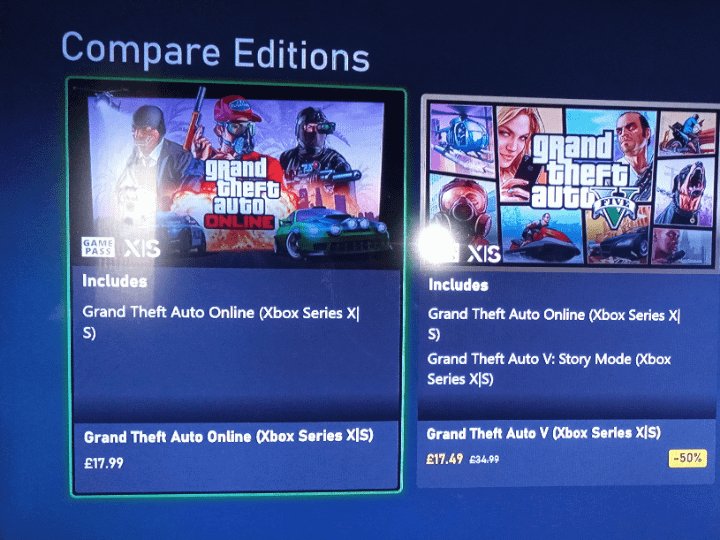
Yes, you need Xbox Game Pass Ultimate or Xbox Live Gold (now called Game Pass Core) to play most multiplayer games online on your Xbox console.
Ever wondered if you actually need a subscription to join your friends in online Xbox games? It’s a common question for both new and experienced gamers: do you need xbox game pass to play online? Many players are confused about the subscription requirements.
The requirements can sometimes be unclear due to various options like Xbox Game Pass and Xbox Live Gold. We’ll help sort out the details for you. This article will explain which subscriptions allow you to play online.

Do You Need Xbox Game Pass to Play Online?
Let’s talk about playing games online with your Xbox. You’ve got your console, your favorite games, and maybe some friends ready to join you. But wait, there’s often a question that comes up: do you really need Xbox Game Pass to jump into online multiplayer? The answer isn’t always a simple yes or no, and it can be a little confusing. So, let’s break it down and make sure you know exactly what you need to play with others online.
The Basics: Xbox Live Gold vs. Xbox Game Pass
Okay, first things first, we need to clear up some terms. For a long time, Xbox had a service called Xbox Live Gold. This was what you needed to play most online multiplayer games. It also gave you a few free games each month, and some special deals on other games. Now, things have changed a bit. Xbox Live Gold is no longer around. It’s been replaced with a different thing called Xbox Game Pass Core. It’s super important to understand what each one provides, so you can determine if it’s needed for your gaming experience.
What Was Xbox Live Gold?
Before Xbox Game Pass Core, you had to have Xbox Live Gold to access online multiplayer. Think of it like a ticket to enter the online world of Xbox gaming. It was a subscription you paid for regularly, similar to a magazine subscription but for gaming. Xbox Live Gold members could play games online with their friends or with other people across the globe, and they would receive free games each month. It was a way to get more out of your Xbox.
What is Xbox Game Pass Core?
Xbox Game Pass Core is the new name for Xbox Live Gold. It provides the same core functionality of allowing users to play games online with others. This shift occurred when Microsoft decided to rebrand their online service, simplifying it and tying it more closely with their other offerings. With Xbox Game Pass Core, you are still paying a monthly fee, and you get access to multiplayer. You still receive deals and discounts on games, but instead of free monthly games, now you get access to a small catalog of Game Pass games. This transition can feel confusing, but the idea is to make the subscription model more straightforward. If you are just looking to play games online with friends, then Game Pass Core is the best option for you.
So, Do I Need Xbox Game Pass Core to Play Online?
Now that you understand the difference between Xbox Live Gold and the current Xbox Game Pass Core, let’s get back to the main question: Do you need it to play online? The short answer is, yes, for most games, you do need Xbox Game Pass Core to play online multiplayer games. This is the service that gives you access to the online servers for your favorite games. Without it, you’ll usually be limited to playing single-player modes.
This means if you want to play with or against other players in online games like “Fortnite,” “Call of Duty,” “Minecraft,” or many other Xbox games, an Xbox Game Pass Core subscription is typically required. There are few exceptions, which we will talk about later, but the rule of thumb is, if it’s an online game and you want to play with other players, you generally need Game Pass Core.
Free-to-Play Games: The Exception
But, and this is an important but, there’s a special category of games that don’t require Xbox Game Pass Core for online play. These are called free-to-play games. These games, like “Fortnite,” “Apex Legends,” “Warzone,” and others, allow you to play online multiplayer without needing the subscription.
Think of them like a park where everyone can come and play. Xbox doesn’t make you pay a fee to play these games online, because the games are already free. This is a great option if you don’t want to pay for the subscription, but you still want to play online. It gives a way for players to experience online multiplayer gaming without the added cost.
How to Know if a Game is Free-to-Play
It’s easy to figure out if a game is free-to-play:
- Look on the Xbox Store: If the game is listed as free or has “Free” next to its name, it’s a good sign.
- Check the game’s description: Usually, free-to-play games will mention this in their description.
- Try playing online: If you can jump straight into an online match without being asked for a subscription, it’s free-to-play.
Keep in mind that some free-to-play games might have optional in-game purchases, like skins or items, that you don’t have to buy to play the game, but can be obtained in game as well. Free-to-play means that you do not have to pay a price to download the game, nor do you have to pay for a subscription like Game Pass Core to play online.
Xbox Game Pass: More Than Just Online Play
Now let’s move onto the other services under the Game Pass banner: Xbox Game Pass. This is where things can get a little more complex, but also more exciting. Xbox Game Pass is a service that gives you a collection of games that you can download and play. This is a different service than the one that covers playing online. You don’t need Game Pass, in particular, to play online; you need Game Pass Core to play online. Game Pass and Game Pass Core are two different services, despite their similarities in name.
Xbox Game Pass (Console or PC)
Xbox Game Pass (Console or PC) is a subscription service that gives you access to a library of games. Think of it like a huge video game rental place, but instead of renting, you can download these games and play them as much as you want as long as you have the subscription.
Xbox Game Pass is not required for online multiplayer in most games, unlike Game Pass Core. You could technically play games that are on Game Pass, but if they are not free-to-play, you would also need Game Pass Core to be able to play online multiplayer modes for games like “Sea of Thieves” or “Starfield”. You can enjoy this Game Pass service either on the console (Xbox) or your PC (Windows). They offer separate subscription options for both platforms.
Xbox Game Pass Ultimate
Then there is Xbox Game Pass Ultimate. This is the big one, and it includes all the features of Xbox Game Pass (console and PC), as well as Xbox Game Pass Core, and Xbox Cloud Gaming (allowing you to stream games to devices). This is the ultimate package for players that want to experience the full range of Xbox services.
With Xbox Game Pass Ultimate, you don’t have to worry about keeping up with multiple subscriptions; it includes everything in one. It is the simplest option, and it allows you to play online, download many games, and stream games on multiple devices. If you want the most for your money, this service is the way to go.
Why Xbox Game Pass Core is Still Important
Even if you have Xbox Game Pass (for console or PC), it is not automatically included in the service. If you don’t have Game Pass Ultimate, you still need Game Pass Core to play most online multiplayer games. This is where the confusion often arises. It’s the specific core service that gives you the online gaming capability.
Different Subscription Options: Which One is Right for You?
It’s time to consider which subscription options might be right for you. Here’s a quick look at your choices:
- Xbox Game Pass Core: If you only need to play games online and do not want a catalog of games available to download, Game Pass Core is the perfect option.
- Xbox Game Pass (Console or PC): This service gives you access to a library of games on one platform, but does not include the online multiplayer capability for most games. If you play alone or only play games that do not require online multiplayer, this is a great option.
- Xbox Game Pass Ultimate: This is the most comprehensive option; it provides the full package: online multiplayer, a catalog of games on both consoles and PC, and cloud gaming. This is for the gamer who wants the best experience possible.
It all boils down to what you’re planning to do. Do you want online multiplayer? Do you want access to a bunch of games? Or do you want everything? Figuring out what you want, will help you decide what is best for your gaming needs.
A Quick Guide to Xbox Subscription Services
Here’s a simple table to help summarize the different subscription options:
| Service | Online Multiplayer | Game Library Access | Cloud Gaming | Best For |
|---|---|---|---|---|
| Xbox Game Pass Core | Yes (for most games) | Small curated game catalog | No | Players primarily interested in online multiplayer and some games. |
| Xbox Game Pass (Console or PC) | No | Yes (for that platform) | No | Players interested in a large catalog of games that can be downloaded. |
| Xbox Game Pass Ultimate | Yes (for most games) | Yes (both console and PC) | Yes | Players who want everything: online play, a game library, and cloud gaming. |
Checking Your Subscription Status
If you’re ever unsure about your current subscription, it’s easy to check. Just follow these simple steps:
- Go to your Xbox console’s Settings.
- Navigate to “Account.”
- Select “Subscriptions.”
- You’ll find all your active subscriptions listed here.
You can also manage your subscriptions on the Microsoft website or the Xbox app.
What Happens If You Don’t Have a Subscription?
If you don’t have an Xbox Game Pass Core subscription (and are not playing a free-to-play game), you’ll encounter some limitations. You’ll be restricted to playing single-player modes, and you will be unable to join friends online or play against them. It’s like having a ticket to a movie theater but not being able to enter the main viewing room. However, you can still use other aspects of your console, like watching videos or using apps.
Playing on Other Platforms
It’s also worth noting that if you’re playing on platforms like PC, you may not need Xbox Game Pass Core, to play games online. This is especially true for games purchased through Steam or the Epic Games Store, as they might require their own online subscriptions for multiplayer access. Similarly, games that can be played using the cloud gaming feature on Xbox Game Pass Ultimate, may not require the Game Pass Core feature to play online. Each platform has it’s own ways of handling online multiplayer and the associated subscription requirements.
In general, make sure to double check what platform you are using, and what the requirements are to play online. Each platform could have it’s own requirements, and not all platforms follow the same guidelines that the Xbox does.
In conclusion, whether you need Xbox Game Pass to play online really depends on the game you are playing. If it’s a free-to-play game, then no, you do not need any type of subscription to play online. However, if it is a game you purchased, then you most likely need Xbox Game Pass Core to play online multiplayer. Xbox Game Pass on its own will not give you access to online multiplayer for most games, and you will have to upgrade to Xbox Game Pass Ultimate, or have Game Pass Core to play online. It’s all about understanding the different services and making the best choice for your gaming style and needs. By understanding the difference between all the services, you can make a better choice on which service is best for you and your gaming style. Happy gaming!
How To Get Xbox Gamepass Ultimate For Free!
Final Thoughts
Ultimately, you must have Xbox Game Pass Ultimate or Xbox Live Gold to play online multiplayer games on your console. This is a requirement for most titles.
A standard Xbox Game Pass subscription does not include online play access. It mainly gives you access to a library of games you can download.
Therefore, the answer to ‘do you need xbox game pass to play online’ is generally yes, if you want online multiplayer. Check your subscription level for online access.

