
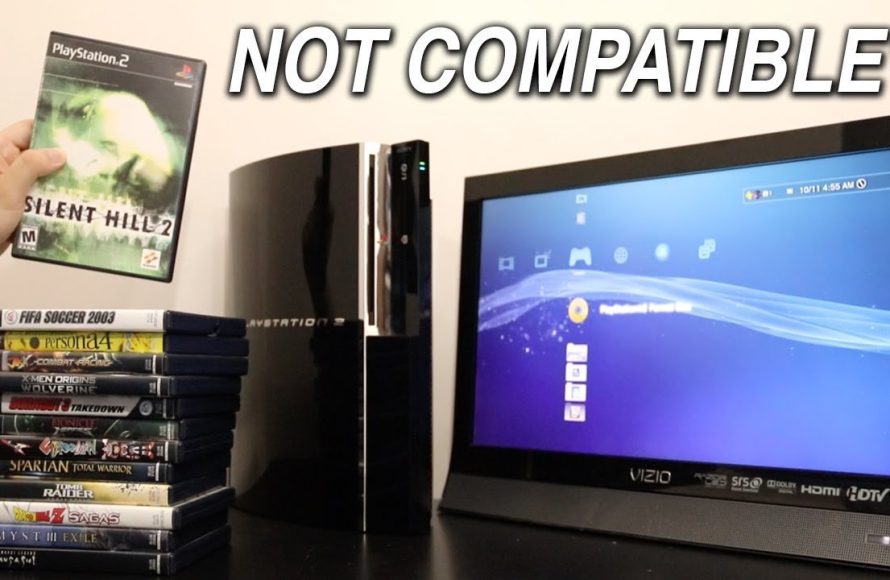
Only some PlayStation 3 models can play PlayStation 2 games; backward compatibility isn’t universal across all PS3 versions.
Do you have a stack of beloved PlayStation 2 games gathering dust? Many gamers wonder if their PS3 can bring those old favorites back to life. The answer to whether does playstation 2 games work on playstation 3 is not a simple yes or no.
Early PlayStation 3 models, particularly the 20GB and 60GB versions, included hardware that allowed them to play PS2 discs. However, later PS3 models removed this functionality for cost and design considerations. So, compatibility depends on the specific PS3 you own.

Does PlayStation 2 Games Work on PlayStation 3?
Okay, let’s talk about something that many gamers have wondered about: can you play your old PlayStation 2 (PS2) games on a PlayStation 3 (PS3)? It’s a question that’s been around since the PS3 first came out, and the answer isn’t as simple as a straight “yes” or “no.” The short answer is: it depends! Let’s dive deep and figure out exactly what’s going on with PS2 games and the PS3.
The Original PlayStation 3 and Backwards Compatibility
When the PS3 first hit the shelves, some models had a special feature called “backwards compatibility.” This meant those specific PS3 consoles could play not only the brand new PS3 games, but also the older PlayStation 2 games. These consoles had special hardware built right into them that allowed them to read and run PS2 game discs, just like the original PS2 could. This was a big deal for fans who had large libraries of PS2 games and didn’t want to buy a whole new console to play them.
What Made This Possible?
The trick to making this work was actually having the main parts of a PS2 inside the PS3! The very first models of the PS3 included both the PS2’s “Emotion Engine” CPU and the “Graphics Synthesizer” GPU. These two chips were the brains and the visual powerhouse of the PS2. By having these included, the PS3 was essentially a PS2 and a PS3 all rolled into one. It could switch between the two systems, and load PS2 discs without problem.
However, including all that hardware made the early PS3 models more expensive to produce. So, Sony had to consider cutting it to make consoles at an affordable price.
Which PS3 Models Have Backwards Compatibility?
It’s super important to know that not all PS3 models are created equal in this aspect. The models that featured full hardware backwards compatibility were the original 20GB and 60GB models (often called “Fat” models). These can be distinguished by their chrome trim and the four USB ports on the front. They are also bigger in size. Here’s a quick breakdown:
- 20GB PS3 (CECHBxx): Full hardware backwards compatibility, 4 USB ports, chrome trim.
- 60GB PS3 (CECHAxx): Full hardware backwards compatibility, 4 USB ports, chrome trim.
It’s worth mentioning that the 80GB (CECHE and CECHG) “Fat” models released later used a different system where PS2 compatibility was only through emulation, and wasn’t nearly as complete as the hardware solution of the 20GB and 60GB models. Some games wouldn’t run at all or have issues. We’ll go into that next.
The Shift to Software Emulation for PlayStation 2 Games on PlayStation 3
As time went on and the manufacturing costs of including the PS2 hardware became too high, Sony shifted gears. Instead of building the actual PS2 components inside the PS3, they started using software called an emulator. Think of an emulator like a special program that allows your computer or other device to imitate the function of a different computer system. In this case, the PS3 would imitate the workings of a PS2.
What is Emulation?
Emulation is not as simple as just copying how the PS2 works. It involves translating instructions written for the PS2’s chips into instructions that the PS3 can understand. It’s like having a translator that can read a book written in one language and then speak it in another language. While this method is cheaper, it’s not always perfect. Sometimes the emulation isn’t as spot-on as having the original hardware, leading to potential issues with games.
Emulation on Certain Fat PS3 Models
Some of the later “Fat” PS3 models, specifically the 80GB models, adopted this emulation method for playing PS2 games. Although it allowed them to play some PS2 games, this emulation wasn’t as reliable as the previous hardware-based system. This could result in problems like:
- Slower loading times.
- Graphical glitches, like strange lines or colors.
- Sound problems.
- Some games simply not working.
These models included 80GB (CECHE and CECHG) “Fat” PS3’s.
No Backwards Compatibility for Slim and Super Slim PS3 Models
Here’s a bummer for those hoping to play PS2 games on newer PS3 consoles: Neither the “Slim” PS3 nor the “Super Slim” PS3 models have any PS2 backwards compatibility whatsoever. These models removed all hardware and software emulation features related to PS2 games in favor of the newer PS3 architecture, lowering their cost even more and making them more compact. If you own one of these newer models, you won’t be able to play your PS2 game discs.
Why Did They Remove Backwards Compatibility?
This decision was mostly about cost. Including both the PS2 hardware or making perfect emulation takes up a lot of resources. As time passed, Sony figured most people were now interested in newer PS3 games, and it made sense from a business perspective to remove the support to make production cheaper. Also, they started to make some older PS2 games available for purchase digitally via the PlayStation Store, hoping that people would go for that option.
How Can I Tell If My PS3 Can Play PS2 Games?
Figuring out if your PS3 plays PS2 games may sound a bit confusing, but it can be done by looking at the model number printed on your console. Here’s a guide to help you identify your PlayStation 3 model and its backwards compatibility status:
Check the Model Number
The most reliable way to know whether your PS3 can play PS2 games is by checking the model number. You can find the model number sticker on the back or on the bottom of your console, depending on the version. It is usually in the form of “CECH” followed by a letter and two or more numbers (e.g., CECHA01, CECHG01, etc.). Here’s the breakdown:
- CECHAxx & CECHBxx: (20GB and 60GB Fat PS3) These have full hardware backwards compatibility. If you see CECHA or CECHB as the beginning of your model number, congratulations! You can play most PS2 games without any problems.
- CECHExx & CECHGxx: (80GB Fat PS3 with Partial Emulation) These models have some backwards compatibility through software emulation. However, not all PS2 games will work, and some may have issues.
- CECH-2xxx to CECH-4xxx (Slim & Super Slim Models): These models have no PS2 backwards compatibility at all. No disc reading capabilities and no emulation method is included.
Look for the Number of USB Ports
Another way to tell if your PS3 can play PS2 games (though not as reliable as the model number) is by looking at the number of USB ports on the front of the console. The original 20GB and 60GB consoles have four USB ports, while other versions have two.
- Four USB Ports: Usually indicates a 20GB or 60GB model with full hardware backwards compatibility.
- Two USB Ports: Indicates a model with no hardware compatibility or a partial emulation on 80GB model. Slim and Super Slim versions only have two ports and zero PS2 compatibility.
Check the Color of the Trim
The first generation of PS3 models (20GB and 60GB) also have a silver chrome trim around the edges and logo. If your PS3 has this chrome trim, it is one of the models with hardware PS2 compatibility.
- Silver/Chrome Trim: Indicates 20GB or 60GB model with full hardware PS2 compatibility
- Black Trim: Means it is a later PS3 and unlikely to have PS2 backwards compatibility.
When in Doubt, Search by Model Number
If you’re still unsure, simply google your PS3’s model number. This will bring up results that specifically detail what type of PS3 you have, including what models are compatible or not.
Playing PS2 Games on PS3: Things to Remember
Even if you have one of the PS3 models that can play PS2 games, there are a few things you should keep in mind.
Game Compatibility
Not all PS2 games are guaranteed to work, even with a hardware-compatible console. Some games may have minor graphical issues, while others may not work at all. There are lists online where people have reported which games work and which ones don’t, based on what type of PS3 they own.
Controller Compatibility
You can use a standard PS3 controller to play PS2 games on a PS3. You don’t need to have a special PS2 controller. PS2 Dualshock 2 controllers are not compatible without an adapter.
Save Game Issues
Sometimes, saved game files from a PS2 memory card may not be compatible with the PS3, even if the console can run PS2 games. Most of the times, you will have to start over your game on the PS3 if you want to play it.
Physical Condition of Games
Remember, just like PS2 consoles, a scratched or dirty PS2 disc may not work in your PS3. Always make sure that the discs are clean before inserting them into your console. Disc rot is also a problem and could be the source of non-functioning games.
Other Ways to Play PlayStation 2 Games
If you own a PS3 that does not support PS2 games or you wish to play games that you don’t have physically, there are other options for playing your favorite titles.
PlayStation Store Downloads
Sony has made some popular PS2 games available for purchase and download through the PlayStation Store. These digital versions are compatible with all PS3 models and do not rely on the PS2 disc. This is usually the most legal and easy option. However, not all PS2 games are available, and if you already own the physical game, buying it again may not sound appealing.
PlayStation Now (Now PlayStation Plus Premium)
PlayStation Now (now PlayStation Plus Premium) is a subscription service that allowed you to stream a selection of PlayStation games, including some PlayStation 2 titles, on your PS3, PS4, and PS5. Not every game was available and it required an internet connection. This feature requires an active subscription.
Using an Original PS2 Console
The most straightforward way to guarantee compatibility with all your PS2 games is to use an actual PlayStation 2 console. If you happen to still have yours, this is probably your best bet. They are also fairly easy to find in the used market.
Emulators on a PC
There are also emulators available for your PC. With some effort, you can run your PS2 games on your computer using those emulators. Be aware that this might require a high performance computer to work correctly. Also, it’s important to be aware of the legality of using ROM files when doing this, as they must be legally obtained by either backing up the original game, or downloading a file that is already in the public domain.
In short, playing PS2 games on your PS3 can be possible depending on the model. If you have one of the original “Fat” 20 GB or 60GB PS3’s, you’re in luck. Otherwise, you’ll have to explore other avenues, such as the PlayStation Store, the PlayStation Plus Premium streaming service or using a separate PS2. Understanding the differences in these models is key to enjoying classic games from both generations of Sony’s home console.
What happens when you put a PS2 Game in a PlayStation 3
Final Thoughts
Some PlayStation 3 models do play PlayStation 2 games, but it’s not universal. Only the early, “fat” PS3 consoles possess the hardware compatibility for PS2 discs. Later slim and super slim models removed this feature to cut costs.
Therefore, the answer to the question ‘does playstation 2 games work on playstation 3’ is a definite maybe. You must check the specific PS3 model you have, or plan to buy, to see if it supports backward compatibility with those older game discs.

