
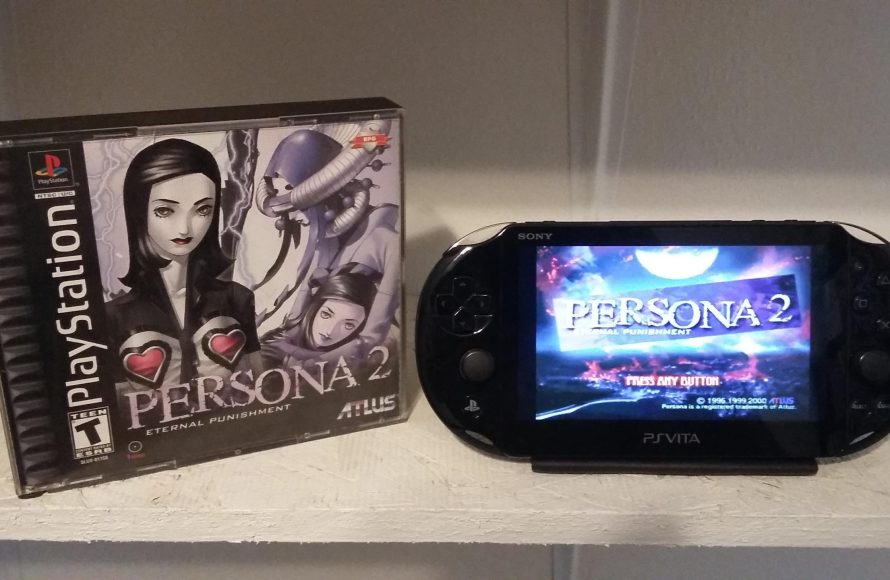
Unfortunately, the PS Vita cannot directly play PS3 games.
The question “does ps vita play ps3 games” pops up frequently for gamers with a love for both consoles. Many people wish they could take their PlayStation 3 titles on the go, but the reality is a bit different. While the PS Vita offered many great portable gaming experiences, it doesn’t have the hardware to run PS3 software.
This difference in architecture means the consoles are incompatible when it comes to direct game play. You might find some games on both systems, but these are usually separate versions made for each platform. So, while the dream of portable PS3 gaming is tempting, it’s not possible with a PS Vita.

Does PS Vita Play PS3 Games?
Okay, so you’ve got your awesome PlayStation Vita, and you’re wondering if it can play those cool games you have for your PlayStation 3. It’s a super common question! The short answer is: not directly. The PS Vita, as it is a handheld gaming console, cannot play the same discs or digital copies of games that you use on the PS3. They are very different machines with different software and hardware. Think of it like this: your phone can’t play the same DVDs you use in your DVD player, right? It’s similar with the PS Vita and PS3.
Understanding the Hardware Differences
To understand why the PS Vita can’t play PS3 games, it’s helpful to think about what’s inside each console. The PlayStation 3 is a powerful home console. It has a specific kind of processor, a big hard drive to store games, and uses Blu-ray discs. All these parts work together to run detailed and graphically complex games.
On the other hand, the PS Vita is a portable console. It’s smaller, lighter, and built to be played on the go. It uses different kinds of computer chips that work best with its own special games. The PS Vita has a smaller screen, smaller storage and it doesn’t use the same discs as the PS3. Because of these big differences, the games made for one console simply don’t work on the other.
Processing Power
The processing power of each device is a key difference. The PS3, when it was released, had a lot more power and capacity than the PS Vita. Think of it like comparing a big, strong race car to a smaller, zippy scooter. While the scooter is great for getting around town, it cannot compete with the race car’s capabilities and speed. The PS Vita’s processor is designed for handheld gaming and it’s great at what it does, but it simply isn’t designed for the kind of games a PS3 runs.
Storage Medium
PS3 games came on Blu-ray discs, which can hold a lot of data. The PS Vita used cartridges or you could download digital games to the console itself. These are totally different ways of storing and reading games, and they’re not compatible. You can’t just insert a Blu-ray into a Vita and expect it to work! The PS Vita’s physical game cartridges were much smaller than Blu-ray discs, and the amount of data they could hold was smaller too.
Operating System and Architecture
The operating systems that power both consoles are completely different. The PS3 uses a system designed for complex graphics and big games, while the PS Vita uses a system made for smaller, more portable play. Think of it like this: a PC computer can’t use the same operating system as a mobile phone. Both are very useful tools, but one is designed for completely different tasks than the other. This is another factor why games cannot run from one system on another system without being especially developed for it.
The Remote Play Feature: A Bridge, Not a Direct Connection
Now, here is where things get a little interesting. While you can’t play PS3 games directly on your PS Vita, there is something called “Remote Play.” This is not the same as directly playing a game, but it’s still quite useful.
How Remote Play Works
Remote Play allows you to stream some (but not all) of your PS3 games from your actual PS3 console to your PS Vita. Basically, the PS3 does all of the hard work of running the game, and the PS Vita acts as a screen and controller. The game signal is sent over your home Wi-Fi network, so both the PS3 and PS Vita must be on the same network for Remote Play to work.
Limitations of Remote Play
- Not All Games Work: Remote Play does not support every PS3 game. Some games might be too complex to stream, or they might have controls that don’t work well on the PS Vita.
- Requires a Good Wi-Fi Connection: If your Wi-Fi isn’t strong or stable enough, you might have lags, stutters, or the game might not play correctly at all. Think of it like watching a video online; if your internet is slow, it will keep buffering.
- PS3 Must be On: Your PlayStation 3 console must be turned on and connected to your network for you to use Remote Play. So, even though you are playing on your Vita, the PS3 is still doing all of the work.
Setting Up Remote Play
Setting up Remote Play between a PS3 and a PS Vita is a multi-step process and it can be done by following these steps, which are explained below:
- Make Sure Both Systems Are Ready: Ensure that your PS3 and PS Vita are both connected to the same Wi-Fi network. Update both consoles to the latest software version.
- Enable Remote Play on PS3: On your PS3, go to Settings, then Remote Play Settings, and select “Register Device”. The PS3 will then show a screen with a code.
- Connect PS Vita to PS3: On your PS Vita, go to the Remote Play application. Follow the on-screen instructions and when prompted, enter the code shown on the PS3 screen.
- Select Your Game: Once connected, you can choose from the list of compatible PS3 games to stream to your PS Vita.
PS Vita’s Own Games: A World of Fun
Instead of worrying too much about PS3 games, let’s talk about what the PS Vita can do. It has its own really cool library of games that are made to work perfectly on the console. These games take advantage of the PS Vita’s special features, like the touch screen, the back touch pad, and the handheld screen.
Unique Features for Unique Gameplay
Some PS Vita games make good use of its touch screen. For example, you might have to swipe or tap on the screen to complete a puzzle or give commands in a game. The back touch pad allows for even more interaction, which can make your gameplay more fun. Also, being a handheld console, the games are designed to be played on the go, so they can be paused or resumed easily without disrupting your gaming session.
PS Vita Game Library
- Adventure Games: You can find adventures, where you explore new worlds, solve mysteries and go on quests. These games use the Vita’s processing power in order to deliver great stories and colorful graphics.
- Action Games: You can also find action games with intense battles and fast-paced fighting.
- Puzzle Games: Lots of puzzle games are available on the PS Vita, providing a fun and interesting way to challenge yourself.
- Role Playing Games (RPGs): You can go into other worlds, meet new friends, and fight enemies in RPG games. These often involve complex characters and gripping stories, which make them very immersive.
- Indie Games: Besides the big titles, the PS Vita also has a variety of indie games, which bring innovative ideas, styles and great game play experience to the console.
The PS Vita is quite versatile as you can discover many game genres, and each one offers its own particular and unique experience. Also, it is worth to explore what your library has to offer and to discover all the great games that are made for this handheld.
PS Vita’s Digital Store
Another thing that makes PS Vita special is its digital store. The PlayStation Store for the PS Vita has a lot of games that you can download directly to your device, without the need of physical copies. This lets you try out games quickly and easily, and you can also find exclusive content that is only available via digital downloads. This makes it easier to find new and interesting games to try out on your Vita, and keep your library always up to date. It also makes finding and buying games more convenient and fast.
Benefits of the Digital Store
- Convenient Access: You can download games directly to your PS Vita. There’s no need to visit stores or wait for delivery.
- Wide Variety: The digital store offers a big selection of games, from big publishers to small indie developers.
- Sales and Deals: You can find great discounts and offers on games through the digital store. This is a good way to save money when you’re expanding your games collection.
- Instant Gaming: When you buy a game through the digital store, you can begin playing right away as soon as it’s downloaded.
PlayStation Now and Streaming Services
It’s important to mention that, while the PS Vita cannot directly play PS3 games, Sony has introduced some streaming services in the past which attempted to bridge this gap. One of the more popular examples is PlayStation Now. Now, PlayStation Now isn’t available on the PS Vita anymore, but it’s an important chapter in gaming history in relation to trying to stream PS3 games.
What Was PlayStation Now?
PlayStation Now was a game subscription service that allowed players to stream a variety of PS3, PS2, and even some PS4 games over the internet to their PlayStation consoles (including PS4 and PC, but not the Vita). It’s a cloud-based gaming service, meaning the actual processing of the games happened on Sony’s servers, and only the video stream was sent to the user’s device. This eliminated the need to install the games on the console, so the users could simply connect and play.
Why PlayStation Now Didn’t Come to the PS Vita
Although PlayStation Now offered a way to play a variety of console titles, it was not available on the PS Vita. This was mostly due to the technical limitations of the PS Vita’s hardware and the necessary internet speed requirements. The PS Vita needed more capacity to handle the streaming of these games and also the data bandwidth required for stable and smooth gameplay, which the PS Vita did not have at the time.
Looking Towards The Future
While the PS Vita can’t directly play PS3 games and Remote Play has its limitations, that doesn’t make the console any less fun. The PS Vita has its own amazing collection of games, it is a unique handheld gaming console, with a dedicated fanbase who greatly appreciate what it has to offer. By exploring its library, discovering what it is capable of, and using its own unique features, you can still enjoy the fun and excitement that handheld gaming has to offer. Every system is unique and we need to appreciate each console for what it is capable of.
As gaming technology keeps growing and changing, we can hope to see more creative and new solutions for cross-platform gaming, and maybe one day playing console games on handhelds will be very simple, straightforward and more convenient than it is right now.
So, while your PS Vita might not be a portal to your PS3 collection, it’s still a powerful device with its own unique strengths and gaming experience. Explore its own games, try new things, and have fun!
Playing PS3 Games on PS Vita Explained
Final Thoughts
Ultimately, the PS Vita cannot directly play PS3 games. The Vita’s hardware is not powerful enough to run PS3 titles natively.
However, some PS3 games offered a “Remote Play” feature. This allowed players to play certain games on Vita by using the PS3 console as a server.
Therefore, while the answer to ‘does ps vita play ps3 games’ is largely no, it had limited remote play functionality that allowed to play few select PS3 titles.

