
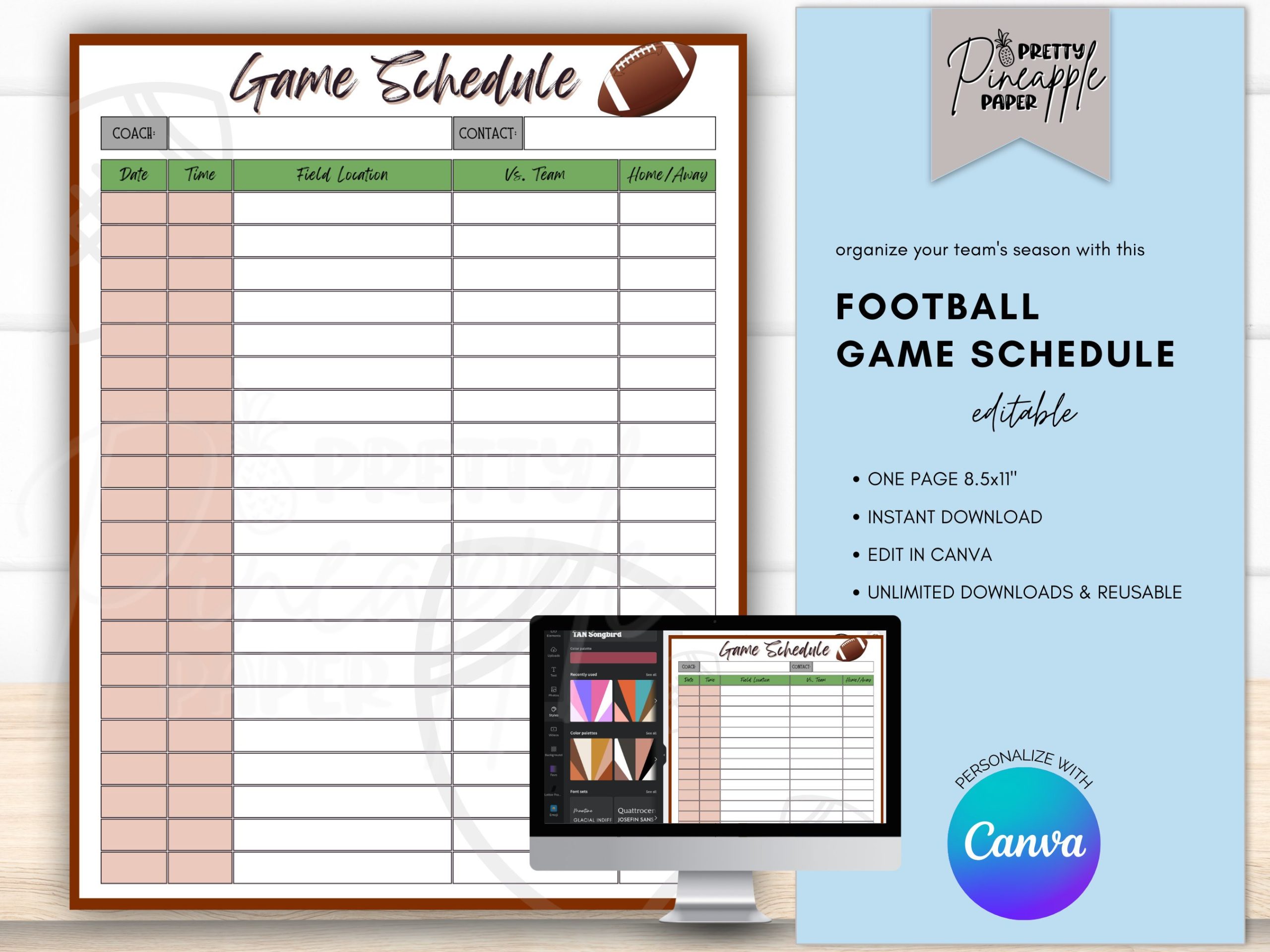
Here’s how a football game schedule template works: It provides a structured framework for organizing game dates, times, opponents, and locations, ensuring smooth planning and execution of the entire football season.
Are you managing a football team or league? Getting organized feels overwhelming, right? The most helpful tool for managing your season efficiently is a football game schedule template.
This template helps you track all the vital details. Dates, times, opponents, and even locations are easily managed. This way, everyone knows when and where they need to be!

Football Game Schedule Template
Planning a football season, whether it’s for a school team, a recreational league, or even just a friendly neighborhood competition, requires organization. A football game schedule template is the key to keeping everything on track. It ensures everyone knows when and where they need to be.
A well-designed template can save you countless hours of administrative work. It prevents scheduling conflicts and streamlines communication.
Why Use a Football Game Schedule Template?
Using a dedicated template offers numerous advantages. It provides structure, consistency, and clarity.
Here are some key benefits:
- Improved Organization: Templates bring order to chaos by centralizing all game-related information in one place.
- Reduced Scheduling Conflicts: Clearly defined dates, times, and locations minimize double-booking and confusion.
- Enhanced Communication: Sharing the template ensures everyone involved is informed and on the same page.
- Time Savings: Templates eliminate the need to create a schedule from scratch each season.
- Professionalism: A well-formatted schedule projects a professional image for your league or team.
Essential Elements of a Football Game Schedule Template
What information should your template include? A comprehensive template contains several key elements to ensure clarity and functionality.
Consider these essential components:
- Game Number/ID: A unique identifier for each game for easy reference.
- Date: The specific date the game will be played.
- Time: The exact start time of the game.
- Location/Venue: The address or name of the field where the game will be held.
- Home Team: The name of the team hosting the game.
- Away Team: The name of the visiting team.
- Referee/Officials: Assignment of referees or officials for each game.
- Score: A field to record the final score after the game is completed.
- Notes: A section for any special instructions or important details (e.g., rain delay information, special events).
Types of Football Game Schedule Templates
Various templates cater to different needs and levels of complexity. Understanding the options can help you choose the right fit for your specific situation.
Different templates are better suited to different situations. Let’s examine some common types.
Simple Spreadsheet Template
A basic spreadsheet template, created in programs like Microsoft Excel or Google Sheets, is often the most accessible starting point. It’s easily customizable and allows for quick data entry.
It’s a good option for smaller leagues or teams with straightforward schedules.
Advanced Spreadsheet Template
An advanced spreadsheet incorporates more features, such as conditional formatting, drop-down menus, and formulas. This enables automated calculations, easier data input, and visual cues for scheduling conflicts.
Consider this if you need more automation and visual aids.
Dedicated Scheduling Software
Specialized scheduling software offers robust features beyond basic spreadsheets. These tools often include team management, communication features, and automated conflict resolution.
This is often a paid option, but can save a huge amount of time.
Printable PDF Template
A printable PDF template provides a visually appealing, ready-to-print schedule that can be easily distributed. While less dynamic than a spreadsheet, it’s excellent for sharing a finalized schedule.
Consider using this option after the schedule is finalized.
Choosing the Right Template
Selecting the best template hinges on your specific needs. Consider the size of your league, the complexity of the schedule, and your budget.
Carefully evaluate your needs before choosing a template. The right choice will save you time and prevent headaches.
League Size and Complexity
A small league with a simple round-robin schedule might only require a basic spreadsheet. Conversely, a large league with multiple divisions and complex playoff structures may benefit from dedicated scheduling software.
Consider the number of teams and games involved.
Technical Skills and Resources
Are you comfortable working with spreadsheets and formulas? Or would you prefer a more user-friendly interface? Your technical skills will influence the best choice.
Also, consider your budget as some software requires payment.
Collaboration Needs
How many people need to access and update the schedule? If multiple people need to collaborate, a cloud-based solution like Google Sheets or dedicated software is ideal.
Consider who will need access to the schedule.
Free vs. Paid Templates and Software
You’ll find both free and paid options available. Free templates can be a great starting point, but paid software often provides more advanced features and dedicated support.
Evaluate the trade-offs between cost and functionality.
Free Options
Free templates are readily available online. They are typically simpler in design and functionality.
They may lack advanced features or dedicated support.
Paid Options
Paid software usually offers a wider range of features, including automated scheduling, team management, and communication tools. They often come with customer support.
They may require a subscription or one-time purchase.
Customizing Your Football Game Schedule Template
Most templates are customizable to suit your specific requirements. Tailor the template to include your league’s logos, colors, and specific data fields.
Personalizing your template improves its usability and professionalism.
Adding Team Logos and Colors
Incorporate your team logos and colors to visually represent your league. This enhances the template’s visual appeal and reinforces team identity.
This adds a professional touch to your schedule.
Modifying Data Fields
Customize the data fields to capture the information most relevant to your league. For example, you might add fields for player statistics, volunteer assignments, or sponsor logos.
Ensure that all relevant information is captured in the template.
Conditional Formatting
Use conditional formatting in spreadsheets to highlight important information, such as upcoming games, potential scheduling conflicts, or completed games.
This makes important information stand out.
Using a Football Game Schedule Template in Excel or Google Sheets
Spreadsheet programs like Excel and Google Sheets are popular choices for creating and managing football game schedules. They offer flexibility, customization options, and ease of use.
Learn how to effectively use these tools for scheduling.
Setting Up Your Spreadsheet
Create a new spreadsheet and define the column headers. These headers should correspond to the essential elements of your schedule (e.g., Game Number, Date, Time, Location, Home Team, Away Team).
Ensure your headers are clear and concise.
Entering Game Data
Populate the spreadsheet with the game data, entering each game’s details in the appropriate rows. Use consistent formatting to ensure accuracy.
Double-check all data for errors.
Sorting and Filtering
Use the sorting and filtering features to organize the schedule by date, team, or location. This allows you to easily find specific games or view the schedule from different perspectives.
This makes it easier to navigate the schedule.
Formulas and Calculations
Utilize formulas to automate calculations, such as determining the number of games played by each team or calculating point differentials.
This saves time and reduces errors.
Sharing and Collaboration
Share your spreadsheet with team members, coaches, and parents using cloud-based options like Google Sheets. This enables collaborative editing and ensures everyone has access to the latest schedule.
Ensure that everyone has the correct permissions.
Tips for Effective Schedule Management
Creating the schedule is just the first step. Effective management ensures that the schedule remains accurate and up-to-date throughout the season.
Follow these tips for smooth schedule management.
Communicate Changes Promptly
If any changes occur to the schedule (e.g., game cancellations, time adjustments, location changes), communicate these changes to all relevant parties immediately.
Use email, text messages, or a dedicated communication platform.
Regularly Review and Update the Schedule
Periodically review the schedule for accuracy and completeness. Update the schedule with game scores, referee assignments, and any other relevant information.
Keep the schedule current.
Use Reminders and Notifications
Set up reminders and notifications to alert teams and officials of upcoming games. This helps prevent missed games and ensures everyone is prepared.
Utilize calendar integrations or automated messaging.
Consider Weather Conditions
Factor in potential weather conditions when scheduling games. Have a contingency plan in place for rescheduling games due to inclement weather.
This minimizes disruptions and keeps everyone safe.
Gather Feedback
Solicit feedback from teams, coaches, and officials on the schedule. Use this feedback to improve future scheduling processes.
Continuous improvement leads to better schedules.
Football Game Schedule Template: Examples
To further illustrate the concept, here are some simplified examples of how a football game schedule template could look in different formats. Note that these are simplified examples, and a real-world template might include additional columns and features.
Basic Spreadsheet Example (Simplified)
This is a simplified representation of a basic spreadsheet template.
| Game # | Date | Time | Location | Home Team | Away Team | Score |
|——–|————|——-|—————|———–|———–|——-|
| 1 | 2024-10-27 | 10:00 | Central Park | Eagles | Hawks | |
| 2 | 2024-10-27 | 13:00 | Riverside | Sharks | Lions | |
| 3 | 2024-11-03 | 10:00 | Central Park | Lions | Eagles | |
| 4 | 2024-11-03 | 13:00 | Riverside | Hawks | Sharks | |
Printable PDF Example (Simplified)
A PDF template would present the same information in a visually formatted manner suitable for printing. It would likely include designated spaces for writing in the scores. It would also include the logo of the league.
Advanced Spreadsheet Example (Features)
An advanced spreadsheet provides extra features:
- Automated Score Tracking: Formulas automatically calculate team standings based on scores entered.
- Conditional Formatting for Conflicts: Highlights any double-booked fields based on date, time, and location.
- Dropdown Menus for Teams: Simplifies team selection and ensures consistent naming.
- Calendar Integration: Allows exporting game schedules to personal calendars.
Save time!! Easy to use Football Schedule Editable Template! Create your teams custom schedule!
Final Thoughts
With a well-organized football game schedule template, you can efficiently manage team activities. Effective scheduling ensures everyone is aware of game times, locations, and other important details. This aids in smooth coordination throughout the season.
A good template centralizes all game-related information. Coaches, players, and parents can easily access the schedule. This contributes to better time management and reduces confusion.
In essence, a football game schedule template helps you to stay organized and keep track of everything. A functional template must have essential elements. Utilize the template to make this season easier to navigate.

