
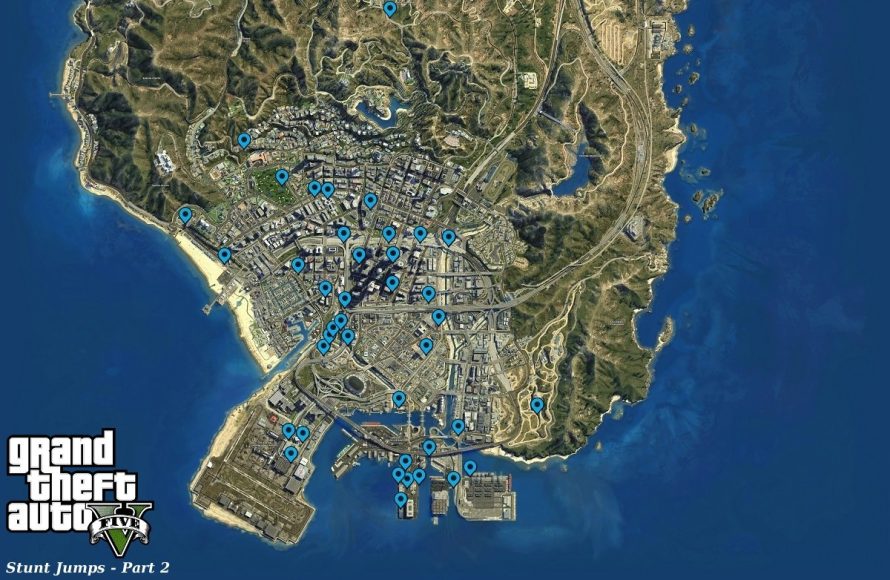
The GTA 5 online map detail guide provides a comprehensive look at points of interest, store locations, activity hubs, and secret spots scattered throughout Los Santos and Blaine County.
Ever felt lost navigating the vast open world of Los Santos? The sprawling landscape of Grand Theft Auto Online can be overwhelming, but this gta 5 online map detail guide will help you understand its intricacies. We are going to delve into everything from hidden stashes to the most profitable business locations. Now you can easily explore and quickly become familiar with every corner of the game’s map.

GTA 5 Online Map Detail Guide
Welcome to the ultimate guide to navigating the sprawling world of Los Santos and Blaine County in GTA 5 Online! This map isn’t just a pretty backdrop; it’s a playground packed with secrets, missions, businesses, and tons of places to cause (or prevent) mayhem. Whether you’re a seasoned criminal mastermind or a fresh-faced newbie, understanding this map is key to getting the most out of your online adventures. Let’s dive deep into the details of this iconic virtual space.
Understanding the Basics of the GTA 5 Online Map
First things first, let’s talk about the different layers of information the map provides. You’ll see more than just roads and buildings; icons pop up representing businesses, missions, properties you own (or might want to!), and other points of interest. Learning what these symbols mean is the first step to becoming a savvy Los Santos citizen.
Key Map Icons
The map uses icons to show you where things are. Here’s a look at some common ones you’ll see:
- Properties: These show the location of apartments, garages, and businesses you can purchase. They usually look like houses or buildings.
- Missions/Jobs: These are marked with symbols like circles with letters in them (usually mission giver initials) or specific icons for different mission types like races, deathmatches, and heists.
- Businesses: Icons for your businesses, such as motorcycle clubs (MC), Nightclubs, or bunkers, will be visible here.
- Shops: Clothing stores, Ammu-Nation (weapon shops), tattoo parlors, and other shops use distinct symbols.
- Player Icons: These show the location of your friends and other players on the server.
- Point of Interests: Places of interest like the Pier, Casino and movie studios also have their own icons
Using the Minimap
The minimap, located in the bottom left corner of your screen, shows a zoomed-in view of your immediate surroundings. It rotates as you move, always showing what’s ahead. It also shows nearby players, police activity, and important icons, making it really useful while you’re on the go.
Navigating the Regions of Los Santos and Blaine County
The GTA 5 Online map is divided into distinct regions, each with its own character and activities. Knowing these areas will help you plan your next move. Here’s a breakdown:
Los Santos: The Urban Jungle
Los Santos is the heart of the map and the most densely populated area. It’s based on Los Angeles, and it includes:
- Downtown Los Santos: This is where the skyscrapers are, a place where the city’s hustle and bustle are most felt, a high concentration of businesses, and important buildings.
- Vinewood: The rich and famous live here, with fancy mansions, movie studios, and the iconic Vinewood sign. Expect upscale shopping and entertainment.
- Richman: An area with luxury homes, golf course and high-end shops.
- Little Seoul: A cultural hub of Korean immigrants, restaurants, and shops.
- Del Perro: Home to beaches, the pier, and various shops.
- La Mesa: An industrial and residential area, with warehouses and factories.
- Strawberry: One of the poorer areas of Los Santos.
- Vespucci Beach & Canals: A lively beach area with skate parks, canals, and boardwalks.
Blaine County: The Rural Outskirts
Blaine County is a stark contrast to Los Santos, featuring vast deserts, mountains, forests, and small towns. Key areas include:
- Sandy Shores: A desert town, also the home of Trevor Philips. It’s a good place for aircraft enthusiasts.
- Grapeseed: A farming community with fields and farms.
- Paleto Bay: A coastal town with a quieter pace than Los Santos.
- Mount Chiliad: The highest peak on the map, it’s great for hiking, biking, and scenic views.
- Zancudo River: The river area also has a military base that might prove to be a challenge for players.
- The Grand Senora Desert: A large desert area with various roads, points of interests, and small settlements.
The Pacific Ocean
The ocean that surrounds the mainland is not simply for decorative purpose, there are some points of interests under water and there are some underwater submarine missions available. Also, you will be able to do some of the treasure hunts in deep sea.
Essential Locations and Their Uses
Beyond the different areas, there are specific spots you’ll want to know about. Here’s a quick list:
Property Locations
Knowing where to find your properties is essential for a quick start, here are some of the most important ones:
- Apartments: The perfect starting point for new players.
- Garages: Where you keep your vehicles.
- Businesses: Offices, warehouses, bunkers, and other places where you run your criminal enterprises.
Business Locations
The GTA world allows the players to own businesses. Here are some of them:
- Nightclubs: Run a popular nightclub, attract new customers and organize events.
- Motorcycle Club (MC): Sell goods through your MC business.
- Bunkers: Research and manufacture weapons.
- Arcades: Provides a location for your heist operation.
- Vehicle Warehouses: Store and sell high-end vehicles.
Important Service Locations
There are some essential services that you will require time and time again. Here are some of them:
- Ammu-Nation: Your go-to place for weapons and ammo. They are scattered throughout the map.
- Los Santos Customs: Customize and repair your vehicles.
- Clothing Shops: Change your outfit and personalize your character.
- Barber Shops: Change your character’s hair and beards.
- Tattoo Parlors: Get a new tattoo from a tattoo shop.
- Hospitals: Where you respawn after being wasted.
- Police Stations: Try not to visit them frequently.
Mission Locations
While mission icons pop up when available, some general areas are more likely to host missions. These include:
- Apartments: Heists start here.
- Business Locations: Businesses often have associated sell missions and side hustles.
- The City: There are also lots of public jobs that can be started in the city.
- The Blaine Country: You will find various missions from different characters.
Advanced Map Usage: Planning and Strategy
Beyond simply knowing where things are, you can use the map strategically. Here are some ways to make the most of it:
Setting Waypoints
The most important thing a GTA player should know is how to set waypoints. You can click on a point on the map to set a waypoint. A route will appear on your minimap and also on the main screen, guiding you on the best route to your chosen destination. This can be really helpful, especially when you’re learning the map. You can also have more than one waypoint if you want to plan a long route. It’s especially useful when you are trying to do a delivery or want to explore all the new areas of Los Santos and Blaine County.
Planning Routes for Heists
When planning a heist, use the map to visualize the route to your target. Mark potential escape routes and consider any terrain or road blocks that can cause an obstacle for you. Also you can use the map to find the best location to leave your getaway vehicle. This is one of the most important things for a successful mission.
Locating and Exploiting Resources
The map is useful when you want to locate resources. Look for icons for weapon shops, vehicle spawns, and businesses, and if you know how to exploit those resources, then it will be an advantage for you. For example, you can use the map to quickly locate health and armor pickups scattered across the map.
Avoiding Player Encounters
Keep an eye on other player icons on the map. If you want to avoid confrontation, you can anticipate their movements and choose routes to avoid them. You can use this trick to stay away from other players when you are selling goods or doing import-export missions.
Map Updates and New Content
The GTA 5 Online map isn’t static. Rockstar Games constantly adds new content, which means new locations, businesses, and activities. So you need to be aware of the changes. Here’s how to stay in the loop:
Following Game Updates
Keep an eye on official announcements and patch notes from Rockstar Games. They’ll often preview new areas and changes to the map. You should also join the GTA Community forums and fan pages to know about new updates.
Exploring New Areas
When a new update drops, take some time to drive, fly, or sail around the map, explore new areas, and discover new things. This can help you familiarize yourself with any changes. Usually, when there is new update, the new content or business are highlighted with special icons, so it’s quite easy to find them.
Adapting Your Strategies
Map updates might change your preferred routes or business strategies. Be ready to adjust your plans. Keep an eye on the changes, so you will be prepared to plan a new strategy.
Utilizing the Map for Different Play Styles
Your play style often dictates how you use the map, here are some styles and how to use the map effectively for them:
For Business Owners
If you like to run business and sell goods, then you can use the map to quickly go to your business location and start the selling process. You can also use the map to mark the best selling point. This can save you time and effort.
For Mission Grinders
If you are into completing the missions, then you can use the map to find all the available missions in the areas, by finding the icon of mission givers. You can also use the map to mark all the places required for a specific mission.
For Casual Players
If you just want to explore, then you can use the map to plan your routes for exploration or mark new places of interests.
By learning the ins and outs of the GTA 5 Online map, you’ll become a much more effective player. You’ll be able to plan better, avoid unwanted confrontations, and get the most out of this dynamic online world. Get out there and explore!
101 Tips Every GTA Online Player Should Know
Final Thoughts
Exploring every nook and cranny of Los Santos enhances your GTA 5 Online experience. The detailed map offers plenty of opportunities for missions and side activities. Understanding key locations is important to making more money and progressing effectively.
This GTA 5 Online map detail guide will help you find useful shops, high-value targets, and vehicle spawns. Knowing where everything is saves time and effort. Efficient navigation around the map is a must for success in the game.

