
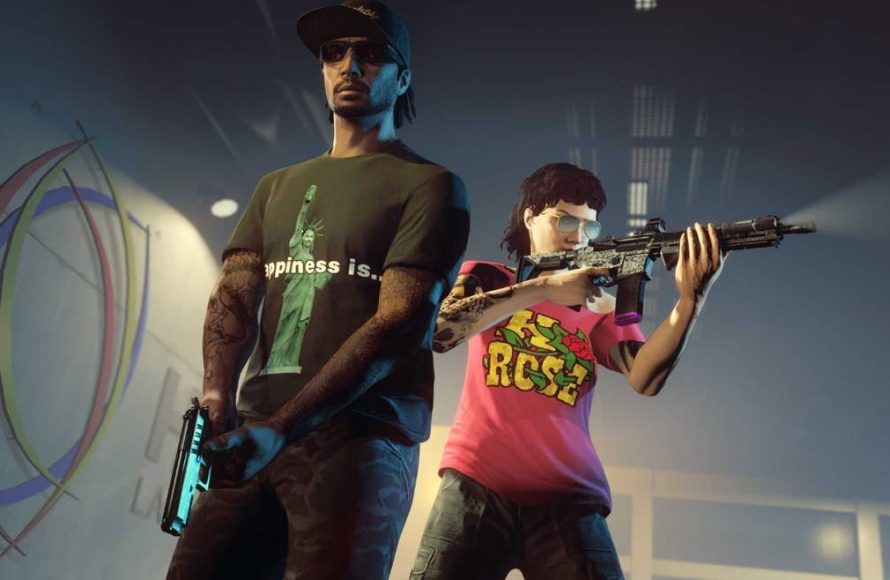
Prioritize using in-game features like passive mode and reporting tools, along with being selective about who you interact with to enhance your GTA 5 online player safety.
The chaotic world of Los Santos can be a blast, but sometimes it feels like a free-for-all. Navigating the online streets requires awareness, especially when it comes to gta 5 online player safety. There are a few things you can do to protect yourself from griefers and unwanted interactions.
Choosing when to enter passive mode will be very helpful for you. Using report features on those players causing trouble. Being cautious with who you engage with can also play a big role.

GTA 5 Online Player Safety: Your Guide to a Secure Gaming Experience
Hey there, fellow gamers! GTA 5 Online is a super fun place to race cars, pull off heists, and explore a huge world. But sometimes, things can get a little tricky when other players aren’t playing nice. That’s why we’re going to talk all about how to stay safe and have a blast while playing. Think of this as your guide to avoiding trouble and keeping your game time awesome!
Understanding the Threats in Los Santos
Just like in the real world, there are some players in GTA Online who might try to cause problems. Knowing what kinds of things to watch out for can help you stay ahead of the game. Let’s take a look at some common issues:
Griefing and Trolling
Griefing is when players purposely try to ruin the game for others. This could mean things like:
- Constantly blowing up your car while you’re trying to drive.
- Following you around and killing you over and over again for no reason.
- Interrupting your missions so you can’t finish them.
Trolling is similar, but it’s often less about trying to ruin your game and more about trying to get a reaction out of you. They might send you mean messages or use silly tactics to annoy you. These actions can be super frustrating, but don’t worry; there are ways to deal with them.
Cheaters and Modders
Some players use special programs called “mods” or “cheats” to get an unfair advantage in the game. These players might:
- Have unlimited health or ammo.
- Teleport around the map.
- Spawn super powerful vehicles.
- Give themselves lots of money.
This can make it really difficult to compete fairly, and it takes the fun out of the game. If you think someone is cheating, you can report them to Rockstar Games, the company that made GTA 5. We’ll talk more about how to do that later.
Privacy Concerns
While not always malicious, some players might try to get personal information from you. It’s important to never give out your real name, address, phone number, or passwords to anyone you meet online. Keep your personal details private and avoid talking about your personal life with strangers in the game. Also, be cautious about clicking links in chat from unknown players, as these can be malicious.
Protecting Yourself in the Game World
Now that we know what to watch out for, let’s talk about what you can actually do to protect yourself. There are many things you can do to play safely and enjoy the game without any problems.
Utilizing the Passive Mode
One of the best ways to avoid getting into trouble is to use Passive Mode. When you’re in Passive Mode, other players can’t hurt you, and you can’t hurt them. You become like a ghost in the game world. You can still drive around, explore, and do things, but you won’t be bothered by other players who want to fight. To use Passive Mode:
- Open your Interaction Menu (usually by pressing “M” on PC, “Touchpad” on PlayStation, or “View” button on Xbox).
- Scroll down until you find “Passive Mode.”
- Select it to toggle Passive Mode on or off.
Keep in mind you can’t use weapons or do certain activities when in Passive Mode, so it’s best to use it when you need a break from the chaos. It’s a great feature for beginners and those who just want some peace and quiet.
Finding the Right Session
Not all GTA Online sessions are the same. Some are very active with lots of players who are looking to cause mayhem, while others are much quieter. If you’re having trouble with other players in one session, you can try switching to a new one. Here are some tips for finding the right session:
- Public Sessions: These sessions have lots of different players and can sometimes be a bit chaotic.
- Invite Only Sessions: These sessions are only for you and the players you invite. This is a good option if you want to play with your friends without other players bothering you.
- Crew Sessions: If you’re part of a crew, you can join sessions with only your crew members.
- Solo Sessions: These are sessions for just you, but you may not be able to do some missions or activities when alone.
To change sessions, go to the pause menu, select “Online,” and then choose “Find New Session.” Experiment with different session types to find the one that works best for you.
Using the Interaction Menu
The Interaction Menu is your friend when it comes to avoiding trouble. It allows you to manage your game experience. Apart from Passive mode, you can also use these features:
- Voice Chat Settings: Mute or block players who are being annoying in voice chat. You can select how to interact with each player in your lobby, muting them, adjusting their voice level, or blocking their messages.
- Reporting Players: If someone is cheating, or being extremely abusive, you can report them to Rockstar Games directly through this menu. Be sure to give a reason why you are reporting.
Safe Gaming Habits
Besides using the game’s features, it is important to develop good gaming habits which will help you stay safe on the long run. Here are some of the habits you should embrace while gaming:
- Be aware of your surroundings: Keep an eye on the map for other players and try to avoid areas where lots of people are gathering.
- Don’t engage with troublemakers: If someone is trying to annoy you, don’t give them the reaction they want. Ignore them or use Passive Mode.
- Team up with friends: Playing with friends is often safer and more fun than playing alone. You can watch each other’s backs and work together.
- Communicate with others: If someone is bothering you, let your friends know so they can help.
- Take breaks: It’s easy to get caught up in the game, but remember to take breaks every so often to rest your eyes and clear your head.
Reporting and Blocking Players
If you run into someone who’s being really bad, don’t hesitate to report them. Here’s how to do it:
- Open the Interaction Menu.
- Select “Players.”
- Find the player you want to report.
- Choose “Report Player.”
- Give a reason for your report, such as cheating, griefing, or abusive behavior.
You can also block players from communicating with you. This will prevent them from sending you messages or inviting you to their games.
To block a player, you can follow the same process of accessing the players list in interaction menu, and selecting the option to ‘block’ the player.
Protecting Your Personal Information
Remember, it’s super important to keep your personal information safe online. Always follow these golden rules:
- Never share your real name, address, phone number, or passwords.
- Be careful about who you talk to online. Not everyone is who they say they are.
- Don’t click on links from strangers. They could lead to harmful websites.
- Keep your social media accounts private. Make sure only people you know can see your posts.
Dealing with Specific Types of Attacks
Sometimes, you’ll encounter specific types of attacks from other players. Here’s how to tackle them:
Vehicle Griefing
If someone is constantly destroying your vehicles, the best defense is to use passive mode, it will make you immune to damages from other players. You can also change your session or find a more populated session where players are engaging in different activities rather than concentrating on causing destruction.
Targeted Killing
If one player is just repeatedly hunting you, consider changing sessions, or calling in a bounty on them, so that other players on the server would come after the player that is targeting you. This will take some of the pressure off you.
Exploiting Glitches
If other players are using game glitches to gain unfair advantage, you can try to report them, by going to interaction menu and selecting the player, there you can see the option to report a player, be sure to give the reason while reporting as glitch abuse, so that the developers can look into the problem.
Parental Controls and Family Safety
If you’re a younger player, it’s a good idea to have your parents help you with setting up your account. Parents can also set parental controls to help make sure you’re safe online. Here are some things parents can do:
- Set limits on how much time you can play the game.
- Control who you can interact with online.
- Manage chat and communication settings.
- Monitor your online activity.
It’s important for parents and kids to work together to make sure everyone has a safe and fun time while playing games online.
Staying Updated
Game developers like Rockstar Games often release updates that fix glitches, security issues, and other problems. It’s important to keep your game updated to the latest version to make sure you’re using the safest version of the game. Check for any update notification and be sure to download them as soon as they come out.
Community Guidelines
Every game has a set of community guidelines, or terms of service. These guidelines explain what kinds of behavior are and aren’t allowed in the game. Make sure you’re familiar with the GTA Online community guidelines so you can play safely and fairly. This will help to keep you and other players safe.
Backup Plans
Even if you take all the right precautions, you might still run into trouble. It’s good to have some backup plans. For example, you can create a crew with your friends and only play in crew sessions. You can also have a few different online friends who you can rely on for help if you need it. This way, you have support within the game.
Being a Positive Player
One of the best ways to make the GTA Online community a better place is to be a positive player yourself. Be kind to other players, avoid griefing or trolling, and follow the game rules. This will not only help you stay safe, but also make the game more enjoyable for everyone.
Resources for Help
If you need help or more information about GTA Online player safety, there are lots of resources available. You can visit the Rockstar Games website for tips and advice, and you can also look for helpful guides online. Never be afraid to ask for assistance if you need it, whether that is from an online friend or a family member.
Key Takeaways for Safe Gameplay
Let’s recap some of the most important things to keep in mind for a safer GTA Online experience:
- Use Passive Mode when needed.
- Choose your sessions wisely, either in a public lobby or with your friends in invite-only sessions.
- Report players who are breaking the rules.
- Don’t share your personal information with other players.
- Be aware of your surroundings, and don’t provoke other players if they’re acting aggressive.
- Team up with friends, and communicate with your crewmates.
- Keep your game updated and stick to community guidelines.
By following all these guidelines, you can help make GTA 5 Online a fun and safe place for all players. Remember, being a safe player not only helps you, but it also makes the game more enjoyable for everyone else. So go out there, explore the world, pull off amazing heists, and most importantly, stay safe!
This is What a BAD SPORT Lobby is Like in GTA Online… (Godmode Griefers Everywhere)
Final Thoughts
Protecting yourself in GTA 5 Online requires vigilance and smart choices. Use the passive mode to avoid griefers. Be cautious about accepting random invitations. It is must to remember that in this virtual world player safety is your own responsibility.
Employing these tactics greatly improves your experience. Always report suspicious behavior. Actively managing your game settings adds another safety layer. Prioritizing GTA 5 online player safety allows you to enjoy the game without issues.

