
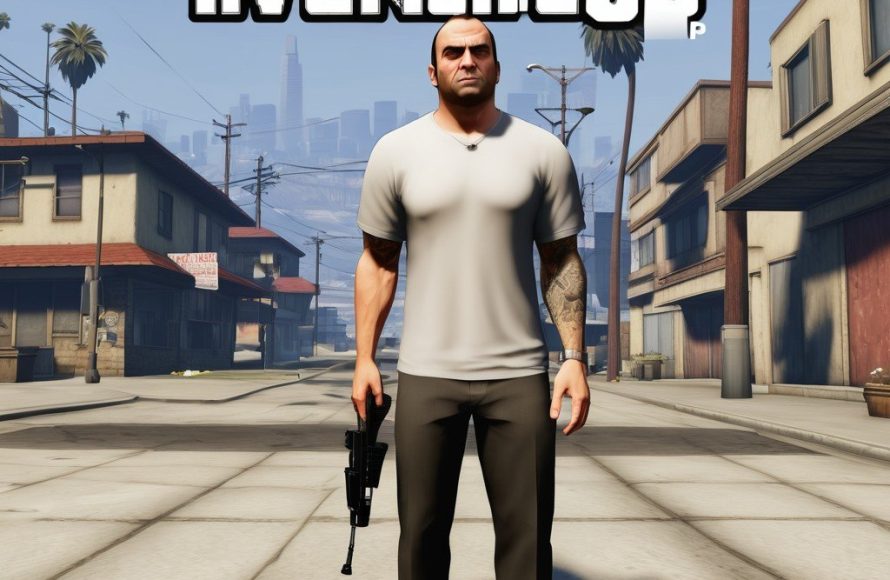
GTA 5 online server stability can vary; players often experience disconnections and lag, especially during peak times and after major updates.
Have you ever been mid-heist, adrenaline pumping, only to be unceremoniously booted from the server? It’s a common frustration for many in the bustling world of Los Santos. This brings us to a frequent topic of discussion which is gta 5 online server stability. Dealing with these interruptions can really kill the fun, making players question what’s happening. We’ll delve into why this occurs and what impacts the online experience.

GTA 5 Online Server Stability: Keeping Los Santos Running Smoothly
Ever been cruising down the streets of Los Santos, about to pull off an epic heist with your friends, only to get kicked back to the loading screen? Or maybe your car suddenly starts floating in the air for no reason? If you’ve played GTA Online, you’ve probably experienced these moments, often linked to the sometimes shaky server stability. Let’s take a deep dive into what causes these issues and what Rockstar Games is doing to keep things running smoothly. This article will explore the various aspects of GTA 5 Online server stability, looking at common problems and how they are often addressed.
Understanding Server Load and its Impact
Think of the GTA Online servers like a giant highway system. When lots of players are online at the same time, it’s like rush hour traffic. The servers get overloaded, just like a highway can become congested with too many cars. This server load is a big factor in how smoothly the game runs. When there are too many players trying to do too many things at the same time – participating in races, selling goods from their businesses, or even just driving around – the servers can struggle to keep up. This can lead to problems like:
- Lag: This is when the game becomes slow and unresponsive, like your character is moving in slow motion.
- Disconnections: You might get kicked out of the game entirely, losing your progress.
- Rubberbanding: Your character might move forward, then suddenly snap back to where they were a few seconds ago.
- Glitching: This is when unexpected things happen, like cars floating or players becoming invisible.
These problems are more likely to happen during peak playing times, such as weekends or when new content is released. When a new update with cool cars and missions comes out, many players want to jump into the game at once, putting a strain on the servers. This isn’t something unique to GTA; many online games experience server load issues, especially when there is a surge in player activity.
Common Issues Affecting GTA Online Stability
Beyond just the number of players online, many technical issues can affect server stability. Some of the common culprits include:
Network Problems
Your internet connection plays a vital role in your online gaming experience. Even if Rockstar’s servers are working perfectly, a weak or unstable connection can cause problems on your end. Here are some network-related issues that can contribute to server instability:
- Slow Internet Speed: If your internet is slow, data won’t transfer quickly between your console/PC and the game servers.
- Packet Loss: Imagine sending a letter with some words missing, this is similar to packet loss, where data is lost while being transmitted, which can lead to lag and disconnections.
- High Latency (Ping): This is the time it takes for your commands to travel to the server and back. A high ping can result in delays and make the game feel unresponsive.
- Wi-Fi Interference: Your Wi-Fi signal can be affected by other devices, walls, or distances, leading to a weaker connection. A wired connection (ethernet cable) is generally more stable.
Server-Side Issues
Sometimes, the problems aren’t on your end. Rockstar’s servers can also have issues, including:
- Hardware Failures: Like any computer system, the servers that run GTA Online can experience hardware problems.
- Software Bugs: Sometimes, the game’s software can have bugs or errors that cause server instability.
- Maintenance: Rockstar will take the servers offline for maintenance or updates.
- DDoS Attacks: In some cases, the servers might be under attack by malicious actors, causing widespread disruptions.
Game Code and Optimization
How the game itself is built can also impact server stability. Problems here might include:
- Unoptimized Game Code: If the game’s code isn’t written efficiently, it can cause performance problems that affect server stability.
- Exploits: Sometimes, players discover exploits or glitches that can cause problems for other players on the server. Rockstar has to fix these issues quickly.
Rockstar Games’ Efforts to Improve Server Stability
Rockstar Games is always working to improve GTA Online server stability. While they haven’t always been perfect, they have taken steps to address problems and improve player experience. Here are some of their efforts:
Regular Updates and Patches
Rockstar constantly releases updates and patches that include bug fixes, security enhancements, and performance improvements. These updates help tackle problems that affect server stability. They also address exploits that players may discover to prevent them from ruining the experience for everyone.
Server Infrastructure Investment
Rockstar invests a lot of money into their server infrastructure. This includes more powerful servers and better networking equipment to handle the huge number of players that are constantly online. They continuously work to add capacity and improve the servers to handle traffic spikes, especially when new content drops.
Monitoring and Optimization
Rockstar’s team carefully monitors the game servers for problems and makes adjustments as needed. They use data collected from the game to identify bottlenecks and performance issues. By studying how players use the game, they can optimize server performance and try to prevent further issues. This monitoring is a crucial part of keeping the game stable and running well.
Improved Matchmaking
Rockstar has also made changes to the matchmaking system. This is the system that puts players into the same lobbies. By improving the matchmaking process, the servers are less likely to get overloaded, leading to better performance for everyone. When you’re searching for a game or trying to join a friend, this process is working in the background to make sure that things go smoothly.
Community Feedback and Communication
Rockstar listens to the community. They pay attention to what players say about server problems and work to fix the most common issues. They also sometimes communicate with players through social media, their website and in game messages, informing them about server maintenance and planned updates. This interaction helps keep players informed about the current state of the game.
Player Strategies for a Smoother Experience
While Rockstar works to improve server stability, players can take some steps to help their own experience. Here are some tips for a smoother GTA Online experience:
Check Your Internet Connection
Your internet connection can have a huge impact on your gameplay. Make sure you have a reliable and fast connection. Some helpful steps include:
- Use a wired connection: Instead of using Wi-Fi, connect your console or PC directly to your modem or router with an ethernet cable. This provides a more stable and faster connection.
- Restart your modem/router: Sometimes, simply restarting your modem and router can fix network problems.
- Check your internet speed: Run an internet speed test to make sure you’re getting the speed you’re paying for.
- Close unnecessary applications: If you’re running other programs that use the internet, it might slow down your game. Close programs that you are not using during the game play.
Adjust Your Game Settings
If you’re having performance issues, try lowering your game’s graphics settings. This can reduce the load on your console/PC and can improve the overall performance of your game. Some settings to consider are:
- Lower Resolution: Try using a lower screen resolution.
- Turn Off Advanced Graphics: Turn off or lower shadows, reflections and other advanced graphics settings.
- Reduce Frame Rate: Lowering your target frame rate can also reduce stress on your console or computer.
Be Aware of Peak Hours
If possible, try to avoid playing during peak hours. Playing at less busy times can reduce the chance of experiencing server issues. Weekends and evening hours are usually the busiest. Try playing earlier in the day or late at night when fewer players are online.
Restart Your Game
Sometimes, a simple restart of the game can fix connection issues. If you start experiencing lag or other problems, exit the game completely and restart it. This can clear any temporary glitches or problems that might be occurring.
Stay Informed
Keep an eye on Rockstar’s social media and website for any announcements about server maintenance or known issues. This will keep you updated about when problems are known and when they’re likely to be fixed. You can also check the GTA Online community forums to see if others are experiencing similar problems.
The Future of GTA Online Server Stability
As GTA Online continues to grow, server stability will remain a key focus for Rockstar Games. They know that a smooth and enjoyable online experience is crucial for players. By continuing to invest in their server infrastructure, actively addressing player feedback, and improving the overall game, the goal is to reduce server issues and provide better experiences. While occasional problems might still occur due to the nature of online gaming, Rockstar is dedicated to continuously improve. They continue to work to make GTA Online a stable and enjoyable environment for millions of players around the world.
Server stability in GTA Online is a complex issue. While there are many factors that contribute to server related problems, Rockstar Games is always working on improving and providing a smoother gaming experience. By understanding the causes of server instability and following the best tips, you can significantly improve your experience and continue to enjoy everything that GTA Online has to offer. We hope that this article helped you understand the main causes and solutions to server instability.
What's REALLY Causing GTA Online's Server Down Problem?
Final Thoughts
Server issues continue to plague GTA 5 Online. Players frequently experience disconnects and lag. This impacts gameplay and frustrates many users trying to enjoy the game.
The inconsistent performance of gta 5 online server stability is a major problem. Rockstar needs to improve their infrastructure to handle the player base effectively. Resolving this should be a top priority.

