
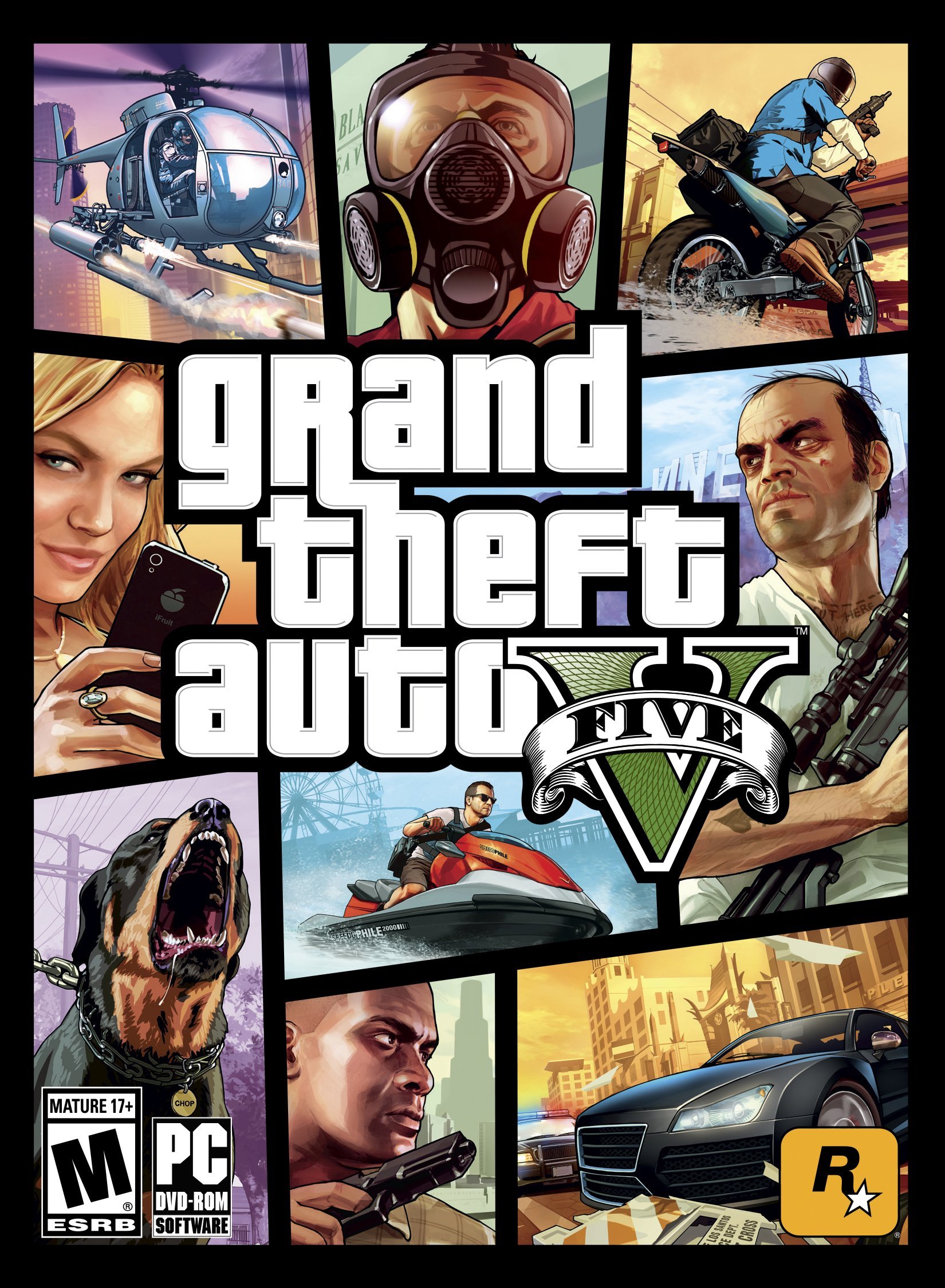
GTA 5 PC offers a vastly enhanced experience over console versions, featuring improved graphics, customization options, and the ability to use mods.
Ready to dive back into Los Santos? The world of GTA 5 PC awaits, promising a visually stunning and highly customizable gaming adventure. This version of the game goes beyond what consoles offer.
You can expect better graphics and a variety of tweaks. Plus, modding gives players the option to make unique changes, from gameplay to aesthetics.

GTA 5 PC: Dive into Los Santos on Your Computer
Grand Theft Auto V, or GTA 5 as most people call it, isn’t just a game; it’s a whole world you can explore. And when you play it on a PC, things get even more exciting! Think of it like having a giant toy box filled with cool cars, crazy missions, and the sprawling city of Los Santos. But instead of just watching, you’re in the driver’s seat—literally!
Why GTA 5 PC is So Awesome
So, what makes playing GTA 5 on a computer so special? Well, several things make it stand out from playing on consoles:
Better Graphics
First off, the visuals are usually way better on a PC. If you have a good computer, you can see everything in super high definition. Imagine the sun setting over the Los Santos skyline with all the details popping out. The cars look shinier, the buildings more detailed, and the characters more real. It’s like watching a movie, but you’re controlling the action! This visual upgrade makes the game even more immersive, pulling you deeper into the world.
More Customization Options
PC gaming lets you tweak things to your heart’s content. You can change the graphics settings to make the game run as smooth as butter, or turn up the details to max for the best possible look. And it’s not just the graphics; you can customize your control scheme too. Want to use a controller? Great! Prefer a mouse and keyboard? No problem! You get to set up everything just how you like it. This level of control ensures that everyone can find their perfect way to play.
The World of Mods
This is where PC gaming really shines. Mods are like extra add-ons that people create for the game. These can range from simple visual upgrades to complete overhauls of gameplay. Want to fly a spaceship in Los Santos? There’s a mod for that! Want to play as a superhero? You can do that too! Mods change the game in wild and surprising ways, adding endless hours of fun after you’ve completed the main story.
Getting Started with GTA 5 PC
Okay, so you’re ready to jump into GTA 5 on your PC? Here’s a quick guide on what you need:
System Requirements
Before you buy the game, make sure your computer is up to the task. Here are the basic things your computer needs to run GTA 5:
- Operating System: Windows 10 64 Bit or Windows 11.
- Processor: Intel Core 2 Quad CPU Q6600 @ 2.40GHz (4 CPUs) / AMD Phenom 9850 Quad-Core Processor (4 CPUs) @ 2.5GHz.
- Memory: 4 GB RAM.
- Graphics Card: NVIDIA 9800 GT 1GB / AMD HD4870 1GB (DX 10, 10.1, 11).
- Storage: 72 GB.
These are just the minimum requirements, though. For the best experience, you’ll need a more powerful setup. If you are trying to play with high settings and higher frame rates, something much more recent is what you will need. Aim for better processors like Intel Core i5 or i7, 8 GB of RAM or more, and a more recent graphics card for a much smoother and enjoyable gameplay experience.
Buying the Game
You can get GTA 5 for your PC in a few ways:
- Steam: One of the most popular places to buy games on PC. Just create a Steam account, find GTA 5, and you’re ready to go.
- Rockstar Games Launcher: You can also buy the game directly from the people who made it – Rockstar Games! They have their own launcher just like Steam.
- Epic Games Store: Another great place to buy the game, sometimes with special offers or discounts.
- Physical Copy: Some people still like owning a disc! Just pop it in your computer to install the game.
Once you buy the game, you’ll need to download it. Make sure your internet is stable, as it is a pretty big download!
Installation
Installing GTA 5 is simple. You basically follow the steps your chosen platform gives you. After the download is complete, it usually installs automatically. Once that is done, you can start playing!
Exploring Los Santos and Beyond
Now, let’s talk about what you can actually do in the game. GTA 5 gives you so much freedom, it can feel overwhelming at first. But don’t worry, that’s part of the fun!
The Main Story
The game follows three main characters: Michael, Franklin, and Trevor. Each of them has their own story that intersects and intertwines with the others. You get to play as each of them, completing missions that range from daring heists to silly antics. The story is full of surprises, twists, and tons of action.
Open World Exploration
Los Santos is huge! You can explore it on foot, in cars, bikes, boats, planes, helicopters – you name it! There’s so much to see and do outside of the main story. Drive around the city, explore the mountains, go scuba diving in the ocean, and do all kinds of other things. The world is your playground.
- Cars: There’s a massive collection of cars to choose from. Sports cars, trucks, muscle cars – whatever you like. You can even customize them with cool paint jobs and performance upgrades.
- Activities: Play tennis, golf, go to the movies, do some yoga, or even go hunting.
- Random Events: The world is full of little events that happen as you explore. You might stumble upon a car chase, a robbery, or someone in need of help.
GTA Online
GTA Online is a whole other game within GTA 5! It’s a multiplayer world where you can play with friends and people from all over the world. You can:
- Complete Missions Together: Team up with friends and tackle challenging missions.
- Build Your Criminal Empire: Start businesses, buy properties, and become a criminal mastermind.
- Compete in Races and Games: Take part in all sorts of races and challenges with other players.
- Customize Your Character: Create your own unique character and outfit them how you like.
- Play Heists: Plan and execute huge heists that require teamwork and skill.
GTA Online is constantly updated with new content, so there’s always something new to do.
Tips and Tricks for PC Players
Graphics Settings
To make the game run smoothly, you’ll need to find the right balance in your graphic settings. Here’s what you need to know:
- Resolution: If your game looks blurry, try increasing the resolution to match your monitor.
- Texture Quality: This affects how detailed the surfaces in the game are. Turning it down can improve performance.
- Anti-Aliasing: This smooths out the edges of objects, making them look less jagged. Experiment to find a balance between good looks and performance.
- Shadow Quality: Shadows can take a lot of processing power, so turning them down can help with frame rates.
- Post FX: This has to do with lighting effects. Sometimes, they can slow the game down, so you might want to try turning them down a bit.
Keyboard and Mouse Controls
Learning to play with a keyboard and mouse can take some practice, but it’s worth it. It gives you really precise aiming. You can customize the controls in the settings to whatever you find comfortable.
Modding the Game
Mods are an incredible part of the GTA 5 PC experience. Here are a few important things to remember:
- Source of the Mods: Make sure to only download mods from trusted sources to keep your computer safe.
- Mod Compatibility: Always check if mods are compatible with the current version of the game.
- Backups: Before installing any mods, back up your game files, just in case something goes wrong.
- Explore Your Options: Check websites like gta5-mods.com or other community sites to find interesting mods.
Improving Performance
Having trouble running the game smoothly? Here are a few tricks you can try:
- Update Drivers: Make sure your graphics card drivers are up to date. These drivers are the bridge between your hardware and the game.
- Close Background Programs: Make sure to shut down other programs running in the background, as they can take up your computer’s resources.
- Optimize Settings: Tweak your graphics settings to find a balance between visuals and performance.
- Upgrade Components: If your computer is still struggling, you may need to consider upgrading parts like your graphics card or RAM.
The Community
The GTA 5 PC community is massive and full of very passionate players. You can find all sorts of things, like discussion forums, tutorials, streams, and videos. Getting involved in the community can be a great way to improve your skills and make new friends.
- Forums and Websites: Look for websites dedicated to GTA 5 where you can find guides, tips, and discussion boards.
- Discord Servers: Many communities have their own Discord servers, where you can chat with other players.
- YouTube and Twitch: Watch other players and streamers to learn new tricks or see how they play.
- Reddit: The GTA 5 subreddit is a great place to ask questions, share your creations, and read the latest game news.
Making the Most of Your GTA 5 PC Experience
GTA 5 on PC is more than just a game, it’s an experience. With better graphics, customization, and a massive modding scene, it is a fantastic way to play. Take your time, explore all that Los Santos has to offer, and don’t be afraid to experiment. The world is huge and waiting for you to come explore it.
Whether you want to follow the story, cause chaos, or make new friends online, GTA 5 on PC offers you tons of ways to play the way that you want to. So, get your game on, and enjoy the wild ride that is GTA 5!
How To Download GTA 5 In PC (GTA V) – Full Guide
Final Thoughts
In short, players can enjoy enhanced visuals and performance on their personal computers. The vast open world becomes even more immersive. The modding community gives countless creative gameplay options. These factors make GTA 5 PC an outstanding choice for fans.
The flexibility and advanced options makes this version superior. GTA 5 PC continues to hold its spot as a major gaming experience. It offers both new and returning players a unique adventure.

