
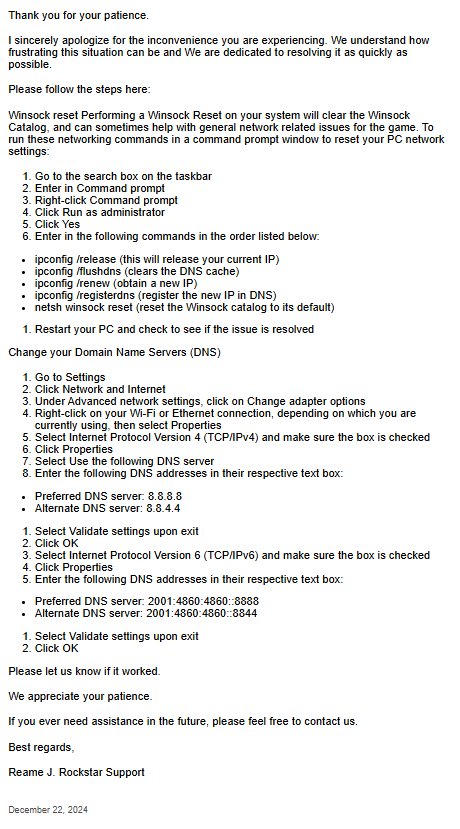
Rockstar likely collects user data, and specific in-game actions, to identify and fix any reported GTA 6 Bug Reports they receive.
The gaming world buzzes with anticipation for GTA 6, but even the most polished games can have glitches. Players naturally wonder what happens when they find a problem. How do they report these issues, and what action does Rockstar take?
Understanding this process helps gamers contribute to a better final product. Knowing how GTA 6 Bug Reports are handled gives players some peace of mind. It also shows the developers are working to create the best possible experience.

GTA 6 Bug Reports: What to Expect and How to Handle Them
Okay, everyone, let’s talk about something that often comes with new video games, especially big ones like GTA 6: bugs! No, not the creepy crawlies, but those little (and sometimes big!) glitches that can make our gaming experience a bit… bumpy. With the hype for GTA 6 being HUGE, it’s almost guaranteed that there will be some reports of bugs popping up. Let’s dive into what kind of problems we might see and how we can deal with them.
Common Types of Bugs in Open-World Games
Games like Grand Theft Auto, with their massive maps and tons of things going on, are really complex. This means there are many places where little errors can hide. Here are some common bug types that often show up:
Graphical Glitches
Have you ever seen a character’s arm bend in a super weird way, or a car suddenly float into the sky? These are graphical glitches. They happen when the game’s visuals don’t work correctly. They might make things look strange, or even block your view.
- Texture Issues: Surfaces might look blurry or not load correctly. Imagine a building looking like it’s made of playdough instead of bricks.
- Clipping: This happens when one object goes right through another. You might see a car driving through a wall.
- Animation Errors: Characters might move strangely, like sliding around without walking, or their body parts might bend in impossible ways.
Gameplay Bugs
These bugs affect how you play the game. They can make it difficult, or sometimes even impossible, to complete missions or move through the world.
- Mission Failures: Sometimes, a mission might not start correctly, or a task you need to do won’t work, so you can’t finish it.
- Stuck Characters: Your player might get stuck in a spot, like between two walls, and can’t move.
- Inventory Problems: Items might disappear from your inventory or not work as they should.
- AI Problems: Non-player characters (NPCs) might act strangely, like not doing what they are supposed to do or getting stuck in weird loops.
Performance Issues
These bugs are related to how well the game runs on your computer or console. If the game slows down a lot, stutters, or even crashes, that’s a performance issue.
- Frame Rate Drops: The game might get very choppy, making it hard to see what’s going on and control your character.
- Freezing: The game might completely stop working and you can’t do anything.
- Crashes: The game might shut down unexpectedly, kicking you out to your console or desktop.
Why Do Bugs Happen?
Making a game as big and detailed as GTA 6 is super complicated. It’s like building a huge LEGO castle with millions of tiny pieces. Here are some reasons why bugs can sneak in:
Complexity of Game Development
These games have lots of systems all working together at the same time. If one little part doesn’t work right, it can cause problems somewhere else. Think of it like dominoes – if one falls wrong, it can mess up the whole chain. There are many things that come together in making a game like this:
- Code: The instructions that tell the game what to do. It’s like a recipe for the game.
- Art: The models for characters, objects, and environments.
- Sound: The noises you hear in the game, like explosions and dialogue.
All these parts need to communicate perfectly. If there’s a mistake in even a small part of any one of them, it can cause a bug.
Testing Limitations
Game developers do try their best to find all the bugs before a game comes out. They play the game a lot, but they can’t possibly think of every single thing a player might do. There are just too many possibilities. Testing is a big job, and even then, some bugs are tricky and can slip through.
- Testers are not players: Testers try to break the game, whereas players try to have fun. These differences mean that some bugs only show up when a lot of people start playing.
- Different systems: The game needs to work on different consoles and computers. This makes it hard to test every possible situation.
Last-Minute Changes
Sometimes, changes are made to the game even close to the release date. These changes can sometimes introduce new bugs that weren’t there before. It is like making a change in the kitchen while you are cooking something, it might change the taste for good or bad.
What to Do When You Find a Bug
So, what should you do if you run into a bug in GTA 6? Here’s a step-by-step guide:
Step 1: Don’t Panic!
Bugs are normal! Don’t get too frustrated. Instead, take a deep breath and think about what happened. Try to recreate the bug to see if you can make it happen again. This can be helpful when you report the bug.
Step 2: Document the Bug
Write down as much detail as you can about the bug:
- What were you doing? Were you driving a car, doing a mission, or just walking around?
- Where were you? What location in the game were you?
- What happened? How did the bug show up?
- Can you recreate it? Can you make the bug happen again by doing the same things?
- Screenshot/video: Take a screenshot or video if you can. This will show the developers exactly what the problem looks like.
The more details you can include in your report, the better it will help the developers. Imagine you are trying to describe a strange animal you saw and it will help people a lot if you give as many details as possible.
Step 3: Report the Bug
There will likely be specific ways to report bugs for GTA 6. This could be:
- In-Game Bug Reporting Tool: Some games have a feature right in the game where you can send in a bug report.
- Official Forums: Many game companies have forums where players can discuss bugs and report them.
- Company Website: There might be a specific area on the company’s website where you can report problems.
Try to be polite and give clear information. Developers appreciate bug reports because they help to make the game better. Don’t use rude language while reporting bugs.
Step 4: Check for Updates
Game companies often release updates to fix bugs. Keep an eye out for these updates. They often solve many of the common issues that players encounter. These updates can be automatic, or you might have to download them.
- Keep the game up-to-date: Make sure you have the latest version of the game installed.
- Read patch notes: Check the patch notes to see if the bugs you’ve experienced have been addressed.
Impact of Bug Reports
Your bug reports are incredibly important to the development of GTA 6. They help the developers know which problems to solve and make the game more enjoyable for everyone. Bug reports ensure that:
The Game is Improved
Developers use your reports to fix problems and make the game work better. The main idea of reporting a bug is that you want the game to get better.
Performance is Enhanced
They can identify issues that are slowing down the game or causing it to crash and then fix these performance issues. These fixes will make game to run smoothly.
The Overall Experience Gets Better
By fixing the bugs, developers make the game more fun and less frustrating to play. A good, bug-free game is enjoyable for the user.
Bug Reports: A Community Effort
Remember, reporting bugs is not just about helping yourself. It’s about helping the entire gaming community enjoy GTA 6 to the fullest. Think of it like working together to build something great. The more of us who help find and report bugs, the better the final product will be for everyone. It’s a real team effort and the end results is enjoyable for all of the community. Don’t get annoyed by the bugs and try to help the game developers by reporting them.
So, when GTA 6 finally comes out and you’re ready to jump into its exciting world, keep your eyes peeled for any bugs you might find. Follow these steps, report them to the developers, and help make GTA 6 the best game it can be. Happy gaming!
GTA 6 Gameplay Leaked!
Final Thoughts
Anticipate initial hiccups; a game of this scale will have them. Players should diligently report issues they encounter. These early GTA 6 Bug Reports are critical for developers.
This feedback directly aids in refining the gaming experience. Submitting clear, concise reports helps the team quickly address problems. Your participation is vital.

