
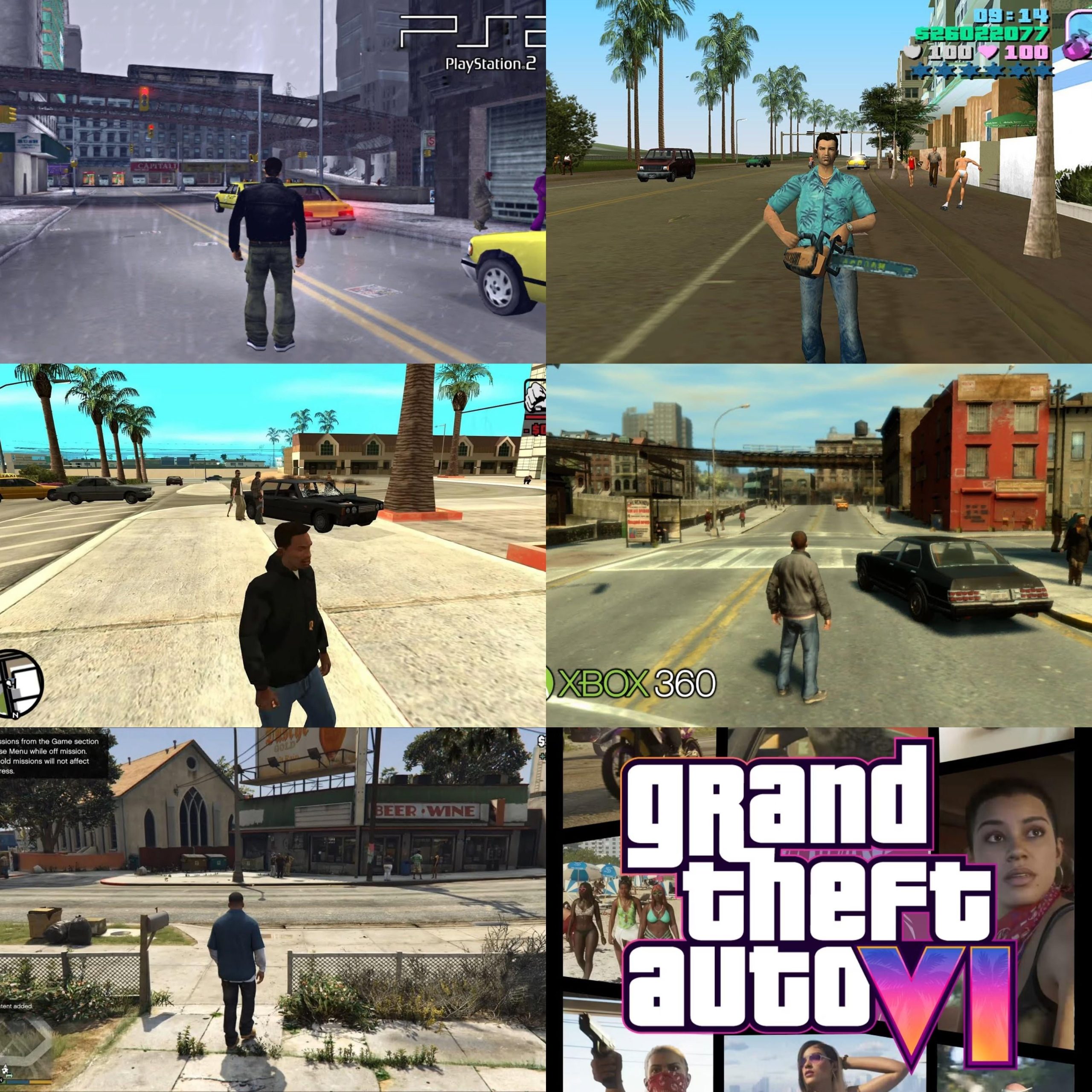
GTA 6 resolution options will likely include a range of choices, from performance-focused lower resolutions to visually stunning higher resolutions, potentially including 4K and beyond.
Curious about how sharp GTA 6 will look on your screen? The anticipation is building, and one big question revolves around the graphics settings we’ll have. Specifically, what will the GTA 6 resolution option details be, and how much control will players have over the visual fidelity?
Gamers expect a variety of options to balance visual appeal and performance. This means we anticipate seeing choices that allow players to choose performance or enhanced graphics with different resolution options. This will ensure a smooth gaming experience across various hardware setups.

GTA 6 Resolution Option Details
Alright, gamers, let’s talk about something super important for how your games look: resolution! When GTA 6 finally arrives, you’ll be wanting the best possible picture quality. We’re diving deep into what resolution options might mean for your gameplay experience in the highly anticipated Grand Theft Auto 6. Think of resolution like the number of tiny squares (pixels) that make up the picture on your screen. More pixels generally mean a clearer, sharper image, just like having more tiny LEGO bricks to build a more detailed model. Let’s explore what this all means for our favorite open-world crime simulator.
Understanding Resolution Basics
Before we get into specifics, let’s make sure we’re all on the same page with some basic resolution lingo. You’ll often see resolutions described with numbers like 1920×1080 or 3840×2160. The first number refers to the number of pixels going across the screen (horizontally), and the second is the number of pixels going down (vertically). Higher numbers mean more pixels, and that translates to a more detailed and crisp picture.
Common Resolution Types
Here are some resolution terms you’ll probably hear when talking about GTA 6:
- 720p (1280×720): This is considered “HD” or High Definition. It’s not as detailed as higher resolutions but still much better than older standard definition TVs.
- 1080p (1920×1080): Also known as “Full HD,” this is a very common resolution for games and TVs. It’s a great balance between image quality and performance.
- 1440p (2560×1440): This is sometimes called “QHD” or Quad HD. It’s a step up from 1080p and offers a noticeably sharper picture, especially on larger screens.
- 4K (3840×2160): Also known as “Ultra HD,” this is where things get seriously detailed. 4K offers a super crisp and clear image, showing even the smallest details.
It is important to remember, the higher the resolution the more your device (gaming computer, PlayStation, or Xbox) has to work. A high resolution like 4K will demand much more of your gaming setup than 1080p.
Projected Resolution Options for GTA 6
While Rockstar Games hasn’t given us the official specifics on GTA 6’s resolution options, we can make some well-educated guesses based on current gaming trends and console capabilities. We will break down each potential resolution, talking about what you can expect and what type of setup it might need.
Console Possibilities: PlayStation 5 and Xbox Series X/S
The PlayStation 5 and Xbox Series X are powerful consoles, so we can expect some good resolution options. Let’s take a look:
- 4K (3840×2160) with Dynamic Resolution Scaling: Both the PS5 and Xbox Series X are aimed to play in 4K. It is likely that GTA 6 will target a 4K output on these consoles. The tricky thing about 4K is it can be very demanding. So, to keep a smooth framerate, the consoles may use what is called “dynamic resolution scaling.” This means the game might slightly change its resolution on the fly, making it go up or down depending on the action on the screen. In moments with lots of explosions and things happening at once, the resolution may go a little lower to keep the game running smoothly. When there’s not as much happening, the resolution can go higher again.
- 1440p (2560×1440) as an Option: It’s also possible that GTA 6 might offer a 1440p mode for players. This might be as an option to go with higher frame rates. Some players prefer a higher refresh rate or more frame rate on their gaming displays as it will make the game seem smoother.
- Xbox Series S: The Xbox Series S, being less powerful than the Series X, will likely target a resolution below 4K, like 1440p or even 1080p. The Series S will likely also use dynamic resolution scaling. However, the goal would be to keep the game running smoothly, even if that means slightly lower visuals compared to the Series X.
PC Gaming: A World of Resolution Choices
PC gamers usually have a lot more freedom when it comes to setting up the game’s display. They are usually able to fine-tune their graphical settings for the perfect balance of performance and image quality. Here is what we can expect in resolution options:
- 4K (3840×2160): Of course, a powerful gaming PC should be able to handle GTA 6 in 4K. If you have a high-end graphics card and gaming monitor, you can expect to play the game with high details.
- 1440p (2560×1440): A PC with mid range hardware, could still enjoy 1440p visuals with a very smooth experience. It will be one of the most popular settings on PC.
- 1080p (1920×1080): Even today, many players still use 1080p. It’s a great resolution that isn’t too demanding but still looks great. It’s a solid option if you don’t have a monitor of very high resolution.
- Ultrawide Resolutions: Many PC gamers have ultrawide monitors. These monitors have a wider screen than typical screens, and usually come in the 3440×1440 or 5120×1440 options. PC players will expect to be able to play in these ultrawide aspect ratios.
- Custom Resolutions and Scaling: The real beauty of PC gaming is the ability to adjust resolution and scaling to whatever the player prefers. GTA 6 is likely to let PC players choose any resolution their monitor supports, and use resolution scaling options to give them a better experience.
Understanding Dynamic Resolution Scaling
We’ve talked about dynamic resolution scaling quite a bit, but it’s so important that we want to explain a little more. Think of dynamic resolution as a smart way for the game to keep running smoothly. Instead of locking the resolution to one set number, it can change slightly on its own. When you’re driving around and the city is quiet, the resolution might be super high for really sharp picture. But as soon as there’s a huge car chase with explosions and chaos everywhere, the game may drop the resolution down just a little bit, so that everything moves fluidly and without any lag. Dynamic scaling means that you might not always be at the full 4K all the time, but it will always be good and you won’t have any slow down. This is a very common technique in modern games, especially on consoles. The system is working really hard behind the scenes to give you the best possible experience, making sure it looks as good as it can while keeping things nice and smooth.
The Connection Between Resolution and Performance
It’s essential to understand that resolution has a big impact on how well the game runs (its performance). This is often measured by frame rates, usually frames per second (FPS). A higher resolution means your gaming device has to work much harder to display the image, this may lead to a lower FPS. Let’s look at the relationship of performance and resolution
Resolution Demands and Frame Rate
The higher the resolution, the more work the device’s graphics processor has to do. This increased work can sometimes result in a lower frame rate (FPS). A higher FPS makes the game look smooth and feel responsive, while a lower FPS might feel choppy and sluggish. Here’s how resolution impacts performance:
- Higher Resolution (4K): It requires a more powerful graphics card to maintain high frame rates, especially in demanding games like GTA 6. When you increase the resolution, the game has to draw the picture in much more detail. This is a lot more work on the graphic processor, and can cause frame rate drops.
- Lower Resolution (1080p or 1440p): Requires less processing power, often resulting in smoother frame rates. Because the processor doesn’t have to work as hard on lower resolution, the frame rate is higher.
Finding the Right Balance
Finding a good balance between resolution and performance is crucial. Some players prefer a sharper image even if it means a slightly lower frame rate, while others prefer a smooth gameplay experience over the highest possible resolution. There is no right or wrong answer, it depends on your preferences and hardware. Here’s a simple look at how to find the best balance:
- If you have High End PC: You should be able to aim for 4K resolution with a decent frame rate, but you can always fine tune the settings.
- If you have a mid-range PC: You might want to aim for a 1440p resolution for the perfect balance between visuals and frame rate.
- If you have a lower end PC: 1080p is going to be the ideal target resolution. You might even need to lower other settings to maintain a smooth performance.
- For Consoles: If the console targets a 4k resolution, then stick with it. You can expect that the developers have done their best to find the best compromise between the frame rate and resolution. If the console game has a performance mode option, and you prefer better frame rate, then try that option as well.
Other Factors Impacting Visual Quality
While resolution is super important, it’s not the only thing that decides how your game looks. Here are some other key elements that are important:
Graphics Settings
GTA 6 will surely have a ton of graphics settings for you to play around with. These settings allow you to adjust the detail of the game’s graphics, like:
- Texture Quality: How detailed and clear the surfaces of objects look. Higher texture quality makes everything appear more realistic.
- Shadow Quality: Controls the detail and accuracy of shadows. Higher settings can make the game look much more realistic and add depth.
- Anti-Aliasing: Smooths out jagged edges on objects. It makes the picture look cleaner, and less like you are looking at pixelated blocks.
- Draw Distance: How far you can see in the game world. A greater draw distance means more details in the distance.
Monitor/TV Quality
Your display (monitor or TV) also plays a crucial role in how good the game looks. A high quality display can make a huge difference:
- Panel Type: Different panel types (like IPS, VA, and OLED) can have different colors and black levels.
- Response Time: How quickly your display can change from one color to another. Lower response time means less blur, particularly in fast action games.
- Refresh Rate: How many times your monitor or TV refreshes its picture per second (measured in Hz). Higher refresh rates will look much smoother, especially in quick action games.
Anticipating GTA 6 Resolution Options
We will likely see a range of resolution options in GTA 6. The game is expected to aim for 4K on high-end platforms but is also likely to give options for lower resolutions on other platforms, and even allow players to fine-tune their settings for better performance. Dynamic resolution scaling is very likely to be a key feature across all platforms to keep the game running smooth, and without hiccups. We all know the gaming world is anticipating the release of Grand Theft Auto 6. The game is likely to be one of the biggest games ever made, so getting it to look great and run well will be a challenge for Rockstar Games. But, we can be sure that Rockstar will give us a high quality game with very flexible resolution options for all players.
Ultimately, the best resolution for GTA 6 will depend on your gaming setup and what you prefer. If you have a super powerful gaming PC, you will be able to push the boundaries with 4K and the highest details. If you are on consoles you will see a targeted 4K experience. Whatever you have, the game will be beautiful and run well with the different resolution settings that the developers are likely to include.
GTA 6 vs GTA 5 Graphics Comparison…
Final Thoughts
Ultimately, GTA 6 will offer varied resolution choices. Players will likely find options ranging from performance-focused lower resolutions to crisper, higher fidelity settings. These choices will allow customization to individual preferences and system capabilities.
The game’s settings will surely impact visuals and frame rates. This means carefully balancing graphic quality and game performance is necessary. GTA 6 Resolution Option Details are vital for optimal play.

