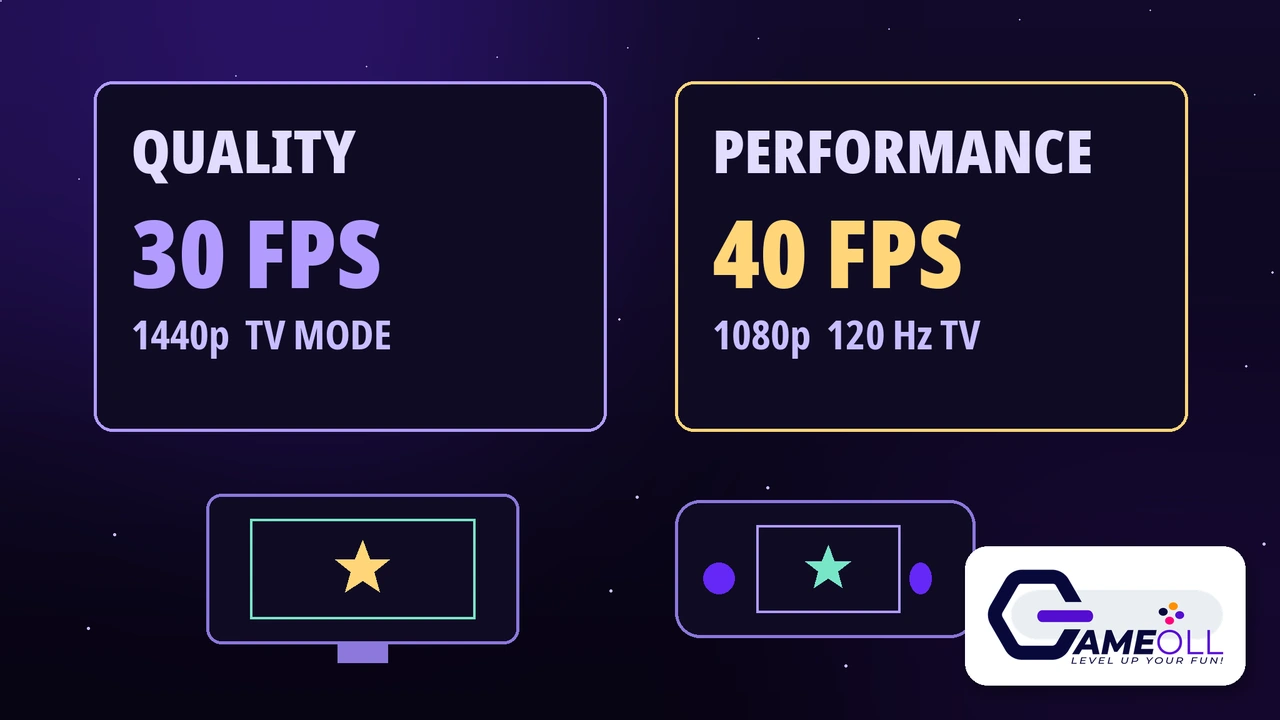
Marvel’s Guardians of the Galaxy: Encore Edition launched on Nintendo Switch 2 on Thursday, November 5, 2026, and it costs $39.99 on the Nintendo eShop. It is the full 2021 game rebuilt to run natively on Switch 2, plus all previously released digital content and 5 brand new 1980s glam rock outfits, one for each Guardian. On a TV you pick between Quality at 30 fps and 1440p or Performance at 40 fps and 1080p on a 120 Hz TV, and in handheld mode the game targets 30 fps.
This guide covers only the Switch 2 Encore Edition: what is new, what it costs, how big the download is, and which mode fits your TV. It is not a walkthrough of the story.
Release Date
Thursday, November 5, 2026
Price
$39.99 on the Nintendo eShop
Download Size
46.3 GB, per the Nintendo store page
Performance Targets
Quality 30 fps at 1440p, Performance 40 fps at 1080p
What is new in the Encore Edition
The headline extra is the outfits. The Encore Edition adds 5 new looks, one for each Guardian: Star-Lord, Drax, Gamora, Rocket and Groot. All five are styled after 1980s glam rock, the same era as the Star-Lord band album that the game is built around. PLAION, the distributor, lists these outfits as available only in the Encore Edition, so they are the one thing no other version of the game has.
The second new thing is how you control it. The Switch 2 version adds mouse control through the Joy-Con 2, which works for menus and for aiming Star-Lord’s blasters. It also adds gyroscope motion support: you tilt the controller to steer the Milano through space, and to guide Peter Quill while sliding or during zero gravity sequences. Neither control option exists in the original game.
The third new thing is the port itself. This is the first time the game runs natively on a Nintendo console. The original Nintendo Switch only got the game as a cloud version, which streams it from a server and needs a steady internet connection the whole time you play. The Encore Edition downloads to your Switch 2 and runs on the console, so you can play it on the go with no connection once the download is done.
Price, download size and what you get
| Detail | Encore Edition |
|---|---|
| Price, US eShop | $39.99 |
| Pre-order price | $35.99, 10% off until November 4, 2026, ended at launch |
| Download size | 46.3 GB, per the Nintendo store page |
| Included | Full base game plus all previously released digital content |
| Exclusive extras | 5 glam rock outfits, one per Guardian |
| Play modes | TV mode, Tabletop mode, Handheld mode |
| Players | 1, single player only |
| Developer | Eidos-Montréal, built in-house |
| Publisher on the eShop | CDE Entertainment |
| Distributor | Plaion Partners |
Outside the US the price is £35.99 in the UK and €39.99 across the eurozone, per the eShop price tracker. The pre-order discount is gone now. Clear the space before you buy: at 46.3 GB this is a big download.
Quality or Performance: which mode should you pick
| Mode | Target frame rate | Target resolution | Needs |
|---|---|---|---|
| Quality, TV mode | 30 fps | 1440p | Any TV |
| Performance, TV mode | 40 fps | 1080p | A 120 Hz TV |
| Handheld mode | 30 fps | Not stated | Nothing extra |
These numbers come from Eidos-Montréal itself, in a post from the game’s official account on October 30, 2026. Read them as targets, not locked minimums. The studio has not published how often either setting holds its number, and it has not named a handheld resolution at all. There is also no Performance option in handheld mode, so the choice above only matters when you are docked.
Your TV’s refresh rate decides it, not taste. On a 60 Hz TV, use Quality. A 60 Hz screen refreshes 60 times a second, and 30 fps divides into that evenly, so every frame stays on screen for exactly two refreshes. On a 120 Hz TV, Performance is the smoother option. At 120 Hz each of the 40 frames is held for exactly three refreshes, so motion stays even while updating a third faster than Quality. The trade is image detail: Performance targets 1080p against Quality’s 1440p, so the picture is softer, which you will notice most on a large 4K set.
The game also supports the Switch 2’s new docked VRR feature. With VRR on, a compatible TV changes its refresh rate to match each frame as it arrives, so a dip below target looks less like a stutter. It does not raise the frame rate.
How to set up Performance mode and VRR
- Dock the console with the TV on, then open System Settings from the HOME Menu.
- Scroll down the left-hand menu and select Display.
- Turn on 120Hz Output.
- Set TV Resolution to 1080p or 1440p. Nintendo supports 120 Hz output only at those two resolutions, so change it if the console is set to 2160p.
- Launch Guardians of the Galaxy and choose Performance in the game’s graphics settings.
- For VRR, update the dock first: with the console docked, go to System Settings, then System, then Dock Update, and select Begin Update.
- Then go to System Settings, then Display, then VRR Settings, and toggle on VRR Output. It only works in TV mode on a TV that supports it.
One warning before you chase the higher number: your TV also has to accept 120 Hz on the HDMI port the dock is plugged into. On many TVs only some ports support it, and some need an enhanced HDMI option switched on in the TV’s own menu, so check your TV’s manual if Performance looks no different from Quality.
The new controls: mouse and gyro
Mouse control is the more useful of the two for most players. The Joy-Con 2 works as a mouse, and the game gives it full mouse functionality for menus and for aiming. If you play shooters on a PC, aiming with the mouse will feel familiar at once. It is also the fastest way to move through menus.
Gyro is the more playful one. Tilt the controller to steer the Milano through space, and to guide Peter Quill while sliding or during zero gravity sequences. It is a small addition, but it fits this game: the flying and sliding sections are the moments where a tilt feels more natural than a stick. Both new controls are optional. If you like the standard controller layout, nothing forces you to use them.
Encore Edition vs the old Switch cloud version
| Version | How it runs | Internet needed | Glam rock outfits |
|---|---|---|---|
| Encore Edition, Switch 2 | Runs natively on the console | Only to download it | Yes, 5 exclusive outfits |
| Cloud Version, Switch 1 | Streams from a server | Yes, the whole time you play | No |
This is the real reason the Encore Edition exists. The cloud version was the only way to play Guardians on a Nintendo console, and it was never a good fit: any dip in your connection showed up in the game at once. The Switch 2 version fixes that by running the game on the hardware in your hands. If you tried the cloud version and gave up on it, this is a different experience.
What the game itself is
For anyone who has not played it, the game is a story driven action adventure. You play Star-Lord, the self proclaimed leader of the Guardians, and you lead the team through combat, exploration and conversation as you face a cosmic threat you helped unleash. The original game came out in 2021 and won Best Narrative at The Game Awards 2021, and the writing is still the reason people recommend it. The full game also lets you unlock 50 in-game outfits and rock out to a soundtrack of more than 30 classic 80s hits.
This guide covers the Switch 2 edition only. It does not walk through the story or the missions, and it does not rank the outfits. The Encore Edition adds no new story content, per the publisher’s own list, so the outfits, the controls and the native port are the new parts.
Should you buy it
Buy it if you have never played Guardians of the Galaxy. At $39.99 this is a complete, story driven adventure with a real ending, and the Switch 2 version is the first Nintendo version that plays properly in handheld mode. Buy it too if you tried the cloud version and bounced off it: the native port fixes the exact problem that made that version hard to enjoy.
Think twice if you already own the game on PlayStation, Xbox or PC. The story and the missions are the same, and the only new content is the five outfits and the two control options. You would pay $39.99 for cosmetics and portability. And if you were hoping for a 60 fps mode, know that there is not one: the highest official target is 40 fps.
Guardians of the Galaxy Encore Edition questions
Does Guardians of the Galaxy Encore Edition run at 60 fps on Switch 2?
No. The highest official target is 40 fps, in the Performance setting on a 120 Hz TV. Quality targets 30 fps at 1440p, and handheld targets 30 fps. Eidos-Montréal has not announced any 60 fps mode.
Can I play the Encore Edition on the original Nintendo Switch?
No. The Encore Edition is exclusive to Nintendo Switch 2. The original Switch only has the 2021 cloud version, which streams the game from a server instead of running it on the console.
How big is the download for Guardians of the Galaxy Encore Edition?
Nintendo lists the file size as 46.3 GB on the store page. Clear at least that much space on your Switch 2 before you buy, and more if you keep other large games installed.
Final verdict
The Encore Edition is the version Switch owners were waiting for. It costs $39.99, it runs natively instead of streaming from a server, and it adds five glam rock outfits that no other version has, plus mouse and gyro controls that fit the game well. Pick Quality on a 60 Hz TV and Performance on a 120 Hz TV, clear 46.3 GB before you download, and do not go in expecting 60 fps. If you have never played it, this is an easy recommendation. If you already own it elsewhere, you are buying outfits and portability, so decide on that basis.
📖 Read the Official Announcement 🎮 See All Free Games