
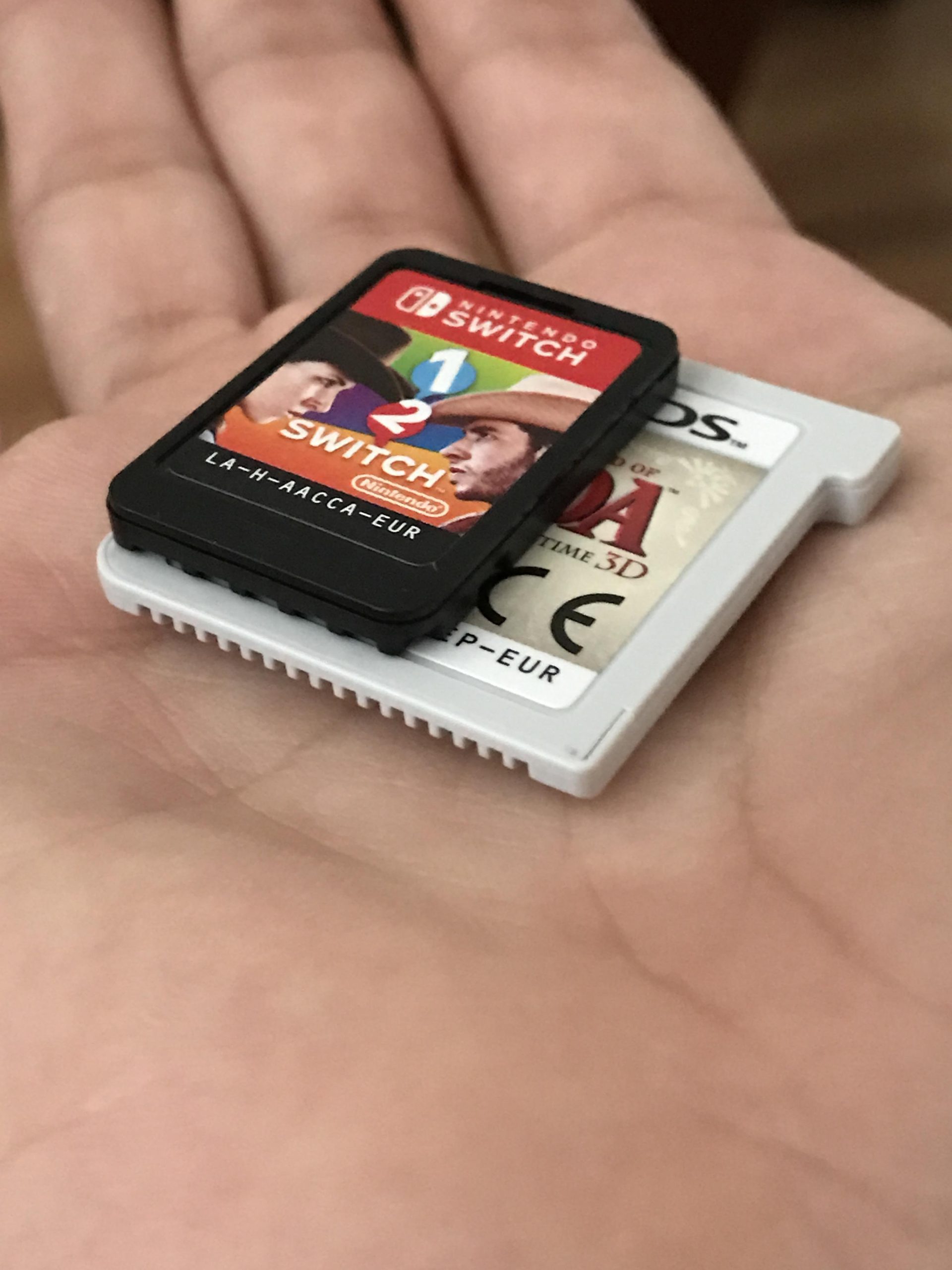
Nintendo Switch game sizes vary widely, from a few gigabytes for smaller indie titles to over 20 gigabytes for large, AAA releases.
Ever wondered how much space a digital Nintendo Switch game actually takes up on your console? It’s a common question, since storage fills up quickly! People often ask how big is a nintendo switch game, and the answer isn’t always straightforward.
Game sizes fluctuate quite a bit. A simple puzzle game might be just a few hundred megabytes, while massive adventures can reach well over 10GB, even 20GB. Knowing this helps manage space, so you can plan your downloads.

How Big is a Nintendo Switch Game?
So, you’re getting ready to download a new game for your Nintendo Switch, and you see those numbers next to the title. 2GB, 5GB, 12GB… what do they even mean? It’s all about how much storage space a game takes up. Just like how your toys take up space in your room, digital games take up space on your Nintendo Switch’s storage. Knowing this ‘game size’ is important because it helps you plan how much room you have and how to manage your game library effectively. Let’s dive into what makes a game big or small and how to manage that space.
Understanding Game Size: Why Do They Vary?
Ever wonder why some games are so much bigger than others? It’s not just about how fun they are! The size of a Nintendo Switch game depends on several things, kind of like how a big Lego set needs more pieces than a small one. Let’s explore some of the key elements that impact game file sizes.
Graphics and Visuals
One of the biggest things influencing game size is the graphics. Games with super detailed worlds, realistic characters, and fancy special effects need more storage space. Think of it like pictures. A simple drawing takes up less room than a giant, detailed painting. Games with high resolution textures and complex 3D models require a lot of data. These intricate details make the game look fantastic, but they also make the game file larger.
Audio and Sound
Sound plays a huge role in making a game immersive, but all those music tracks, sound effects, and character voices add to the file size. Just like videos, audio takes up storage. A game with lots of complex orchestral music, voice acting, and numerous sound effects will be larger than one with simple beeps and boops. Games that have a lot of dialogue, especially if that dialogue is fully voiced, generally take more space on your Switch’s storage.
Game Content and World Size
The world size of a game makes a difference. A big open world, that you can explore for hours, will typically take up a lot of space. This is because the game has to store all the different areas, secrets, and items within that world. This also includes the game’s story, number of characters, number of different levels, and amount of total gameplay hours. A bigger story needs more files to support that narrative. More gameplay means more places to explore and challenges to complete, and all of this data contributes to a larger game size.
Programming and Code
Behind the scenes, there’s a lot of programming that makes a game work. The game’s code, scripts, and rules take up space. Even though you can’t see the code, it is a major part of a game’s size. If a game has many complicated mechanics, such as advanced combat or multiple modes of play, its code base will be extensive, contributing to its overall size. All of the different systems within a game such as the inventory system, player skills, and the artificial intelligence systems of the enemies all take up valuable space on a game’s file size.
Typical Game Sizes: A General Overview
Now, let’s get an idea of how big Switch games usually are. It’s not an exact science, but here’s a general range for different types of games:
- Small Indie Games: These can be very small, often under 1GB. Think puzzle games or simple platformers. Some games can even be less than 500MB, making them quick to download and easy on storage.
- Mid-Sized Indie Games: Most of these games land in the 1GB to 4GB range. They might have more complex gameplay or detailed graphics than smaller games. This bracket includes many popular titles.
- AAA Titles and Big Games: These can be huge. Many are between 8GB and 16GB, sometimes even bigger. Games like The Legend of Zelda: Breath of the Wild or The Witcher 3 are in this group due to their expansive worlds, high quality graphics, and tons of content.
Keep in mind that these are just typical sizes. Some games may fall outside of these ranges. For example, some titles can be as small as a few hundred megabytes, and some large AAA games can easily exceed 20GB of storage.
Physical vs. Digital: How They Compare
When you get a game for your Nintendo Switch, you have two main options: physical (the cartridge) or digital (downloaded from the eShop). Here’s how the size of the game differs in these two formats.
Physical Games
Physical games come on a small cartridge, and the game data itself is stored on this cartridge. When you play a game using the cartridge, the vast majority of the game data is read directly from the physical cartridge. Although you do insert a physical cartridge into your Nintendo Switch, some additional data is frequently required to install on your Switch’s internal storage. This could be save data, patches, updates, or any additional downloadable content (DLC) you may have purchased. These additions tend to be small compared to the main game size.
Digital Games
Digital games are downloaded directly onto your Nintendo Switch’s storage space. This means that the entire game, along with any updates or DLC, will occupy the Switch’s internal storage or a microSD card. The sizes for digital games that you see on the eShop are the exact storage space the game will take up. Unlike physical games, these downloads can take longer depending on your internet speeds, and take up more space if you do not use an external microSD card.
Key differences summarised:
- Physical: Game mostly on the cartridge, small space needed for saves and updates.
- Digital: Full game stored on the Switch’s memory or a memory card.
Managing Your Nintendo Switch Storage Space
Now that you know how big games can be, it’s important to learn how to manage your Nintendo Switch storage space effectively. The Switch has a limited amount of built-in storage, so managing your space is important for every Switch user, especially if you are a digital gamer.
Built-In Storage
The Nintendo Switch console comes with either 32GB of internal storage or 64GB with the OLED model. However, the system software uses some of that space, so the amount available for games and other media is less. It’s generally a good idea to be aware of how much space is being used to plan ahead for any new downloads, or to free up space where needed.
MicroSD Cards: Expanding Your Storage
Thankfully, the Nintendo Switch has a microSD card slot. This lets you add a lot more storage space. Think of it like adding a new toy box to your room. It lets you keep many more games without worrying about running out of space. This is almost essential if you plan on using the eShop for digital games, or have many games that require updates. A microSD card allows you to keep more digital games on your Switch at one time. MicroSD cards come in various sizes, with 128 GB, 256GB, 512GB, and even 1TB available.
Choosing the Right MicroSD Card
If you plan to get a microSD card for your switch, you’ll need to make a decision about which one to get. There are a few important things to consider when making this choice, such as the speed, compatibility, and storage space.
Speed
MicroSD cards come with different speed ratings, which determine how quickly your Switch can read and write data from the card. It is good to get a card with a speed rating of UHS-I and a U3 speed class. This will let your games download and run smoothly.
Compatibility
MicroSD, microSDHC, and microSDXC are all compatible with the Nintendo Switch. Make sure the microSD card you choose is not a miniSD. The Switch also cannot use SD cards, so avoid those as well.
Storage Capacity
The size you need depends on the number of digital games you plan to have. If you only plan on having a few digital games, you might be able to get away with a 128GB card, but if you’re planning on having many digital games, a 512 GB or 1TB card will serve you well.
Managing Your Digital Games
Here are some useful tips for managing your digital game library:
- Archive Games: If you don’t play a game regularly, archive it. This deletes the game from your Switch but keeps your saved data. You can download the game again later.
- Delete Games: If you no longer want a game, you can delete it to free up space. Just know that deleting a game will also delete the save data unless you move this data to the cloud first (if you have a Nintendo Switch Online subscription).
- Check Game Sizes: Before you download a new game, always check its size so you know how much space it will take. You can find this information on the Nintendo eShop page for each game.
- Transfer Data to MicroSD Card: If you use a microSD card, make sure your game data and downloads are set to save to the card to free up internal storage.
Examples of Game Sizes
Let’s look at a few popular Nintendo Switch games and their approximate file sizes to give you a better idea of what to expect:
| Game Title | Approximate Size |
|---|---|
| The Legend of Zelda: Breath of the Wild | 14.4 GB |
| Super Mario Odyssey | 5.7 GB |
| Animal Crossing: New Horizons | 6.2 GB |
| Stardew Valley | 1.1 GB |
| Minecraft | 1.5 GB |
| Hollow Knight | 5.3 GB |
These numbers are just a guide, and can vary slightly depending on updates and any additional content that may be downloaded.
Understanding how big a Nintendo Switch game is and how to manage storage space is a simple process once you know the basics. By paying attention to the sizes of the games you want to play, you can get the most out of your Nintendo Switch and enjoy gaming without storage worries. Remember to check game sizes before you download, archive games you aren’t currently playing, and use a microSD card to help expand your storage space if you’re planning on having a big digital library!
Nintendo Switch vs Switch OLED – Which Should You Buy?
Final Thoughts
Digital Nintendo Switch game sizes typically range from a few gigabytes to over 20GB. Physical game cartridges do not directly impact the storage size on your console. The download size is what matters when asking ‘how big is a nintendo switch game’.
Large, detailed games, like The Legend of Zelda, require much more space than indie titles. Players should regularly check their Switch storage and manage game data accordingly.

