
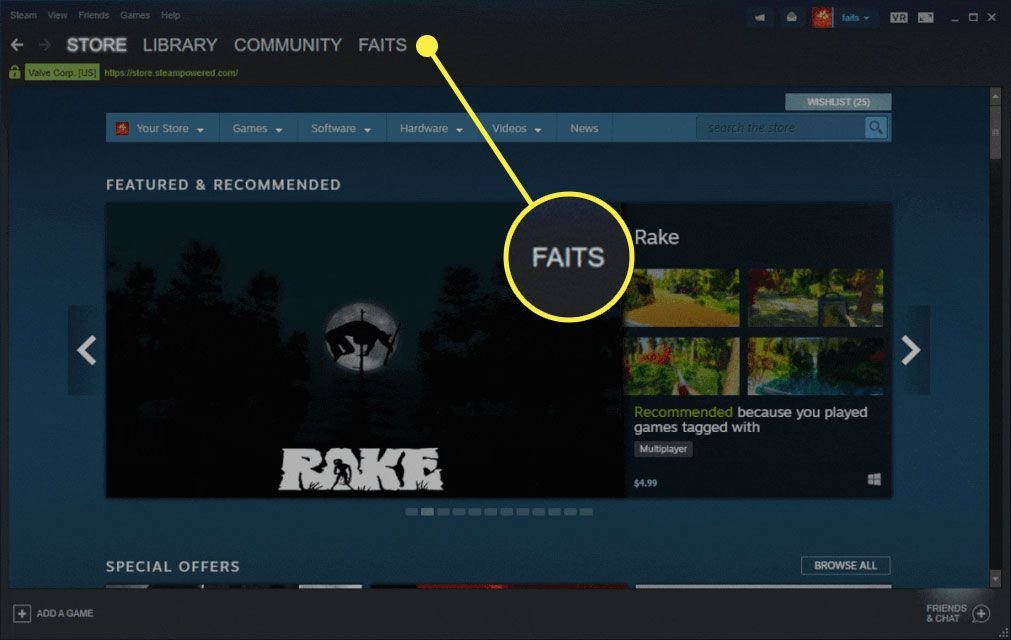
You can add friends on Steam without buying games by receiving friend requests from other users or by using a Steam friend code if another user shares one with you.
Wondering how can i add friends on steam without buying games? It’s a common question for new users exploring the platform. Many think a purchase is necessary, but that’s not the case. Steam offers ways to connect even before spending money.
You simply need to receive a friend request or use a friend code. Other players can find you with your username and send you a request, creating that connection. Sharing codes provides a quicker way to add specific people you know.

How Can I Add Friends on Steam Without Buying Games?
Okay, so you’re eager to connect with your buddies on Steam, but maybe you haven’t bought any games yet. That’s totally fine! Steam isn’t just about buying games; it’s also a fantastic platform for connecting with people. You can chat, share screenshots, and even join groups with others who have similar interests. The good news is, you absolutely can add friends on Steam without spending a single penny on games. Let’s explore the different ways you can do this.
Understanding Steam Accounts: Limited vs. Unlimited
First off, it’s helpful to understand that Steam has two types of accounts: Limited and Unlimited. A limited account has some restrictions, including the ability to add friends. This is Steam’s way of preventing spam accounts. When you first sign up for Steam, you automatically get a limited account. To get full access and add friends freely, you usually need to spend at least $5.00 USD (or equivalent in your currency) on the Steam store. However, don’t worry! Even with a limited account, there are some workarounds to get those friend requests going, and we’ll discuss them in detail.
Methods to Add Friends on Steam Without a Purchase
Now, let’s get into the nitty-gritty. Even without spending money, you can add friends. There are a few methods you can use and some are more reliable than others. These methods might require a little patience, but they will work. Here are the most effective options.
Using Friend Codes
One of the easiest ways to add friends, even with a limited account, is by using friend codes. Every Steam user has a unique friend code. You can find your code by going to your profile and looking for a section that mentions friend codes. Here’s how it usually works:
- Finding Your Friend Code: Go to your Steam profile. On the right side, you will find your friend code displayed and you can copy it.
- Sharing the Code: Share your friend code with the people you want to add. You can do this through any messaging platform like WhatsApp, Discord or via email.
- Adding a Friend Using a Code: To add someone, click on “Add a Friend” button in the top right corner of Steam. Select add friend by friend code and then input the code they gave you. Then, send the friend request!
This is a simple and reliable way to connect, especially if you are both trying to add each other. It works for both limited and unlimited accounts, and you don’t have to make any purchases. It’s a great way to get started even with a new account.
Utilizing Steam Groups and Communities
Steam has many groups based on interests, games, and even local communities. By joining relevant groups, you can connect with other users who share your passions. It can be a great avenue to meet new people who you can then add as friends. Here is how you can make this happen.
- Find a Group: Use the Steam search bar and type in some key words that interest you. For example, try ‘Anime’ or ‘Action Games’. Look through the list and find some groups you like.
- Join Groups: Join groups that pique your interest. Once you are a member, you can see who else is there.
- Interact and Connect: Participate in discussions or chat in group chats. Find people who seem interesting, click on their profile, and then send them a friend request.
This method is also handy because even if someone does not accept your friend request, you can still interact within the group. The more you engage, the more likely it is that they will notice you and want to connect. Remember to keep your interactions friendly and polite!
Asking Friends to Add You
This seems simple but its a super important strategy. If your friends already have unlimited Steam accounts, it is the easiest and most straightforward method. Ask them to add you directly instead of you having to initiate it. Here is how you can do that.
- Reach Out: Contact your friend and let them know that you have a limited Steam account.
- Ask to Be Added: Kindly ask them to add you using your profile name or friend code.
- Accept the Request: Once they send you a friend request, just accept it!
This method relies on your friend having a full Steam account, but it bypasses the limitations of your account. It’s a great way to get your friends list started and is often the quickest way to connect.
Participating in Free-to-Play Games and Events
Steam often hosts free-to-play weekends and events. These are fantastic times to find new people and build your friend list. When a game is free for a weekend, or if it is always free-to-play, you can jump in and start playing with others. Here is a breakdown of what to do:
- Find Free-to-Play Games: Look on the Steam store and find free-to-play games. These games are usually labeled ‘Free to Play’ or ‘F2P’ and don’t require any purchase to download.
- Join a Game: Download a free game and start playing!
- Make New Friends: During gameplay, you will meet other players. Chat with them, add them to your friend list during or after the game.
The best part of using free-to-play games is that you have a common interest right from the start. You can talk about the game, strategies, or any other topic that is in your mind. This builds the foundation of a new friendship!
Using Steam Profiles
Another method is using user profiles. You can find someone’s Steam profile if you know their name or by seeing them on a public platform. Here’s how to add a friend using this method:
- Finding Profiles: If you know someone’s Steam profile name, use the search bar at the top of the Steam window and type in their name.
- Send Friend Request: Once you are on their profile, click on “Add Friend”.
This method works best when you know the exact username. Some users may have a very common name and it might be difficult to find their account. This technique is very useful if you are trying to add someone you are already connected with on another platform.
Understanding Steam’s Friend Request Limits
While you can send out friend requests using the methods above, you should also be aware of the limitations of a limited account. Steam has some hidden mechanics that you should be aware of. These limits are in place to prevent spamming and to keep the Steam community enjoyable.
- Limited Friend Requests: If you have a limited account, you can’t add unlimited friends.
- Waiting Period: Sometimes, Steam may limit the number of requests you can send in a given period of time. So, be patient when sending friend requests and don’t send too many all at once.
It’s best not to send too many friend requests too quickly, especially if you don’t know the other person well. Focus on building real connections and engage with others to avoid any restrictions on your account.
Steam’s Mobile App: Adding Friends
The Steam mobile app also lets you add friends. The process is quite similar to the desktop client. Here’s how it generally works:
- Open the Steam App: Open the mobile app and log in.
- Go to Friends Section: Look for the “Friends” section (usually a icon with a couple of people)
- Adding via Friend Code: Tap on the plus icon and then enter the friend code of the person you want to add.
- Adding via Usernames: You can also search for a specific user using their profile name.
The Steam Mobile app offers you another option to add friends. It offers you almost identical functionality as the Steam client that runs on your computer.
Tips for Building Genuine Friendships
Adding friends is just the first step. The real goal is to build genuine friendships. Here are some tips for making the most of your Steam friend list:
- Be Respectful: Always treat others with respect and kindness.
- Start Conversations: Don’t just add someone and leave it at that. Start chatting! Ask them about their interests, the games they play, and so on.
- Be Engaging: Join games they play, participate in group discussions, and share screenshots.
- Be Patient: Building a good friendship takes time. Don’t expect to become best friends with everyone you add.
- Avoid Spamming: Don’t spam friend requests or unsolicited messages.
Building strong friendships is the key to enjoying Steam more. It makes the community a better place to be in.
What to Do if You Still Can’t Add Friends
If you’ve tried everything and still face problems adding friends, you can look into Steam’s support and help section. Sometimes, there might be a temporary issue with your account, or you may have overlooked something. Here are some general steps:
- Check Steam Status: Sometimes, Steam servers have issues, which can affect various functionalities. Check their status to rule out the general problems.
- Contact Steam Support: If you suspect that you have an issue with your account, reach out to Steam support. They can help you resolve any limitations or other technical issues.
- Check for Account Flags: If you have done anything in the past that is against Steam’s terms of service, you might have a flag on your account. Steam support can also assist you with these type of issues.
When contacting support, be polite, clear, and specific about the issue that you are facing. The support staff is there to assist you in getting the most out of your Steam experience.
Table Summarizing the Ways to Add Friends
| Method | How it works | Good for limited accounts? | Reliability |
|---|---|---|---|
| Friend Codes | Sharing and using the unique friend code | Yes | Very reliable |
| Steam Groups | Joining groups and interacting with others | Yes | Moderately reliable |
| Asking Friends to Add You | Having friends add you directly | Yes | Very reliable |
| Free-to-Play Games | Playing free games and meeting new players | Yes | Moderately reliable |
| Steam Profiles | Finding profiles by username and sending requests | Yes | Reliable, if you know the exact username |
These are the most effective ways to add friends on Steam without spending money. Remember to be patient, polite and actively participate in the community to make new friends.
Using the strategies above, you can definitely start building your Steam friend list even if you haven’t bought any games yet. It’s all about being proactive and using the available features of the Steam platform. Remember that Steam is a social hub as much as it is a gaming platform.
How to add friends on steam for free – 2024 – add friends on steam without buying a game
Final Thoughts
You can add friends on Steam using their friend code or a direct link they provide. This works regardless of your game ownership. They also can add you if you share your profile link.
Therefore, ‘how can i add friends on steam without buying games’ boils down to using friend codes and profile links. Buying games is not a must to add friends on Steam.

