
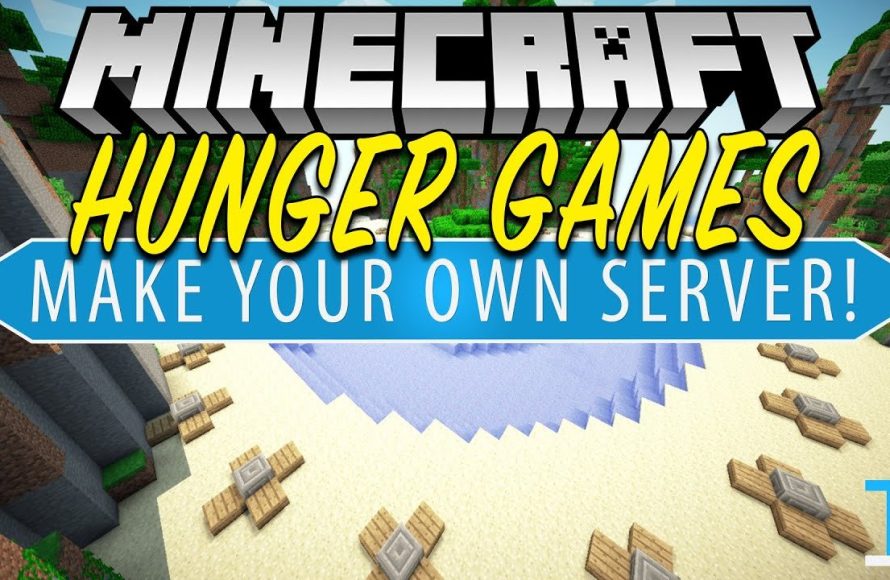
To play Hunger Games on Minecraft, you typically join a server that offers this game mode. These servers usually have pre-built maps and rules inspired by the Hunger Games.
Ever wondered how do i play hunger games on minecraft? Well, it’s simpler than you might think. Many Minecraft servers feature this popular game mode, providing an intense battle royale experience.
You begin with basic gear and need to find resources and weapons. The objective is to be the last player standing. These servers offer a fun, competitive way to experience the thrill of the Hunger Games in Minecraft.

How Do I Play Hunger Games on Minecraft?
So, you want to jump into the thrilling world of Minecraft Hunger Games? That’s fantastic! It’s a super fun way to test your survival skills, battle your friends (or soon-to-be rivals!), and see who comes out on top. But where do you even begin? Don’t worry, this guide will walk you through everything you need to know to start playing Hunger Games on Minecraft. We’ll cover different ways to play, from servers to creating your own arena, and even touch on some tips and tricks to help you become a champion.
Understanding Minecraft Hunger Games
Before we get into the “how,” let’s talk about what Minecraft Hunger Games actually is. Imagine the popular book and movie series, “The Hunger Games,” but inside the blocky world of Minecraft. The basic idea is that a group of players start in a designated area, usually a circle. When the game starts, they race to find chests filled with weapons, armor, food, and other helpful items. From there, it’s a battle for survival. The last player standing wins.
Here are some key elements to understand:
- The Arena: This is where the games take place. It can be anything from a simple forest to an elaborate city or even a custom-built map.
- The Cornucopia: This is the starting point, usually in the center of the arena. It often has some of the best loot, but also attracts the most players at the beginning.
- Chests: These are scattered around the arena and contain items you’ll need to survive and fight.
- The Border: Some servers or maps have a border that shrinks over time, forcing players closer together.
- Player Elimination: When a player’s health reaches zero, they are out of the game.
Playing on Minecraft Servers
The easiest and most common way to play Hunger Games is on a dedicated Minecraft server. These servers are specifically set up for this kind of gameplay and often have hundreds or even thousands of players ready to compete. Here’s a breakdown of how to get started:
Finding a Server
There are tons of Minecraft servers out there that host Hunger Games. Here’s how you can find one:
- Minecraft Server Lists: Websites like “MinecraftServers.org” or “TopMinecraftServers.net” list various servers. You can filter by game type to find ones that offer Hunger Games.
- Search Engines: Use a search engine like Google or Bing and type “Minecraft Hunger Games servers.” You’ll find links to server lists and forum threads with recommendations.
- Word of Mouth: Ask your friends if they play on any Hunger Games servers. Recommendations from people you know are often the best!
Joining a Server
Once you’ve found a server you like, here’s how to join:
- Copy the Server IP: The server list will display an IP address. Copy this address. It’s usually a series of numbers and dots.
- Open Minecraft: Launch the Minecraft game.
- Go to Multiplayer: Click the “Multiplayer” button on the main menu.
- Add Server: Click the “Add Server” button.
- Paste the IP Address: In the “Server Address” field, paste the IP address you copied earlier.
- Name the Server (Optional): Give the server a memorable name, for example “Awesome Hunger Games Server”.
- Click “Done”: Save the new server information.
- Join the Server: You’ll now see the server in your list. Click on it and then click “Join Server.”
Navigating the Server
After joining a server, you may need to navigate to the Hunger Games arena. Server menus might look a bit different, but they usually have the following features:
- Lobby: This is where you start when you join a server. You may need to run around to find the Hunger Games portal.
- Portals or Signs: Look for signs or portals that are labeled “Hunger Games,” “Survival Games,” or something similar.
- Command Usage: Some servers might use commands. Try typing /games or /join hunger games to access game modes.
- Wait for Start: Once in the right lobby, wait for the game to start. The server will usually tell you how much time is left before the game begins.
Creating Your Own Hunger Games Arena
Want more control over your Hunger Games experience? You can create your own arena and play with friends on a private server. This takes a bit more work but allows you to customize everything. Here’s how to go about it:
Setting Up a Private Server
First, you’ll need your own server. There are several ways to set one up:
- Minecraft Realms: This is the easiest option if you don’t want to deal with technical stuff. It’s a subscription service where Minecraft hosts a server for you.
- Hosting Services: There are many companies that offer Minecraft server hosting. They handle the setup and maintenance for you. You will have to pay monthly fee.
- Self-Hosted Server: If you’re tech-savvy, you can set up a server on your own computer. This is free, but it requires some technical skills and a powerful computer.
Building Your Arena
Once your server is ready, it’s time to build your Hunger Games arena. This is where you can get really creative!
- Planning: Start by planning the layout of your arena. Think about where you want the cornucopia, the chests, and any other unique features.
- Building: Use different types of blocks and terrain to make the arena interesting. Add trees, hills, buildings, rivers, and anything else you can think of.
- Size Matters: Don’t make the arena too small. Give players room to move around, but not so much that they get lost. A good size for 10-20 players is about 200×200 blocks.
- Chests with Loot: Add chests around the arena and fill them with items like swords, bows, food, armor, and potions. Mix up the quality of the loot, making some chests more valuable than others.
- The Cornucopia: Design the cornucopia. It can be a big tower, a central platform, or anything else you can imagine. Be sure it’s accessible.
Setting Up the Rules
Now, you need rules for your game:
- Starting Location: Decide where players will start the game. Will they all be at the cornucopia, or will you spread them out?
- Game Start: Will there be a countdown? How long will players have before they can fight?
- Border: Will you use a border that shrinks? If so, how quickly should it shrink?
- Elimination: When a player dies, will they spectate the game or be removed?
- Winning: Determine how players win the game. Is it the last player standing, or do they need to complete an objective?
Adding Plugins or Mods
For private servers, you can improve your Hunger Games experience with plugins or mods:
- Hunger Games Plugins: Plugins like “Survival Games” or “Hunger Games” can automate many parts of the game, like starting the game, setting up a border, and managing players.
- Custom Maps: You can download custom maps designed specifically for Hunger Games and use them in your server.
- Modpacks: Modpacks add a large number of different mods to the game, which can significantly change how the game plays and add lots of new and interesting features.
Tips for Winning Hunger Games
Alright, you know how to play now, but how do you actually win? Here are some strategies:
Early Game
- Rush the Cornucopia: The cornucopia often has valuable loot, but be prepared for a fight.
- Get Gear Fast: Prioritize getting a weapon, armor, and some food.
- Avoid Direct Combat (At First): Unless you’re very confident, try to avoid fights in the very beginning when everyone is rushing around.
- Observe Others: Watch what other players are doing, who are aggressive and who might be an easier target.
Mid Game
- Find Chests: Search for chests in less popular areas. Players often miss chests hidden away.
- Craft Gear: If you can’t find good weapons, try to craft something like a sword, bow, or arrows with the items you found.
- Stay Aware: Be aware of your surroundings. Check behind you regularly and listen for footsteps.
- Pick Your Battles: Only fight if you have a good chance of winning.
Late Game
- Play Defensively: Be patient. Don’t rush into a fight unless you have to.
- Use Terrain: Take advantage of the arena’s terrain. Use trees, buildings, and hills to your advantage.
- Heal Up: Make sure you are as healthy as possible before going into a fight.
- Be Ruthless: It’s the Hunger Games! Sometimes you need to make tough choices.
General Tips
- Practice: The more you play, the better you will become.
- Learn the Maps: Knowing the layout of the map can give you an advantage.
- Play with Friends: Playing with friends can be more fun and allow you to work together as a team. (If allowed on the server)
- Be Patient: Don’t get discouraged if you lose a few games. Keep playing and you’ll get better over time.
- Have Fun: Ultimately, it’s about having a good time.
Different Types of Hunger Games
Minecraft Hunger Games isn’t always the same. Here are some variations you might encounter:
Vanilla Hunger Games
This is the most standard type, with basic Minecraft items and no mods. It’s the purest form of the game and focuses on using the game’s base features.
Modded Hunger Games
These games include mods that add new items, weapons, and gameplay mechanics. This can change the experience significantly. Think guns, special armor, or even magic.
Team Hunger Games
Players work in teams instead of playing solo. This requires more team coordination and strategy.
Custom Maps
Many servers use custom-built maps, which can be themed and include unique terrain and structures.
Events
Some servers host special events, with added challenges, new game mechanics, and bonus prizes.
So, whether you choose to battle it out on a public server, craft your own arena, or test your skills against friends, Minecraft Hunger Games offers countless hours of thrilling gameplay. Remember to gather your resources, use your smarts, and never give up, and you might just be crowned the champion. Good luck, and may the odds be ever in your favor!
How To Play Hunger Games on Minecraft PS5 (2025)
Final Thoughts
To play Hunger Games on Minecraft, you must find a server offering this game mode. These servers usually provide custom maps and resource packs for the experience. Join the designated arena, and the game will begin.
Players typically start in a circle and must quickly gather resources after the countdown. Combat and survival are key. How do i play hunger games on minecraft? The primary goal is to be the last player standing to win the match.

