
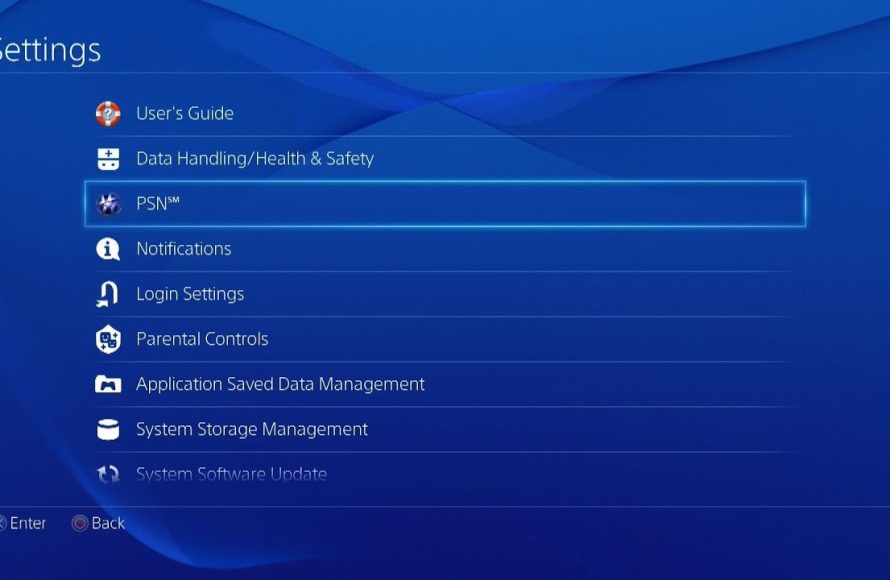
To buy games on PS4, you can either purchase physical discs from retailers or buy digital downloads through the PlayStation Store directly on your console.
Ready to dive into the world of PlayStation gaming but unsure how do you buy games on ps4? It’s simpler than you might think! Purchasing new titles is a breeze, and this guide will break down your options.
You can find games in a couple of ways: the classic physical disc from shops or you can buy digitally. Both provide great ways to build your collection. Let’s see how to go about it.

How Do You Buy Games on PS4?
So, you’ve got your PlayStation 4 all set up, and you’re ready to dive into some awesome gaming adventures. That’s fantastic! But before you can start playing, you need to know how to actually get those games onto your console. Don’t worry, it’s not as tricky as it might seem. This article will walk you through all the different ways you can buy games on your PS4, from physical discs to digital downloads, and everything in between. We’ll cover all the important steps, so you’ll be gaming in no time.
Buying Physical Games: The Classic Way
Let’s start with the method many people are familiar with: buying physical game discs. This is how video games were sold for years, and it’s still a popular option for many gamers. Here’s a breakdown:
Where to Buy Physical PS4 Games
You’ve got several options when it comes to buying physical game copies. Think of it like going on a treasure hunt for the perfect game! Here are some common places:
- Big Retail Stores: Places like Walmart, Target, and Best Buy usually have a dedicated video game section. They often stock new releases as well as older titles. The advantage here is that you can often see the games in person and grab them as part of your regular shopping.
- Specialty Game Stores: GameStop is a popular example of a store that focuses specifically on video games. They often have a larger selection than general retail stores and may have used games for sale, too. You can also trade in your old games for credit.
- Online Retailers: Online giants like Amazon are great for buying games. They often have good prices, a vast selection, and they deliver right to your door. Just be sure to check the shipping times if you’re eager to play a new release!
- Local Game Shops: Don’t forget to look for smaller, locally-owned game stores. They might have a smaller inventory, but you could discover some hidden gems or unique finds!
Steps for Buying a Physical PS4 Game
Once you’ve found a place to buy a physical copy, follow these simple steps:
- Choose your game: Browse the shelves or online catalog and pick the game you want to play. Pay attention to the game’s rating to make sure it’s appropriate for you.
- Check the price: Compare prices at different stores to make sure you’re getting the best deal. Look for sales or promotions.
- Go to the checkout: Bring your chosen game to the cashier, and pay for it. Some stores may offer a warranty or other options, so think about those.
- Take it home: You now have your game! The packaging might have extra goodies like a manual or special inserts, so explore everything before you place the disc in the PlayStation.
- Install the game: Insert the disc into your PS4. The console will usually automatically install the game onto your hard drive. You might need to wait a bit for the process to finish, but that’s ok.
- Start playing! Once the game is installed, you are ready to play and start your adventure.
With physical copies, you can lend games to friends, collect the boxes, and sometimes resell used games later on. Plus, you don’t need to worry about download times or internet speeds. This approach can be perfect for gamers who love having a game collection on the shelf.
Buying Digital Games: The Modern Method
Now, let’s talk about buying games digitally. This method is becoming more and more popular. It means you don’t get a physical disc; instead, you buy and download the game directly onto your PS4’s hard drive. Here’s how it works:
Using the PlayStation Store on Your PS4
The PlayStation Store is your main destination for buying digital PS4 games. You can access it directly from your console. Here’s how:
- Turn on your PS4 and sign in: Make sure your PlayStation 4 is on and that you are signed in to your PlayStation Network (PSN) account.
- Navigate to the PlayStation Store: From the main menu, scroll to the PlayStation Store icon (it looks like a shopping bag) and select it.
- Explore the store: You’ll find a variety of games, add-ons, demos, and more. You can browse by category, search for specific titles, and check out the latest releases.
- Select a game: Once you’ve found a game you’re interested in, click on it to see more details like the price, description, and screenshots.
- Add it to your cart: If you decide to buy the game, click the ‘Add to Cart’ button.
- Proceed to checkout: Go to your shopping cart to see your selected games. Then, click the “Proceed to Checkout” option.
- Complete your purchase: You’ll be asked to confirm your payment information (credit card, debit card, PlayStation Store gift card, PayPal account). After your payment, your purchase will be complete.
- Download the game: After buying the game, it will start downloading automatically to your PS4. This download time will depend on the game’s size and your internet speed.
- Start playing: Once the download is complete, you will see a notification. You can then launch the game from your main menu and begin playing.
Understanding Digital Game Purchases
Buying digital games has some differences compared to physical copies. It’s important to understand these when making your decision.
- No Physical Media: With digital games, you don’t get a disc. It means you can’t sell or trade these game later.
- Account Bound: The digital games you purchase are tied to your PlayStation Network account. You can use them on any PS4 console where you are logged in with your account, but you can’t easily lend them to friends on another PS4 without account sharing.
- Hard Drive Space: Digital games take up storage space on your PS4’s hard drive. You may need to manage your storage if you have many digital games installed at the same time.
- Download Time: Larger games can take a while to download, especially if you don’t have very fast internet speeds. It’s a good idea to be patient.
- Pre-Orders: The PlayStation Store often allows you to pre-order upcoming games. This might give you special bonuses, but it also means you may need to wait for the game’s official release date before you can play it.
Using PlayStation Store Gift Cards and Wallet Funds
Sometimes you may want to buy games without using your credit or debit card directly. This is where PlayStation Store gift cards and wallet funds come in.
- PlayStation Store Gift Cards: These are cards you can buy from stores that you can redeem on your PS4 to add funds to your PSN wallet. They usually come in several denominations. Just scratch the back of the gift card to see the code and enter that code on the PlayStation Store. You can buy these cards at grocery stores, electronics stores and other retail locations.
- Wallet Funds: Wallet funds represent the balance that is available in your PlayStation Network account. You can use these funds to purchase games, add-ons and other content from the PlayStation Store.
Benefits of Digital Games
There are many advantages to buying digital games, which are becoming the preferred method for many gamers.
- Convenience: You can buy games anytime, anywhere you have an internet connection. You don’t need to go to the store.
- Instant Access: Once a game is downloaded, it’s ready to play instantly. You don’t have to switch discs.
- No Lost or Damaged Discs: You don’t need to worry about losing or damaging the physical disc or getting scratches on it.
- Often Cheaper: Digital versions of older games are often cheaper compared to the physical copies, especially during sales and promotions.
- Pre-loading: For big game releases, you can often preload the game before release day, so it’s ready to play as soon as the official release happens.
Exploring PlayStation Plus and its benefits
PlayStation Plus is a subscription service that offers extra benefits for PS4 gamers. It’s like a club that gives you more perks for your console.
What is PlayStation Plus?
PlayStation Plus is a paid service that enhances your PS4 gaming experience. It provides some features that will surely make you enjoy your games.
- Online Multiplayer: One of the main benefits of PlayStation Plus is the ability to play online multiplayer games with other people. If you like playing online with friends or participating in matches against the world, you will want this.
- Free Monthly Games: Subscribers receive free games every month that they can download and play, which is amazing! These games may include older titles as well as newer ones. It’s like getting a free game every few weeks.
- Exclusive Discounts: PlayStation Plus members often get special discounts on games and other content in the PlayStation Store, so you can save money if you buy many games.
- Cloud Storage: You can use cloud storage to save your game progress and game data. This lets you continue your game progress from any PS4 console.
- Exclusive Content: Sometimes PlayStation Plus subscribers get access to exclusive content like add-ons, themes and avatars. It’s like getting VIP treatment for your games.
How PlayStation Plus Affects Game Purchases
While PlayStation Plus doesn’t give you games for free, it does help you get the most of your gaming experiences.
- Cost Savings: The discounts offered to PlayStation Plus members on game purchases can actually add up and help you save money in the long run.
- Access to Free Games: The free games every month give you a great variety of titles that you might not otherwise try.
- Enjoy Games More: With online multiplayer access, your current games will be much more enjoyable with friends and other gamers online.
Used Games and Trading
Another way to save money when buying PS4 games is to consider used copies or trading your games.
Buying Used Games
Used games can be bought from multiple locations, and can be a lot cheaper than new copies. You still get to enjoy the games and save money! Consider the following:
- GameStop and Other Specialty Stores: These stores often sell used games at a discount, and you can often find older titles that may not be available brand new.
- Online Marketplaces: Sites like eBay and Craigslist have people selling used games, but make sure to check the seller’s reputation before buying.
- Local Game Shops: Again, local game stores sometimes offer used games in very good condition, and could have good deals.
Trading in Games
If you have games that you’ve already completed, or don’t play anymore, you can often trade them in for credit to buy new games. This way you are not only getting rid of games you don’t play, but also saving money on the games you want. Check these methods:
- Specialty Stores: GameStop usually has a trade-in program where they will give you store credit for your used games. The value of the game depends on how much the store thinks they can resell it for.
- Online Marketplaces: Some online platforms also provide the ability to trade games. You can either list your games and wait for buyers, or send them to the marketplace for credit.
Considerations When Buying Used
Buying used games is always a good idea, but you need to pay attention to the game’s condition, and the seller’s reputation.
- Disc Condition: Check physical games for scratches. Too many scratches can make it hard for your console to read the disc.
- Seller Reliability: When buying online, look for seller feedback. Make sure they are well trusted so that you know what to expect.
- Price Comparison: Compare the price of used games with new ones and with other used copies from other sellers. Make sure you are getting a good deal.
Whether you choose to go with physical copies or digital downloads, buying games for your PS4 is a fun and accessible process. From the traditional feel of a disc to the convenience of digital downloads, there’s a game purchasing method for everyone. Don’t forget to explore PlayStation Plus, consider used copies or trading in games and keep an eye out for deals! Happy gaming!
How To Buy A Game On The PS4
Final Thoughts
You can buy games on PS4 through the PlayStation Store. Access it directly from your console’s main menu. Browse, select games and add them to your cart.
Complete the purchase with your payment method linked to your account. Digital downloads start immediately after purchase.
Physical games are bought from retailers. You can insert the disc and start playing after the install process is finished. So, that’s how do you buy games on ps4.

