
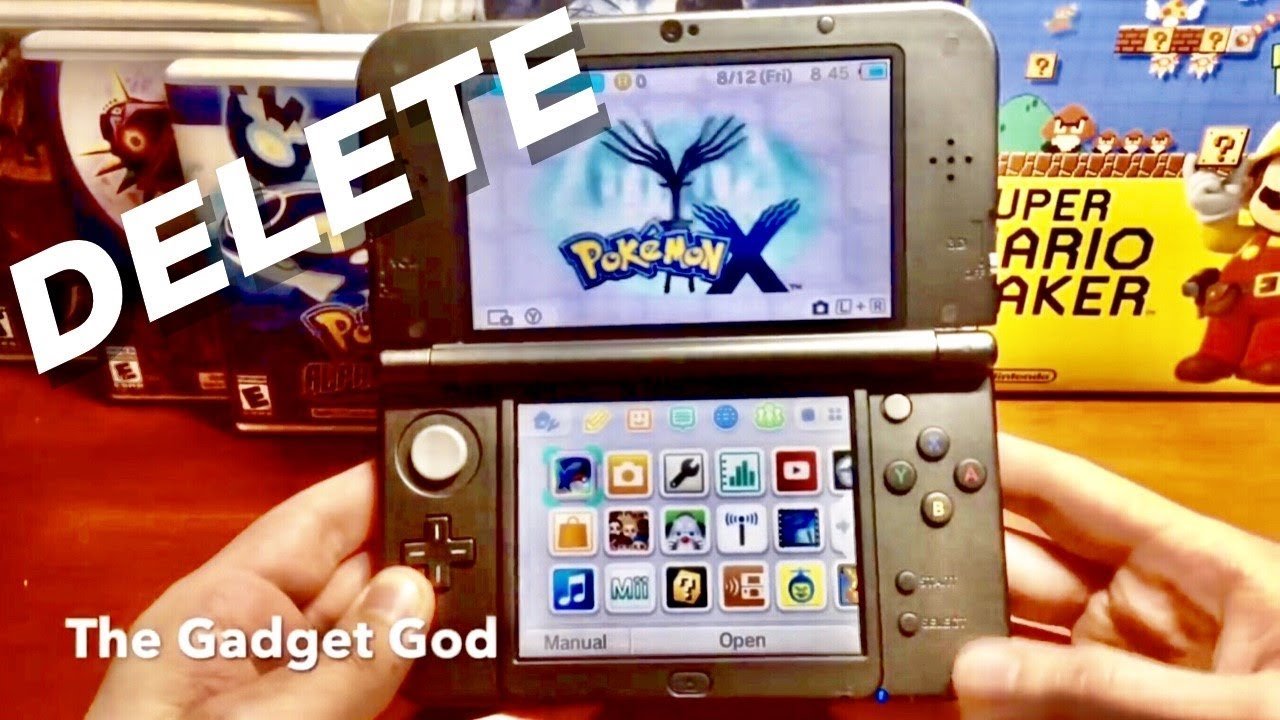
To restart a Pokémon game, you typically need to begin a new game file from the main menu, often overwriting any existing save data.
Ever felt the urge to replay your entire Pokémon journey? Maybe you want to choose a different starter or experience the story again with a fresh perspective. So, how do you restart a Pokémon game? It’s a common question, and the answer varies slightly depending on which console you’re playing on.
Don’t worry, getting back to square one is simple. We’ll guide you through the usual steps.

How Do You Restart a Pokemon Game?
Okay, so you’ve been on an amazing Pokemon journey. You’ve caught ’em all (or at least a bunch!), battled Gym Leaders, and maybe even become the Champion! But now, you’re thinking, “What if I could do it all again?” Maybe you want to pick a different starter Pokemon, try a new strategy, or just experience the game with a fresh perspective. You’re wondering, “How do I restart a Pokemon game?” Well, you’ve come to the right place! Restarting a Pokemon game is a bit different depending on which console and which game you are playing, but don’t worry, we will cover everything here.
Understanding the Need to Restart
Before we jump into the how-to, let’s think about why you might want to restart a Pokemon game. Maybe your original save file has some mistakes you’d like to correct, or perhaps you are done with the game and want to experience the game again. Here are some common reasons:
- New Game Plus: Some players like the challenge of playing through the game again with a different team or different choices.
- Choosing a Different Starter: Did you pick Bulbasaur last time but now want to try Charmander? Restarting lets you pick a new starter Pokemon.
- Making Different Story Choices: Sometimes, you want to see how things would have played out if you made different decisions.
- Fixing Mistakes: Maybe you traded away a valuable Pokemon or made some questionable battle decisions early on. Restarting gives you a clean slate.
- Shiny Hunting: Some players restart to get a shiny version of their starter Pokemon.
- Trying a Nuzlocke Challenge: These challenges change how you play the game and require restarting for a fresh start.
Whatever your reason, getting a fresh start is a great way to enjoy Pokemon games even more.
Restarting on Nintendo Switch
The Nintendo Switch is the most recent console, so let’s cover it first. How to restart Pokemon games on this console involves a few simple steps that apply across the Switch family—the regular Switch, Switch Lite, and Switch OLED. However, there’s no in-game option to restart. You’ll need to manage game save data directly from the console’s system settings.
Steps to Restart a Pokemon Game on Nintendo Switch:
Here’s how you can get back to the beginning of your Pokemon adventure on your Switch:
- Close the Game: First, you need to completely close the Pokemon game. If the game is running, press the Home button on your Switch controller. Then, highlight the game icon and press the X button. Select “Close” to make sure the game is shut down.
- Go to System Settings: From the Switch home menu, select the “System Settings” icon, it’s the gear-shaped icon at the bottom of the screen.
- Navigate to Data Management: Once in System Settings, scroll down to find and select “Data Management.”
- Select Save Data: In the “Data Management” menu, find and choose “Save Data.”
- Choose Your Pokemon Game: You will see a list of your Switch games with save data. Find and select the specific Pokemon game you want to restart.
- Delete Save Data: Now, you’ll see options related to the game’s save data. Select “Delete Save Data.” There will be a confirmation, so choose “Delete” to finalize it.
- Start a New Adventure: Now, when you start the Pokemon game again, you’ll be starting a brand new game!
Important Note: When you delete the save data, it’s gone. It’s like turning the page of a book and starting again. Make sure you are ready to say goodbye to your current save before deleting it!
Specific Nintendo Switch Games: This process works across all Pokemon games on the Switch, including games like:
- Pokemon Sword
- Pokemon Shield
- Pokemon Scarlet
- Pokemon Violet
- Pokemon Brilliant Diamond
- Pokemon Shining Pearl
- Pokemon Legends: Arceus
- Pokemon Let’s Go, Pikachu!
- Pokemon Let’s Go, Eevee!
Restarting on Nintendo 3DS
For those who are still enjoying their 3DS games, restarting is a bit similar to the Switch. There’s no in-game reset feature, so we need to use the system settings. It applies to the entire 3DS family (3DS, 3DS XL, 2DS, and 2DS XL).
Steps to Restart a Pokemon Game on Nintendo 3DS:
Here are the instructions for getting a fresh start on your 3DS:
- Close the Game: First things first, if the Pokemon game is open, close it down. Press the HOME button to return to the HOME menu. Select the game icon and then press “Close” to end the game.
- Go to System Settings: On the 3DS HOME Menu, select the “System Settings” icon. It looks like a wrench and screwdriver.
- Select Data Management: From the System Settings menu, scroll down and select “Data Management.”
- Navigate to Nintendo 3DS Data: Choose “Nintendo 3DS Data” from the options.
- Choose the Pokemon Game: Select the game you want to restart from the list of installed titles.
- Delete Save Data: Select “Delete Save Data” and confirm when the system asks.
- Start a New Adventure: Now, when you start the Pokemon game again, you’ll start from the beginning.
Important Note: Just like with the Switch, deleting save data means saying goodbye to your current game progress. Be sure before proceeding.
Specific Nintendo 3DS Games: This method works for Pokemon games on the 3DS, some of the popular titles include:
- Pokemon X
- Pokemon Y
- Pokemon Omega Ruby
- Pokemon Alpha Sapphire
- Pokemon Sun
- Pokemon Moon
- Pokemon Ultra Sun
- Pokemon Ultra Moon
Restarting on Older Nintendo Consoles (DS, GBA)
If you’re an old-school Pokemon fan using older consoles like the Nintendo DS (including DS Lite and DSi), or Game Boy Advance (GBA), the methods are a little different because these devices have older software. For these systems, the process is usually in-game.
Restarting on Nintendo DS
For the Nintendo DS, most Pokemon games have a way to start fresh using the game menu. Here’s how:
- Start the Game: Turn on your Nintendo DS and open your desired Pokemon game.
- Look for the New Game Option: If there’s no option on the game’s main menu for “New Game” or something similar, it is likely you need to delete the save data from the game’s title screen. Often this is done by pressing a combination of buttons when the game is booting up.
- Button Combinations to Delete Save Data: Each game can have a different combination. Let’s cover the more popular ones.
- Pokemon Diamond, Pearl, and Platinum: Press and hold Up on the D-pad, the B button, and the Select button at the title screen. The game will ask for confirmation to delete the save.
- Pokemon HeartGold and SoulSilver: Press and hold Up on the D-pad, the Select button, and the B button at the title screen. The game will prompt you to delete the save data.
- Pokemon Black and White, Black 2 and White 2: Press and hold Up on the D-pad, the Select button, and the B button at the title screen. The game will ask for you to confirm the deletion.
- Confirm New Game: After deleting the save data, simply start a new game.
Important Note: The button combination can sometimes be tricky, so try it a few times and press all the buttons at the same time. Ensure you don’t want the old save before deleting.
Specific Nintendo DS Games: This method works for Pokemon games on the Nintendo DS like:
- Pokemon Diamond
- Pokemon Pearl
- Pokemon Platinum
- Pokemon HeartGold
- Pokemon SoulSilver
- Pokemon Black
- Pokemon White
- Pokemon Black 2
- Pokemon White 2
Restarting on Game Boy Advance
The Game Boy Advance games are the oldest on this list. They also usually have a reset option in the game. Here’s how:
- Start the Game: Turn on your Game Boy Advance and load the Pokemon game you want to restart.
- Look for the New Game Option: Similar to DS games, there will usually be a “New Game” option on the main menu. However, the method to reset the game is also similar: You need to press certain button combinations to delete a current game save and start a fresh game.
- Button Combinations to Delete Save Data: Each game can have a different combination, let’s cover the most popular ones.
- Pokemon Ruby, Sapphire, and Emerald: Press and hold Up on the D-pad, B button, and Start button at the title screen. The game will prompt you to confirm the deletion.
- Pokemon FireRed and LeafGreen: Press and hold Up on the D-pad, B button, and Select button at the title screen. The game will prompt you to confirm the deletion.
- Confirm New Game: Once you confirm to delete the save data, the game will begin anew.
Important Note: For GBA games, make sure to hold down the buttons all at the same time. These games have simpler reset procedures, and the above methods are the standard for most of them.
Specific Game Boy Advance Games: This is how you restart some of the more popular games.
- Pokemon Ruby
- Pokemon Sapphire
- Pokemon Emerald
- Pokemon FireRed
- Pokemon LeafGreen
What About Pokemon Games on the Virtual Console?
If you own a 3DS and have downloaded older Pokemon games via the Virtual Console (like the original Pokemon Red, Blue, and Yellow), restarting is handled in the same way as other 3DS games. Follow the instructions listed above under the Nintendo 3DS section.
Restarting Digital Games vs. Physical Games
Whether you have a physical cartridge or a digital download, the steps for restarting are usually the same. The key thing is managing the save data either through the system settings or within the game. For physical cartridges, the save is kept on the cartridge itself. So, deleting from a Switch or 3DS deletes the save from that cartridge, not from the system. For digital versions, the save data is tied to your account on the system, but the reset method is still the same.
Backing Up Your Pokemon Saves (If Possible)
Unfortunately, official Nintendo Pokemon games don’t have a built in cloud saving or save export option. This means that once a save file is deleted, it’s gone for good. Always be certain that you want to restart a game before going through with it. There are some ways to backup saves if you are using custom firmware on the Switch or 3DS, but that is outside the scope of this article and is not recommended for casual users.
Pokemon How To Delete Save Scarlet and Violet
Final Thoughts
To restart a Pokémon game, you usually begin by deleting your existing save data. The specific process varies slightly based on your console. Generally, you will find an option within the game’s settings or on the console’s main menu.
For most Nintendo systems, you hold specific button combinations when the game starts, then follow the on-screen instructions. This will overwrite your current gameplay progress, starting you afresh. Remember, you permanently lose current progress when you choose ‘how do you restart a pokemon game’.

