
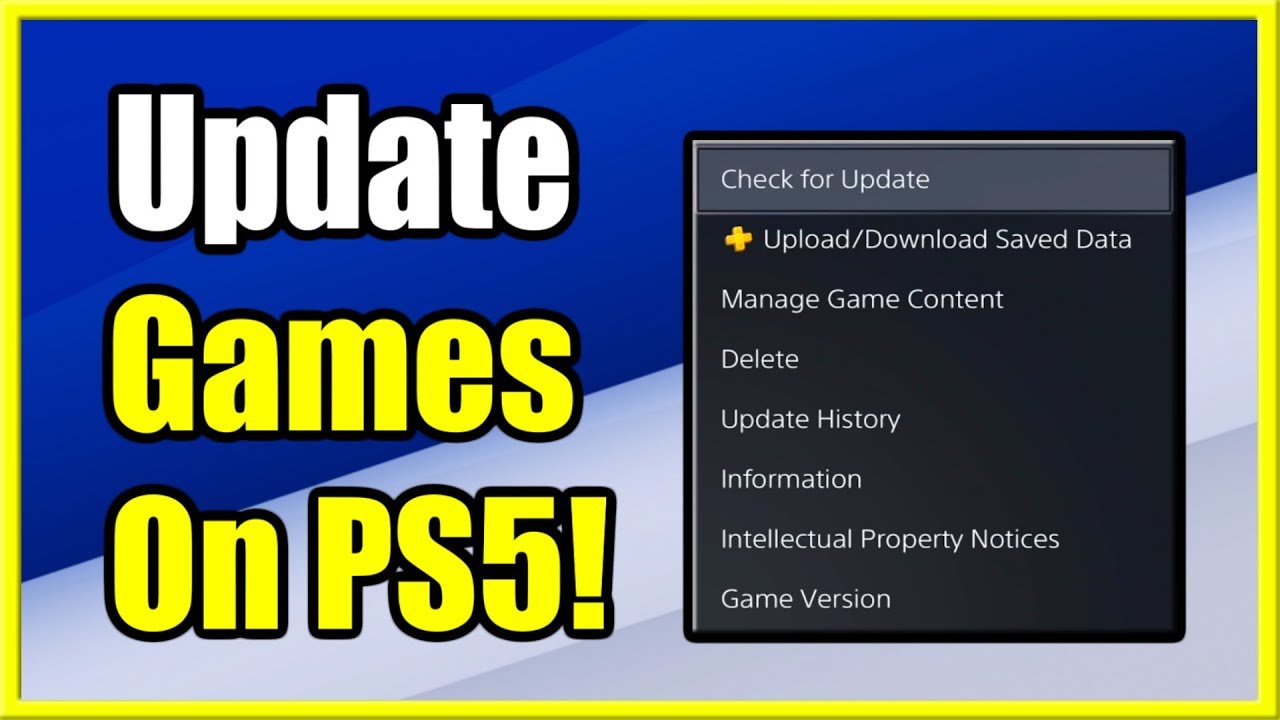
To update a game, typically you download and install the newest version provided by the game’s platform or developer.
Ever found yourself wanting the latest features or fixes in your favourite game? Then you’re probably wondering, ‘how do you update a game’? It’s a common question with a simple answer. Usually, the process is automatic through your console or PC’s gaming platform.
Sometimes, a manual update might be required if the automatic one fails. So knowing where to find the game update is key. Different game platforms provide different user interface for this process.

How Do You Update a Game?
Updating a game might seem like magic, but it’s actually a carefully planned process that game developers use to make their games better. Think of it like giving your favorite toy a cool upgrade! They might add new levels, fix annoying glitches, or even change the way the game looks. Let’s dive into the different parts of how this whole process works.
Why Do Games Need Updates?
Games aren’t perfect when they first come out. Sometimes, there are small problems called “bugs” that make the game act weirdly. Maybe a character gets stuck, or the game crashes unexpectedly. Updates help developers squash those bugs and make the game smoother to play. Imagine trying to build a super tall tower, but some of your blocks are wobbly! Updates are like fixing those wobbly blocks so your tower stands tall and strong. Also, sometimes players want to see new things in the game, and developers use updates to add new levels, characters, weapons, or even whole new ways to play. Finally, game technology is always changing, so updates can help keep the game running well on new devices.
Bug Fixes and Performance Improvements
One of the most common reasons for a game update is to fix bugs. These can range from small graphical glitches where things look strange, to major game-breaking issues where you can’t even play. Game developers spend a lot of time finding and fixing these bugs before they release an update. This usually involves a lot of testing. Think of it like a detective looking for clues to solve a mystery. They try different things, find the problem, and then figure out the best way to fix it.
Performance is also a huge factor. Sometimes a game might run slowly or “lag” on certain devices. Updates can include changes that make the game run faster and use less processing power. It’s like tuning up a car so it goes faster with less gas. This ensures that everyone can have a smooth gaming experience, no matter what type of phone or computer they have.
Adding New Content and Features
Updates also bring exciting new content to a game! This can be anything from new levels or maps to brand-new characters or gameplay modes. For example, a racing game might get a new track, or a role-playing game could get a new story chapter. These additions keep the game fresh and fun, giving players more reasons to keep playing and explore the game’s world. Developers often pay close attention to what players want and what their feedback is, using that information to plan these additions. Think of it as getting a brand-new toy that you didn’t expect – it makes playtime even more exciting!
Balancing Gameplay
Sometimes, developers realize that certain parts of the game might be too easy or too difficult. Updates can make changes to gameplay so that everything is more balanced. This might mean making some characters weaker, some items more powerful, or adjusting the challenge in a certain level. Imagine a game where one character is always winning. That wouldn’t be very fun for everyone else! Balancing updates make sure everyone has a fair chance and that the game is enjoyable for all players.
The Process of Game Updating
Updating a game isn’t just about flicking a switch. It’s a detailed process that developers follow step-by-step. Let’s take a peek behind the scenes:
Planning and Development
It all starts with planning. Developers discuss what needs to be fixed, what new content to add, and how to make the game better. They look at player feedback, bug reports, and data on how people are playing the game. Once they’ve decided what to change, they start designing and creating the update. This can include programming new code, drawing new art, or even writing new stories. Imagine a team of builders all working together to improve their structure.
Testing the Update
Before an update goes out to everyone, it’s important to test it thoroughly. This helps catch any new bugs or issues that may have been created while making the update. Game companies usually have testers who play through the update many times, looking for problems. They play the game just like regular players would, but they’re also very careful to look for any mistakes. This testing helps make sure that when the update does come out, it’s as smooth and bug-free as possible.
Rolling Out the Update
Finally, after all the testing is done, the update is ready to be released. This is when it becomes available for players to download and install. The release process may differ between different games and devices. Usually, the game will alert you that an update is available when you open it. When you agree to install it, the update is downloaded and installed on your device. It’s like getting a new chapter for your favorite book – it’s ready for you to enjoy!
Staged Rollouts
Sometimes, developers will use a staged rollout for their updates. This means they don’t release the update to everyone at the same time. Instead, they might start with a small group of players and then gradually make it available to more people over time. This helps them keep an eye out for any major problems and fix them before they affect all players. Think of it like testing a new recipe on a few friends first before cooking it for a big party!
Types of Game Updates
Game updates can come in different shapes and sizes. Here are some of the common types:
Patches
Patches are usually smaller updates designed to fix specific bugs or issues in the game. They are like quick repair jobs to keep things running smoothly. They might address a problem that’s crashing the game or fix an exploit that gives some players an unfair advantage. Patches are important to make sure that the game is stable and that everyone has a fair and enjoyable experience.
Content Updates
Content updates are bigger updates that add new things to the game, like new levels, characters, or gameplay modes. They provide fresh content and keep players engaged. Imagine your favorite toy getting a new set of accessories – this keeps it interesting and extends the fun. Content updates are a way for developers to constantly make their games feel fresh and exciting.
Major Overhauls
Sometimes, games receive major overhauls or updates. These are massive updates that make significant changes to the game, even completely changing parts of it. This could include updated graphics, entirely new gameplay mechanics, or even changes to the game’s story. Major overhauls often come after a game has been out for a long time, to make the game feel new and exciting to veteran players and to attract new players.
How Game Updates Affect You
Game updates can have a big impact on your gaming experience, both good and sometimes challenging. Here’s what you need to know:
Improvements to Gameplay
The most obvious impact of updates is that they often make the game better. Bug fixes mean less crashing and fewer problems with the game. Performance updates make sure the game runs smoothly, and balance adjustments make the game more fair. It’s all about having the best possible playing experience. You’ll find that most of the time, updates make playing the game much more enjoyable.
Introduction of New Content
New content updates bring fresh things to explore. New characters to try, new challenges to face, and new stories to play through – all added to make the game feel exciting and new. These updates give players more things to do and more ways to have fun with the game. It’s like getting a new gift that keeps your game adventure going.
Potential for Issues
It’s important to realize that sometimes, even with all the testing, new updates can bring new problems. It’s possible that a new bug could sneak in or that the update might not work perfectly on all devices. Fortunately, these issues are usually rare, and developers often release quick patches to fix them. It’s like when something new is built and there are still some small things that need adjusting after it’s finished. It’s not unusual, and is often quickly fixed by developers.
Compatibility Issues
Sometimes, updates can create issues with older devices. If your device is very old, it might not be able to run the updated game properly. This is why it’s important to check the update information and system requirements. It’s like trying to use a brand new program on a very old computer – sometimes it just doesn’t work right.
Understanding Game Update Versions
Game updates often come with version numbers that help you track the game’s changes. These version numbers usually consist of numbers and are designed in a specific pattern that developers follow.
Major and Minor Versions
Version numbers typically have at least two parts separated by a dot: for example, 1.2, 2.0, or 3.5. The first number (like 1, 2, or 3 in the examples) usually refers to major updates that introduce large changes or new features. The second number refers to minor updates or patches that are mainly designed to fix bugs or make small improvements. When the first number changes, it means a significant alteration to the game has been made. If the number after the dot is what’s changing, that means a minor update.
What Version Numbers Mean
When you see version numbers, you can tell how big the changes in a specific update are. For example, going from version 1.0 to 1.1 means a patch or small improvement. However, going from 1.0 to 2.0 means a major overhaul with new features. Keeping track of these numbers will give you a better idea of how the game is evolving over time. It’s like looking at a plant growing – you can see if it has just gotten a little bigger or if it has sprouted a whole new branch.
How To Install a Game Update
Installing a game update is usually very easy. Here’s how it works:
Automatic Updates
Many games use automatic updates. This means that the update will download and install automatically when your device is connected to the internet. This often happens when you are not actively using the game, in the background. When the update is complete, the next time you open your game, you will be playing the updated version! This makes updating seamless and very simple to handle.
Manual Updates
Sometimes, you may need to manually install a game update. This usually means you need to go to the app store or game platform to find and download the update. Here are some common platforms and how to check for updates on them:
- Mobile Devices (iOS/Android): You can check for game updates in the app store. Go to the “Updates” section, where you’ll see a list of games with available updates.
- PC (Steam, Epic Games Store, etc.): Game platforms on your computer will typically show updates in your library. You may need to manually start the update process or click the ‘Update’ button.
- Consoles (PlayStation, Xbox, Nintendo): Your console will often download and install updates automatically. Sometimes, you may have to go into your game library to check if any updates are available for specific titles.
Remember to always download your game updates from the official sources or app stores to avoid any security risks. It’s like making sure you get your snacks from a real store, not from a stranger!
The Role of Player Feedback
Game developers are not working in a vacuum. Player feedback is very important for guiding updates and the direction of games in general. Let’s see how that works:
Bug Reporting
Players can help developers a lot by reporting bugs that they see in the game. Developers rely on players to help them identify and fix problems. If you encounter an issue, it’s very helpful to report it, so that the developers can fix it in a future update. Many games have a specific way to report bugs – sometimes inside the game, on the game forum, or on their website. Reporting bugs is like being a helper for the game developers!
Feature Requests
Players can also suggest new features or changes they would like to see in the game. Developers often listen to these suggestions and implement changes that are popular. If enough players want a specific new character or game mechanic, developers may include it in an update. This ensures that players have a say in how the game develops over time. This is like saying what you would like to see in a toy and the designers may add it!
Community Forums and Social Media
Many games have online communities where players can share their feedback and opinions. Developers often use these channels to gather information and interact with players. Forums and social media are excellent places to discuss the game, share your thoughts, and see what others are saying. This can influence updates and help the game to grow. Game developers are always listening to the community.
Updates are essential to keep games running smoothly and feeling exciting. They make games more fun, more stable, and allow them to grow and change over time. Whether it’s a small patch or a major overhaul, each update brings something new to the table. It’s all about making sure that the games we love are always evolving and improving.
PS5: How to Turn on Automatic Downloads & Updates Tutorial! (For Beginners)
Final Thoughts
Updating a game usually involves downloading and installing the newest files provided by the developers. These files contain bug fixes, new content, or gameplay improvements. The process is often automatic through your game platform, but sometimes manual updates are required.
You might need to visit the game’s official website or application store to check for an available update. Usually, a prominent button prompts the update. You just must click and the game will handle it.
So, in essence, how do you update a game? It depends on the specific title and your gaming platform, but it’s mainly a process of downloading and installing the latest patch.

