
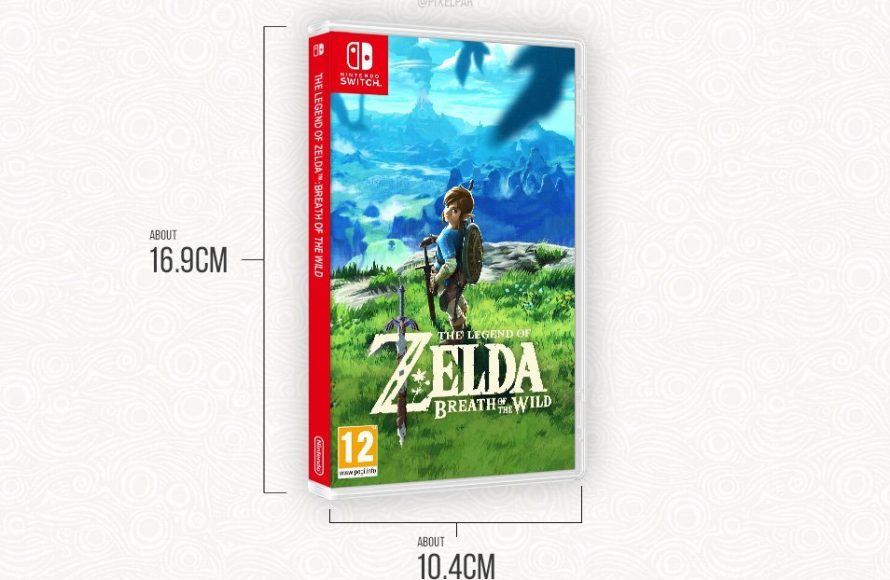
Nintendo Switch game sizes vary considerably, from a few gigabytes for smaller indie titles to over 20 gigabytes for larger AAA games.
Ever wondered just how much space those exciting Nintendo Switch games actually take up on your console? It’s a common question, especially when you’re trying to manage storage. So, let’s dive into exactly how large are nintendo switch games and what you can expect.
The file size will depend on the game itself. Some digital downloads are quite small, perfect for a quick gaming session, while others are packed with content requiring a significant amount of space.

How Large Are Nintendo Switch Games?
Alright, let’s talk about how much space those fun Nintendo Switch games take up! When you’re thinking about buying a new game, or downloading one from the eShop, it’s important to know how much room you need on your Switch. It’s like figuring out how much stuff you can fit in your backpack before a big trip – nobody wants to run out of space! So, let’s dive into the world of Nintendo Switch game sizes and understand what’s going on.
Understanding Game Size Basics
Before we get into specific games, let’s talk about the general idea of game sizes. When we say a game is a certain size, we’re talking about how much data it needs to be stored. This data includes things like the game’s artwork, the sounds, music, and the program that makes the game work. This is usually measured in megabytes (MB) or gigabytes (GB). Think of a megabyte like a small box of toys, and a gigabyte as a big closet full of toys. Games need space to live on your Nintendo Switch, just like toys need a place in your room.
What Affects Game Size?
Several things affect how big a game is. Here are a few key factors:
- Graphics: Games with super detailed, fancy graphics, like those in The Legend of Zelda: Breath of the Wild, tend to be larger than games with simpler graphics, like some older-style retro games. It’s like comparing a detailed painting to a simple drawing; the painting takes up more space!
- Sound and Music: Games with lots of music tracks, voice acting, and sound effects will also take up more space. Imagine all those instruments and voices needing a spot to be saved – they add up!
- Game Length and Content: Games with lots of levels, characters, and story usually need more space because there’s more data for all that stuff. A game with one level will be smaller than a game with 100 levels.
- Type of Game: Some game types, like big, open-world adventures, naturally have a large game size because of all the places you can explore. Puzzle games or small indie games will often be on the smaller side.
Physical vs. Digital Games
Now, here’s an important difference: physical games and digital games. When you buy a physical game on a cartridge, the game data is mostly stored on that cartridge. This means it doesn’t take up much space on your Switch’s internal storage. However, some physical games still have additional download requirements, like updates or extra content. Digital games, which you download from the Nintendo eShop, use up the storage space directly on your console. Let’s explore the nuances further:
Physical Cartridge Games
These are the games you buy in the store that come in a little plastic case. The game data is mostly on the cartridge, so you don’t usually need to worry about your console’s storage right away. However:
- Day One Patches: Sometimes, even physical games need an update download from the internet before you can play them. These updates can take up space on your Switch, although usually not as much as the entire game itself.
- Downloadable Content (DLC): If you buy extra content for a physical game, like a new level or character, that will need storage space.
Digital Download Games
These games are downloaded directly to your Nintendo Switch from the eShop using the internet. These are what require more careful planning as far as storage:
- Space is Key: Since digital games are directly stored on your console or SD card, each one takes away from your total storage space.
- Convenience: The upside is that you don’t have to switch cartridges to play a different game. You can easily pick your game from the Switch menu.
Average Nintendo Switch Game Sizes
Let’s talk numbers! It’s hard to give exact sizes because each game is different, but here’s a general idea of what to expect:
Small Games (Indie Games and Simple Titles)
These games tend to be the smallest in file size. Examples include puzzle games, older retro-style games, and smaller independent games.
- Typical Size Range: 100 MB to 1 GB
- Examples: Stardew Valley (around 500 MB), Hollow Knight (around 10 GB), some classic arcade collections (between 200MB-600MB)
- Good for: People with limited storage space or who just want quick and easy games to play.
Medium-Sized Games (Many Mainstream Titles)
Many Nintendo Switch games fall into this category, they are not small but not as large as the biggest games.
- Typical Size Range: 1 GB to 7 GB
- Examples: Mario Kart 8 Deluxe (around 6.75GB), Super Mario Odyssey (around 5.7 GB), Animal Crossing: New Horizons (around 6.2 GB), Luigi’s Mansion 3 (around 6.3 GB)
- Good for: Most people will be able to have a good library of these games stored on their consoles, even with the base 32GB of space.
Large Games (Big Adventures and Detailed Worlds)
These are the big games that require significant storage space because they are very detailed.
- Typical Size Range: 7 GB to 15 GB or even larger.
- Examples: The Legend of Zelda: Breath of the Wild (around 14.4 GB), The Witcher 3: Wild Hunt (around 31 GB when you include necessary updates), DOOM Eternal (around 18GB).
- Good for: People who want those grand, immersive experiences but have space on their console or a good SD card to store them.
Really Big Games (Special Cases)
Some games are just unusually large for various reasons.
- Typical Size Range: 15 GB+
- Examples: Some games can exceed 20 or 30GB or even more, particularly those with extensive updates or massive open-worlds. Some of the newer RPG titles sometimes fall in this category as well, requiring a big chunk of storage.
- Good for: People with a huge microSD card or a very specific desire to play these games on the go.
How Much Storage Does the Switch Have?
The Nintendo Switch comes with a limited amount of built-in storage. The original Nintendo Switch and Nintendo Switch OLED have 32 GB, but about 6 GB of that is used by the system software so you get about 26GB of actual storage. The Nintendo Switch Lite has the same 32GB, with similar amount of system usage and available storage.
To put this into perspective:
- Base Switch Models: Around 26 GB of usable space.
- Nintendo Switch OLED: Around 26 GB of usable space.
- Nintendo Switch Lite: Around 26 GB of usable space.
This means that without an extra SD card, you might only be able to have a few larger games installed. Luckily, you can increase storage, which we’ll cover next.
Expanding Storage with a MicroSD Card
The good news is that you can easily increase your Switch’s storage space using a microSD card. Think of it as giving your Switch a bigger backpack for all those games! This is a must for anyone who wants to download a lot of games from the eShop.
Different Types of MicroSD Cards
There are different types of microSD cards, each with its own specs:
- SDHC Cards: These cards have storage capacities between 4GB and 32GB. This might not be enough if you plan on downloading several big games
- SDXC Cards: These cards can hold between 64GB and 2TB of data. This is what is commonly used these days and what most people should use.
Choosing the Right MicroSD Card
When you are shopping for a microSD card, keep these points in mind:
- Storage Space: Think about how many games you plan to download. If you like having many games on your system, then get a large storage microSD card with 256GB, 512GB or even 1TB of space. If you only play a few games at a time, 128 GB or 256GB might be sufficient.
- Read/Write Speed: While the Switch doesn’t need super-fast speeds, a card with a decent speed rating (look for UHS-I) will help your games load and save without delay.
- Brand and Reliability: Stick with reputable brands like SanDisk, Samsung or Kingston, to avoid possible issues. Don’t take a chance with brands you aren’t familiar with
How to Install a MicroSD Card
It’s super simple to install a microSD card:
- Turn off your Nintendo Switch completely.
- Locate the microSD card slot. On the Nintendo Switch it’s located under the kickstand. On the Switch Lite, it’s on the bottom.
- Carefully insert the microSD card into the slot, making sure it’s correctly aligned.
- Turn your Switch back on and it should recognize your new card. Now you’ll be able to start downloading all your favorite games.
Managing Your Storage Space
Now that you know about game sizes and storage options, let’s talk about how to manage your space efficiently:
Checking Storage Space
The first step to managing storage is to know how much space you have:
- Go to the home menu and then select the ‘System Settings’ icon.
- Select ‘Data Management’ then select ‘Manage Software’.
- Here you will see the games you have installed and how big they are. You’ll also be able to see how much space you have remaining.
Archiving Games
If you need some space but don’t want to delete a game completely, you can archive it:
- From ‘System Settings’ go to ‘Data Management’. Then select ‘Manage Software’.
- Select the game you want to archive.
- Select ‘Archive’ and this will remove the game data, but keep the icon on the Home Menu. It’ll have a download icon.
- If you wish to play the game, you can simply select the icon and the game will download again to be played.
Deleting Games
Sometimes, archiving isn’t enough. To remove games entirely:
- Go to System Settings > Data Management > Manage Software.
- Select the game you want to delete and select ‘Delete Software’.
- The game is removed. If you bought this digitally, you can always re-download it without cost again from the eShop
Game Size Examples: A Quick Reference
Let’s take a quick look at some popular games and their approximate file sizes to give you a clear picture.
| Game Title | Approximate Size |
|---|---|
| The Legend of Zelda: Breath of the Wild | 14.4 GB |
| Super Mario Odyssey | 5.7 GB |
| Animal Crossing: New Horizons | 6.2 GB |
| Mario Kart 8 Deluxe | 6.75 GB |
| Stardew Valley | 500 MB |
| Hollow Knight | 10 GB |
| The Witcher 3: Wild Hunt | 31 GB |
| DOOM Eternal | 18 GB |
These numbers are approximate and can vary slightly based on updates and downloaded content. But they give you a good idea of what to expect when you are deciding what games to get for your Nintendo Switch.
So, there you have it! Understanding how big Nintendo Switch games are can help you plan your storage and have a smoother gaming experience. Whether you stick to physical games or embrace the world of digital downloads, knowing the size of your games ensures you have room for all the adventures you want to take. Remember to get a microSD card if you want to download a lot of games!
BIG Nintendo Switch 2 Confirmed LEAK & Games Update…
Final Thoughts
Nintendo Switch game sizes vary considerably. Cartridge games range from a few gigabytes to over 30GB, while digital downloads can be even larger. Actual file size depends on the game’s complexity and content.
Therefore, when considering how large are nintendo switch games, know that space is crucial. It’s best to check individual game requirements before purchasing or downloading. A larger microSD card is always recommended.

