
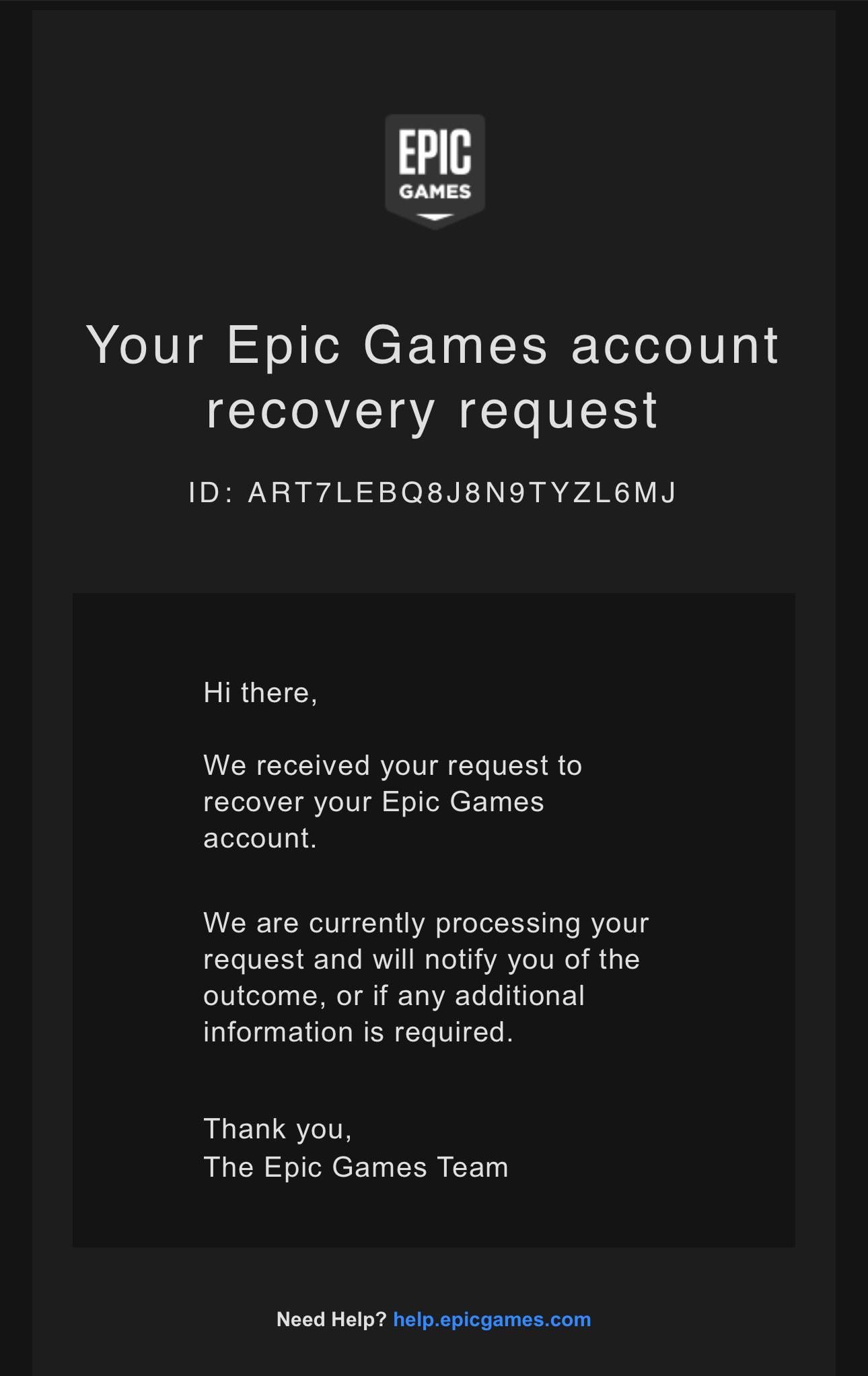
Epic Games’ response time varies, but generally, you can expect a reply within a few days, though it might take longer during peak times.
Dealing with customer support can sometimes feel like shouting into the void, especially when you’re eager to get back into your favorite game. So, you’re likely wondering, how long does Epic Games take to respond? It is a common question for many players and this post addresses it.
Let’s face it, needing assistance can be frustrating. We explore the typical wait times involved so you can have some realistic expectations when contacting their support team. We are all gaming enthusiasts here, after all.

How Long Does Epic Games Take To Respond?
Ever sent a message to Epic Games support and then waited… and waited? You’re not alone! Many gamers wonder about the typical time it takes for Epic Games to get back to them. It can feel like an eternity when you’re eager to play or have a problem that needs fixing. Let’s dive into what affects their response time and how you can make the process smoother. Understanding the factors can really help manage your expectations and get your game back on track faster. So, let’s explore the details of how Epic Games handles customer support and what you can expect.
Understanding Epic Games Support Structure
Before we talk about time, it’s helpful to know how Epic Games organizes its support system. Think of it like a big team working hard to help lots of players. They have different departments that handle different kinds of issues, such as account problems, technical glitches, or in-game questions. This means your message will go to the right team who knows how to help you best. They’re always working hard, but sometimes things can get a little busy, especially when a new game or update comes out.
Types of Support Queries and Their Impact
The kind of message you send to Epic Games greatly affects how quickly you will get a response. Some issues are quick to resolve, while others require a lot more investigation. Here’s a breakdown:
- Simple Account Questions: These are often the quickest to handle. Things like changing your password or basic account info can often be answered using their help pages.
- Technical Glitches: Problems with your game crashing or having technical problems may take more time to investigate, as it often involves checking your system and game files.
- Billing and Payment Issues: These issues need special care and attention from Epic’s team, often resulting in slightly longer times because they need to verify the details and resolve payment related matters properly.
- Reports of Cheating or Misconduct: These are usually handled by a special team, and the response time can vary. It usually involves investigations to make sure they are handled fairly and effectively.
- In-Game Bug Reporting: Reporting a bug can take time because the team needs to reproduce the bug, figure out why it’s happening, and then find a fix, and testing of fix also consumes time.
It’s worth considering that simple requests will often get a quicker turnaround. If it is something more complicated, it will need more time for Epic’s team to find the right solution.
Average Response Times
So, you want to know – how long will you actually have to wait? There is no magic number, as it can change depending on factors we have discussed already. However, here’s a general idea of what you might experience:
Typical Response Time Windows
These timeframes can fluctuate based on various reasons. Epic Games generally strives to get back to everyone as quickly as they can. They also do their best to sort through all the requests in an efficient way, so that users receive a helpful answer.
- Initial Acknowledgment: Often, you will receive an automated message shortly after sending in your request, which confirms they got your message. That doesn’t mean they’ve read it, it just means it has been logged to their system.
- Standard Response: For simple account or game-related questions, you might receive a proper answer in 1 to 3 business days.
- More Complex Issues: For issues that involve technical problems, or billing problems, or reports of bugs, you can expect a response in 3 to 7 business days.
- High Demand Periods: During periods when a big update or new game is launched, it may take longer to get a response. During these times, the response time may stretch out longer than usual due to increase in number of support requests.
It’s best to keep in mind that these are just average times. There can be times when responses are quicker, and times when they take a bit longer. The best way to get an idea of current support times is to keep up-to-date with any public statements made by Epic regarding support volume.
Factors That Affect Response Time
Several things can cause a delay in getting a response from Epic Games support. Understanding these factors can make you a bit more patient.
- Volume of Support Tickets: Like any support center, the more people who send in messages, the longer it takes to get through them all. This often happens after game updates or when there are widespread issues.
- Complexity of Your Issue: As we discussed earlier, more complex problems will simply require more time to investigate and solve.
- Time of Year: During major holidays or school breaks, support teams may have fewer staff available. They might also be managing larger volumes of support requests at these times.
- Day of the Week: Responses may be a bit slower over the weekend since many businesses have fewer staff or smaller team support available during weekends.
- Your Communication Clarity: Submitting a clear description of your issue greatly helps in reducing the time that a representative has to ask for more details. If your initial message is clear, then the team is able to investigate your issue without having to go back and forth asking for more information.
By keeping these factors in mind, you can understand why it may take a certain amount of time to receive a response, and this can also reduce your frustration levels.
How to Make Your Support Experience Smoother
While we can’t make Epic Games respond faster magically, we can definitely be smart about how we approach support, to reduce the time it takes to get the help we need. Here’s how you can increase your chances of a quick and helpful answer.
Tips for Submitting a Good Support Request
The more information you provide, the easier and quicker it is for Epic Games support to assist you. Here are some pointers:
- Be Specific: Don’t just say “my game is broken.” Instead, give precise details like “Fortnite is crashing on startup after the recent update, error code XYZ.” Try to include specific error codes, names of characters, names of areas, etc to help the support team pin point where the problem is occurring.
- Use Clear Language: Write your message clearly, using simple language and avoid using jargon. The clearer your message is, the easier it is for them to understand your problem. This reduces the chances of them having to ask you for more clarification, saving time for both of you.
- Provide Relevant Details: If it is a technical problem, include details about your system specs, operating system, and game version. This information allows the support team to narrow down your specific problem.
- Screenshots or Videos: Pictures and videos can be incredibly helpful in certain situations. If you are experiencing a visual problem, a screenshot or short video can help to communicate your problem much better. This saves time by immediately showing the support team exactly what problem you are encountering.
- Check the Help Pages First: Before you send a message, take a quick look at Epic’s help pages. They have solutions for many common problems, and sometimes, you might find your answer there immediately. This will save you and the support team a lot of time.
The more organized and clear your request is, the faster the support team can investigate your problem and come up with a solution for it. Also remember to be polite and patient, as being rude or impatient can sometimes slow down the process.
Where to Look for Answers While Waiting
While you are waiting for the support team to respond to you, you might want to try looking for other sources of help, that might address your problem or at least allow you to find temporary workarounds. Here are some resources to look at:
- Epic Games Help Center: Epic has a huge library of articles that cover almost every aspect of their games and services. Start there first, as you might find your answer straight away.
- Community Forums: Epic Games has an active community. Check out their forums or subreddits dedicated to your specific game. You might find other players who have had the same issue and have found a way to fix it.
- Social Media: Sometimes, important information and updates are posted on Epic’s social media channels, or by the games themselves. You can check if they have any announcements about known issues and fixes.
- Friends: Ask your gaming friends or community to see if they have experienced the same issue, and if they know how to fix it. Sometimes just speaking to other gamers can help you find solutions or temporary workarounds.
These different channels can often provide information and help while you wait for support, which can make the waiting process much more bearable.
What To Do If You Don’t Hear Back
Sometimes, despite your best efforts, a response doesn’t arrive as expected. Don’t worry; you have options if it has been longer than you would expect to wait.
Escalating Your Issue
If a reasonable amount of time has passed and you haven’t heard back from the support team, you have some steps you can take.
- Follow Up: After a week, if you’ve not heard back from the support team, you can send a follow-up email to them. Be polite and just explain that you’re following up on your original query, provide the original message ticket number, and briefly restate the problem.
- Social Media: Sometimes, if other options have failed, you can try to reach out to them via social media like their official Twitter account or their official Facebook page. It is not always guaranteed that you will get an individual support response via these channels, but they can sometime be useful for getting attention to your issue. Remember to be polite and avoid going into a full rant on social media.
- Check Spam Folders: Before you go sending further follow up emails, make sure you check your email spam folder and your deleted emails folder, to ensure the response from the support team isn’t waiting in these areas.
- Be Patient: Remember that Epic is handling a lot of requests from a huge player base. While it is completely fair for you to expect a response, you may have to allow for a little extra time to allow them to assist you properly.
The team does try to respond to all requests, but sometimes the system may not be perfect, and your issue may have been missed. Following these steps should ensure that you get your problem investigated and resolved.
Keeping Track Of Your Requests
Managing multiple support requests can get a little confusing. Using these tools can help you keep better track of what’s going on with them.
Using Ticket Numbers and Reference Numbers
When you send a message to support, you will usually get a ticket number or a reference number. Keep this safe and make a note of this. The ticket number allows you to track your issue, and reference this with any follow-up messages that you might send to them.
- Keep a Record: Keep a record of the initial message you sent, the date you sent it, and the ticket number, so you can refer back to this information. You can do this by saving your support ticket confirmation emails.
- Reference in Follow-Ups: If you do follow up, make sure to include the ticket number. This will help the support team to track your request much quicker.
By keeping track of your ticket number, you are making the job of the support staff a lot easier, which increases the chances of you getting your issue resolved faster. Also, it will make you better organized and more confident in keeping track of your requests.
Dealing with support requests can be frustrating, but knowing how Epic Games handles them, and using the strategies outlined here, should make the whole process much smoother. It’s not about expecting immediate responses but about understanding the process and what you can do to help. With a little patience and a well-crafted message, you’ll be back in your favorite game in no time.
Contact Epic Games/Fortnite Support in 2024!
Final Thoughts
Typically, Epic Games’ response time varies. Complex issues might require more time for investigation. Expect a delay during peak periods or if they have a large volume of support requests.
For simple inquiries, you might hear back within a day. However, more complicated matters could take several days or even a week. Ultimately, how long does epic games take to respond depends on the case specifics and their current workload.

