
Approximately 15-20 Xbox Series X games can fit on a 1TB hard drive, but this varies greatly depending on game size.
Thinking about diving into the world of Xbox Series X but wondering about storage? It’s a common question: how many games can 1tb hold xbox series x? The console has a 1TB internal drive, and while that seems like a lot, modern game sizes can be pretty hefty. You will find some games taking up a substantial amount of space.
The number of games will vary, some smaller indie titles might be under 10GB, while AAA games can easily exceed 100GB. So, planning your storage is important to get the most from your console.

How Many Games Can 1TB Hold on Xbox Series X?
Okay, so you’ve got an awesome Xbox Series X, and you’re ready to jump into some gaming fun. But, you might be wondering, “How many games can I actually fit on that 1 terabyte (1TB) hard drive?” It’s a great question, and the answer isn’t as simple as a single number. Let’s dig in and find out!
Understanding the 1TB of Storage
First, let’s talk about what 1TB actually means. 1TB stands for 1 terabyte, and that equals about 1000 gigabytes (GB). Think of it like this: a gigabyte is like a big box, and a terabyte is like a huge truck full of those boxes. That’s a lot of space! But, it’s important to note that the Xbox Series X does not offer the full 1TB for game storage.
Usable Storage vs. Total Storage
The Xbox Series X has a 1TB Solid State Drive (SSD) but about 198GB of that space is used for system files and other essential things the console needs to run properly. That leaves us with approximately 802GB of usable space for games, apps, and other content. It’s a bit like having a big storage room where some of the space is used to hold the cleaning equipment, leaving less space for your stuff. So, when we talk about how many games you can fit, remember we are talking about that usable 802 GB, not the total 1TB.
Game File Sizes: The Real Variable
Now, here’s where things get interesting: not all games are created equal when it comes to file size. Some games are small, like little puzzles, and some games are huge, like massive adventures across different worlds. The file size of a game is affected by lots of things, like how detailed the graphics are, how long the game is, and how many things it has in it.
Examples of Game Sizes
To get a better idea of how many games we can fit, let’s look at some examples of different game sizes:
Smaller Games: Some games, especially older games or indie titles, might only be around 5GB to 20GB. Examples would be some puzzle games, platformers, or retro-style games.
Mid-Size Games: These are the more common games, often ranging from 30GB to 60GB. Many sports games, action games, and RPGs might fall into this category.
Larger Games: Big, super detailed games can take up a lot of space, sometimes 80GB to 100GB, or even more! Huge open-world games or next-gen experiences tend to be on the larger end. Some can get even bigger if they have really detailed graphics, lots of music, and large worlds. Examples of these games would be, for instance, Call of Duty and Starfield.
How Game Updates Affect Storage
It’s not just the initial game size we need to think about. Games get updates, patches, and extra content sometimes (which is called downloadable content or DLC), which can take up more space. So, while a game might be 50GB when you first download it, it could become 60GB or 70GB after a few updates. It’s good to keep this in mind when planning what you install on your console.
Estimating How Many Games Fit
Okay, let’s get to the fun part: How many games can you probably store on your Xbox Series X’s 802GB of usable space? It is important to understand that this is an estimation since the exact number is contingent on the specific game size of your collection. Here is a simplified table that provides an idea of possible fits for different game file sizes:
| Average Game Size (GB) | Estimated Number of Games |
|———————–|—————————-|
| 20 GB | Approximately 40 |
| 40 GB | Approximately 20 |
| 60 GB | Approximately 13 |
| 80 GB | Approximately 10 |
| 100 GB | Approximately 8 |
Keep in mind, this table provides a rough estimate. The actual number of games you can fit could be higher or lower depending on the particular games you have on your system.
The Reality of Different Game Collections
Most people don’t have a collection of only really small or really big games. Instead, you’ll likely have a mix of different game sizes. You may have some smaller indie games, a couple of mid-size games, and one or two big blockbuster games. So, if you have a mixture of games, then you should get a mix of numbers of games from the table we discussed before. This approach to estimation gives us a more practical and realistic range. You should always check the specific game size of a game in the Xbox Store to have a more exact idea.
Strategies for Managing Game Storage on Your Xbox Series X
Since game sizes can be quite large, it’s important to have strategies to effectively manage your storage. Here are some helpful tips:
Deleting Games You Don’t Play
The easiest way to free up storage space is to delete games you’re not actively playing. You can always redownload a game later if you want to play it again, especially if you have a good internet connection and you are playing from Xbox Game Pass.
Using External Storage
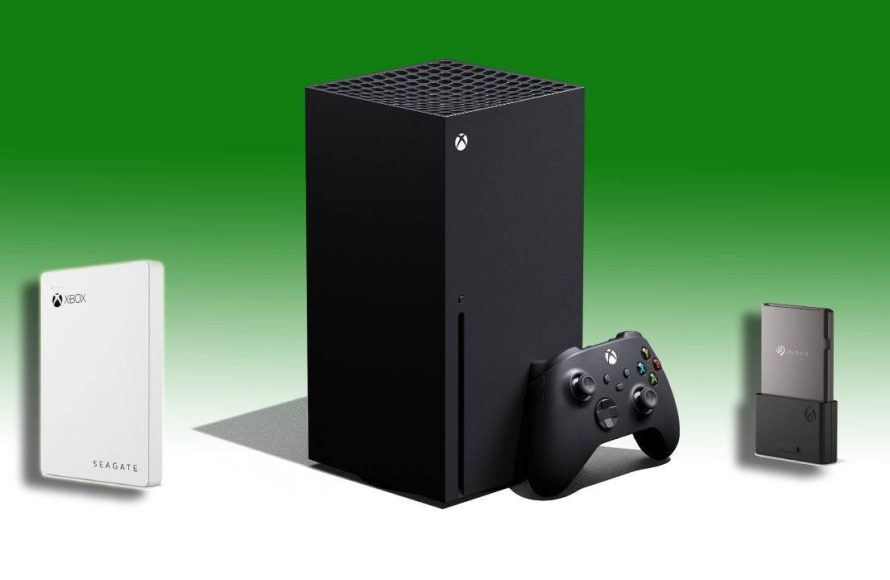
The Xbox Series X has ports that you can use to connect external hard drives. You can connect a USB hard drive and use that to store and play older Xbox One, Xbox 360, or original Xbox games. While you cannot play Xbox Series X and S games directly from this external USB drive, you can store them on the hard drive and transfer them to your console’s internal storage when you want to play them. This can save your internal storage for the games you are currently playing. Microsoft also provides proprietary storage expansion cards, made by Seagate, that you can use for playing Xbox Series X and S optimized games directly from the external storage. These cards are not cheaper than external USB drives but offer better speeds for playing the games.
The Cloud Can Help
If you have an Xbox Game Pass Ultimate subscription, some games can be played directly from the cloud. This means you don’t have to download the game to your console at all, thus freeing up storage. This can save a lot of space and provide fast and easy access to various titles.
Making Use of Xbox Game Pass
Xbox Game Pass can be a big help because many games come and go from this subscription service. This lets you try lots of new games, but you may not need to keep all of them on your hard drive when they have left the Game Pass. You can try a game, beat it, and then remove it to free up space for new and interesting games!
How to See What’s Taking up Space
It’s handy to know how to check what’s using up all of your storage. Here’s how you can do that on your Xbox Series X:
1. Press the Xbox button on your controller to open the guide.
2. Go to “Profile & System,” and then select “Settings.”
3. Go to “System” and choose “Storage.”
4. Here you will see all your drives (Internal Drive, external storage devices if connected), and you can manage what is installed, or uninstall whatever you no longer play or use.
The Future of Game Sizes
As games get more advanced and more detailed, they will likely take up more and more space on our hard drives. We are constantly seeing games that reach 100GB or more, and it will not be surprising that we might see 200GB or more in the future. With these large game sizes, storage management will become even more essential on the Xbox Series X. So it’s a good idea to understand storage management strategies, and also, that you can expand your storage capacity whenever you need it.
Optimizing Your Storage For The Long Run
As you play more games, you’ll get a better sense of how much storage you actually need and how best to manage it. It is better to be aware of the games that you regularly play, how big the games are, and whether to delete the games you no longer play. By doing this you will be ready to make the most of your Xbox Series X console. Keep in mind that the Xbox Series X offers one of the best gaming experiences. You have the best chances of having fun by managing the storage well.
So, while we can’t give you an exact number for how many games a 1TB Xbox Series X can hold, we hope that this information will give you a better picture of storage and storage management. Knowing how game sizes vary and how you can handle your storage will help you get more gaming fun out of your awesome console.
In conclusion, the 1TB of storage on the Xbox Series X doesn’t translate to a fixed number of games because game sizes differ a lot. The usable space is around 802GB, and you could fit anywhere from 8 to 40 games depending on the game size. You should always check what games you actually want to keep and the size of games before downloading them. Effective storage management like deleting games you don’t play and using external storage options will help you manage the storage better. Understanding how file sizes can change with updates and using services like Xbox Game Pass will keep the Xbox Series X full of fun.
Get More Storage Space On Your Xbox Hard Drive
Final Thoughts
The number of games a 1TB Xbox Series X can hold varies greatly. Game sizes range from small indie titles to massive AAA experiences. On average, expect to install anywhere from 15 to 30 games, depending on their individual storage needs.
This means that planning storage is important. Consider external storage options for expanding your library. The answer to ‘how many games can 1tb hold xbox series x’ really depends on your particular game preferences.

