
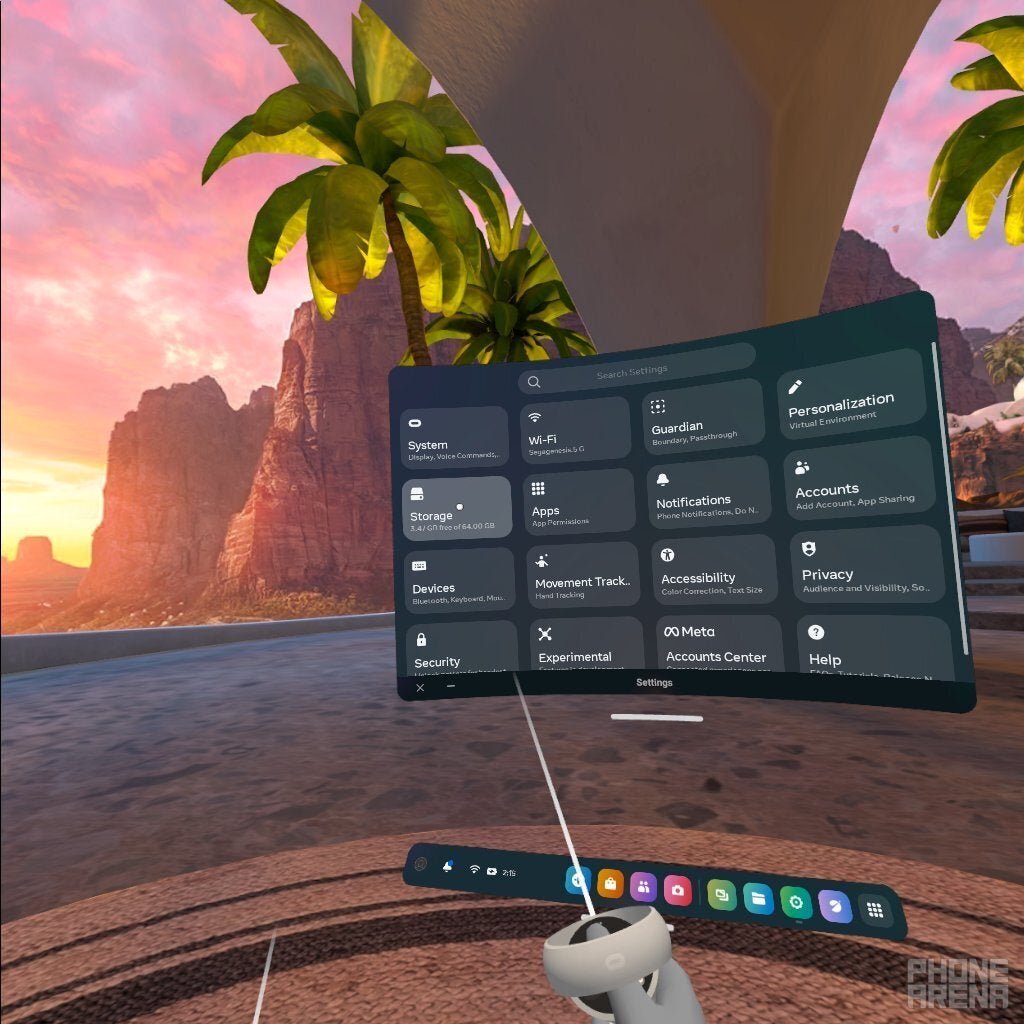
Approximately 20-30 games can fit on a 128GB Oculus Quest 2, depending on their individual file sizes.
Wondering how many games can a 128gb oculus quest 2 hold? It’s a common question for new VR enthusiasts eager to build their digital library. The storage space does get filled quicker than you might think.
Game sizes vary considerably, from small indie titles to expansive, graphically rich adventures. This means the exact number of games will change based on your chosen experiences.

How Many Games Can a 128GB Oculus Quest 2 Hold?
Okay, so you’ve got your shiny new Oculus Quest 2, and you’re super excited to jump into virtual reality! But a question pops into your head: “How many games can I actually fit on this thing?” That’s a great question, and it’s one that lots of people have when getting started with VR. The Oculus Quest 2 comes in different storage sizes, and the 128GB version is a popular choice. We’re going to dive deep into how much room you actually have for games, and what factors affect that number. It’s not as simple as just saying “you can fit X number of games.” Let’s explore what the 128 GB capacity actually means and how it impacts your gaming library.
Understanding the 128GB Storage
First, let’s talk about what 128GB means. Think of it like a big box where you store all your games. “GB” stands for gigabytes, which is a measure of digital storage. A 128 GB Oculus Quest 2 has 128 gigabytes of total storage space. However, it’s really important to know that you don’t get to use all of that. Some space is already taken up by the operating system – that’s the software that makes the headset work – and other essential files.
Available Storage Space
So, after the system files are set, you won’t actually have a full 128GB to play with. You’ll typically find that around 110-115 GB is free for your games, apps, and any videos or pictures you might want to save. This is very important to understand. Don’t expect to have 128 GB ready for games. The exact amount of available space can also fluctuate a little bit, depending on software updates and pre-installed apps. Let’s use 112 GB as an average for our discussion. This smaller number is what we have to work with when figuring out how many games we can install.
Game File Sizes: The Big Variable
Here’s where things get interesting. Game file sizes vary greatly. Some games are like small LEGO sets, they don’t take up much space. Others are massive castles that need a lot of room. A simple puzzle game might only take up a few hundred megabytes (MB), while a big adventure or action game can easily gobble up several gigabytes (GB).
Examples of Game Sizes
To give you a better picture, here are some examples:
- Small games, like some simple puzzle games or short experiences, might be between 200 MB and 500 MB.
- Medium-sized games, such as rhythm games or some simulation games, often fall between 1 GB and 3 GB.
- Large games, like big open-world games or highly detailed action games, can range from 5 GB to 10 GB, and even more in some cases.
As you can see, the size difference is significant. Therefore, it’s tough to give an exact number of games that can fit on your 128GB Oculus Quest 2 because each game’s size is very different. We need to think about these different sizes when deciding what to put on your headset.
Estimating How Many Games You Can Fit
Let’s do some math to get a general idea. Remember, we’re working with approximately 112 GB of usable space. Keep in mind, these are rough estimates:
- If all your games were tiny (around 250 MB each): You could potentially fit 448 games on your device! (112 GB 1024 MB/GB = 114688 MB / 250 MB/game = 458.75 , round down to 448 for safety)
- If all your games were medium-sized (around 2 GB each): You could fit about 56 games. (112 GB / 2 GB/game = 56 games)
- If all your games were big (around 8 GB each): You could fit about 14 games. (112 GB/ 8 GB/game = 14 games)
Of course, the reality is that most people will have a mix of different sizes of games, not just one size. It’s not going to be all tiny games or all huge ones. It’s good to know these extremes though, as it helps you get an idea on what to expect.
Factors That Influence How Many Games You Can Hold
Besides just the size of games, a few other things can affect how many games your 128GB Oculus Quest 2 can hold:
Game Updates and Patches
Just like on your phone or computer, games often receive updates. These updates add new features, fix problems, and sometimes make games bigger. This means that a game you downloaded last week might take up more space today after an update. If you get lots of updates, the games might take more space than they originally did.
Downloaded Content (DLC)
Some games have downloadable content, which is like extra levels, characters, or items that you can buy. DLC will also add to the space a game uses on your headset. So if you buy lots of DLC, you will fit fewer main games on your headset.
Installed Apps
Your Quest 2 is not just for games. You can also download and install different apps, like exercise apps, social apps, or creative tools. These apps take up storage, just like games. If you’re installing lots of non-gaming apps, that will also lower the amount of games you can fit.
Saved Videos and Photos
If you like to record your gameplay or take photos in VR, these files will use storage space on your Quest 2. Remember to think about saving videos and photos if you want to store many games, as they can add up over time, reducing the space available for games.
Temporary Files
Sometimes, your Quest 2 might store temporary files. These files are used to help the headset run smoothly. Sometimes, they can take some space. Clearing these can help sometimes, but it’s not as important as the other things listed here.
Managing Your Oculus Quest 2 Storage
Now that you know what can take up space, here are some tips to help you manage your 128GB storage:
Checking Your Storage
You can always check how much space you’ve used and how much is left by going into the settings on your Quest 2. It’s good to know how much is left before you start downloading new games. This is a good first step when you’re unsure of how much space you have left.
Uninstall Games You Don’t Play
If you have games you’ve finished or don’t enjoy, don’t just leave them on your headset. Delete them to make room for new games. You can always re-download games you’ve purchased from the store, so don’t worry too much about deleting something that you might want later.
Manage Apps Wisely
Only keep apps you use regularly. If you haven’t used a certain app in a long time, consider uninstalling it until you need it again. You can always re-download apps from the Oculus Store.
Use Cloud Saves
Make sure your games are using cloud saves. This way, you won’t lose your game progress even if you uninstall the game. Cloud saves allow you to easily pick up where you left off when you decide to re-install the game in the future. Always double-check that your games are using cloud saves.
Remove Unneeded Videos and Pictures
Regularly transfer your videos and photos to your computer or other storage so they don’t fill up your headset. You might be surprised how much space videos take up after a while. Moving them to a computer helps clear up space on your Quest 2.
Consider a Link Cable or Air Link
While this doesn’t directly increase your headset’s storage, using a Link cable or Air Link allows you to play PC VR games, which are stored on your computer. You don’t need to download these games to your Quest 2. This can take the pressure off your headset’s storage if you have the option of playing PC VR games.
The Reality of 128 GB for Gamers
So, back to the big question – how many games can a 128GB Oculus Quest 2 hold? The answer, as we’ve seen, is that it varies, but you can definitely enjoy a lot of VR experiences. You won’t be able to store every single game you might be interested in, but a 128GB model is enough for most people. The 128GB of storage should be enough for you to enjoy many different games and experiences. You can absolutely have a great library of games, just keep in mind those tips for managing your storage.
You’ll probably end up installing a handful of big games, several medium-sized games, and maybe some smaller apps or games. With good storage habits you can keep plenty of favorites installed on your device. If you’re a heavy user and love to keep a lot of games on hand, you can always consider the larger storage model for future purchases. But for most casual and even regular VR gamers, 128 GB should be plenty to enjoy the experience.
In short, don’t let the 128 GB limit worry you too much. It’s a very good start for most VR gamers. You can have a lot of fun with a lot of different VR experiences, just by being mindful of your storage. By carefully choosing which games to keep installed, removing the ones you don’t play often, and using the other strategies we mentioned above, you’ll get the most out of your Oculus Quest 2 and have lots of fun in the world of VR!
128gb vs 256gb Which OCULUS QUEST 2 should you buy?
Final Thoughts
Generally, a 128GB Oculus Quest 2 can hold roughly 20 to 30 games. However, this varies significantly based on individual game sizes; large titles use much more space. Some games are under 1GB, while others can exceed 10GB.
Therefore, it’s crucial to check each game’s size before downloading. The answer to “how many games can a 128gb oculus quest 2 hold” depends heavily on your specific game choices and average game sizes. Plan accordingly.

