
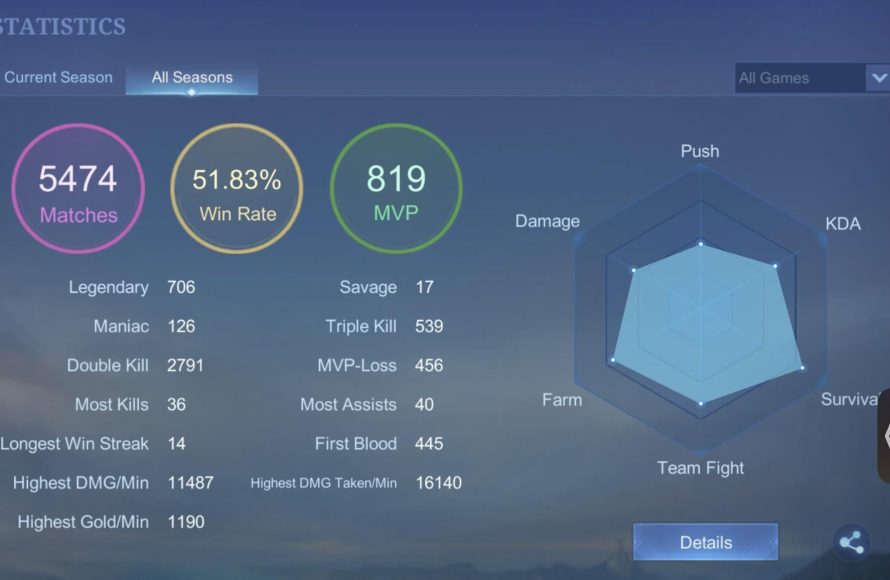
To determine how many games of LoL you have played, you will need to use the game’s client or a third-party tracker website that links to your account.
Ever wondered about the sheer amount of time invested in Summoner’s Rift? I often catch myself thinking, “how many games of LoL have i played?”. It’s easy to lose track as the matches fly by, each one different from the last.
Figuring out the total number of those battles isn’t always straightforward in the League of Legends client, this is where those third-party websites comes in handy. They give you this detailed breakdown you’re looking for.

How Many Games of LoL Have I Played?
Have you ever wondered just how much time you’ve sunk into Summoner’s Rift? It’s a common question for League of Legends (LoL) players – that itch to know the total count of battles fought, victories celebrated, and defeats (hopefully) learned from. Figuring out exactly how many games you’ve played in League of Legends isn’t as simple as looking at one big number. It’s a journey through different game modes, account histories, and sometimes, a bit of detective work. Let’s dive in and see how you can get a handle on your own personal LoL game count.
Understanding Different Game Modes
League of Legends isn’t just one single game. It has many different ways to play, each contributing to your overall game count. These different modes each affect how we will calculate the games we have played.
Normal Games
Normal games are probably the first mode most players try. These are unranked matches where you can practice new champions, try out different builds, or just enjoy a relaxed match with friends. Normal games come in two flavors: Draft and Blind pick. They are great ways to warm up before tackling Ranked.
Ranked Games
Ranked games are where things get serious. Here, you climb the ladder, gaining or losing League Points (LP) based on your wins and losses. Ranked games are usually played in a draft format, where teams pick champions in turns and also ban champions they don’t want to face.
ARAM (All Random All Mid)
ARAM takes the focus off summoner’s rift and puts you onto a single lane map. It is all about fast-paced team fights and random champion choices. In ARAM, you get a random champion and battle on a single lane. ARAMs are great for those moments when you just want to get in and battle and have some fun.
Rotating Game Modes
LoL often introduces special game modes, like One For All, URF (Ultra Rapid Fire), or Nexus Blitz. These modes are available for limited times. They offer very different play styles and add more game count to our total. These game modes are perfect when you want something new and exciting.
Custom Games
Custom games let you create your own rules or play with specific friends. These are often used for practice or to set up fun and unique challenges. Custom game matches can be included in your game count. While they might not be the traditional matches you’re used to, they still add to our total time in-game.
Each of these game modes counts towards your overall games played. It’s not just about Ranked, even games that you might have forgotten about. So, let’s keep them in mind as we start thinking about getting your final numbers.
Finding Your Game Count Within the LoL Client
The most straightforward method to get an idea of your game count is by using the League of Legends game client itself. However, Riot’s client doesn’t show an absolute overall count, and so we must do a little work to figure this out. We can still get some important information from it.
Checking Your Match History
The client keeps a detailed record of all your recent games. Here is how you can check this:
- Open the League of Legends client.
- Click on the profile icon at the top of the screen.
- Go to the “Match History” tab.
This will show a list of recent games you’ve played. You can filter your match history by game mode. Look for each specific game mode to see the number of games you played. While this gives you insight into your recent activity, it will not show all of the games you have ever played. The match history is limited to a certain number of games. Older matches will not be present here.
While the game client’s match history helps, it cannot tell you every game you have ever played. This method gives us an overview of recent activity.
Looking at Your Ranked Statistics
If you’re more into Ranked games, the client does give you more information on those:
- Go to the “Ranked” tab in your profile.
- Select the current or past seasons.
The client shows how many Ranked games you have played for each season. This data is useful in figuring out your ranked game count. This will not include your games played in other game modes like ARAM or normal matches. We will need other methods to get an overall picture.
Third-Party Websites for Tracking LoL Game Count
Luckily, there are some very useful websites that gather and track League of Legends game data, giving a more complete picture of how many games you have played. These third-party sites often go above and beyond what the official game client provides. Let’s explore some popular options:
OP.GG
OP.GG is a popular resource for looking up player statistics and game information. Here’s how to use it:
- Go to the OP.GG website.
- Enter your Summoner name and region.
- Your profile page will display various stats, including the total number of games played.
OP.GG compiles your match history and gives you an estimate of total games played. They even show your overall win rate and KDA, not just the wins. This makes it an amazing place to see how well you’re playing.
League of Graphs
League of Graphs is another website that offers in-depth statistics, including an approximate count of your games played. How to find this data:
- Go to the League of Graphs website.
- Search for your Summoner name and region.
- Look for your total game statistics on your profile.
This website is very similar to OP.GG. It gives a good estimate of the games you have played in the game. League of Graphs provides data on your performance over time. This helps you see if you are progressing.
Blitz.gg
Blitz.gg is a desktop application that helps track your League of Legends performance. With the app, you can track your games and how many you have played. To use this application:
- Install the Blitz.gg application.
- Launch the app and log in with your League of Legends account.
- Check your statistics on the application’s dashboard.
Blitz.gg is more than just a game tracker. It offers real-time recommendations, build guides, and in-game overlays. This tool makes tracking your game count even more convenient.
Important Notes on Third-Party Sites
- Keep in mind that these websites can only track games from the time that they started tracking that specific summoner name. If you have never looked yourself up before on these websites, it will not have any older games tracked on their site.
- They provide an estimate rather than a perfect count. The exact number of games you have played might vary across different sites, and the numbers might not be 100% accurate.
- Game counts may not include games from deleted accounts or regions that have been transferred.
These websites provide an amazing way to track your game history, giving a more complete idea of how many games you have played over time. If you are looking for an estimate of games played, these are amazing tools.
Challenges in Getting an Exact Count
While these methods help you get a good estimate, getting a 100% exact count of every League of Legends game is difficult, and it is useful to know why:
Data Limitations
Riot’s API and third-party websites have limits. These sites might have missed some early games, or sometimes, the data is not fully complete. Older matches might not be available because of how these sites work.
Account Transfers and Deletions
If you have transferred your account to a different region or deleted accounts over time, it makes calculating the total number of games much harder. The records might not be completely transferred and are more difficult to track. It is a good idea to think about these situations and factor them into your game count.
Forgotten or Unrecorded Games
We might forget about games we played a long time ago. Custom games, or older game modes are much harder to account for. Some might not be tracked by any third-party website either.
Why Tracking Your Game Count is Important
You might be thinking, why does it matter how many games I have played? Well, there are a few reasons why having a rough idea of your game count is important.
Measuring Time Investment
Knowing your game count lets you reflect on how much time you have spent in the game. This reflection can help you in terms of finding a healthy balance between your gaming hobby and the real world. It is important to take breaks from the screen to maintain a balance.
Tracking Personal Improvement
Your total game count is also a marker of experience. As you play more, your game knowledge grows and you will improve. You can see this as an investment of time that has increased your ability to play. It is good to note the things you have learned along the way.
Setting Goals and Targets
Your game count can also be a starting point for setting your personal goals. It is an indication of where you have been, and where you plan to go. You can use it to aim for a certain rank, or plan your growth in the game.
Making Your Own Calculations
If you really want a more accurate idea of your game count, you can also try to do some math yourself.
Combining Data
Start by looking through the game client, and use data from third-party websites. Note the number of ranked games, normal games, ARAMs and even some other game modes as you see fit. Adding all of the numbers together should give a good estimate.
Making Reasonable Estimates
For games that you can’t track exactly, make a reasonable guess. If you have a good idea of your playing habits, make the most reasonable guess you can. Even if it’s not perfect, it can help you make a more rounded estimation.
Updating Your Count
Remember to keep a track of your games. Use a spreadsheet or another method to record your game data. This will give you more accuracy in the future.
So, how many games of League of Legends have you played? While getting an exact number might be a challenge, you now have some great methods for getting a solid estimate. Use these tools to look into your gaming journey. It’s more than just a number; it’s a measure of your time, improvement, and experiences in the game.
I played Yasuo for 48 hours straight so you don't have to…
Final Thoughts
After all the calculations and account digging, I’ve finally determined the approximate total. My countless hours on Summoner’s Rift have resulted in a significant number. It’s quite a sum.
Therefore, answering the question, how many games of lol have i played? The grand total is somewhere around 4,873 games. This substantial number truly reflects my commitment to the game.

