
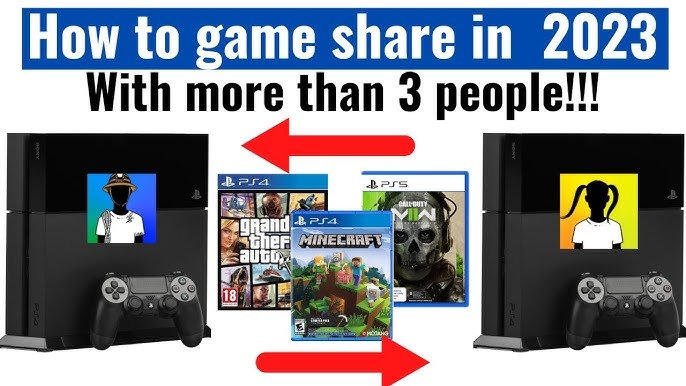
You can game share with one other person on your PS5.
Curious about sharing your PlayStation library with friends or family? You’re not alone. Many gamers wonder about the limits and capabilities of the PS5’s game sharing feature, specifically, how many people can I game share with ps5. It’s a convenient way to let others enjoy your digital collection.
The process is quite straightforward once you set up the console sharing settings. Remember though, this feature works with only one other console at a time. This means you can extend your digital fun to a single account besides your own.

How Many People Can I Game Share With PS5?
So, you’ve got a PlayStation 5 and you’re excited to share your amazing game library with your friends and family? That’s awesome! Game sharing on the PS5 is a fantastic way to let others play your games without needing to buy a copy themselves. But, just how many people can you actually share your games with? It’s a bit like sharing your toys when you were a kid, but with some digital rules! Let’s dive into how game sharing works on the PS5 and how many people can join in the fun.
Understanding PS5 Game Sharing
Before we jump into numbers, it’s important to understand the basics of how game sharing works on the PlayStation 5. It’s not like just handing someone a game disc. Instead, it uses a feature called “Console Sharing and Offline Play.” Think of it as setting up a special key that lets another PS5 use your games, even if you’re not playing them at the same time.
How Console Sharing Works
When you enable “Console Sharing and Offline Play” on your PS5, you’re essentially making that PS5 your “primary” console. This means that any account that logs into that specific PS5 can access the games you’ve purchased, as well as any PlayStation Plus benefits you might have. This is super handy for families or friends who play together on the same console. For example, if your brother or sister also has an account on your PS5, they can play the games you own. The best part is they can also play the games even when you are not logged into your own account. But there’s a key point: it only works on the console you have set as your “primary” console.
Here’s how to set up console sharing, step by step:
- Turn on your PS5.
- Go to the Settings menu. It looks like a little gear icon at the top of the screen.
- Scroll down and choose “Users and Accounts.”
- Select “Other.”
- You’ll see “Console Sharing and Offline Play.” Select this.
- Choose “Enable.”
Important Note: You can only have one primary console at a time. If you enable “Console Sharing and Offline Play” on a new PS5, it will automatically disable it on the old one.
The Limit: How Many Consoles Can Access Your Games?
Here’s where we get to the core of the question: how many people can you share games with? The quick answer is one. Yes, you can only share your games with one other PlayStation 5 console at a time. It might seem like a small number, but there’s a valid reason for this. Sony allows one other console to access your games, but they’ve created a system so that your account can be logged in on more than one console, but they don’t want to make it so you can give access to an unlimited number of consoles.
Understanding the Primary Console Rule
The key thing to remember is the “primary console” rule. You can have your account logged into multiple PS5s, but only one of them can be designated as your primary console where others can use your games and PS plus services. Think of it like your main home console where everyone in the house plays together. Any other PS5 where you’re logged in will not allow other users to access your games, only your account can play the games there. This design prevents you from sharing your game library with an endless number of friends, which would hurt the sales of games. The system is set up to allow for game sharing within a family or among very close friends, but not to support mass game sharing.
Example Scenarios
- Scenario 1: Family at Home: You have a PS5 in the living room, which you designate as your primary console. Your younger sibling can play all your games on the living room PS5 even when you’re not logged in.
- Scenario 2: Sharing with a Friend: You set up your friend’s PS5 as your primary console. Now, they can play the games you own on their PS5 with their own account. However, your other friend cannot access those games from a different console if you want to allow another friend you must disable it on your friends first console and then enable it on the second friend’s console.
The Nuances of PS Plus and Game Sharing
PlayStation Plus adds another layer to the game-sharing discussion. If you have a PlayStation Plus subscription, the benefits that come with it can also be shared with other accounts on your primary console.
Sharing PS Plus Benefits
When you enable “Console Sharing and Offline Play” on your primary PS5, other users on that console can access several PS Plus benefits, these benefits include:
- Online Multiplayer: Everyone on the primary console can play online multiplayer games even if they don’t have their own PS Plus subscription.
- Monthly Games: The PS Plus monthly games can be played by all accounts on the primary console.
Limitations of PS Plus Sharing
Even though you can share many PS Plus benefits, some limitations still exist:
- Cloud Storage: Cloud saves are tied to individual accounts and cannot be shared.
- Game Catalog: While the games can be played on the primary console, they cannot be shared to a secondary console via game sharing.
- Account Specific Content: Some benefits may be linked specifically to the account that has PS Plus and not available on other accounts.
Things You Cannot Share
Not everything can be shared through this system, it’s important to know these things. These include:
- Game DLC : Downloadable content for games purchased on a different account cannot be accessed by other accounts.
- Account-Specific Items: items bought in games for your account will not be accessible on your friend’s account even when game sharing with them.
- PlayStation Credit Balance: Your friend on their own account cannot use your Playstation credit balance.
Important Considerations for Game Sharing
Before you decide to enable game sharing, you should be aware of a few points.
Security and Trust
When you make a PS5 your primary console on another person’s system, you’re effectively giving them access to your game library. Therefore, it’s crucial to game share with someone you trust, such as a close friend or family member. You must be comfortable with this person having access to your games library. Consider making sure that they are not playing games that you would rather play and if so, consider if that would be a problem for you.
Switching Primary Consoles
Remember, you can change which PS5 is your primary console but you can only do this a limited number of times within the same time frame. This is to discourage people from continually swapping consoles for game-sharing abuse. If you change your primary console often, you may be locked out from making further changes for a while. Therefore, plan how you want to share games carefully. Here is how you can disable game sharing:
- Turn on your PS5.
- Go to the Settings menu. It looks like a little gear icon at the top of the screen.
- Scroll down and choose “Users and Accounts.”
- Select “Other.”
- You’ll see “Console Sharing and Offline Play.” Select this.
- Choose “Disable.”
Troubleshooting Common Game Sharing Issues
Sometimes, game sharing might not work perfectly. Here are some common problems and how to fix them:
Game Locks
If your friend can’t play your games after you have enabled console sharing, ensure that your friend is logged into their PlayStation account and not yours. Your friend also needs to have an active internet connection. In some cases, you might have to check that the console has “Console Sharing and Offline Play” enabled on it. If the game has a padlock symbol on it, check the PlayStation store to see if the game has been purchased.
PS Plus Problems
If a user on the primary console is having issues using the shared PlayStation Plus benefits, check that you do have an active subscription. Also, ensure that you are logged into your PlayStation account on the primary console.
Alternatives to Game Sharing
If game sharing isn’t working out or you’d like more flexibility, there are some other options:
PlayStation Plus Game Catalog
If you and your friend both have PlayStation Plus, you can both access all the games available in the game catalog. This is a great way to play a large amount of games without purchasing them separately.
Play Together with Share Play
If you want to play a game together with a friend who does not have the game, you can use the Share Play feature. This lets your friend join you in gameplay, even if they do not own a copy of the game. This feature is excellent for playing co-operative games together.
Borrowing Physical Games
If you or your friend uses the physical disc versions of a game, you can simply lend the disc to your friend so that they can install it on their console and play it.
Purchase the game together
If there is a game that you and your friend are interested in playing together, consider purchasing a digital copy of the game with your friend. That way you can both play the game and there is no need to do game sharing.
So, to recap, while you can log in to your account on multiple PS5s, the actual game sharing is only with one other console at a time. It is all about that primary console! While it might not let you share with everyone you know, it’s still a fantastic way to play games with close friends and family. With the right setup and a bit of understanding, you’ll be able to get the most out of your PlayStation 5 and your game collection. Remember that game sharing is a privilege, so make sure you use it responsibly!
How to GameShare on PS5 – OverSimplified (2024)
Final Thoughts
You can game share with one other person at a time on your PS5. This involves activating console sharing and offline play on their machine. Remember, you also need to have the game purchased on your account.
This process allows another to play your digital library. Keep in mind that only one person can play the games on a shared account simultaneously. Therefore, ‘how many people can i game share with ps5’ is technically one other person.

