
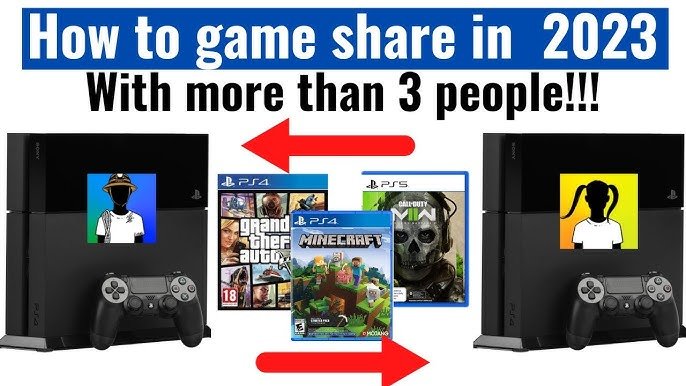
You can game share with one other person on your PS5.
Sharing your digital game library with friends on your PS5 is a great feature, but you might be wondering exactly how many people you can share with. It’s important to know the limitations before setting up console sharing. This article will answer your question directly regarding how many people can you game share with on ps5.
Sony allows one account to share its games with only one other account simultaneously. This helps you and a friend enjoy each other’s libraries and save on the cost of games. It is a simple feature with very specific restrictions.

How Many People Can You Game Share With on PS5?
Okay, so you’ve got a PlayStation 5, and you’re ready to share the fun with your friends and family. That’s awesome! Game sharing on the PS5 is a great way to let others play your digital games without everyone having to buy their own copy. But, how many people can actually join in on this sharing party? That’s what we’re going to explore. It’s a little different than just passing around a disc, so let’s dive in and figure out the ins and outs of PlayStation 5 game sharing.
Understanding the Basics of PS5 Game Sharing
Before we get into the specific number, let’s get a handle on how game sharing works on the PS5. It’s all about something called “Console Sharing and Offline Play.” When you enable this setting on a PS5, you are essentially making that console your “primary” console. Think of it like designating that PS5 as your home base. Any other user on that primary console can play the games you have downloaded to it, even if you are not signed in. This is the fundamental mechanism that allows game sharing.
Here’s the important thing: this “primary console” concept is linked to your PlayStation Network account, not the console itself. You can change which PS5 is your primary one, but there are some rules to keep in mind, which we’ll discuss later. Understanding this idea of a primary console is key to figuring out how many people you can share your games with.
The Number of People You Can Share With: A Detailed Look
Now, for the big question: how many people can you share your games with on PS5? Officially, you can share your digital games with one other user at a time. This might seem a bit limiting, but let’s break it down to understand why. It all circles back to the primary console setting and your PlayStation Network account. You are not directly sharing games with people but with a console. So, the limitation is primarily about console designation. Here’s a breakdown:
- Your Primary Console (Your Home Base): This is the PS5 that you have designated as your “primary” one for your account. Anyone who has an account on this PS5 can play your digital games. This could be anyone in your household.
- Secondary Console: You can be signed into your PSN account on another PS5, too. This means you can play your own games on a second console if you like. However, this is the big catch, only you can play your own games on this second console when you’re signed in with your account. Other users cannot play the games on your account on the secondary console, even if you allow “console sharing” on it.
So, essentially, one user’s games can be played on one primary console by other users on that console. This is because “Console Sharing and Offline Play” can be enabled on just one console linked to your account at a time. While you can sign in with your PSN account on another console, game sharing will not work for other users there, and they’ll only be able to play games on their own accounts or the game discs physically inserted. This is what creates the limit to one other party’s console for sharing your digital games. Keep in mind, that there is no limit on how many accounts are on one console. So, if your household has four people using one PlayStation 5, they can all use your games if it’s set up as your primary console. The limit of “one other user” to share with applies to the console level of sharing, not the accounts on the console. However, those other players must have their own accounts on the console.
How to Enable Console Sharing and Offline Play
Setting up your primary console is easy. Here’s a step-by-step guide:
- Sign in to your PlayStation Network Account: On the PS5 you want to designate as your primary, sign in using your PlayStation Network account details.
- Go to Settings: From the home screen, head to “Settings” (the gear icon at the top right).
- Find Users and Accounts: Scroll down and select “Users and Accounts.”
- Select Other: Now, select “Other” on the left side.
- Choose Console Sharing and Offline Play: On the right, choose “Console Sharing and Offline Play.”
- Enable the Setting: If the setting is disabled, select “Enable” to make this your primary console. If it’s already enabled, you’re good to go!
Remember, you can only have one primary console active at a time. If you enable it on another console, it will automatically disable on the previous one.
The Benefits of Game Sharing
Why go through all the trouble of setting up game sharing? Here are a few benefits:
- Save Money: Instead of each person buying their own copy of the game, you can share one purchase within a family, saving significant amount of money.
- Play with Family and Friends: It allows you to play games with others in your household without them having to buy their own version.
- Try Before You Buy: If you and a friend have similar taste, one can purchase a game, and the other can try before they invest their own money.
Potential Drawbacks and Limitations
While game sharing is great, there are a few things to keep in mind:
Primary Console Switching Limits
You can switch your primary console settings, but Sony has implemented limits on how often you can do this. You can do this a specific number of times within a timeframe. The specific number can change, but know that you cannot keep switching consoles back and forth every day or every week without some potential consequence to your account.
Online Access Requirements on Secondary Console
When you are using your account on a non-primary console, you will need an internet connection to play your games. Your PS5 has to “check” that you own the game through your PlayStation Network account. Once verified, you will be able to play while connected to the internet. If you lose your internet connection you might get kicked out of your game, or won’t be able to play some of your games until you get connected back to the internet. This is the main reason why game sharing is really meant for users on your primary console and the secondary is for your own use.
Simultaneous Play Restrictions
Another key point: you cannot play the same game simultaneously with another user using the shared game copy. If another user is playing a game on your primary console, you cannot start the exact same game on a different console at the same time. This is to stop the game-sharing feature from being abused and stop the sharing of one game to a mass amount of consoles. This is also another reason why game sharing is mainly designed for family members or other accounts that share the same home.
Potential Account Issues
Sharing your account details with others always has an element of risk. Make sure that you only share with people you trust, because giving out your username and password could potentially expose your account to unwanted access and potential security problems. Only share it with family members and close friends who understand the responsibility that comes with the access. Account security is important, so always be careful.
Tips for Managing Game Sharing
To make your game sharing experience smoother, here are some helpful tips:
- Communicate Clearly: Make sure you talk with the people you are sharing games with, and are all on the same page, especially when switching primary consoles.
- Be Mindful of Purchase: If you plan on sharing, then make sure that at least one person involved is buying digital downloads, as physical copies cannot be shared by this method.
- Create Separate User Profiles: Each user should have their own profile to keep saves separate and make everything easier to manage.
- Check for Updates: Make sure your system and games are updated to the latest versions to prevent any compatibility issues, and keep the whole sharing experience smooth.
- Limit Sharing: Don’t share your account details with people you do not trust, as this can lead to potential problems.
Game Sharing Scenarios: Real World Examples
Let’s look at a few examples to clarify exactly how game sharing works:
Scenario 1: The Family Household
Imagine you have a family of four. Dad buys a bunch of digital games. He makes the living room PS5 his primary console. Mom, the two kids, and everyone in the house can now play his games on that console. Dad himself can sign into his account on another PS5 in his office and play his games from there when he has the time, but no one else can play those games on the office console. Game sharing is limited to the main console that the family is using.
Scenario 2: Friends and Their Separate Homes
Let’s say you have a friend, Mark. You want to game share with him. You decide to make his PS5 your primary. Now, Mark can play your games on his PS5. If you go over to Mark’s place, you can use his console with your own account. You have to be connected to the internet. You can play your games. Mark however, will not be able to play your games on his PS5 if he is logged into his own account and you’re also using your account on it. You both cannot share the same games on your respective consoles at the same time. This will usually cause some complications, and is not the intended use of the console sharing feature, which is mainly for household users. If your friend is on his own console in his house, and you go over to his house to game, he will not be able to play your games on his console while you’re using it.
Scenario 3: The College Roommates
Let’s say two college roommates, John and Lisa, decide they want to game share. They decide to make Lisa’s PS5 the primary console for John’s account. Lisa can now play John’s games on her PS5. If John wants to use his games, he has to log into his account on Lisa’s console, or log into his account on his own PS5 and play when it’s online. This is the limit to the whole console-sharing feature. Only one console can have offline console sharing enabled at a time.
Why the Limit Exists
You might be wondering why Sony limits game sharing to one other user. The reason is to protect the digital rights of game publishers and developers. If you could share with many different people, it would significantly reduce game sales. The current system tries to balance the user experience with the needs of the gaming industry, and protect the game sellers and developers so they make money from their work. It’s a compromise that allows some game sharing while preventing widespread abuse.
So, in short, you can primarily share your games on your primary console with any user of that console and use your games on another console while signed into your account as a secondary console. Game sharing is simple, but there are some basic rules. It works best for families or people who live together. The system isn’t designed for mass game-sharing amongst many different users.
How to GameShare on PS5 – OverSimplified (2024)
Final Thoughts
You can game share with one other person on a PS5 console. This feature allows you to share digital games and PlayStation Plus benefits. The process requires setting the other person’s console as your primary one.
However, you can’t game share with more than one console. This means only one friend can access your shared content at a given time. Therefore, ‘how many people can you game share with on ps5’ is limited to just one other individual.

