
Approximately 10-20 PS5 games can fit on a 1TB drive, though this number varies greatly depending on game size.
So, you’ve got a shiny new PS5 and are ready to dive into some epic gaming, but the question on your mind is likely, how many ps5 games can 1tb hold? It’s a crucial point for any gamer, considering those file sizes of modern titles.
Figuring out the exact number is tricky because game sizes differ dramatically, from small indie games to huge AAA adventures. A single Call of Duty title can take up massive storage whereas a smaller game only uses a tiny amount.

How Many PS5 Games Can 1TB Hold?
Okay, so you’ve got your shiny new PlayStation 5 and you’re ready to play. Awesome! But then, a thought pops into your head: how many games can I actually fit on this thing? The PS5 comes with a certain amount of storage space, and the 1TB model is super popular. We’re going to explore how many PS5 games you can expect to fit on a 1TB console, looking at different factors and giving you the most helpful information. Let’s dive in!
The Truth About 1TB of Storage
When you hear “1TB,” you might think you have a whole terabyte to use for games. Unfortunately, that’s not exactly true. Like most storage devices, some space is used for the system itself to operate, including system files, operating system updates, and pre-installed software. The PS5 is no different. It means your actual usable space is less than 1TB, closer to around 825GB. This is the space we’ll be working with when figuring out how many games you can fit.
Understanding Game File Sizes
Here’s where things get a little complicated, but don’t worry, we’ll keep it simple. PS5 game file sizes vary quite a bit. Some games are small and take up only a few gigabytes, while others are massive and require 50GB, 70GB, or even 100GB or more of storage space. These larger games are typically the visually impressive, graphically rich experiences.
It’s important to understand that these sizes aren’t set in stone. Games may receive updates with new content and improvements, which can increase their file size over time. Also, if you download add-ons or expansions, that will use up additional space. So, a game that was initially 50GB might become 60GB or 70GB with all the extra content.
Estimating Game Capacity: A Practical Approach
Given the range in game file sizes, it’s hard to give a precise number of how many games a 1TB PS5 can hold. Instead, let’s try a few examples to get an idea of what’s possible:
- Smaller Games (10-20GB): If you mostly play smaller indie games or titles that aren’t graphically demanding, you can probably fit between 40 and 80 such games on your 1TB PS5. These games tend to be less complex, often with fewer high-definition textures and smaller level designs.
- Mid-Sized Games (30-50GB): This is a more common range for many PS5 games. With games falling in this category, you might fit between 16 and 27 games on your system. This range could include many popular titles with impressive visuals and gameplay.
- Large Games (60GB+): When we get into these sizes, the number of games you can store drops considerably. Games in this range might include major releases, open-world titles, and titles with very detailed graphics. With these, you might fit between 8 and 14 on your system.
Real-World Examples
Let’s look at a few specific examples, to understand the game storage situation further:
- Spider-Man: Miles Morales: This game is around 35GB.
- Demon’s Souls: This game takes up about 55GB.
- Call of Duty: Modern Warfare III: This title can take over 100GB.
These are just a few examples to show you the range of game sizes. It’s worth checking the game’s product page on the PlayStation store to get a good estimate of its required storage space.
Factors That Impact Storage Space
Beyond the basic game sizes, other things can influence how much storage space you have available.
System Software and Updates
As mentioned earlier, the PS5’s operating system takes up a part of the space and it receives updates from time to time. These updates are essential for the console to run properly and improve user experience, but they do take up some of your precious storage.
Game Updates and Patches
Games often receive updates, patches, and fixes. These updates can increase the game’s file size over time, sometimes substantially. This means a game may start small but grow over time, impacting how much space it uses. Sometimes these updates are small bug fixes, while other times they might add new content, like maps, characters, or game modes.
Downloadable Content (DLC) and Expansions
If you buy downloadable content (DLC) or expansions for games, you’ll need space to store them. DLC can range from small item packs to major expansions that add tens of gigabytes to a game’s file size. For example, adding an expansion to a game can be like adding a whole new game, which uses significant additional storage space.
Media and Screenshots
The PS5 allows you to capture screenshots and videos of your gameplay. While these may seem small initially, they can accumulate over time, using up precious storage space on your console. It’s always good to transfer media files to an external storage device or cloud storage regularly to free up space. Additionally, if you use streaming services that store data on the PS5, this will also take up space.
Managing Your PS5 Storage
Now that you know about all the things that can eat up your PS5 storage, let’s talk about how to manage it effectively.
Deleting Games
This might seem obvious, but deleting games you’re not playing anymore is a great way to free up space. You can always redownload them later if you want to play them again. Go into the storage management settings of your console, and find the games and applications you’re no longer using or playing, and remove them. It’s a quick and effective way to free up space immediately.
Moving Games to External Storage
The PS5 allows you to move games to an external hard drive or SSD, which can be a good option for expanding your game library without needing to delete them. However, you can only play PS4 games directly from an external drive. PS5 games need to be moved back to the console’s internal storage to play them.
Here’s how you can move PS4 games to an external drive:
- Make sure your external storage device is connected to your PS5 using a USB port.
- Go to Settings > Storage > Console Storage > Games and Apps.
- Select the PS4 games you want to move to external storage.
- Select “Move” or “Copy” and choose your external drive as the destination.
- Wait for the transfer process to complete, and you’re done!
Deleting Media Files
As we mentioned before, screenshots and videos can quickly take up a lot of space. Regularly deleting these files can help to keep your storage space free. If you love sharing your gameplay, consider uploading videos to cloud platforms like YouTube, then removing the original copy from your PS5 console.
Regular Storage Check-Ups
It’s a good idea to check your storage status regularly. This will help you to keep track of how much space you have available and you can better decide what games or media to keep or delete. The PS5 will show you the amount of storage used and remaining, allowing you to make informed choices about managing your storage effectively.
Expanding Your Storage
If deleting games isn’t enough, or you don’t want to constantly move games back and forth, there are methods to expand your console storage. This way, you will have much larger space for games, and you can simply select the games you want to play and start playing it.
Installing an Internal SSD
The PS5 has an expansion slot where you can install a compatible NVMe SSD. This is the ideal method for increasing your storage, since this storage is fast and the games will load quickly from it, as it will be directly installed on the console. However, this involves a bit of technical expertise, making sure you purchase the correct type of SSD, and you should follow instructions very carefully when installing. Sony provides specifications for the required SSD, so make sure to follow them. Once installed correctly, this expansion will significantly increase the storage capacity of your console.
Using an External SSD or HDD
As we covered earlier, you can use an external hard drive or SSD with your PS5. While this can be a cost-effective solution, do keep in mind that you can only play PS4 games directly from external storage. The speeds may be lower than using the internal SSD, so load times might be a bit longer. It is perfect if you want to expand space for your PS4 library without using up the internal PS5 storage.
The Importance of Game Size Optimization
Game developers are continuously trying to make sure their games run smoothly without taking up too much space. They use compression techniques and optimization methods to lower the sizes of games, so they do not occupy too much space on player’s console, and that it also does not take a long time to download the game. As technology advances, game compression methods continue to get better, resulting in games that are smaller in file size, without losing quality. This has a positive effect on storage management and benefits players.
Ultimately, the number of PS5 games you can fit on a 1TB console is not fixed. It depends on the game sizes of the titles you have, and how you manage your storage. Some games might take up small space, while other may take up large space, and with the methods discussed above, you can keep a good balance on how much you use your 1TB storage.
So, there you have it! While we can’t give an exact number due to the variability of game sizes, we’ve covered everything you need to know about how many PS5 games a 1TB console can realistically hold. Remember to manage your storage efficiently, and consider expanding it if needed. Happy gaming!
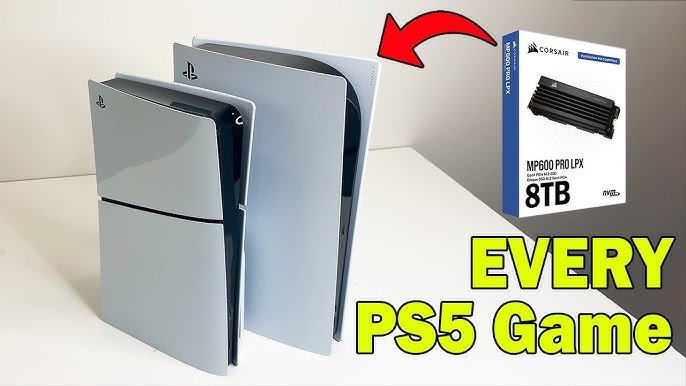
1TB vs. 2TB vs. 4TB vs. 8TB | Installing every PS5 Game!
Final Thoughts
A 1TB PS5 typically holds around 15-20 games. The exact number depends on each game’s file size, which can vary dramatically. Larger titles consume more storage space, decreasing the total count possible.
Therefore, when asking, “how many ps5 games can 1tb hold”, the answer is an estimate, not a fixed figure. Managing your game library effectively is key. You may have to delete and redownload when you need to.

