
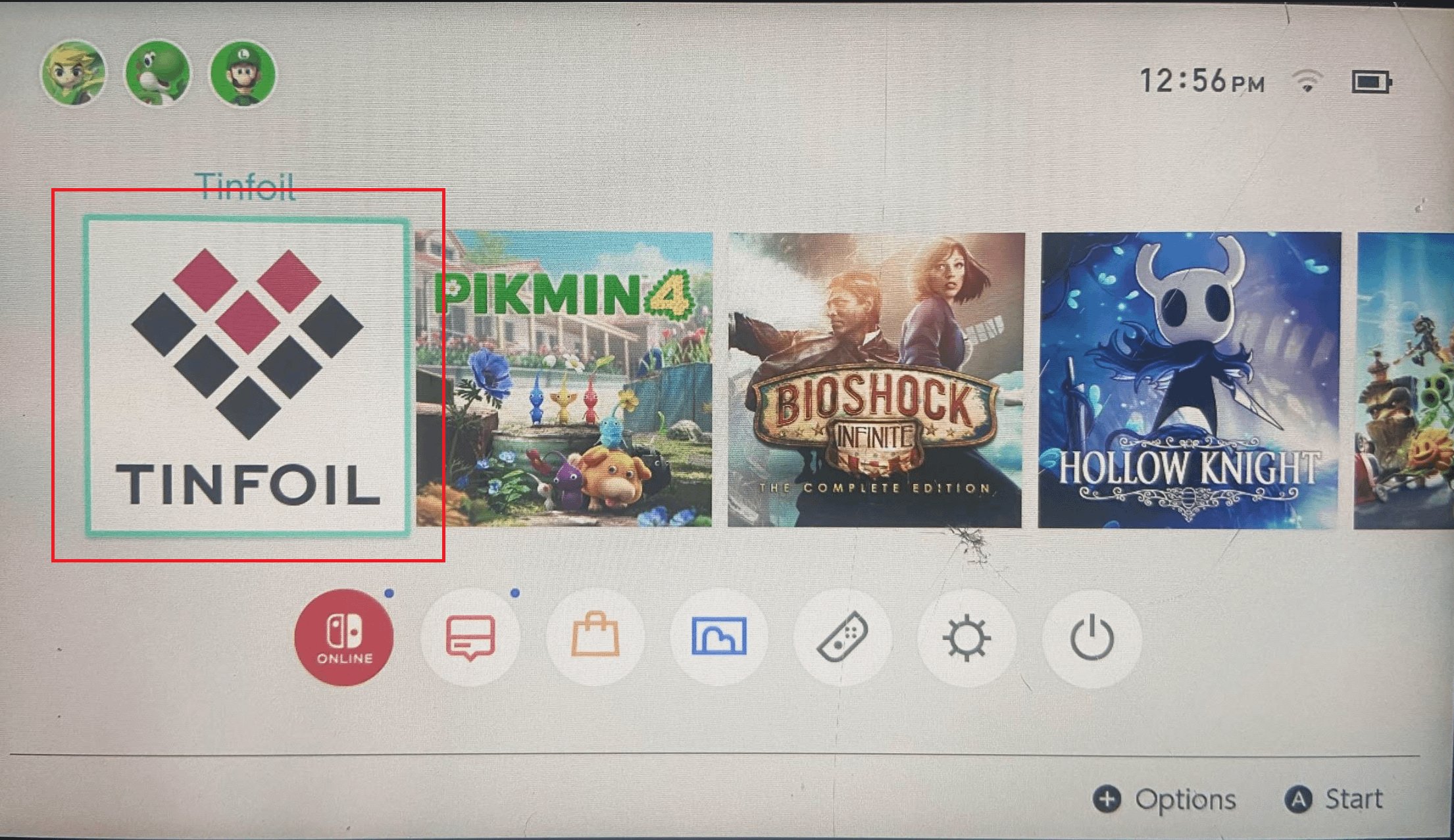
Cheats on modded Switch using Tinfoil generally require installing a cheat management application like Edizon or Tesla overlay. Then, you can enable cheats within the game through that app.
Want to gain an edge in your favorite Switch games? Many people explore how to access cheats on games on modded switch tinfoil, and it is a common question for those using custom firmware. There are simple methods you can use to get game enhancements working.
This will involve installing specific homebrew applications to enable the use of game cheats. This will allow you to alter game mechanics to make them easier or just more fun. Lets dive into the steps.

How to Access Cheats on Games on Modded Switch Tinfoil
So, you’ve got a modded Nintendo Switch, and you’re curious about using cheats in your favorite games. You’ve probably heard about Tinfoil, which is a tool that helps manage homebrew and other cool stuff on your modded Switch. Well, you’re in the right place! This guide will walk you through how to get cheats working with your Tinfoil setup. It’s not as hard as it might seem, and with a little bit of patience, you’ll be able to enhance your gameplay. We will cover everything from the basic understanding to advanced ways to use the cheats effectively. Remember, using cheats is all about having fun, so let’s jump right into it!
Understanding the Basics: What You Need Before You Start
Before we get into the nitty-gritty, let’s make sure you have everything you need. Think of it like gathering your ingredients before you start cooking. Having everything prepared will make the process much easier and smoother. Here’s what’s essential:
- A Modded Nintendo Switch: This is a must-have! Your Switch needs to be running custom firmware (CFW) like Atmosphere or SX OS. If your Switch is not modded, this process won’t work.
- Tinfoil Installed: You will need to install Tinfoil. It’s like the app store for your modded Switch. Make sure you have the latest version installed.
- A Cheats Manager: You will need some way to actually apply and manage those cheats. There are several programs available. We will discuss some of these later in the article.
- Understanding of Basic File Management: You need to have at least a basic grasp on how to copy files, create folders, and navigate the file system on your Switch’s SD card.
- Some Game Cheats: Of course, you need the actual cheat files for the game you want to play. We’ll talk more about where to find these later.
- Time and Patience: Things may not always work perfectly the first time, so patience is vital. Don’t be discouraged if you hit a snag; it’s all part of learning.
Selecting the Right Cheat Manager
Choosing the right cheat manager is like picking the right tool for a job. There are a couple of popular choices within the Switch modding community. Each has its pros and cons, so let’s look at some of the best ones:
EdiZon
EdiZon is a very popular and versatile homebrew app that allows for a range of game modifications. Here are some points about EdiZon:
- Versatile: It’s not just for applying cheats. EdiZon also allows you to save game data, edit save files, and many more.
- Easy to Use: The user interface is easy to navigate. Even beginners can quickly get used to the controls.
- Wide Compatibility: It is compatible with many games, making it a go-to choice for many users.
Tesla Overlay Menu
Tesla Overlay Menu, along with its cheat plugins, is another good option. Here are some of its advantages:
- Overlay Functionality: You can use the cheats while playing the game. The overlay menu pops up over the game, making it very convenient.
- Live Modifications: Some cheats can be applied in real-time, letting you see the changes instantly.
- Clean Look: Tesla’s overlay is slick and does not take away from the gameplay screen.
Which to Choose?
Which one should you pick? If you want a comprehensive app that does more than just cheat, EdiZon might be for you. If you prefer to handle cheats on the fly, within the game, Tesla Overlay with its plugin might be your best pick. You can always experiment with both to see which one you prefer.
Finding Game Cheats
Okay, so you have your modded Switch, Tinfoil, and a cheat manager. Now, where do you get the actual cheats? Finding cheats is like hunting for treasure. Here’s how to find those golden cheat files:
Online Forums and Communities
Online forums and communities are a goldmine for game cheats. These are spaces where players often share their findings.
- Reddit: Subreddits like r/SwitchPirates are a great starting point. Search for posts related to your game and see if anyone has shared cheat files.
- GBAtemp: This is a popular forum for all things related to console modding. You will find extensive discussion boards about various game cheats.
- Discord Servers: There are several Discord servers dedicated to Switch hacking. Joining these communities can allow you to find cheats and interact with helpful members.
Cheat Websites
There are websites that are specifically designed to host cheat files.
- Search Engines: If you know your game title and search “game title Switch cheat file,” you will find many sources.
- Caution: Be careful when downloading files from random websites. Always make sure the site is trusted and use antivirus to scan downloaded files.
Understanding Cheat File Formats
Cheat files come in different formats. Here are the most common formats you will encounter:
- .txt files: These are text-based files that usually contain the cheat codes themselves.
- .pchtxt files: These are text files designed specifically for the Atmosphere cheat manager.
- .zip files: Sometimes cheat files are packed into ZIP files to keep things neat. You need to extract them before using them.
Preparing Your Switch: Setting Up the Cheats Folder
Now that you have the cheat files, you need to put them in the right place on your Switch’s SD card. This step is very crucial to make the cheats work correctly. This is how to set it up:
Locating Your SD Card
Remove the SD card from your Switch and connect it to your computer using a card reader.
Creating the Correct Folders
Navigate to the root of your SD card. This is the topmost level of your card’s file system, like the main folder. Here are folders to be prepared:
- For Atmosphere: Create a folder called “atmosphere” if it does not already exist. Then, inside that folder, make another folder called “contents”. You must create a specific folder for each game you want cheats on. Inside the “contents” folder create a folder with the game title ID, which is a 16-character alphanumeric code. Example: “0100000011000”. Now, within that new folder, create another folder called “cheats”. So, the final path should look something like this:
/atmosphere/contents/0100000011000/cheats/. - For Tesla: In the root of your SD card, find the “tesla” folder or create if it does not exist. Inside that folder, you need a “cheats” folder. The cheat files go inside a folder with the game ID. The final path should look like:
/tesla/cheats/0100000011000.
Copying Your Cheat Files
Now, simply copy your cheat files (.txt, .pchtxt) into the correct “cheats” folder you made for the game.
Example: If you downloaded cheat files for “The Legend of Zelda: Breath of the Wild”, you’d place them into the “cheats” folder inside the folder with the game’s title ID like this: /atmosphere/contents/01007EF00011E000/cheats/your_cheats.pchtxt
Using EdiZon to Apply Cheats
Now that your cheat files are in place, let’s learn how to activate them using EdiZon.
Opening EdiZon
Boot up your modded Switch and launch EdiZon. You should find it in the Homebrew menu.
Selecting a Game
Using the D-pad or the left joystick, select the game you want to play with cheats.
Enabling Cheats
Once you have selected a game, you can access the cheat menu. Look for an option like “Cheats” or “Load Cheats.” The method might slightly differ based on the EdiZon version. Go through all the cheat codes, and check the boxes of the ones you would like to apply. After selecting your cheats, the program will enable them. Now you can play your game with the cheats activated!
Using Tesla Overlay Menu and Cheats Plugins
Using the Tesla Overlay Menu can feel like having superpowers at your fingertips. Here’s how you can do it:
Opening the Tesla Overlay
While inside your game, press the “ZL + ZR + Right Stick Click”. This combo brings up the Tesla Overlay menu.
Selecting your plugin
Using the D-pad or the left stick, select your cheat plugin. This could be named something like “Status Monitor” or similar.
Selecting your Cheats
After you have opened your plugin, you will see a menu of available cheats. Select all the cheats you like to activate. Usually they will be toggles, so pressing them again will deactivate the cheat.
Enjoy the Game
Close the menu with a button. You can start playing the game with activated cheats!
Troubleshooting Common Issues
Sometimes, things don’t work as expected. Here are some common problems and how to fix them:
Cheats Not Showing Up
- Wrong Path: Double-check that your cheat files are in the right path on your SD card. Look at our paths above.
- Incorrect Game ID: Make sure the game ID folder matches your game’s actual ID. You can find game IDs on various online resources.
- Outdated Files: Old cheat files may not work with new game versions. Make sure you download the newest ones.
Crashing Games
- Too Many Cheats: Try applying a few cheats at a time to see if the game still crashes. Maybe one of them is causing issues.
- Incompatible Cheats: Some cheats may cause instability. Try to find alternate cheat files.
- Outdated Cheat Plugins: Always make sure your plugin and other custom firmware components are up to date.
Cheats Not Activating
- Incorrect File Format: Check that your files have the correct extensions (.txt or .pchtxt).
- Wrong File Names: Check that there are not any typos on the file names of your cheat files.
General Tips
- Start Simple: When in doubt, start with a single cheat to test if everything is working.
- Update Regularly: Keep your custom firmware, Tinfoil, and cheat managers up to date.
- Ask for Help: Don’t hesitate to ask for help on forums or Discord servers, other users can always help you.
And that’s it! You now have a detailed guide on how to access and use cheats on your modded Nintendo Switch using Tinfoil. Just remember to be patient, double-check everything, and have fun.
How To Use CHEATS In Zelda Tears of The Kingdom or ANY other Switch Game
Final Thoughts
To enable cheats, install Atmosphere’s sys-modules and your desired cheat files in the correct folder. Then, launch your game through Tinfoil. You will access cheat menus in-game, typically by pressing a specific button combo.
The process varies depending on the specific cheat. Remember, using them can sometimes cause issues. This simple approach explains how to access cheats on games on modded switch tinfoil.

