
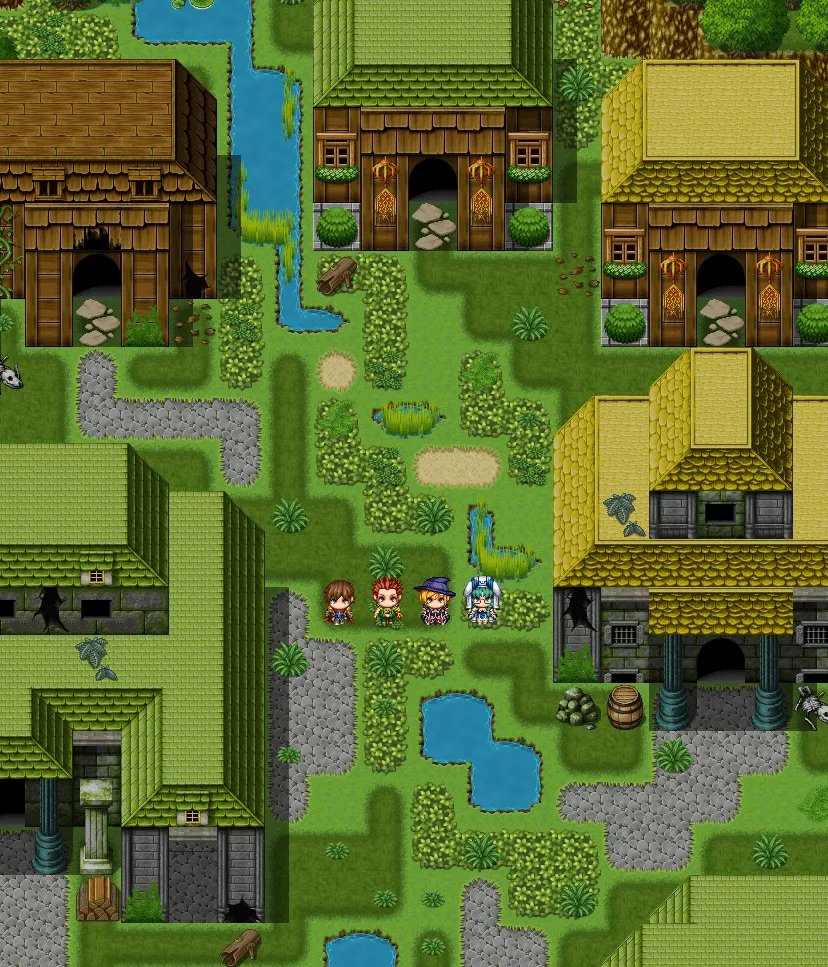
Building an RPG game requires planning your game world, designing character progression, creating engaging storylines, and implementing game mechanics with code or tools.
So, you want to know how to build a rpg game? It seems daunting, but it’s achievable with the right approach. First, think about the story you want to tell and the world where it happens.
Next, consider how your players will grow and change through the game. Then, you need to figure out how your game functions. The entire process requires a mix of creativity and technical skills.

How to Build an RPG Game: A Step-by-Step Guide
So, you dream of creating your very own role-playing game (RPG)? That’s fantastic! Building an RPG might seem like a huge task, but don’t worry, we’ll break it down into smaller, easier steps. Think of it like building a really cool castle – one brick at a time. This guide will show you the way to construct an amazing RPG world and tell captivating stories.
Laying the Foundation: Core Concepts
Before we jump into coding or drawing, let’s understand what makes an RPG, well, an RPG. These core concepts are your building blocks:
Defining Your RPG Genre and Setting
What kind of story do you want to tell? Is it a high fantasy epic with dragons and wizards, a futuristic sci-fi adventure with spaceships, or a modern-day mystery with detectives? The genre shapes everything about your game. Your setting is where your story takes place. It can be a detailed map of a kingdom, a sprawling space station, or a quiet town with secrets. Think about the overall feel and look you want to achieve. For example, a bright and cheerful fantasy game will have different art, music and even story beats than a gritty, dark sci-fi.
Understanding Core RPG Mechanics
Mechanics are the rules of your game, how things work. Here are some of the most common:
- Character Creation: How do players design their characters? Will they choose classes like warrior or mage, or will they create custom skills? Think about what makes each character type unique and useful to play.
- Stats: These are the numbers that define a character’s abilities like strength, intelligence, and speed. Do they grow with experience? How do these numbers impact their actions?
- Combat System: How do characters fight? Turn-based, real-time, dice rolls? Think about what type of engagement and tension you want to create in fights.
- Skill System: What skills can characters learn and use outside of combat? Lock picking, persuasion, crafting? Skills can create diverse character roles and help solve problems in unique ways.
- Inventory: What items can players collect and use? How does inventory work – what are its limitations? Will there be potions, weapons, and special items?
- Experience and Leveling: How do characters grow stronger? Do they gain experience from defeating enemies or completing quests? Leveling up gives a sense of progress.
Consider what mechanics fit with your game world, story, and the type of player experience you desire.
Crafting Your Story and Characters
A great RPG needs a good story! What is the main goal of your game? What obstacles will your characters face? Think about:
- The Main Story Arc: What’s the big problem your characters need to solve? Is it about defeating a dark lord, finding a lost artifact, or uncovering a conspiracy?
- Side Quests: These are smaller adventures that characters can do along the way. Side quests add depth to the world and reward players with experience and items.
- Compelling Characters: Create memorable non-player characters (NPCs). Think about their personalities, motivations, and how they relate to the main story and the player.
Choosing Your Tools: Game Engines and More
Now that you have some core concepts, it’s time to think about the tools you’ll use to build your game. There are many options, each with its own pros and cons:
Game Engines: Your Game’s Powerhouse
A game engine is software that provides the basic tools you need to make a game. Think of it as a pre-built construction site for your game. Here are some popular choices:
- Unity: A very popular engine for both 2D and 3D games. Unity has a large community for support, and many tutorials are available, making it a solid choice for beginners, and it’s very flexible.
- Unreal Engine: Known for its powerful graphics capabilities, Unreal is used for high-end games. It’s a good choice if you’re aiming for stunning visuals. However, it can be more complex to learn.
- Godot Engine: A free and open-source engine that’s gaining popularity. Godot is very easy to learn and is a good choice for both 2D and 3D games.
- RPG Maker Series: Specifically designed for making RPGs. RPG Maker provides pre-made assets and mechanics to quickly start building your game. It can have limitations, but it’s beginner friendly.
Research each of these engines and see which fits your needs, skill level, and the type of game you want to create. Some are free to use, while others may have licensing fees. It’s a good idea to start with a free engine to explore game development.
Programming Languages: The Game’s Logic
Many game engines use programming languages to create interactive elements. These languages tell your game what to do. Here are a few common options:
- C#: A popular language used in Unity. C# is a versatile language for developing game mechanics, interactions and many more things.
- C++: A very powerful language that can be used with Unreal Engine. C++ gives more control but also has a steeper learning curve.
- GDScript: A simple scripting language used in Godot Engine. GDScript is designed to be easy to learn for beginners.
Don’t worry if you don’t know how to program! There are lots of tutorials and online resources to help you learn. You can also choose a visual scripting system in certain engines where you don’t have to write code. Start with the basics and slowly add more to your skillset.
Art and Sound Assets
Games aren’t just code. They also have visuals and sound, which makes your game feel alive. You will need:
- Character Sprites/Models: How your characters look and animate in the game.
- Environment Art: The backgrounds and objects that make up your game world.
- UI Design: How the user interface (menus, buttons, text) looks and feels.
- Music and Sound Effects: The audio that sets the tone and creates atmosphere.
You can create your own art and sound assets (which can take time!) or find them online from different places that offer free or paid assets. Make sure you have the rights to use them in your game.
Game Design and Development: Bringing Your RPG to Life
Now that you have your tools and core ideas, let’s start constructing your game!
Prototyping: Creating a Test Version
Don’t try to build your entire game all at once. Start with a small, test version of your game called a prototype. This helps you see what works and what doesn’t. Your prototype could include:
- Basic character movement.
- Simple combat mechanics.
- A small area to explore.
- One or two main story elements.
This prototype is very important! It allows you to test your ideas and adjust them without wasting too much time. It’s like building a model of your castle before you start on the real one.
Building Your Game World
Now that you have your prototype, you can start building your game world. This involves:
- Level Design: Creating the layout of your game areas. How do players move from one place to another? How can you use the environment to guide the players?
- Populating Your World: Adding NPCs, enemies, objects, and interactive elements to your game world. What items should characters collect? Where should enemies be placed?
Pay attention to details. They can make your world more believable and interesting to explore. For example, you can add small stories to different parts of the game that the player can find.
Implementing Game Mechanics
Now is the time to code or script all of your game mechanics. This includes:
- Character Creation System: Making the game let players create their characters and customize stats, skills, and appearances.
- Combat System: Implementing the rules for battles and how characters interact in combat.
- Inventory and Item System: Making the inventory work and characters to collect, use and equip items.
- Skill and Leveling Systems: Making sure characters can gain experience, level up, and learn new skills.
- Quests and Story: Adding dialogues, cutscenes, and triggers to advance the game’s story.
Test everything as you go. Make sure that all mechanics work as intended. If you add something new, check it. If you change something, check if the changes didn’t break something else.
Adding Art and Sound
Once you have the basic mechanics working, it’s time to add the visual and audio elements. This involves:
- Importing or Creating Art: Adding character sprites, background images, and UI elements.
- Adding Music and Sound Effects: Adding audio to create the atmosphere and bring actions to life.
Good art and sound can make a huge difference. It’s what makes the game look and feel professional. If you are not artistic, there are many online resources for art and sound. Or you can collaborate with an artist or musician.
Testing and Iteration: Making Your Game Great
Testing is a vital part of game development. Play your game yourself, ask friends or family members to test it, and get their feedback. The more people that test it, the better the game gets!
Gathering Feedback and Improving Your Game
Pay attention to what people are saying about your game:
- What do they like? Make sure to keep those parts.
- What do they dislike? See what can be improved or changed.
- Are there any bugs? Fix any errors or glitches.
Game development is an iterative process. It means you constantly test, gather feedback, and improve your game. It’s a cycle that repeats until you have a great RPG.
Polishing and Finalizing Your Game
The final step is polishing your game. This includes:
- Balancing Difficulty: Making sure the game is neither too easy nor too hard.
- Fixing Bugs: Making sure all glitches are gone.
- Adding Finishing Touches: Polishing the UI, adding any extra details, and making sure everything works perfectly.
Once you feel your game is the best it can be, then you can share it with the world!
Building an RPG game is a journey. It takes time, patience, and effort. Don’t be afraid to experiment, make mistakes, and most importantly, have fun. Remember, every great game starts with a single idea. Enjoy the process of bringing your game to life!
Making an RPG is tough
Final Thoughts
Building an RPG game involves careful planning. Start with your core mechanics and story. Design engaging characters and a world.
Iterate your game; test often. Refine based on player feedback. Remember, how to build an rpg game successfully requires patience and dedication.
Keep the scope manageable for your first project. This helps you complete it. Creating is a rewarding experience.

