
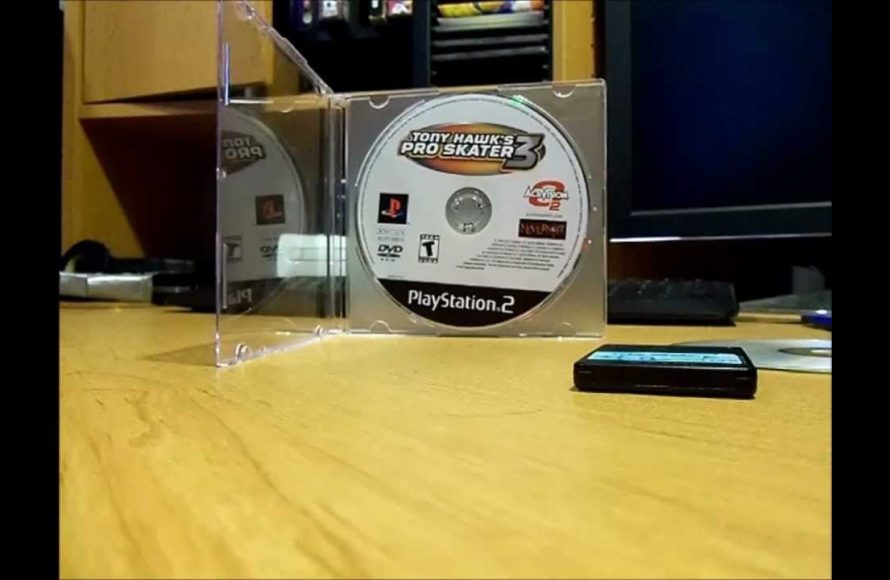
Burning PS2 games requires specific software, a DVD burner, and blank DVDs. You then use the software to copy the game files to the blank disc.
Remember those classic PS2 games gathering dust? You can actually bring them back to life. Many people wonder how to burn PS2 games so they can play backups of their favorite titles.
The process isn’t too difficult once you understand the basic steps involved. We will explore how to accomplish this safely and efficiently for your PS2 gaming pleasure.

How to Burn PS2 Games: A Complete Guide
So, you’ve got a bunch of awesome PS2 games and you want to make copies? Maybe your original discs are scratched, or you just want backups. Burning PS2 games can be a fun project, but it’s important to know that you might need to do it in some circumstances. Let’s get right into how to do it step by step. First, understand this process has some legal and technical aspects to consider. This guide will help you through the process.
Understanding the Basics
Before diving in, it’s good to understand what we’re doing and why. Burning a PS2 game is essentially creating a digital copy of the game onto a blank disc. This copy can then be played on your PS2 console, but only under some specific circumstances, which we will address later. Let’s go over some important terms:
What You’ll Need
To burn a PS2 game, you will need these things:
- A PlayStation 2 Console: It goes without saying, but you’ll need a PS2 console.
- A Computer with a DVD Burner: Most computers today come with a built-in DVD burner. If yours doesn’t, you can get an external one easily.
- Blank DVD-R Discs: These are the discs you will burn the game onto. DVD-R discs work best for PS2 games. Don’t use DVD+R, because they may not work correctly. Always buy a good quality brand.
- ISO Image of the Game: An ISO file is like a digital copy of your game disc. We’ll discuss how to get these later.
- Burning Software: You’ll need software to burn the ISO file onto the DVD. Popular free options include ImgBurn.
- Modded PS2 or a Swap Method: A standard PS2 won’t play burned games. You’ll either need a modified console or a way to swap discs.
The Importance of ISO Files
An ISO file is a type of disc image. It’s a single file that contains all the data from the original game disc. Think of it like a digital snapshot of the entire disc. When burning, you’re not just copying files, you’re making an exact replica of the original disc’s structure. This is crucial for the PS2 to correctly read the game.
Getting Your PS2 Game Ready
Okay, before you can burn anything, you’ll need an ISO image. Creating these ISO files yourself is legal only if you own the original game you are backing up. Here’s how to get them.
Creating an ISO from Your PS2 Game Disc
You can use your computer’s DVD drive to create an ISO image from your original game disc. Here are the steps:
- Insert the Game Disc: Put your original PS2 game disc into your computer’s DVD drive.
- Open the Burning Software: Start your chosen burning software (like ImgBurn).
- Select “Create Image File from Disc” Option: Look for an option that says something similar to “Create Image File from Disc,” “Copy Disc to Image” or something equivalent.
- Choose a Location to Save: Pick a place on your computer to save the ISO file. It’s helpful to name the ISO file after the game.
- Start the Process: Begin the process, and the software will read the game disc and create an ISO file. This might take a bit of time, so be patient.
Finding ISO Images (with caution)
If you do not want to create the iso, you could also find PS2 game ISO files online. However, it’s important to know that downloading games you don’t own is illegal. Also, the internet has many bad places, so always use caution when searching. It’s best to only use ISOs that you made yourself from your own game collection.
- Beware of Viruses and Malware: Some sites offering ISOs might have dangerous things attached to them. Always have good antivirus software running.
- Legal Considerations: Downloading games you don’t own breaks the law. It’s always good to use copies of games that you already own, for backup.
If you choose this method, be careful and always make sure you get the iso files from a reliable source. It’s better to make your own ISO from your personal disc collection.
Burning the Game to DVD
Now that you have your ISO file, let’s burn the game to a DVD. This is where precision is very important. Here is how it is done.
Using ImgBurn for Burning
ImgBurn is a free and very popular software for burning discs. Here’s how to use it:
- Install and Open ImgBurn: Download and install the program if you do not already have it, and then open it.
- Select “Write image file to disc”: In the main menu, you will see a few big buttons. Choose “Write image file to disc”. This is the most important step.
- Choose the ISO file: Click the browse button to find the ISO file you just created or downloaded, and select it.
- Insert a Blank DVD-R Disc: Place a blank DVD-R into your computer’s DVD burner.
- Adjust Burn Speed: This is a very important setting. Always burn at a slower speed to get the best results. A speed of 4x or 2x is often best, but many people have success burning at speeds up to 8x.
- Start Burning: Click the big button to start burning the disc. This process can take a while.
- Verify the Burn: When it’s done, ImgBurn can verify the burned disc. This makes sure that the burning process was successful and that all data is correct.
Tips for Successful Burning
Burning discs correctly is very important. Here are some more tips that you should remember:
- Always use DVD-R: As mentioned before, DVD-R discs are much more compatible with PS2 systems than DVD+R discs.
- Slow Burn Speeds: Burning at a slower speed decreases the chances of errors while burning.
- High-Quality Discs: Always buy the best quality discs you can find. A good brand of DVD-R discs can reduce errors.
- Check for Errors: After burning, check the disc for any errors using the verify function, if available, to confirm the disc burned correctly.
- Handle Discs Carefully: Scratches can make it hard for the PS2 to read your burned disc. Always hold the disc by the edges and keep them in their cases.
Playing Your Burned PS2 Games
This is where things get a little tricky. A regular, unmodded PS2 will not play burned games. To play your burned games, you will need a way to get around this restriction. Here are a few options:
Modifying Your PS2 Console
One common way to play burned games is to modify your PS2. There are a few popular methods:
- Modchips: These are special chips installed inside the PS2. They allow your system to play burned discs. Installing a modchip requires some technical skill and it voids your system’s warranty.
- FreeMcBoot (FMCB): This method uses a memory card to load software that can play burned games. It doesn’t need any hardware modifications and is reversible, which is convenient. However, you do need a pre-configured memory card or a friend to assist you in the initial setup.
- Swap Magic: This uses a special disc that allows you to trick the PS2 into loading a burned disc. It can be effective, but requires you to do some disc swapping while the system is running, and isn’t considered ideal by many users, due to its somewhat inconvenient nature.
Understanding Swap Methods
If you’re not interested in modifying your PS2, swap methods may be a solution. Here’s a basic idea of how they work:
- The Concept: The PS2 checks if a game is valid when the disc tray is first closed. A swap method involves tricking the PS2 into loading a burned game after it has already performed that validity check, often by using a legitimate disc to load the console.
- Potential Drawbacks: Swapping is not always easy and might damage your console if you are not careful.
- Popular Methods: There are specific tools and discs that can help with disc swapping. Read up on the specific method before trying it.
Troubleshooting Common Issues
Sometimes things don’t go as planned. Here are some common issues you might face, along with how to fix them:
Disc Not Reading
If the PS2 doesn’t read your burned disc, here are a few things to try:
- Check Your Disc: Make sure the DVD-R is of high quality and not scratched.
- Verify Your Burn: Did the burn finish without any errors? Try verifying the disc with your burning program.
- Burn Speed: Maybe you burned too fast. Try burning again at a slower speed.
- Clean the PS2 Lens: The laser lens inside your PS2 might need cleaning. You can buy lens cleaning kits to do this.
- Check Compatibility: Make sure the modification method you are using is fully compatible with the game and your console model.
Game Freezing or Crashing
If your game is freezing or crashing, try these fixes:
- ISO Errors: Make sure your ISO file is good. Try re-creating it from your original disc, if possible.
- Disc Quality: A lower-quality disc can cause errors. Try a different brand.
- PS2 Problems: It’s possible your PS2 might have problems. If other discs are having trouble, your console might need repair.
Other Issues
- Incompatible Modification: Sometimes, a certain modchip or software method might not work well with some games. Always check that your chosen method is compatible before trying a lot of different discs.
- DVD Drive Issues: If your computer’s DVD drive has problems reading or burning discs, then you will have to fix it or replace it with a new one, before going further in the process.
- Power Supply Issues: Sometimes, a power supply that is failing can cause weird behaviors with the PS2 console, including game crashes and freezes. Try using a different, known good power supply, if available.
Burning PS2 games can be tricky, but with patience and the right information, you can do it. Remember to follow the steps carefully and troubleshoot as needed.
Burning PS2 games involves a mix of legal considerations, technical steps, and potential troubleshooting. It’s important to respect copyright laws and to make sure you only copy games you own. With the correct tools, software, and a little patience, you should be able to back up your favorite games. Enjoy!
Burning PS2 Games is Easy… Here's Why You Should Do It
Final Thoughts
To burn PS2 games, you need a compatible DVD burner and the game’s ISO file. Use burning software and select the correct writing speed. It’s must to check your console compatibility before burning.
Ensure you use quality DVD-R discs. After burning, test the game on your PS2. These steps illustrate how to burn PS2 games.

