
To buy a PlayStation game for someone else, purchase a digital code from an online retailer or a physical copy from a store and give it to them.
Finding the perfect gift can be tough, but video games are always a good option. You might be wondering, exactly how to buy a playstation game for someone else without spoiling the surprise. Don’t worry; it’s easier than you think!
Whether you prefer giving a physical copy or a digital download, there are a few simple steps to get it right. The process is straightforward, and your friend will be gaming in no time.

How to Buy a PlayStation Game for Someone Else
Picking out a PlayStation game for someone can be super fun! It’s like giving them a new adventure to go on. But with so many games to choose from, how do you make sure you get them something they’ll truly enjoy? Don’t worry, we’re here to guide you through the whole process. From figuring out their favorite game types to making sure it gets delivered on time, we’ve got you covered. Let’s get started on finding that perfect PlayStation game gift!
Understanding Their Gaming Preferences
Before you even think about browsing for games, it’s important to understand what types of games the person likes. This is the most important step. Imagine getting someone who loves sports games a fantasy role-playing game – they might not be too excited! It is like gifting someone who loves reading a football magazine, it will not be an ideal gift for them. So, let’s figure out what they’re into.
Ask Subtle Questions
Sometimes, the best way to find out is to ask! But instead of directly asking “What kind of PlayStation games do you like?” try being a bit sneaky. You could ask:
- “What games have you been playing lately?”
- “I heard about this really cool game; do you think you’d be into it?” (Use a real game you have in mind)
- “If you could only play one type of game, what would it be?”
Listen carefully to their answers. Pay attention to the types of stories they like, the game mechanics they enjoy, and if they prefer playing alone or with friends. If they’re talking about a game that is like an action-adventure, make a note of that.
Observe Their Game Collection
If you have the chance to check out their game collection, do it! What types of games do they already own? This can be super helpful. Do they have lots of sports games like FIFA or NBA 2K? Or maybe their shelves are full of action games like God of War and Uncharted. This is like finding a treasure map that points to their favorite game types. This will give you clear guidance and idea about their liking.
Consider Their Age and Interests
Age appropriateness is a big thing when buying a game. A young child might not be ready for a game with a lot of violence or complex rules. You need to consider the Entertainment Software Rating Board (ESRB) rating. It can help you decide if the game is okay for them based on their age. Just like you’d choose a book that’s good for their reading level, you need to pick a game that’s good for their age. Also, consider their general interests. For example, if they love history, maybe an adventure game with historical elements would be a hit.
Different Gaming Genres
There are lots of different kinds of video games out there. Here’s a quick rundown of some common types and what they generally involve:
- Action: Fast-paced, often with fighting or shooting. These games focus on quick reactions and exciting moments. Think titles like “Spider-Man” or “Ghost of Tsushima”.
- Adventure: Games that focus on exploration, puzzles, and storytelling. Great for people who love a good story. Consider games like “The Legend of Zelda” or “Uncharted” series.
- Role-Playing (RPG): Games where you create and control a character and improve it over time. Good for people who love to get deeply involved in a game’s world. Games like “Final Fantasy” and “The Witcher” fall into this category.
- Sports: Games based on real sports, like football, basketball, or soccer. Ideal for sports fans who love to manage teams or compete.
- Racing: Games focused on driving fast cars, motorcycles, or other vehicles. They usually involve challenges and competitions. Titles like “Gran Turismo” or “Need for Speed” are good examples.
- Fighting: Games where you battle other characters using martial arts or weapons. These games are fast-paced and require precise timing and movements. Think “Street Fighter” or “Mortal Kombat”.
- Simulation: Games that simulate real-life activities like farming, building, or managing a city. These games are usually more relaxing and open-ended. For example, “Minecraft” or “SimCity”.
Knowing which of these genres they enjoy most will help you narrow your choices.
Choosing the Right Game
Now that you have a better idea of what they like, let’s talk about picking a specific game. This is where your research will pay off! It is the most critical phase in your journey.
New Releases vs. Older Titles
Should you get them the newest game or go with something older? Both have their advantages.
- New Releases: New games are exciting because they are current. Your recipient can join in the hype with everyone else. These often come with the latest graphics and gameplay features.
- Older Titles: Older games can often be found at a lower price. Many older games are also considered classics that are always fun to play. Plus, you might find a hidden gem that they’ve never tried before. Sometimes, a retro or remastered classic can be just as thrilling as the newest release.
Consider Multiplayer Options
Does your friend like to play with other people online? If so, consider getting a game that offers multiplayer features. Some games allow for both cooperative gameplay, where players work together, and competitive gameplay, where they play against each other. Games like “Call of Duty”, “Fortnite”, or “Overwatch” are always great choices for multiplayer fun. Some family friendly multiplayer titles also include “Mario Kart”, or “It Takes Two”.
Check the Game’s Rating
Like we talked about earlier, game ratings are really important. The ESRB rating will tell you if the game is suitable for the person you are buying it for.
The ratings usually use letters: E (Everyone), T (Teen), M (Mature), etc. Make sure to pick a game that matches their age group. You can typically find the rating on the game’s box or the game’s digital listing.
Here’s what the ratings mean:
- E for Everyone: Suitable for all ages. These games typically have little or no violence.
- E10+ for Everyone 10 and up: Might contain mild cartoon violence or light suggestive themes.
- T for Teen: Suitable for ages 13 and up. Might have more intense violence, some language, or mild suggestive themes.
- M for Mature: Suitable for ages 17 and up. These games might contain strong violence, blood, mature language, and sexual content.
- AO for Adults Only: This is the highest rating and usually contains graphic violence and sexual content. Most games don’t fall into this category.
Always pay attention to the rating to make sure you are giving a gift that’s right for the recipient.
Read Reviews and Watch Gameplay
Before you buy, it is also a good idea to check out some reviews for the game. Read what people who have played the game have to say. This can help you get an idea if the game is fun and is worth buying. Look for reviews from trusted sources such as professional game review websites or trusted user reviews.
Watching gameplay videos is another great way to see what a game is like. You can find gameplay videos on websites like YouTube or Twitch. Seeing the game in action will give you a good feel for the story, style, and gameplay mechanics.
Where to Buy the Game
Now that you’ve picked the perfect game, it’s time to think about where you should buy it. There are several ways to purchase a game.
Physical Copies
A physical copy is the actual disc or cartridge that you can hold in your hand. Here’s where you can find them:
- Major Retail Stores: Places like Walmart, Target, Best Buy usually have a good selection of games.
- Specialty Game Stores: Stores like GameStop focus specifically on video games.
- Online Retailers: Websites like Amazon or Best Buy’s online store sell physical copies.
Buying a physical copy allows you to have the game case. Some people like to collect them. Plus, it can be nice to have the game in a physical form.
Digital Downloads
Digital downloads let you buy a game online, and it will be ready to play on the PlayStation after downloading. Here’s where you can find them:
- PlayStation Store: You can buy games directly from the PlayStation Store, using the PlayStation console.
- Online Retailers: Some online retailers sell digital codes that you can redeem on the PlayStation Store.
Digital downloads are handy because there are no discs to lose. Plus, they’re usually available instantly after purchase, which is great if you need a last-minute gift.
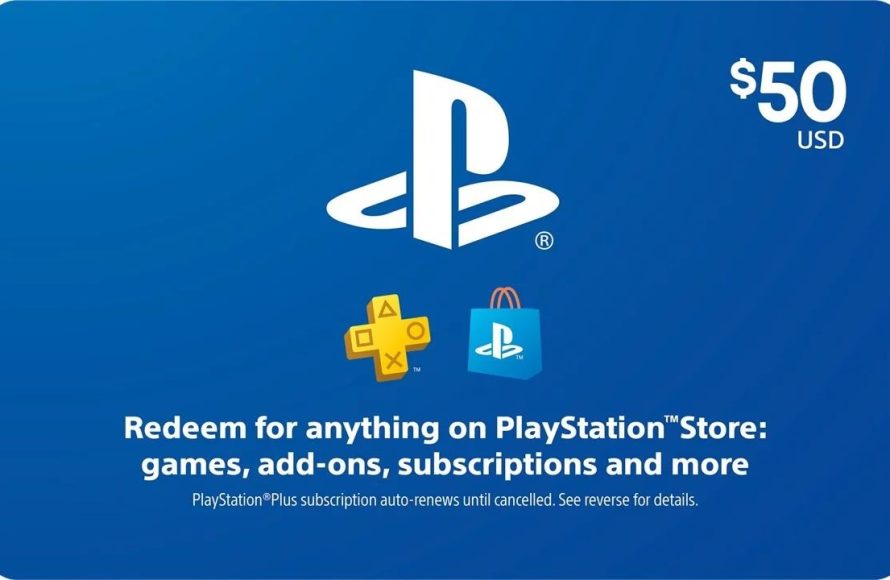
Gift Cards
If you are really not sure what game to buy, you can always consider buying a PlayStation gift card. This lets the person pick out whatever game they would like. Here’s what you need to know:
- Where to Buy: You can purchase PlayStation gift cards at most major retailers, game stores, or online.
- How to Use: The recipient can redeem the gift card on the PlayStation Store and choose a game they want.
Gift cards are perfect when you’re not sure what the person would like or if you’re short on time.
How to Gift a Digital Game
If you decide to buy a digital game, gifting it can be a little different from a physical copy. Let’s go over the steps.
Buying Directly From the PlayStation Store
The PlayStation Store makes it pretty easy to gift digital games. Here’s how:
- Go to the PlayStation Store: Access the PlayStation Store from your PlayStation console or using a web browser.
- Select the Game: Find the game you wish to gift.
- Choose the “Gift” Option: On the game’s page, you’ll usually see an option that says “Add to Cart as Gift” or something similar. Select that.
- Enter the Recipient’s PlayStation ID: The system will ask for the PlayStation Network ID of the person you want to gift it to. Make sure to get this ID correct, because it cannot be reversed after the process is complete.
- Complete the Purchase: Follow the on-screen instructions to complete the purchase.
- Recipient Will Receive Notification: The person you gifted the game to will receive a notification in their account on their PlayStation, informing them that you’ve sent them a game.
Using a Digital Code
Sometimes you might get a digital code from a retailer. Here’s how the recipient can use it:
- Get the Code: You will either have this in your email or in a physical card you bought in store.
- Go to the PlayStation Store: The person who receives the gift needs to go to the PlayStation Store from their console.
- Select “Redeem Codes”: There’s an option to redeem a code. They need to choose this.
- Enter the Code: The recipient enters the code that you gave them.
- Download the Game: Once the code is redeemed, the recipient will be able to download and play the game.
Adding a Personal Touch
A thoughtful gift is more than just a video game. Adding a personal touch can make it extra special. There are many ways to make this gift more meaningful.
Write a Heartfelt Message
Include a short note or card with your gift. Write something personal about why you chose that specific game for them or how you think they will enjoy it. This shows that you put thought into the gift and that you care about their likes and dislikes. This note is a personal touch and always brings a smile to a person’s face.
Wrap It Nicely
If you bought a physical copy, take the time to wrap it up. Use colorful wrapping paper or a nice gift bag. A well-wrapped gift makes the experience of receiving it feel more special. This small gesture can make the gift even more exciting.
Create a Custom Playlist
If the person is into music, you could make a playlist of songs that remind you of your friendship. You could also make a playlist of music that would complement the video game you selected. This is a creative and unique way to add another layer of fun to the gift. It shows that you’ve considered their other interests too.
Consider a Themed Gift Basket
You can take your gift to the next level by making a themed gift basket. If you are gifting a sports game, include some snacks and drinks related to sports. If you are gifting a role-playing game, maybe add a toy or a collectible from that game. Themed gift baskets give an extra special touch.
Ensuring a Smooth Delivery
Making sure the game arrives on time and in good shape is key. Here are some tips to make sure everything goes smoothly.
Check Shipping Times
If you buy online, check the estimated shipping time carefully. Make sure the delivery will come by the date you need it, especially if it’s for a birthday or holiday. Order early to give yourself some extra time in case of unexpected delays.
Choose Reliable Shipping
Pick a shipping method that has tracking. This way, you can track your package and know when to expect it. This is important to make sure the game will arrive safely and on time. You can also check with the post office or the shipping provider if there are delays.
Confirm Delivery Address
Make sure you have the correct delivery address. If you are shipping a gift to someone else, double-check their address to avoid any delivery mishaps. This small step can prevent a lot of frustration later.
Consider Gift Options
Some online retailers will let you select the “gift option.” This can mean the store will wrap the gift for you and include a gift receipt. This can make things easy, especially if you’re sending the gift directly to the recipient.
Buying a PlayStation game for someone else is more than just a purchase; it’s about giving a thoughtful gift that brings happiness. By understanding their likes and dislikes, choosing the right game, and adding a special touch, you are sure to give them a gift they will love and cherish.
How To Buy a Game on Playstation Store as a Gift?
Final Thoughts
To buy a PlayStation game for someone else, you can choose a physical copy from a store, which you then gift directly. Alternatively, purchase a digital code online through the PlayStation Store or a retailer. Always double-check the recipient’s console and game region for compatibility before finalizing the purchase.
Purchasing a digital copy often involves sending them the code. This means they can download it to their console easily. Ultimately, the best approach depends on the recipient’s preference, how they typically access games and whether it is a surprise gift.
These methods make it easy for you to learn how to buy a playstation game for someone else. Consider their console type and preferred game format to make the perfect gift.

