
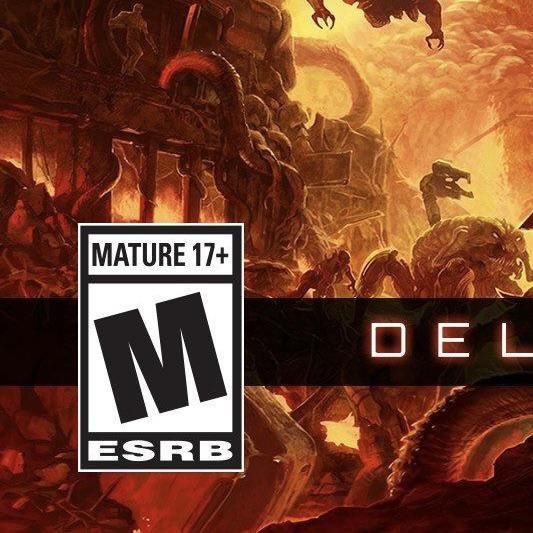
To buy an M-rated game at GameStop, you must present a valid government-issued photo ID proving you are 17 years of age or older.
Trying to grab that new, intense game? You’re probably wondering how to buy an M-rated game at GameStop. It’s not as complex as you might think.
GameStop, like other retailers, has rules regarding age-restricted purchases. They will ask for your identification to ensure that you meet the minimum age requirement.
So remember to have your photo ID ready for a smooth checkout process.

How to Buy an M Rated Game at GameStop
Buying a video game can be super exciting, especially when it’s one you’ve been waiting for! But sometimes, games have a rating that means they’re not for everyone, kind of like movies have ratings. One of these ratings is “M” for Mature. It means the game has content that’s suitable for older kids and adults, like violence, strong language, or suggestive themes. GameStop is a popular place to buy games, so it’s good to know what to expect when buying an M-rated game there.
Understanding Game Ratings
Before diving into buying at GameStop, let’s talk a little bit more about game ratings. The Entertainment Software Rating Board (ESRB) is the organization that puts these ratings on games in North America. Think of them like the movie ratings you might know – G, PG, PG-13, R. Games have similar ratings:
E (Everyone): These games are good for all ages.
E10+ (Everyone 10+): These games are generally suitable for those ages 10 and up.
T (Teen): These games are good for teens but might have some things that younger kids might not understand or enjoy.
M (Mature): These games are for people 17 and older. They often have more intense violence, strong language, or sexual content.
AO (Adults Only): These games are not sold in many stores and are strictly for adults.
When you see that “M” on the box, it means the game has content that’s meant for a mature audience. It’s really important to pay attention to these ratings because they help you choose a game that’s right for you.
Age Requirements at GameStop
So, how does GameStop handle M-rated games? It’s simple: to buy an M-rated game at GameStop, you need to be 17 years old or older. It’s a rule they follow very closely. This is not just GameStop’s rule; it’s often a law in many places. They do this to make sure that kids aren’t exposed to game content that might not be appropriate for them.
GameStop will check your ID if you look like you might be younger than 17. This isn’t personal; they have to do it. Think of it like showing your ID when you go to see a movie with an R rating. They want to make sure everyone is following the rules, and it keeps things safe for everyone. If you are trying to buy an M-rated game for someone underage, you can not purchase it even if you are of age to do so unless you are a parent or guardian, more on that later.
What Kind of ID Do You Need?
GameStop accepts different forms of ID, as long as they are valid and show your date of birth. Here are some of the most common forms of ID:
Driver’s License: A driver’s license is one of the easiest forms of ID for GameStop.
State ID: A state-issued identification card is another accepted form of ID.
Passport: If you have a passport, this also works for proving your age.
Military ID: If you are in the military, your military ID can be used.
Make sure your ID is current and not expired because they might not accept it if it’s too old. You also need to ensure that the photo on your ID looks like you. If you’re worried about whether your ID is accepted, it might be a good idea to ask before you go to the store.
Buying an M-Rated Game at GameStop as a Parent or Guardian
Let’s say you’re a parent or guardian, and you’re trying to buy an M-rated game for your child who isn’t 17 yet. Here’s the thing: you absolutely can buy an M-rated game for your child as long as you are the parent or the legal guardian. However, you need to be over 17, and you will be asked to confirm that you are the parent or the legal guardian.
GameStop makes this exception for parents and guardians because parents know their children best. If you have decided that an M-rated game is suitable for your child, it is your right to purchase it. The staff at GameStop can not stop you from purchasing the game as long as you are over 17, and you are purchasing the game for your child who is not yet 17.
Keep in mind that GameStop might ask you some questions. They could ask you to confirm that you’re really the parent or legal guardian of the child. It’s just part of their procedure to help keep games out of the hands of children who should not be playing them, and to protect you and your child in ensuring a good purchase.
The Buying Process at GameStop
The actual buying part is pretty straightforward. Once you’re cleared to buy your M-rated game, it’s just like buying any other game.
1. Choose your game: First, look through the game selection at GameStop. You can check out new releases or find a used copy. Check for the “M” on the box to make sure you have the right one. Sometimes the game cover will display the ESRB rating, but it’s always present on the packaging somewhere.
2. Go to the counter: Once you’ve picked your game, bring it to the checkout counter. There, a GameStop employee will ring you up.
3. Show your ID: If you’re buying an M-rated game, the employee will ask for your ID to verify your age. Show them your ID. They might ask for your birthdate to confirm it.
4. Pay for the game: After they’ve confirmed your age, you can pay for the game using cash, credit card, or whatever method you want.
5. Check your receipt: Once the purchase is complete, check your receipt to make sure that everything is correct.
And that’s it! You’re all set to go home and start playing. Buying at GameStop can be easy.
Buying an M-Rated Game Online
If you want to skip the trip to the store, you can also buy an M-rated game online at the GameStop website or app. The process is similar, but it has a few differences.
1. Find your game: Go to GameStop’s website or app and search for the game you want. You can use the search bar or browse by category. Make sure you’re looking at the right version (like PlayStation or Xbox) and that it has the “M” rating on it, if you are purchasing that specific rating.
2. Add to cart: Once you have found the game you want to buy, add it to your cart.
3. Checkout: After that, start the checkout process. You’ll be asked to give your address, choose a shipping method, and provide payment information.
4. Age verification: When you’re buying an M-rated game, you’ll have to verify your age online. Usually, GameStop uses a system where you enter your birthdate. In some cases, you might have to upload a copy of your ID. These checks are in place to help make sure that only those of age are purchasing games rated M.
5. Wait for delivery: Once you’ve finished all that, wait for your game to be delivered. Remember that it might take a few days for your game to get to you.
What to Do if You’re Underage and Want an M-Rated Game
Now, what if you’re younger than 17 and really want to play a certain M-rated game? It’s understandable that you might be super excited about it, but here’s the thing: it’s really important to respect the rules. They’re there for a reason.
You can’t legally buy an M-rated game yourself, but here’s what you can do:
Talk to your parents or guardians: The best approach is to talk to your parents or guardians about the game. Show them game play, and let them decide if the game is appropriate for you. Explain why you want it.
Ask them to purchase the game: They can go to GameStop and buy the game for you if they are over 17, and they decide it is okay for you to play. This also gives them the chance to look at the game and decide if it’s a good choice.
Remember, game ratings exist to help everyone make informed decisions. Being patient and understanding is important. There are many other great games you can enjoy.
Why is it Important to Follow Game Ratings?
Game ratings are not just suggestions; they are put in place to protect everyone. They help guide you toward games that are suitable for your age. Mature-rated games sometimes contain things that might not be a good fit for younger kids, and they could be scary or confusing. By following these ratings and knowing the rules, you make sure everyone is having fun and staying safe. GameStop and other retailers take these ratings seriously.
Here’s a quick summary in table form:
| Aspect | Details |
|———————-|—————————————————————————|
| Game Ratings | ESRB ratings: E, E10+, T, M, AO. “M” means for 17+ |
| Age Requirement | Must be 17 years or older to purchase an M-rated game at GameStop |
| Acceptable IDs | Driver’s License, State ID, Passport, Military ID |
| Parent/Guardian | Can purchase for underage children |
| In-Store Purchase | Choose game, go to counter, show ID, pay |
| Online Purchase | Find game, add to cart, checkout, verify age, wait for delivery |
| Underage Players | Should talk to their parents or guardians |
| Importance of Ratings | Protect kids from inappropriate content; help make informed choices |
Understanding these guidelines is important for everyone. It helps keep the games fun for those who are old enough to play them, and it helps keep everyone safe. GameStop follows these rules to keep everyone happy and safe. By understanding the process, you’ll be prepared when you buy that new M-rated title. So, that’s all about how to buy an M-rated game at GameStop. It is a very straightforward process once you understand why it is there, and it’s good to know these rules and regulations.
Game ratings and age restrictions are in place to ensure that everyone has an enjoyable experience with video games, while also keeping things safe for all. If you are of age, buying an M-rated game is just as easy as any other purchase. If you’re under 17, it’s best to follow the rules and ask for your parents or guardians’ help. The main idea is that we can all play games and have fun while still being safe and responsible.
When you try to get an M rated game from GameStop
Final Thoughts
To buy an M-rated game at GameStop, you must present a valid, government-issued photo ID proving you are 17 or older. They will then verify your age before completing the sale. A parent or legal guardian can’t purchase it for a minor; the purchasing individual must be of age.
So, remembering to have your ID is key to knowing how to buy an m rated game at gamestop. You also might want to explore other options if you can’t shop in store.

