
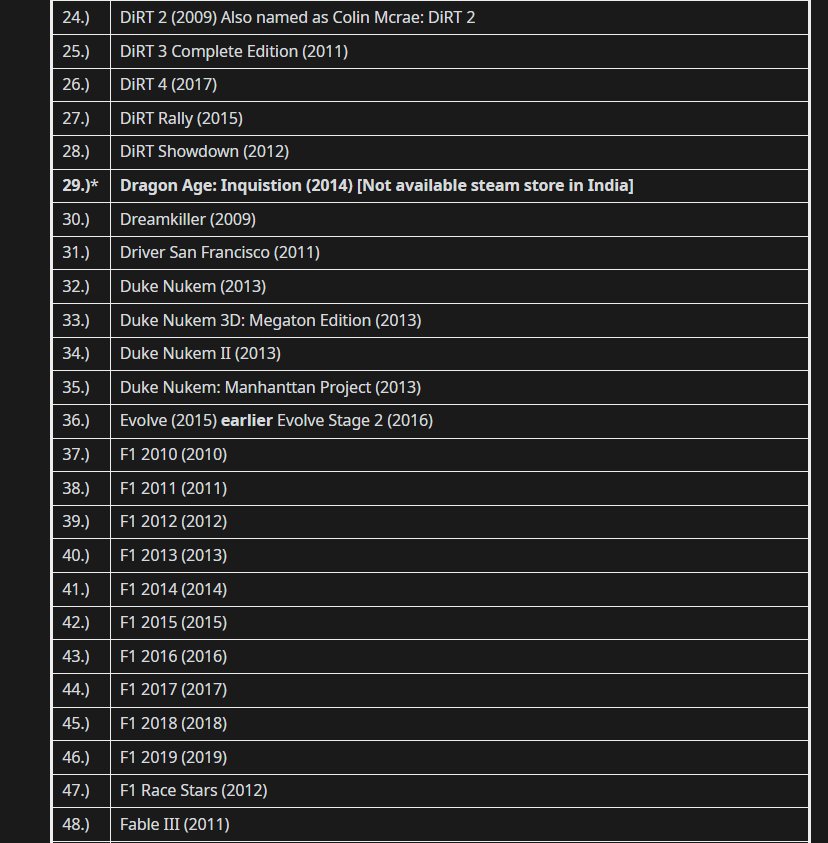
Purchasing delisted Steam games typically requires finding a physical copy or a key from third-party resellers, as they are no longer available on the Steam store directly.
Have you ever yearned to play that old classic that vanished from the Steam store? It can be frustrating when a game you want is no longer available for purchase through normal channels. This article explains how to buy delisted Steam games, exploring the various methods that remain despite their removal from the official marketplace.
We’ll show you where to potentially find these digital relics. This will include alternative platforms and key vendors. Be aware that buying from third party can involve risks so due diligence is essential.

How to Buy Delisted Steam Games
Have you ever searched for a game on Steam, only to find it’s no longer available? This happens when a game gets “delisted.” It means the game is taken off the Steam store, and you can’t buy it the regular way. But don’t worry, it doesn’t always mean you can never play it again. Sometimes, you just need to know a few tricks.
Understanding Delisting: Why Games Disappear
Before we talk about how to get those games, let’s figure out why they disappear in the first place. There are many reasons why a game might get delisted from Steam. Let’s look at some of the most common:
- Expired Licenses: Games often include music, characters, or other elements that creators license from other people. If the license runs out, the game might get removed until the license is renewed, if that even happens. Think of it like renting a movie – when the rental time is up, you can’t watch it anymore without renewing the agreement.
- Developer Decisions: Sometimes, the people who made the game decide they no longer want to sell it. Maybe they are making a new version, or they might decide to stop supporting the older one. It could also be that the developers have gone out of business or do not have the time to support that game anymore.
- Legal Issues: If there are copyright problems or lawsuits, a game could get removed. This is like when a book gets taken off the shelves because someone says the story was stolen from them.
- Quality Concerns: Occasionally, Steam might remove a game if it doesn’t meet their standards or if it’s not working well. This is not so common, but it does happen.
- Remakes or Remasters: Sometimes a game gets delisted because a better, updated version is coming. The old game might be pulled from the store so people will buy the new one.
Knowing why a game gets delisted can help you understand why it might be hard to find it and where you might have a better chance of finding it. There’s no central store for “old, unlisted games,” so you have to be a bit of a detective sometimes.
Legitimate Ways to Find Delisted Games
Okay, so the game you want is gone from Steam. What do you do now? Here are some ways you can try to get it.
Physical Copies: The Old School Way
One of the best ways to potentially find a delisted game is to look for a physical copy. Yes, those discs that come in boxes! Before all games were digital, people had to buy physical copies of games. Sometimes these old discs can still be used on a computer. Here are some ideas:
- Online Marketplaces: Sites like eBay, Amazon, and even some local classifieds often have older games for sale. Be very careful when buying from these places. Make sure the seller has good reviews, and you can ask them for more details on the item. Check if the game is complete, including the box, manual and the game disc. Always check the condition before buying.
- Used Game Stores: Don’t forget about your local used video game stores. These stores sometimes carry older PC games. Call before you go to ask if they might have what you are searching for, and if not, they could possibly know where you can look.
- Friends and Family: Have friends and family who used to game? Ask them! You might find that they have some games lying around and would be happy to give them to you or let you borrow them.
Things to Remember about Physical Copies:
- Compatibility: Check if the game is compatible with your computer’s operating system. Older games might not work on new computers without some extra steps.
- Game Activation: Some games required online activation even for physical copies. If you can’t activate it on Steam, you might still be able to activate it on the game’s official platform. This is very case specific.
- Condition: Old discs can be scratched or damaged, and they might not work correctly. Always ask the seller about the condition and check if there are any issues before buying.
Steam Keys: The Digital Path
Even though the game is not on the Steam store anymore, sometimes, you can still buy a Steam key for it. This is a code you put in Steam, and the game will be added to your Steam account. Here’s where to look:
- Online Key Resellers: There are websites that sell Steam keys. Some are good, and some are not. Some of these keys might not be legitimate or might be used, so use caution. Research a website before buying. Some good ones are Humble Bundle, Fanatical and others.
- Bundle Websites: Sometimes, older games appear in special bundles. Keep an eye out for these as they are often a good way to get several games at a lower price.
- Giveaways and Contests: Sometimes, developers or websites hold giveaways where you can win Steam keys. This is a long shot, but it’s free! Follow gaming communities online to find these.
Things to remember about Steam keys:
- Region Locks: Some Steam keys are only valid in certain regions. Make sure the key you are buying works in your country.
- Legitimacy: Be very careful about where you buy Steam keys. Make sure it’s a legitimate place or the key could be fake or even used. If you can, stick to well known and reviewed websites.
- Activation: Once you buy a Steam key, you can go to Steam and select “Add a Game” at the bottom left. Then you choose “Activate a Product on Steam” and follow the instructions to use your key.
Other Digital Marketplaces
While Steam is very popular, other stores sell games. Sometimes games get delisted from Steam but stay on another store. Here are a few places to try:
- GOG (Good Old Games): GOG is a great place to find older PC games. They often have games that are hard to find anywhere else. Check their website to see if your game is available there, they often do not have digital rights management.
- The Developer’s Website: Sometimes the developers will still sell a game on their own website. If it was a popular game, it might still be available on the game’s website.
- itch.io: This platform focuses on indie games, and there are a lot of older or smaller titles available that you might find interesting.
What to remember about other marketplaces:
- DRM: Some stores have DRM (Digital Rights Management) which means the game can only be played in certain ways or requires always online access. If you can, look for games that do not have DRM for more freedom to play.
- Compatibility: Make sure the game will work on your computer.
- Reputation: Check to make sure you are buying from a reputable website. If the website has a lot of negative reviews it might be a website you do not want to buy from.
Using SteamDB to Track Delisted Games
SteamDB is a fantastic website that tracks all sorts of data on Steam, including games that have been delisted. You can use it to get information about these games and keep track of them. Here’s how:
- Searching for Games: Go to the SteamDB website and search for the game you want. Even if it’s delisted, the game’s page will usually still be there. This will show you if the game is still on Steam, and the exact date it was delisted from the Steam store.
- Checking Price History: SteamDB will show the game’s price history, so you can see how much it used to cost. This can help you know if you are getting a good deal if you find it somewhere else.
- Finding User Reviews: Even if a game is delisted, you can often still see user reviews on SteamDB. This can help you decide if the game is worth trying to find.
- Bundles: See if the game was ever in a bundle, this could help when you are searching for a key.
Why is SteamDB useful?
- Information: SteamDB will help you learn if a game is still playable or not.
- Alerts: You can set up alerts, so you know when a game has been re-added or made available.
- Community: Find community discussions and information related to the games.
Emulation: A Last Resort
Sometimes, the only way to play a very old or obscure game is through emulation. Emulation is using a special computer program that makes your computer act like an older gaming console or computer. This process can be a bit complex, and it might not be legal for all games. Proceed with caution.
What is Emulation?
Emulation is like pretending that your computer is a different machine. It lets your computer run programs and games that were designed for other systems. For example, if you wanted to play a PlayStation 2 game on your computer, you would need an emulator to do that.
How Does Emulation Work?
An emulator is a special software that reads the game files from the platform it’s intended for, and translates these files to be played on your machine. So a game for the old playstation console will be converted by the software so it will work on a computer. You also might need the game files (often called ROMs) for the game you want to play. These game files are often acquired by making copies of your own games or downloading files from various internet sources. You must research the legality of making and using these files before trying to play any game using an emulator.
Things to Consider Before Emulating
- Legality: The legality of emulating can vary by country and game. You should own the physical copy of the game if you are playing it on an emulator. You should do some research to find out the rules in your country.
- Complexity: Setting up an emulator and finding the right files can be complicated. You may need some technical knowledge. It can also involve downloading and running files from the internet which can be unsafe if you are not careful.
- Performance: Emulation can be difficult for your computer. Older games that were originally designed for old computers or consoles might still require a powerful computer to run properly with emulators.
- Game Files: Game files (ROMs) should only be obtained from legal sources, such as from games you have purchased yourself.
Is it Okay to Play Delisted Games?
This question is asked a lot! The quick answer is: It depends. Playing games you own, or buying a game from a legitimate seller, is usually okay. However, you should avoid getting games from illegal sources. If you are unsure of the legality, you should seek some legal advice from professionals in your country.
Here are a few points to remember:
- Buying from Reputable Sources: Buying physical copies or keys from legitimate sources is usually fine. If the key came from a good store, or if you have the original game, you usually will not get into trouble.
- Piracy: Downloading game files from random websites is usually considered illegal. Avoid downloading from untrusted websites. It is also illegal in many countries.
- Moral Responsibility: It’s important to think about supporting the developers. If you can buy the game from a legitimate source, that’s the best way to show appreciation for the game.
Sometimes, you might need to just accept that some delisted games will be impossible to get legitimately. In those cases, it’s probably best to find a new game you will enjoy. It is never a good idea to put yourself at legal risk for a game.
Finding delisted Steam games can be a fun challenge! You just need to be patient, use the right tools, and be careful where you get your games. Happy hunting!
How to STILL buy games that Steam delisted from their store!
Final Thoughts
To buy delisted Steam games, your primary option is to find a key from third-party sellers. These keys, if legitimate, can still activate on Steam despite the game’s removal. Always verify the seller’s reputation.
Another method involves checking for physical copies of the game; these often include a Steam key. You must be careful to avoid fake keys. Finding these games may take a bit of searching.
Keep an eye on legitimate key resellers. You can sometimes locate delisted game keys for sale. This provides a solution for how to buy delisted Steam games.

