
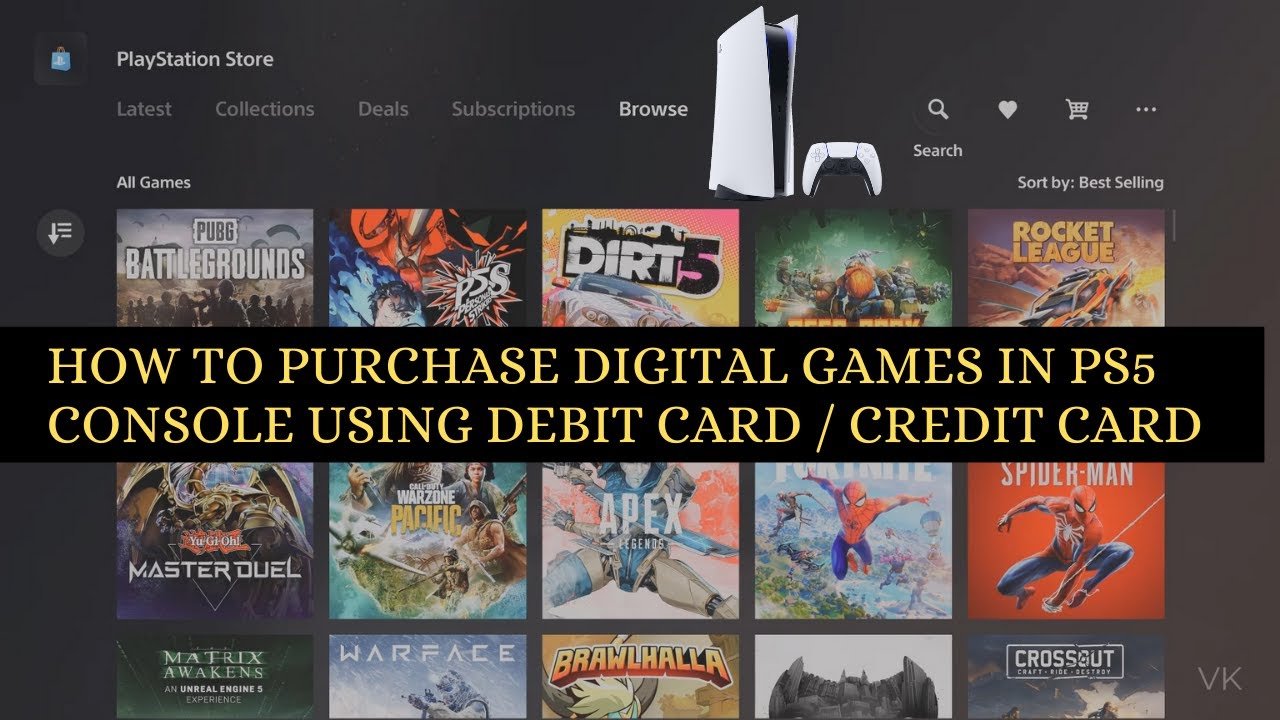
To buy PS5 digital games, you can either purchase them directly from the PlayStation Store using your console or through the PlayStation app on your phone or web browser.
Ready to expand your PlayStation 5 library? Forget the trips to the store, buying digital games gives you instant access. This convenient method means you can start playing right away!
Learning how to buy PS5 digital games is quite simple. You have a couple of options to make a purchase. Whether you’re on your console or away from home, the PlayStation Store is always accessible. Let’s get into how this all works.

How to Buy PS5 Digital Games
So, you’ve got a shiny new PlayStation 5 and you’re ready to dive into some awesome games! But maybe you’re not into those physical discs anymore, and that’s totally cool. Digital games are super convenient – no more swapping out discs, they’re always right there on your console, and you can even pre-load them so they’re ready the minute they’re released. This guide is here to show you exactly how to buy PS5 digital games, step-by-step. We’ll cover where to find them, how to pay, and even some tips to make sure you’re getting the best deal. Let’s get gaming!
Understanding the PlayStation Store
The PlayStation Store is your go-to place for buying PS5 digital games. Think of it as your online game shop, right on your console! It’s where Sony lists all the games available for your PS5, along with demos, add-ons, and even some free games. You can get to it right from your PS5’s main menu.
Navigating the PlayStation Store
Getting around the store is really easy. Once you open the PlayStation Store, you will see different sections that you can explore. Usually at the top, you will find new releases, deals, and popular games. You can also use the search bar to look for a specific game. The store is also divided into categories like genres (action, sports, RPG) which make finding games you enjoy much simpler. You can browse by looking at the images of the games or also by just looking at the names of the games.
Different Sections in the Store
There are a few areas of the PlayStation Store that you should know about:
- New Releases: This area shows you the newest games that have just come out. It’s a great place to see what everyone is talking about.
- Deals & Promotions: This is where you’ll find games that are on sale. You can save money on games you want here. Make sure to check this regularly.
- Top Sellers: This shows you which games are being bought by most people. You might find some really good games that you didn’t know about.
- Coming Soon: This gives you a sneak peek at games that will be released soon. You can even pre-order games from here.
- Browse by Category: Here you will find games split into genres. For example, you will see action games, racing games, and sports games, and etc. You can find many options here.
Finding the Perfect Game
With so many amazing games available, figuring out which one to buy can be tough. Here are some things to keep in mind when you’re choosing a new game for your PlayStation 5:
Thinking About Your Favorite Game Types
What kind of games do you usually like to play? Do you enjoy fast-paced action, exploring open worlds, or solving puzzles? Knowing this will help you narrow your search. For example, if you enjoy playing sports games, you can search for only those types of games, instead of looking at a wide range of games.
Reading Reviews and Watching Gameplay
Before you spend money on a game, it’s always a good idea to read what other people are saying about it. You can find reviews on the PlayStation Store, gaming websites, and YouTube. Also, watching gameplay videos on YouTube or Twitch will give you an idea about the feel of the game.
Checking Game Ratings
All games have age ratings, which tell you if a game is right for you or someone else. Make sure to check the rating before buying a game, especially if you are buying for a younger player.
Demoing Games When Possible
Some games have a demo version which gives you the chance to try the game before you buy it. This will give you a better sense of the game so you can decide if you enjoy playing it. Check the PlayStation store to see if any demos are available for the games you are looking at.
How to Actually Buy a Digital Game
Okay, you’ve found the perfect game! Now, let’s go through the actual buying process.
Adding the Game to Your Cart
Once you have selected a game, you will see a big blue button that says “Add to Cart”. Click this button to put the game in your shopping cart. If you are not sure about buying the game yet, you can put the game on your “Wish List” and decide later.
Reviewing Your Cart
After adding the game, go to your cart. This is where you will see all the games that you have selected. Double check the names and prices of the games that you have in your cart. At this stage, you can remove games that you don’t want to buy. Once you have checked everything, click on the “Proceed to Checkout” option.
Choosing Your Payment Method
This is the step where you actually have to pay for your game. The PlayStation Store accepts different payment options. You can use a credit or debit card, or you can use your PlayStation Wallet Balance.
Using a Credit/Debit Card
If you use a credit or debit card, you will need to type in the card number, expiry date, and security code. Make sure all the information you provide is correct. Your card will then be charged for the game.
Adding Funds to Your PlayStation Wallet
You can also add funds to your PlayStation Wallet, which works like an online piggy bank for your PlayStation account. You can add money to it using a credit or debit card or using a PlayStation gift card. This wallet balance can then be used to buy games and other things on the store. This is a great way to control spending. To add money, go to your account settings on your PS5 and look for the “Wallet” option.
Using PlayStation Gift Cards
If you receive a PlayStation gift card, you can add it to your account and use that money to pay for games. This is very useful especially when you are buying games as gifts for other players. To do this, go to “Redeem Codes” option in the store and add the code from the card. The value of the gift card will be added to your account.
Completing Your Purchase
After you have chosen your payment method, the next step is to complete your purchase. You will see the confirmation of your purchase with information about your order number, game name, and payment information. Click the purchase button to complete the process. After that, you will get a receipt, which you can check if you need to.
Downloading Your Game
Once your purchase is complete, your game will start to download automatically. You can go to your “Download” section, to see the progress of your download. A fast internet connection is required for a speedy download. While the game is downloading, you can go and do other things. Once the game download has completed, you are ready to play it. Click the game icon and it will open the game.
Checking the Download Progress
You can check the status of the download by going to the “Downloads/Uploads” area in your main PlayStation menu. This will show you how much of the game has downloaded. You can also pause or cancel the download if you need to. You should make sure your console has sufficient storage space before downloading a game. If your storage is full, you can delete some games you are not playing so you can make some space. You can re-download the games that you deleted at any time from your game library.
Pre-Loading Games
If you’ve pre-ordered a game, you often get the option to pre-load it before the release date. This is a great option because it means the game is already downloaded on your console, and you can start playing it as soon as it comes out. Go to the game page for the pre-ordered game and you will see the option to start pre-loading. This way you can avoid any downloads when the game is released, and just immediately start playing it.
Managing Your Game Library
All the games you buy are saved in your game library. This is a record of every game you have purchased and played. You can access this library from the main menu. You will see a list of all the games you own, and you can download them again if needed. This is very useful if you have deleted a game to make some space, and now you want to play it again.
Finding Your Games
Your games are sorted by order of which game you played most recently. You can also search for a specific game using the search bar. The library also has filters which can sort the games based on the name or date you added the game. This is a quick and easy way to find your games.
Redownloading Games
If you have deleted a game, you can always re-download it from your game library. Look for the game that you want to play and click the download option to download and install it again. This is possible since you already purchased the game before. This is a very good feature which helps you manage your game storage more efficiently.
Tips for Saving Money
Buying digital games can add up, but there are some easy ways to save money:
Checking for Sales and Discounts
Keep an eye on the PlayStation Store’s deals section. Sales happen often, and you can get games for much less than the regular price. You can also check websites that track PlayStation Store sales, and these websites will notify you if any game that you are watching goes on sale. Also remember to check for holiday sales around the holidays when there will be many offers for game sales.
Using PlayStation Plus
If you have a PlayStation Plus subscription, you will get some free games each month. Also, you will get discounts on many games in the PlayStation Store. It is great value, especially if you like to play online multiplayer games.
Buying Gift Cards at a Discount
Sometimes, retailers will offer PlayStation gift cards for less than their actual value. This is a good way to save some money which you can use to purchase games.
Sharing Accounts (with caution)
You can share your account with someone else you trust, and this way you can buy games together. However, this has some risks, and you should only do this with people you really trust. Only share your login details with people who you fully trust.
Troubleshooting Common Issues
Sometimes, you might run into a problem while trying to buy or download a game. Here are some common issues and how to fix them:
Payment Issues
If your payment is not going through, make sure that you have entered the correct payment details, such as your card number, expiry date, and security code. Check with your bank or payment provider to see if there is any issue from their end. You can also try another payment method to see if it works.
Download Problems
If your download is slow or gets stuck, try restarting your console and router. Make sure you have enough storage space available on your console, and also make sure you have a good internet connection. If there is still any problem, contact PlayStation support and they will be able to help you.
Game Won’t Start
If a game you downloaded does not start, check if the game is fully downloaded, and then try restarting your console. Sometimes, these small things can fix any issues that you are having. If there is still any issue, try deleting the game and downloading it again.
Buying digital PS5 games is a pretty simple process, but it’s important to know all the steps. Remember to always look for deals, manage your library, and reach out for help when you need it. Now that you know how to buy digital games, you can have lots of fun playing games on your PS5.
How to buy Digital Games in PS5 for Beginners
Final Thoughts
To summarize, you can buy PS5 digital games directly through the PlayStation Store on your console. Also, you can purchase codes from retailers and redeem them. These codes give you access to download the games.
Remember to have a sufficient PSN wallet balance or a linked payment method ready. That’s fundamentally how to buy ps5 digital games.

