
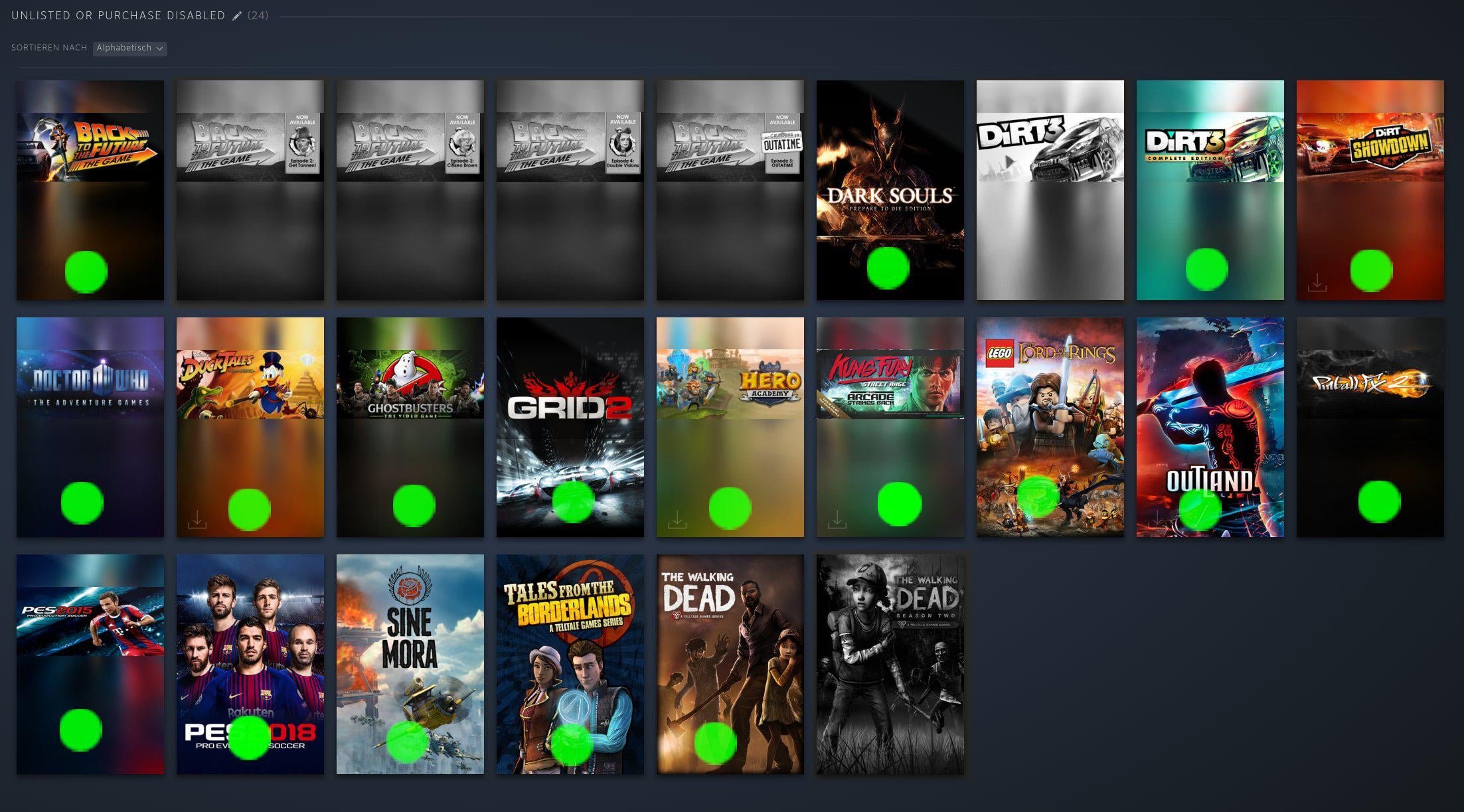
You cannot directly buy unlisted Steam games through the Steam store. Usually, you need a direct key from the developer or a legitimate third-party seller to activate them.
Ever stumbled upon a game not listed on Steam’s storefront and wondered how to get your hands on it? It’s a common question for many gamers, especially those interested in niche titles. Finding out how to buy unlisted Steam games can feel like a treasure hunt.
These games, for various reasons, do not appear in the normal store search results. They require alternative means for purchase, often relying on direct keys. Keep reading to understand the process better.

How to Buy Unlisted Steam Games
Ever stumbled upon a game that you just can’t seem to find on the regular Steam store? These are often called “unlisted” games. They’re still on Steam, but they’re hidden from the main search results and storefront. They’re like secret treasures waiting to be found! But how do you actually buy one of these sneaky games? That’s what we’re going to explore today. It might seem tricky, but with a little know-how, you’ll be adding these hidden gems to your Steam library in no time.
Understanding Why Games Are Unlisted
Before we dive into buying, it’s good to know why a game might be unlisted in the first place. It’s not always because the game is bad! There are several common reasons why developers or publishers might choose to hide their game from the main storefront:
- Early Access Games: Sometimes, a game is still in development and not quite finished. The developers might want to limit who plays it while they make improvements. They might put an unlisted link for some dedicated players or beta testers.
- Private Betas: Similar to early access, games in private beta are often kept hidden. These betas let a small group of people test the game before a full release.
- Games Bundled with Other Products: A game may only be available through a special purchase, like a collector’s edition or a bundle of software. For example, some graphic tablets come with a free drawing game. That game might not be findable on store, but you can get it via unlisted link.
- Limited-Time Promotions: Occasionally, a game might be unlisted after a promotion or giveaway. They may have a link that they shared during the promotion period. They may also hide the game from search to avoid confusion.
- Older Games: Some older games, particularly those from small developers, might not be considered “current” enough for the main Steam store. Steam does some updates on its system from time to time and old games get harder to find. Some developers may just keep them hidden.
- Internal Testing: Developers use unlisted links for their internal testing process, so that their team or testers can easily access the game, without making it public.
Understanding these reasons helps show that unlisted games aren’t necessarily bad or unwanted. They just have special reasons for being hidden.
Finding Unlisted Steam Games
Okay, now the fun part! How do we actually find these hidden games? There are a few main methods that people use to locate these games:
Direct Links from Developers or Publishers
The most straightforward way to get an unlisted game is if the developer or publisher gives you a direct link to the game’s Steam page. This link is usually structured like this:
https://store.steampowered.com/app/#######Where “#######” is a unique number representing the game. Here’s where you might encounter those links:
- Social Media: Developers often share links to their games on platforms like Twitter, Facebook, and Discord, especially for beta tests.
- Developer Websites: Check the official website of the game or the developer’s portfolio. They might have a section for special access to their game.
- Forums and Communities: Online forums and community groups dedicated to games or game development might share these links.
- Email Newsletters: If you signed up for email updates from a developer, they might send you a link to an unlisted game.
- Kickstarter or Indiegogo: If you backed a game on Kickstarter or a similar platform, the developers usually provide an unlisted link after the project is complete.
Keep an eye on these areas. You might just find yourself a secret game! This is the easiest way to get your unlisted game.
Using SteamDB
SteamDB is a third-party website that keeps track of all games on Steam, including unlisted ones. It’s a very useful tool for searching and tracking down hidden titles.
How to Use SteamDB for Unlisted Games:
- Visit the SteamDB Website: Go to the SteamDB website.
- Use the Search Bar: In the search bar at the top, type in the name of the game you’re looking for, even if it’s unlisted.
- Filter your Search: You can filter your search by the type of app by using, Apps, Packages and Bundles dropdowns, to find the game you are looking for faster.
- Check the Results: If the game exists on Steam, it should appear in the results, even if it is unlisted.
- Click on the Game’s Link: Click on the game’s entry, and you will be taken to its SteamDB page.
- Find the Store Link: On the game’s SteamDB page, look for a link that says “Steam Store Page.” This link will take you to the game’s Steam page, even if it’s unlisted on the main Steam Store.
SteamDB is fantastic because it is very thorough and very detailed. It might be the best method to find unlisted steam games
Community Databases and Fan-Made Lists
Sometimes, dedicated fans create their own databases or lists of unlisted games. This is especially true for niche or older games. These resources can be incredibly helpful. Here’s how you might find them:
- Reddit: Subreddits about specific games, genres, or game development can sometimes share lists or links to unlisted games. Search specific game related subreddits to see if they have any databases.
- Discord Servers: Communities on Discord focused on game development or specific game series can be another place where people share lists of these games.
- Fan Forums: Older fan forums sometimes have dedicated threads or databases for hard-to-find games. Check the old game forums, they are also useful.
- Fan-made Wiki Pages: Look for wiki pages made by fans of certain games. They sometimes share a link to a hidden steam game.
Remember, the reliability of these sources can vary, so always do a little checking of the game if you are unsure.
How to Actually Purchase the Unlisted Game
Once you have located the Steam page of an unlisted game, the purchasing process is usually similar to purchasing a regular Steam game. However, there are a few key things to keep in mind:
Adding the Game to Your Cart
If the game is available for purchase, you will see the usual green button labeled “Add to Cart.” Click this button to put the game in your Steam cart, then continue to the checkout process.
Checking for Purchasing Options
Sometimes, unlisted games are not directly available for purchase. Here are a few common situations and how to handle them:
- “Coming Soon” or “Not Available”: If the page says “Coming Soon” or “Not Available,” the game may not be ready for purchase. You might need to wait for a later date or a specific promotion. Check the developer’s website, discord or their social media for any update.
- Requires a Key: Some unlisted games might only be available through a product key, which can be redeemed on Steam. This key might be given in a bundle, by the developer, or some other way. Look for the place to redeem the key on your steam library.
- Beta Access Only: Some unlisted games are only available to beta testers. If the page has the “Request Access” button, click it and see if you are granted access to the game.
Redeeming Product Keys
If you have received a product key for an unlisted game, here’s how to redeem it on Steam:
- Open the Steam Client: Launch the Steam application on your computer.
- Go to “Games” Menu: Click on the “Games” menu at the top of the Steam client.
- Select “Activate a Product on Steam”: Click the “Activate a Product on Steam…” option.
- Follow the On-Screen Instructions: Steam will guide you through the process of entering your product key.
- Confirm Activation: Once the key is verified, the game will be added to your Steam library.
Always make sure to have a valid key for your game. It is usually a long series of letters and numbers.
Payment Methods
The usual Steam payment methods apply to unlisted games. You can use methods like:
- Credit or Debit Cards
- PayPal
- Steam Wallet funds
- Other localized payment methods
Choose your preferred payment method and complete your purchase. Ensure the payment goes through, and you should have your game!
Potential Risks and Precautions
While buying unlisted games can be exciting, it’s good to be aware of some potential risks:
Unfinished Games
Keep in mind that an unlisted game might be in an unfinished state. If it is in early access, you will see bugs, crashes, missing features, and generally not a smooth experience. It’s always good to understand what you are getting into, by checking the reviews or gameplay videos of the game if possible.
Lack of Support
Unlisted games may not have the same level of support as regular Steam games. The developer might be small or have limited resources, so be prepared for potential bugs or delays in receiving help.
Scams
Be wary of websites or individuals promising keys for unlisted games if the deal is too good to be true. Always use reputable sources for game keys and links. Some people might try to trick you into buying scam keys. Don’t trust everyone on the internet, and make sure that the place you are buying from is a well known and trusted one.
Game Removal
In some rare cases, unlisted games can be removed from Steam. This means that while you may have purchased the game, it may no longer be playable in some cases. This is not so common, but it is something to be aware of.
Always Check Reviews
If possible, try to see reviews, or video reviews, or gameplays of the game that you want to buy. This will give you an idea of the quality of the game, and help you avoid buying games that you might not enjoy. Keep an eye for reviews and ratings, and try to get as much information as possible about the unlisted game.
Extra Tips and Tricks
Using Steam API
If you are a more advanced user, you can try using the Steam API to look for unlisted games. The API provides access to Steam’s database, but it requires a bit of technical knowledge. This can be useful to check the game information, including availability, release dates and price. There are many guides and documentations online to help you with this. The API is an advanced option for the more tech savvy people.
Checking Steam Community Hub
Sometimes, a game’s community hub on Steam might have information about an unlisted game. If you can find the community hub page, read through the discussions and see if you find any information about the game, especially if it is a community hub for other games in the series.
Be Patient and Persistent
Finding unlisted games sometimes requires patience and persistence. You may not always find the exact game that you are looking for, but keep trying and stay patient. Use the different sources provided in this article, and you will eventually find the game that you are after.
Finding and buying unlisted Steam games can feel like a fun adventure. With the right knowledge and resources, you can find all the games that you are looking for. Remember to use direct links, SteamDB, community databases and community lists to look for hidden games. Once you have found the game, check the purchasing options and redeem product keys if necessary. Be aware of potential risks, and always check reviews and gameplay. Using these tips, you are sure to be adding new games to your library in no time.
Steam DOESN'T Want You Playing These DELISTED Games…But Here's How To Anyway
Final Thoughts
Finding unlisted Steam games requires a bit of effort outside the normal store. You’ll primarily need to use direct links provided by developers or external sites. Sometimes, these games appear in bundles too.
Remember, adding to your library involves using keys or direct “add to cart” links. This is the most direct way to buy these hidden gems.
So, to conclude, remember to search for direct links and bundles; this is how to buy unlisted steam games effectively.

